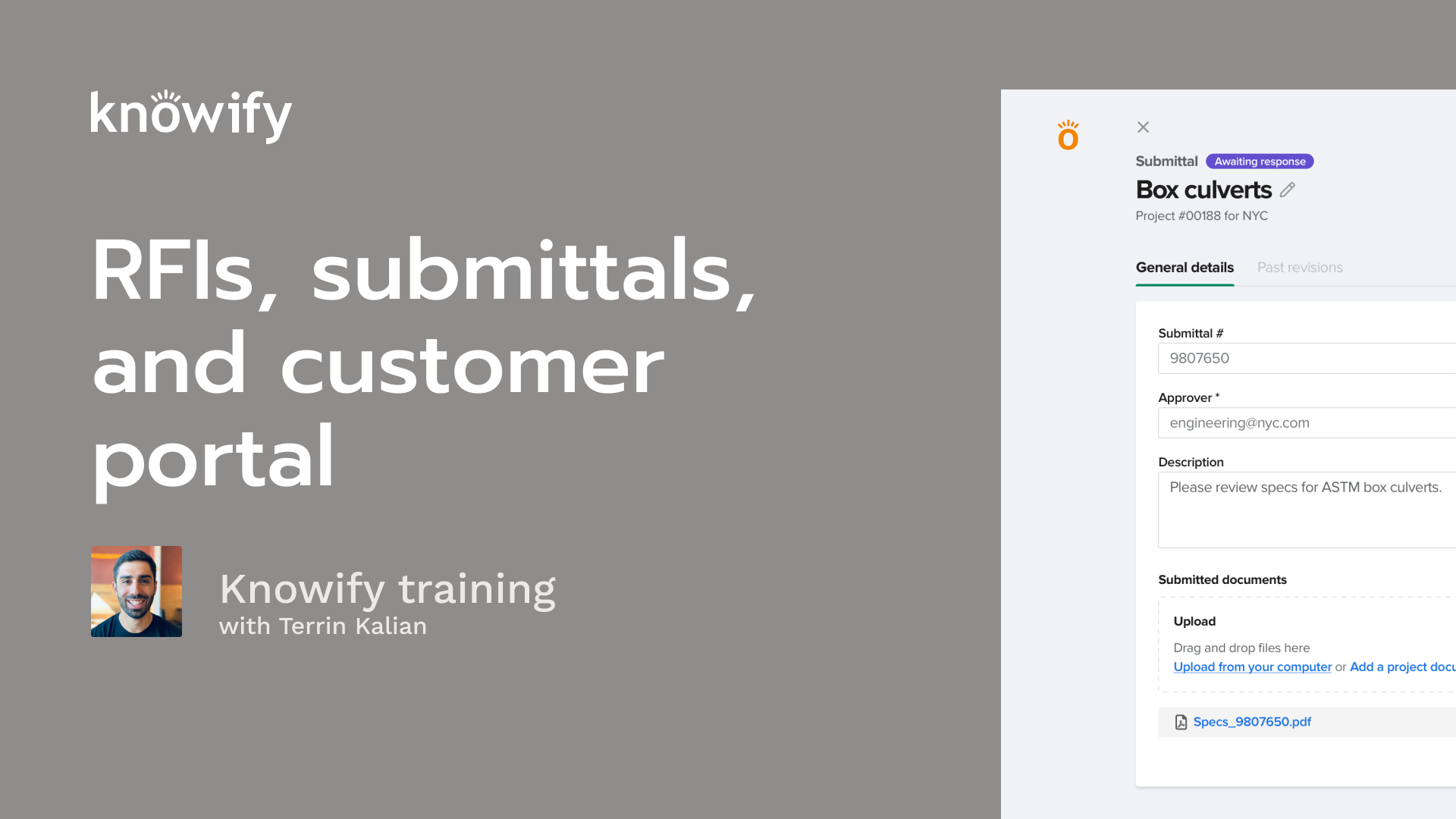
In this recorded training session, Terrin Kalien, Head of Client Experience at Knowify, breaks down how streamlined communication can make projects run smoother for everyone involved. Terrin walks through the best ways to manage requests for information (RFIs) and submittals in Knowify, showing how organized processes keep projects on track and approvals moving forward.
He also highlights how Knowify’s customer portals give clients real-time visibility into their projects, letting them check progress and access key documents from a secure, easy-to-use online portal.
Throughout the session, Terrin demonstrates how RFIs, submittals, and customer portals within Knowify help keep communication clear, organized, and documented. The goal? To give contractors the tools they need to deliver great customer experiences and build strong, transparent customer relationships.
Okay. That makes the top of the hour, so I'm gonna go ahead and get us kicked off. I always like to start by just thanking everyone for joining in here today. I know that everyone's got busy schedules, and it's not always easy to find some time in the middle of your day to sit in on a webinar and listen to me rant a bunch about Novi. So I really do appreciate you taking the time to learn a little bit more. It means the world to me that people have this type of interest. Today, our webinar topic is on client and project communication. So, basically, ways to, talk to people with nullify, whether it's internal for your own teams, your own internal staff, or if it's external with clients or other third parties that are relevant to a project, and just kind of how, that back and forth works and the different functionality that we have around that. If you don't know me, my name is Terrence. I manage customer experience in NoFi. So in short, just trying my best to make sure that everyone's as happy with Nollify as possible, whether that's the product, the product itself or your understanding of it, which is why we do these webinars or kinda how we, work with you whenever you reach out to us. That's really my department here. And to quickly go through our agenda for the day, we're gonna be covering a bunch of different ways that we communicate. So first of all, the concepts of RFIs and submittals, what they're used for, and, how to set those up in nullify. And we'll also be taking a dive into the customer portal feature set in Notify, the ways to just communicate with your clients, about what's happening on jobs and things like that. And then I always like to pull up my Notify account and just kind of give you a tour through the system, so you can see what this all looks like. So instead of just going through slides, actually see it happen in real time. Then we'll do a q and a at the end. If you have questions through the webinar, you can post them in Zoom's q and a. My associate, Vin, likes to answer all the quick questions that we can just send a quick in text answer to. But anything that needs to be a little bit more long form or requires its own demonstration, I'll follow-up with those at the end. And no need to raise hands. We don't really pull anyone off of mute for these, webinar sessions. So, again, if you have any questions, just go ahead and throw them in the chat, and we'll, we'll make sure that we get them all answered. All that being said, I'll go ahead and start off with an RF, with, you know, what are RFIs and kind of, what the process of creating and sending those looks like. And for anyone who was unaware, because sometimes people are, RFI is short for request for information. And this is really just a way for you to ask someone affiliated with a project a question. So whether that's the client, if it's the client's architect, if there's an engineer you have questions, for, this is a way for you to sense out a question and receive an answer. And a lot of the times, these are for, cases where there's issues with the plan, really just anything that is a stopper. Right? I can't move forward with this project until I have more information. So I send out that request, and then I receive more info. It's pretty common for these to be accompanied by documents as well. So whether it's a vignette of some plans or, really just any kind of documentation to say, hey. This is what I'm looking at. How would you, resolve this? You can send that out, and then the response will often have a, copy or a marked up version of that, document saying, here's how we'd like you to proceed. I always like you to use an example of something like, when you're looking at a plan, everything looks really nice. But then when you go to install something like a door that swings open, then if that swing, bumps into something, you might say, like, well, I could install this according to the plans and have the door just not really fully open, but I don't think this is actually what they want. That's when you might send out an RFI and say, hey. If you look at this part of the plans, the door swing gets a little jammed by something like a hanging light. How would you like, us to proceed with this? Now another common type of communication that we see outside of RFIs is the concept of a submittal. This is something else that's available in NoFi, and it's a lot, again, similar to an RFI that it's communication. It's a you know, I have a question that needs answering. I think the big difference that I see between these is that with submittals, it's less of, hey. How would you proceed here? What would you like me to do? And more like, is this okay? So another thing that's kinda different with submittals is a lot of times they're requested. So in RFI, I'm working on a project. I get stuck. I ask a question. Whereas, a submittal, I'm working on a project. I get a request from the client. Hey. Can you give me some answers? Can you give me some options for this? And then I respond to it. Hey. How does this look? So instead of, something like, hey. What would you like me to do? This light hangs too low and gets in the way of the door swing. It would be more along the lines of, hey. Which of these light fixtures do you want me to replace it with? Here are your options. And then there could be a little back and forth in conversation and communication to say, here's how we would like to resolve this issue. And, since submittals can be, pretty commonly, requested as opposed to just submitted, we do have both sides of this in nullify. So both the ability to send out a submittal for approval or to request a submittal from someone so that you can approve it. And both of these are gonna be available. We like to kinda simplify this as submit for approval. I'm a subcontractor or request the submittal. I am the general contractor, who's requesting this from a subcontractor that works beneath me. Now when we are requesting this middle through Noify as opposed to sending something out for approval, it essentially just adds an extra step. So in our standard submittal that works more like the RFI, I send something out. Is this good? And they can say either yes, move forward, or they could say no and request more information, and that's just kind of the simple back and forth. When we're requesting the submittal, it adds an extra step where I am now saying, hey. Can you please send me a submittal? And then the party that we send it to can, submit that to me, and then I can approve or request a revision. And, again, both of these are done, done in Noify. They could be managed, all inside our portal. So, instead of having, a way of just logging it in nullify, the actual communication can happen inside nullify as well. And so, again, the idea would be if we are requesting a submittal, it might be something along the lines of, hey. I just, found out that this light that we're supposed to work on or that we're supposed to install is no longer available. Can you send me some options for different lights that we can use instead? And then I'll approve the one that I like the best. And so it's pretty common to have multiple selections affiliated with the submittal as opposed to just, is this good? Yes or no? You just have a little bit more, documentation to go along with this. And we do see a lot more, common back and forth here as opposed to question and answer. It's question, clarification on question, another response, clarification on response, and then just a little bit more, of a back and forth. And we do our best to try to keep all of that information logged so that when we're going to see how this project went in the future, we could say, oh, I remember. We had a question here. Here's the conversation I had with the client's architect, and this is how we arrived at this point. Now those types of communication can be with the customer. Again, they can also be with third parties, so architects, engineers, like I mentioned, vendors, really anyone affiliated with the project. But for very specifically customer facing communication on how a job is progressing, that's where we have these customer portals. And the benefit of using something like a customer portal is basically to keep your customer in the know without having to do additional work to say, like, oh, yeah. It's Friday morning. I need to send an update to my client. This just gives them a place where they can check-in on any information that you wanna provide to them without you having to be consistently doing one thing for yourself and then again for the customer. One thing for yourself and again for the customer. And so you can do things like, provide information about the job's current status, your progress through different parts of the job. It could be a portal where they can view their invoices, what has and hasn't been paid. They could submit payment. You could share documents, share comments, really whatever you need to just to let them know where the job stands at any point in time. And, again, the whole idea is that it's built to work, sharing information that you're already entering into nullify. So instead of you having to enter into nullify for your records and then put it somewhere else for the client, You just have that single input that does, both sides of that coin. And then when you set up a customer portal, we also allow you to customize. So we don't wanna have this workflow where it's like, every time I do everything, my customer could see it. Maybe there's some things that, are better kept internally. Maybe there's some things that the customer doesn't need to see. And so we allow you to customize the portal a little bit more to make sure that you could say, well, we actually share the contract, but we don't share our, progress. We only use the cut the, portal for the sake of sharing invoices, but we don't need them to see comments. We don't need them to see, pictures that we uploaded, things like that. We also have the ability to, essentially pick and choose what parts of different, things that you share. So to clarify what I mean by that, yes, you can upload a hundred different pictures inside Notify. You could share pictures with the client portal, but you don't actually have to share all of those hundreds of pictures with your client. You can pick and choose from that list. Yes. We do wanna share pictures, but only these specific pictures. And so, again, the real goal here is to make sure that you could still use Notify for all of your own internal use, but you, don't have to share everything with the customer, only the things that, very specifically you wanna be able to share. And we do our best, to make sure that, without any specific action towards it, we never share things, that are sensitive information with the customer. So, the examples would be, like, they're not gonna see your cost. They could see your progress based off of, how far along you are from a project management perspective, but they won't see, oh, they're only spending this much, but they're billing me that much. I'm gonna challenge the amount that I'm, paying the contractor here. None none of that should be shareable. Now, again, I always think the best way to explain things is by showing them. So I'm gonna pull up my nullify account here, and you'll have to excuse any sniffling. I have been under the weather a little bit the last couple of days, but I'm gonna go ahead and start a new job and just kind of walk through some of these different options that we have available today. So I'll set up a project, and I'm gonna use professional as my job costing style. Now when I create a job, I'm gonna do my quick little shortcut of copying from a fake spreadsheet. I have my list of phases. And one thing I always like to do when it comes to setting up customer portals is make sure that we're defining progress on things. So, if you have attended our webinar on daily logs and track project management in the past, you'll note this defined progress lets me define a percentage of completion on something that goes beyond cost versus budget. So I could say we measure rough in in, feet, and I know that I have, a thousand feet of rough in to complete. They're really however you wanna do it. This is kind of just random that I'm putting together here. Finish is also in percentage. But this way, even though I might like to look at my percentage of completion as cost versus budget, I don't wanna share that with my customer, if I don't want them to see my cost versus budget, I have a way I could communicate a percentage of completion to the customer without them seeing how much I'm spending at any point in time. I'm also gonna create a proposal on this job, and I don't wanna spend too much time with this other detail since this isn't quite relevant to this specific webinar, and I'll go ahead and make this active. Now I did set up this job for a customer portal, and I'll get to that in a bit. But first, I wanna go through the other two topics that we mentioned, which are RFIs and submittals. So I'll have this RFI section, and this could be as simple as send RFI. And I'll say RFI number zero zero one on the job, and I could say, I'm sending this to and I'll go ahead and send it myself. I need a response by tomorrow. This is very urgent. I could say, please see how this chandelier gets in the way of the door that swings nearby, and I don't even know what that situation would look like. And then I can also upload a a document to go along with this. So if this is a construction plan, I would have that option. Let's see what we have here. Whatever the screenshot is, it doesn't really matter. And then if I also had screenshots taken from the field, I could say add project documents, and anything else uploaded from the field can automatically be copied here without me needing to, go upload it separately. Now I'll go ahead and send this out, and Notify is gonna take note that this RFI is awaiting a response. Now just so you could see what the client facing side of this looks like, I'm gonna receive an email, RFI number one for this project, and they can view RFI attachments. We also generate a simple PDF here, if needed. But I could say view RFI attachments, and we'll see we have the screenshot here to view, and I could say, no problem. Please use this light fixture instead, and I can upload another file in response. And then if I have my own RFI number, it's like, yeah, that may be RFI number one for you. But for me, it's three fifty four in my system, and I could submit this. And in this case, I'm the client of Client Industries, and I can send a response. This will also email me to say, hey. You have received a response on your RFI that you submitted, so we could see that here. And then where this is awaiting response, it's gonna update itself. I'm just gonna come back answered. I could see perfect. Here's their response, and I can download a copy of this document to distribute outside of nullify as well. And so that's kind of, how these RFIs work. And, again, they're pretty simple. They're pretty straightforward back and forth. The idea here is just that we can use this for anytime we have, a request for information, regarding a project. I do think it's also worth noting that even though these are meant to be standard RFIs as we see in the construction industry, it can really solve for anytime you have a question for anything pertaining to project. So we do see cases where people use RFIs to ask subcontractors questions. Hey. How much would you, you know, charge for this, addendum to our contract? Things like that are always an option. There's no reason you can't do it, and it is nice that it gets gets stored along with the rest of the project. So just something to, consider if you're ever trying to think of, like, well, I need to send something out. I like to keep my stuff in nullified, but it doesn't quite fit any, it's not a submittal. It's not a change order. RFIs could be handy for a bunch of reasons that way. Now for submittals, again, we have the two sides of this. So requesting a submittal and setting this middle for approval. So I'll start with setting this middle for approval. This is a little bit more straightforward. And you see we can include a submittal number or revision number, and I could say this is going to be re approved again by myself. I need to hear have a response by Friday. And I could say, which of these lights do you prefer? These options won't get in the way of the door swing. And same idea, we can upload documents from our computer. We can add from the project, and we could send this out for approval. Now, again, I can see this is awaiting approval, but just to kind of, explain a little bit more about how the back and forth can work, checking my submittal here. Again, the email goes out with the description and a link to view this directly inside here. And I could say either, approve with a comment. So I could say, I'm Taryn, the client. We like option number one. Or I could say, I'm Terren, the client. None of these look good. What else you got? And so this is kind of the client side of it or the architect side of it. I can even include the, an attachment along with my, response. So that way, I could say, do you have anything more that that looks, do you have anything that looks more like this? Right? Do we have any clarification? Can you give me a little more information, more options? This updates the submittal status to revise and submit. So I could say, oops. It looks like I need a response. I could see now the chain of events. I created this middle. I sent it for approval. Here's the response from the client. Now we create a revision. I could say revision. Here are a couple more options. What do you think? And this is where we really just start having that back and forth. Right? So we have here's more options. Which ones do you like? We have all of this back and forth. And then when this finally looks good, you know, perfect. We love number six, and this closes out the loop. Now with submittals, once this is approved, we also have the ability to distribute this. So I can send it to other parties. So maybe I need to need to queue in my purchasing team about this or something along those lines. We can give them all of the information. We could see the past revisions, things like that. And, again, we do try to keep that log. So here's when this middle is created. Here is the revision request. Here was the revision that was submitted, and then it was approved, and we see all that back and forth here. Now for the other side of submittals, again, instead of sending for approval, I can actually request to submit all from a sub. So I could say, submit all request. And we'll call this number two. And I could say, we are requesting a submittal from Ernie's Electrical that needs to be submitted by tomorrow. And I guess I work for all of these companies. I'll keep sending myself emails, but I could say similar idea. We just heard from the door company that the lighting fixtures are getting in their way. What options do you have? Now this is a similar type of thing to what we were just working with. The difference is before, I was the contractor in Noify sending this submittal to, my client for approval. Now I am, in that case, the client, but in this case, I'm the contractor saying, I need you to submit something to me. So the process is very similar, but what's being done by the nullify user versus the person they're communicating with happens a little bit differently. And, again, you can upload documents. Here's some information about the here's some specs on how low these things can hang on the wattage we need, whatever it's gonna be, and I can send this out. And just like everything else before, we'll have the ability to see that communication request for submittal. And then my party that needs to submit this is gonna get the email with this link where they could say, here are a couple of options, and they can upload a document just like we mentioned earlier. They could provide their doc different options and send this out for approval. Now, just like our, send a submittal for approval works, we can have a back and forth. So I don't have to approve this. I could say, like, that's not good enough. Send, oh, I can request approval. I can request a revision. I can, obviously delete if I need. But this is where I can start it back and forth instead of just approving it, instead of it just being a solid, I request they sent I approved. I can request revisions and say, this isn't good enough. I need something else. And, again, start that back and forth that will be locked with all the documents for reference at a later date. Since we already saw the back and forth on the other version of this, I'm gonna go ahead and just approve here. I haven't hit the pound sign in the right key once. And, again, we can distribute this to any additional parties as needed once we're done. And so that's our submittals and RFIs. And, again, these are always stored here. So if I, need to look at this project again, maybe someone asked me a question about it three years down the line. I could just pull up this project to nullify and say, oh, I remember that. There was this middle, and here's what happened. Here's the back and forth. And, again, I can email them, all of these records as I need as well. But now we'll get into the customer portal. This is kind of the more fun feature set that we'll have to work with on these jobs. So in my summary page, I have that ability to enable customer portal. Sorry. I sped through that a little bit. And right off the bat, it just generates this link. And the link at its core is just gonna be very bare. The general summary, we could see contract information. But what I wanna usually be able to do is adjust the portal content to say, like, I need them to see the status of the proposal. I want them to see progress on these phases. They will have to be able to see the invoices we send, owner shared documents, logs, etcetera. Now once I have all this enabled, I'll do a quick refresh here. We'll see more options available at the top. Here's our progress, and this is where we could start sharing information. So just to kinda go through this one line at a time, we'll start with our contract. So, we have the agreed upon contract here. I can also add change orders, and I'll save this as a draft and then maybe make one that's solid. And, of course, I made the same change with two lines. Let me go ahead and just update this. K. And I'm gonna create an invoice for this job. So hundred percent of demo, fifty percent of our rough in, and we'll generate our invoice. And I will log a payment on this as well, maybe just a partial payment. So because I've now invoiced part of this contract, I can go to the contract in the customer portal and I could see that that demo is something that's been approved. Rough in has been approved, and we have invoiced out of the ten thousand five hundred. We've invoiced five thousand two hundred and fifty. I can see there's a change order that's been approved, and I can kinda just see this information as the information goes along. For the invoice I create, I can also see in invoices, the contracts for twenty eight thousand. We've invoiced fourteen two fifty, and we've paid seventy five hundred so far. And I have the ability to, access nullify secure payment portal. So if you're using, Intuit payments, we can actually process payments directly through this portal as well. Now for our progress on the job, if I go back to this job that we're working on, you may remember that earlier, I had set up the, ability to track phase progress. So this means that I could say demo production tracking ad progress, and I could say we are now seventy five percent complete with this. And here are my comments. Submit. And let's go to rough in. We have completed, one hundred and fifty out of the scheduled fee. Submit progress. And as I update this, then when my customer goes to check on the customer portal, that's the progress that's gonna be shared on this screen. So, essentially, you're updating this so you know where you sit on the job, but, also, updating this is going to provide the customer with a little more information. So instead of them going to their job and saying like, hey. It doesn't look like demo's completed at all. You can actually share with them. Here's how far along it is and give them additional information that accompanies all of that. Now for the documented log side of sharing, documents is really just gonna be all of our images that are shared with the customer and things like that. Sorry. All images uploaded from the job site as well. So anything I upload here, can be shared with the customer. And let me see if I have a I think I have a good, document I can upload here. Cool. So I uploaded this thing that I called plans. I'll let it finish uploading and not be such a speed demon with this. And if this is something that I wanna share with the customer, I could choose share with customer. And now when the customer is in the portal and they're checking on the document section, I can see that that plans is set here. However, all the other things, this RFI that we created, this project proposal, this change order, those don't have to be shared in this case because I didn't choose, share with customer. The screenshot from earlier is also not, shared. This is something I don't want them to see, but this is where I have a little bit more control over what I do and don't share with my customer, based off of what information they need to see and what, I don't necessarily want them to see. Now for logs, very similar situation here. In our logs, we do keep, at any point in time, a ongoing list of, actions that performed on the job. We could see all this different information, and this could be really handy, just for knowing what's happened on my job at any point in time. But the logs can also be a way for me to manually write comments. So I could say, we started work on a demo today, but got rained out. Let's add a day to the schedule, and this is for demo. And I could say this is whatever it's gonna be, deficiency. And in order to share, I could say share with customer. And now we have this shown in portal, hidden from portal option on each line of this. So I could say, I want them to see this. We could share the progress that we logged earlier just so they could see the dates affiliated with that. And then when we're in the customer portal and we go to logs, as the customer, I'll have the ability to see this and have the option to filter through to specific information that I'm interested in. And it's all affiliated with the date too, I can, know, when this stuff happened and really get a a decent idea of what's going on on the job according to the customer and what they've shared with me. And that's really how our customer portal is meant to work. It's just meant to be a place where I can share things, and make sure that, people can see, our customers could see where we stand without them having to check-in, with us, send us text. Right? I don't have to share anything separately. And then if I'd like to, just kind of remind them from time to time that this exists, by nature of having a customer portal on a job. When I go to invoice a job that has a customer portal enabled and I'm emailing that out to the customer, I could say send via email, include link to customer portal. And then when the customer receives the, invoice, they'll also receive a link to the portal where they could check-in on the status, submit payments, see which change orders have been approved, things like that, all directly, inside this customer portal in one place. So it doesn't have to be, something that they keep asking for. We just keep sending it, and they can use that same link, whenever they, have questions. That's really the basics of what I want to show regarding our communication inside and outside of Noify. I do wanna also take a moment to mention that, our submittals and RFIs are also now showing inside our, new scheduling tool. So if we're in the calendar, I could see, oh, there's a submittal due on the eighteenth. Let me click on this, and we'll jump right to the relevant submittal in the middle section so I can see, okay, this is, what I am waiting for a response on or whether or not it's been approved. And in this coordination hub, which you could find in contract jobs, coordination hub, I can also see, okay, show me all of my RFIs based off of created date of my submittals, based off of due date. And we can just get a list of these things that goes beyond looking inside each job and more of just an account wide. Hey. Just I'm in charge of submittals. I need one place where I can go to check on the status of all of them, and have a nice little hub where, all of this is available. Now I did see some questions come in, so I'm gonna jump into the q and a here. Is it possible that we have RFIs same configuration as submittals? So this is a good question. We do hear this from, time to time. People are looking for RFIs to have the same, back and forth capability as middles have, where instead of just responding with a answer, here's the answer to your question, end of RFI, request more information. That's not available now, but it is something that we are looking into, and we do hope to offer in the future. When in doubt, always, you know, please use the feedback option that we have inside our notify account. So I can use this. I know it could kinda feel like screaming into the void sometime because we don't provide responses on that. That's something that we're reviewing, and we're trying to be better about, having some back and forth affiliated with this. So don't be shy about using this, and, we'll do our best to get back to you on any feedback that you submit. There's also a question on, can a a client pay, through Square or only through Intuit in that portal? I believe that it works with any payment links. So as long as you have an invoice with a payment link, it should be something that the customer can access through here. And just to clarify, in the customer portal under invoices, with this pay invoice, regardless of what payment processor you use, it should be able to pull up that link where they can process payment right through Novi. There is a follow-up question on if there's a report for this project process, project progress. One nice report that we have that's relatively new to nullify is what we call the phases report. So, this can be filtered out as well, and I'm gonna use the project, let's say, three twenty that we just used. But if I wanna say, hey. Show me the different phase statuses of project three twenty, and I wanna see progress. Perfect. So it's already enabled. Here's where I could see this phase has a hundred and fifty of a thousand feet completed. This is a seventy five of a hundred percent completed, and we could see this information pretty quickly just to understand how far along we are on this and what does or doesn't need to be invoiced if that's why you're looking into it. So I hope that helps. And if there is anything else that you can think of around those same lines, definitely let us know, we're always happy to get more info. Well, I know that we're pretty early on time, but I always do like to give people time back if they can. And this looks like it's the last of our questions. If you have any other questions on this or if, you'd like to, cover, setting this up in your account and, you know, want some help, putting it all together, never be shy about reaching out to us, and we can connect you with your success manager for more training and answer any questions you have. Thanks again for taking the time, and I hope you have a great rest of your day. Take care, everyone.