
Build for the trades. Build for profitability. Built to help you crush it.
If you're a trade contractor who needs to know exactly how much money you're making on every job, in real time, there's one platform built for that from day one. That's Knowify.
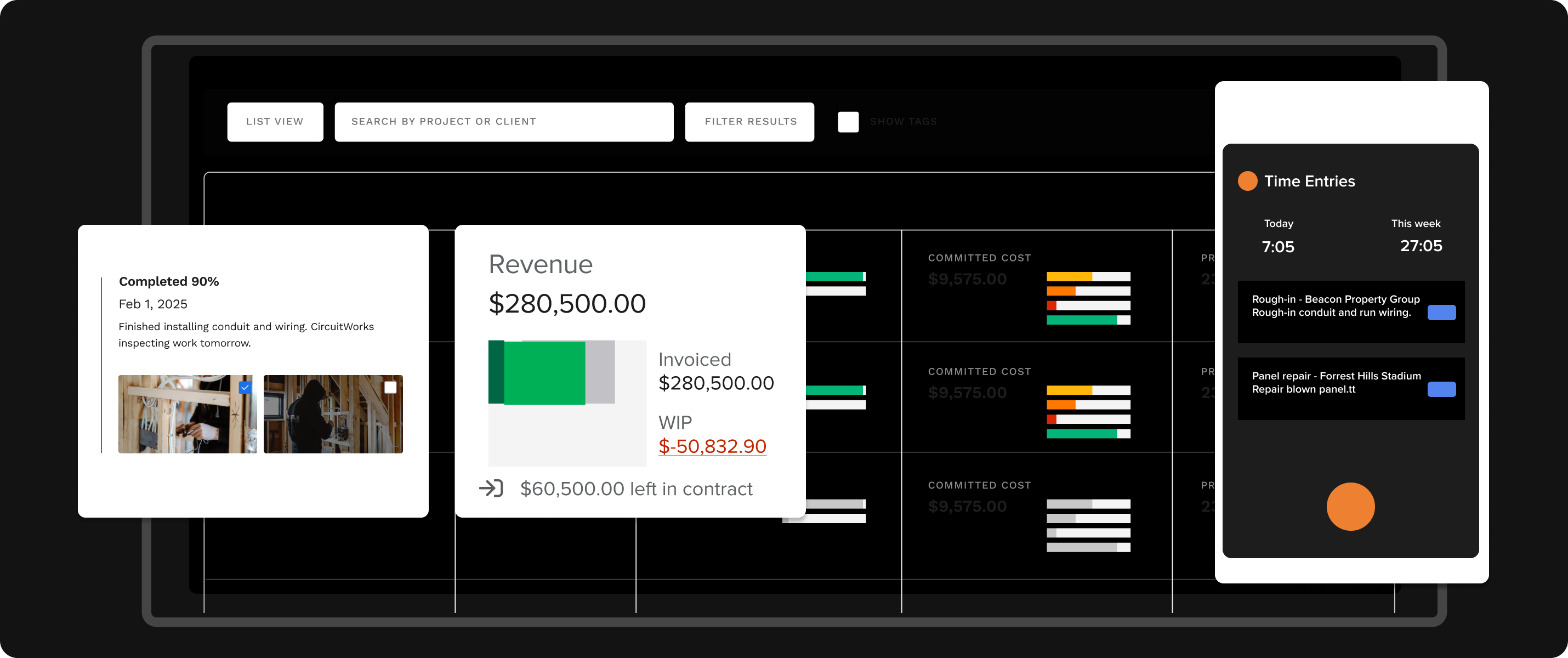 Real-time profit tracking
Syncs to QuickBooks
Real-time profit tracking
Syncs to QuickBooks
You're Not Just Picking Software — You're Picking How You Run Your Business
Every construction management tool on your shortlist will promise to keep you organized. Most of them will. But organized isn't the same as profitable.
The real question isn't which software has the longest feature list. It's which one connects your bids, your budgets, your crew's time, your material costs, and your invoices into one picture that tells you — on any given Tuesday — whether each job is making or losing money.
That's what Knowify was built to do.
The Gaps That Send Contractors Looking for Something Better
We talk to contractors every week who've outgrown their current software. The reasons are almost always the same:
The software manages schedules or documents, but can't tell you whether a job is making or losing money until it's too late.
The integration is one-directional, inconsistent, or creates duplicates. Your bookkeeper spends hours reconciling what should be automatic.
One tool for field reporting, another for invoicing, a spreadsheet for job costing, and QuickBooks holding it all together with duct tape.
Enterprise-level pricing for a dispatch board you don't need, or 50 shallow modules when you really need five deep ones.
The interface is too complex, the mobile app is clunky, and implementation took months. Half your crew found workarounds on day two.
- Real-time profitability — Phase-level job costing with budget vs. actuals and WIP reporting
- QuickBooks that just works — Two-way sync with QBO, Projects, Payroll, and IES
- Proposal to payment — One connected system for your entire workflow
- Transparent pricing — Pay for what you need, not enterprise features you don't
- Teams adopt in days — Clean interface, customized onboarding, real support
Price value and customer service. Knowify was by far the best when rolled up together.
Verified Contractor Review • Capterra
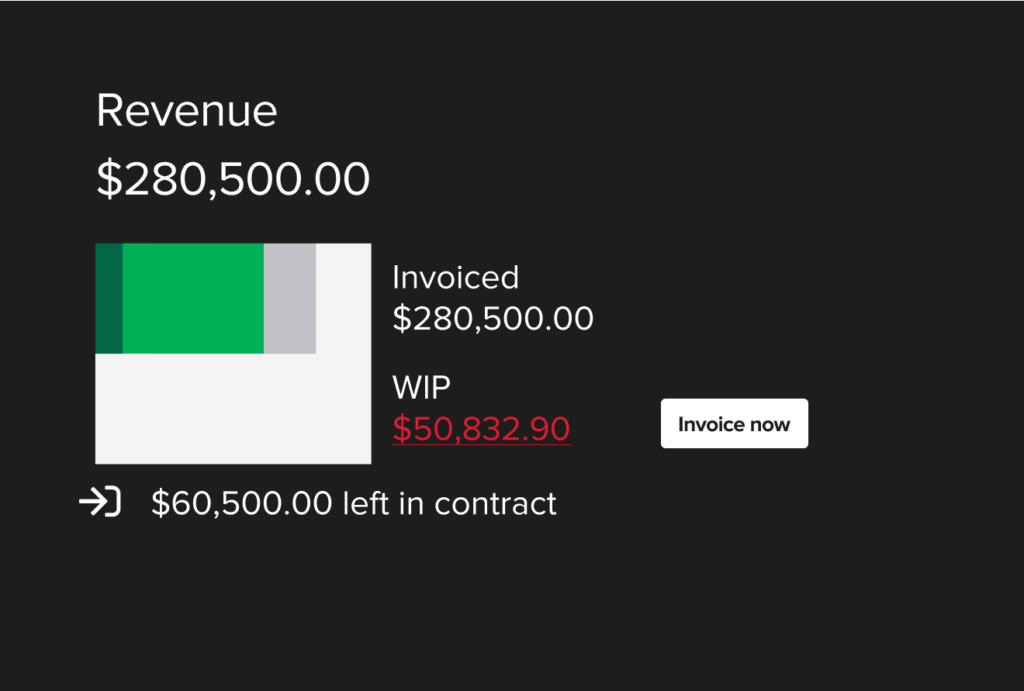
Know Your Numbers on Every Job — Not Just Your Schedule
BuildOps was built around field service management — dispatching technicians, managing schedules, tracking service calls. Financial tools were added later.
Knowify was built around your finances from day one. Every feature connects back to one question: is this job making you money?
-
Detailed budgets that become your project plan
Build phase-by-phase budgets by labor, materials, equipment, and subs. Once you win the job, your budget automatically becomes the plan you track against.
-
Real-time job costing as your team works
As your crew logs time, submits expenses, and receives materials, Knowify tracks actual costs against your budget in real time — before it's too late to course-correct.
-
WIP reporting that tells you when to bill
Knowify's work-in-progress reports compare job progress to invoicing, showing you when it's time to send the next invoice. No more leaving money on the table.
-
Trade-specific billing your clients expect
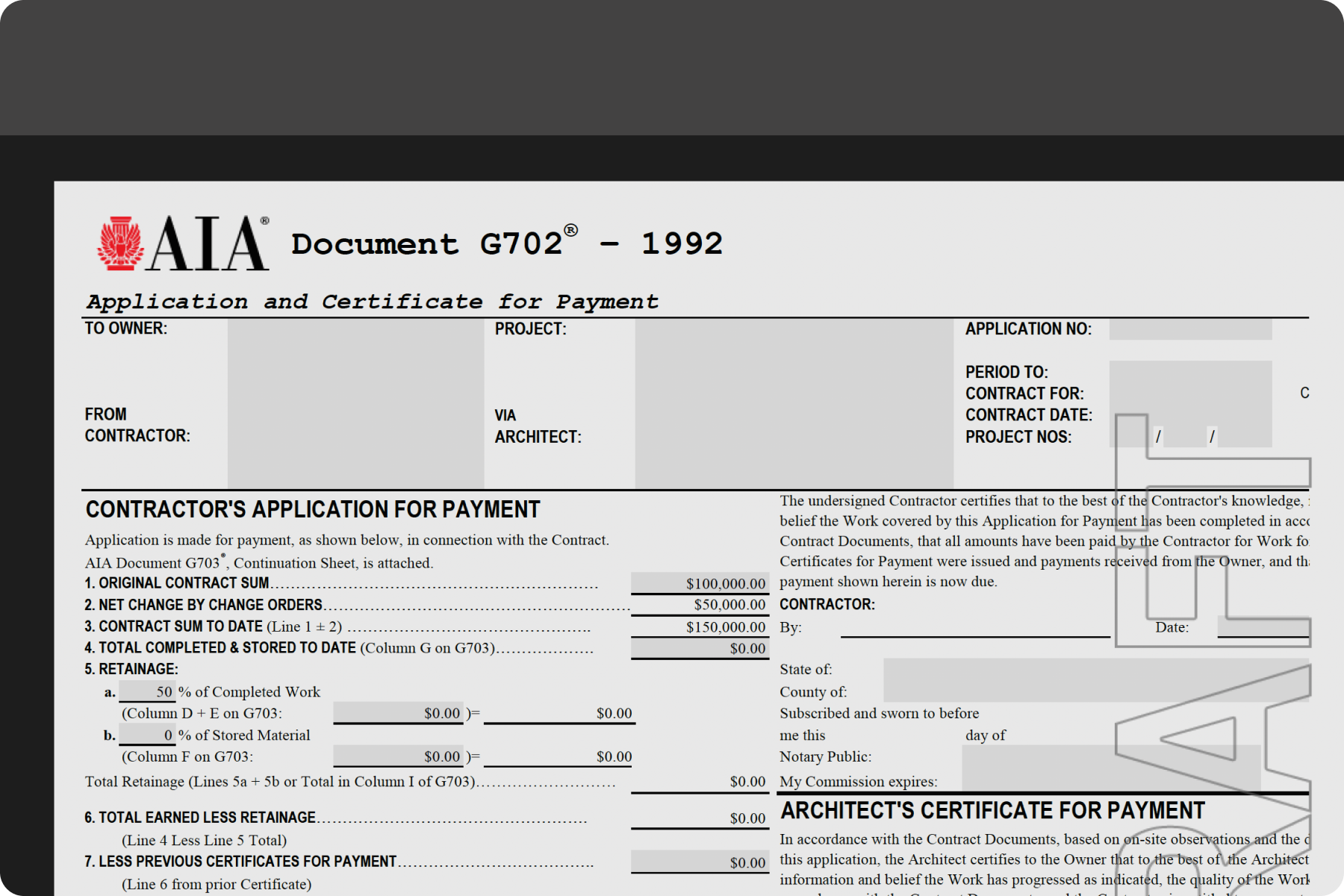
AIA-style pay apps with auto-generated schedules of values and retainage tracking. Progress billing, cost-plus, fixed-price, maintenance — Knowify handles them all.
"Before using Knowify, we didn't really have a true understanding of our labor costs."
CEO, Construction Company (2–10 employees) • G2 Verified Review
AIA Pay Apps, Built In
G702 / G703-style formatting, auto-generated schedules of values, retainage tracking by phase. Something BuildOps doesn't offer in the same depth.
Auto-generated SOV. Knowify creates a draft schedule of values for every AIA contract — a starting point you can refine instead of building from scratch.
Progress by percent or dollar. Enter work-in-place as a percentage of completion or as a dollar amount. Pay applications get numbered and organized automatically.
Retainage tracked by phase. Include retainage on each pay app or invoice it separately. Knowify keeps the running total clean.
The Deepest QuickBooks Integration in Construction — And It's Not Close
If QuickBooks is the backbone of your accounting, this is the section that matters most.
Knowify is the only construction software that integrates with QuickBooks Projects, QuickBooks Payroll, and Intuit Enterprise Suite. It's not a surface-level sync that pushes invoices over and calls it a day. It's a real-time, two-way connection — costs update in both platforms no matter where your team enters them.
BuildOps syncs with QBO but users report duplicates and holdbacks that don't carry over. Raken has basic QBO sync for time data only. eSUB isn't QuickBooks-centric. Contractor Foreman offers bi-directional QBO sync but it isn't always seamless.
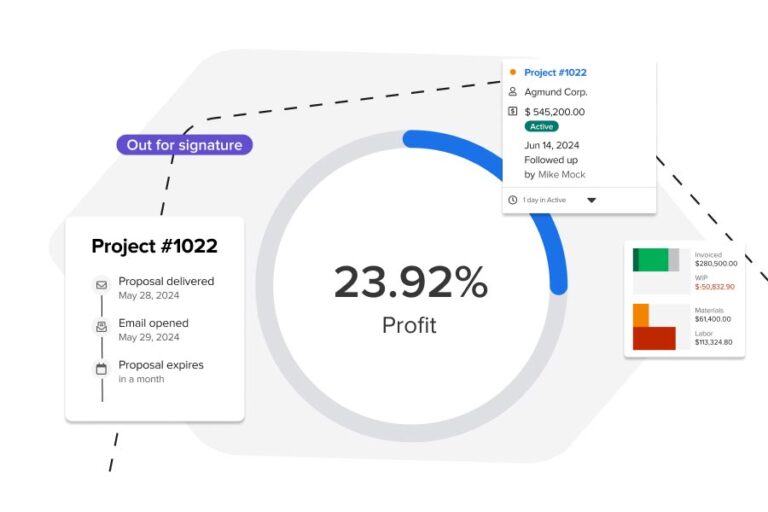
- Invoices & payments
- Purchase orders
- Vendor bills
- Labor hours & payroll
- Expenses & receipts
- Customer & job data
"Knowify's integration with QuickBooks is very good — reduces a lot of time with entries and reduces mistakes."
Miguel L., CAO, Small Business • G2 Verified Review
From Proposal to Payment — One Platform, No Gaps
Most construction software solves one part of the workflow and leaves you stitching together the rest. Your daily reporting tool doesn't touch invoicing. Your document management tool doesn't handle bids. Your dispatch platform doesn't track whether the job is profitable.
Knowify connects the entire lifecycle:
All in one system that syncs with QuickBooks in real time. No data gaps. No double entry. No switching between three tools to figure out if you're making money.
Year-over-year growth. That's what Mack Chrisman, owner of 1st Choice Services, saw after bringing Knowify into his business. With labor, materials, and contracts all in one place, his team saves hours on billing every week.
Mack Chrisman, Owner, 1st Choice ServicesKnowify vs. the Competition
How Knowify stacks up against BuildOps, Raken, eSUB, and Contractor Foreman on the things that matter most to trade contractors.
| Category | Knowify | The Competition |
|---|---|---|
| Job Costing & Profitability | Phase-level job costing with real-time budget vs. actuals. WIP reporting, profitability dashboards, fully loaded labor burden — all synced with QuickBooks. | Ranges from nonexistent (Raken has no job costing) to shallow (Contractor Foreman's reports lack depth). BuildOps bolted financials onto a dispatch platform. None offer real-time WIP or phase-level profitability. |
| QuickBooks Integration | Deepest in construction. Two-way real-time sync with QBO, QB Projects, QB Payroll, and Intuit Enterprise Suite. Official Intuit construction partner. Hundreds of 5-star reviews. | BuildOps users report sync issues and duplicates. Raken syncs time data only. eSUB isn't QuickBooks-centric. Contractor Foreman's sync works but isn't always reliable. None integrate with QB Projects, Payroll, or IES. |
| Invoicing & Billing | AIA pay apps (G702/G703) with auto-generated SOV and retainage tracking. Progress billing, cost-plus, T&M, maintenance invoicing. Online payment collection. | Raken has no invoicing at all. eSUB has basic pay apps but no full invoicing engine. BuildOps and Contractor Foreman offer invoicing, but without the AIA depth or retainage sophistication trade contractors need. |
| Proposals & Contracts | Two-click proposal builder from budgets. E-signature. Multiple contract types (fixed-price, cost-plus, T&M, maintenance). Win-rate tracking. | Raken and eSUB have no proposal tools. BuildOps has quoting but it's complex and slow. Contractor Foreman has basic estimating. None auto-generate proposals from project budgets. |
| Project + Service Work | Manages both contract jobs and service tickets on one platform — from proposal through payment. One system for your whole business. | BuildOps is service/dispatch-only at its core. Raken and eSUB don't handle service work. Contractor Foreman has basic work orders. None offer a unified project + service platform with financial depth. |
| Full Lifecycle Coverage | Budget → Proposal → Contract → Track costs → Change orders → Invoice → Payment → Profit reporting. One continuous workflow, zero data gaps. | Every competitor covers a slice of the lifecycle and leaves the rest to spreadsheets or additional software. Raken stops at field documentation. eSUB stops at project tracking. None go proposal-to-payment in one system. |
| Mobile App | Clean, straightforward app for GPS-verified time tracking, expense submission, and job updates. High field crew adoption. | Raken has excellent mobile for daily reports. BuildOps's app is powerful but reviewers call it cluttered. Contractor Foreman's app doesn't support all desktop features. Mobile quality varies widely. |
| Ease of Adoption | Customized onboarding. Intuitive interface. Teams productive in days to weeks, not months. | BuildOps requires months of implementation. Raken and Contractor Foreman are quick to adopt but limited once you're in. Ease of adoption varies — but none match Knowify's combination of fast setup and feature depth. |
| Pricing | Tiered plans (Core, Advanced, Enterprise) for teams of 2 to 200+. Transparent, accessible pricing. | Ranges from $49/mo (Contractor Foreman — affordable but shallow) to ~$299/user/mo (BuildOps — enterprise pricing). Raken and eSUB are quote-based. You either pay too little for depth or too much for features you don't need. |
Contractors Trust Knowify to Run Their Business
With Knowify, we can send clients a professional-looking proposal in minutes without ever visiting the installation site itself. We use the templates we created in Knowify, make any adjustments needed, apply our markup and send everything to the client for them to digitally sign off on.
Michael Haff Owner, Castle Electric

Mack Chrisman, Owner of 1st Choice Services, saw his business growing 60% year-over-year and knew he needed software to keep up. With Knowify managing his labor, materials, and contracts, Mack saves hours on billing every week and has a clear picture of what's been paid, what's overdue, and when to bill next.
Mack Chrisman • Owner, 1st Choice ServicesAlready Using One of These Tools? Switching Is Simpler Than You Think
We get it — switching software feels like a big move. You've got data, workflows, and a team that's (maybe grudgingly) used to the current system.
Here's what a switch to Knowify actually looks like.
-
1
A real conversation about your business
Your walkthrough isn't a canned demo. We'll look at how you're running things now, what's working, and whether Knowify is actually the right fit. If it's not, we'll tell you.
-
2
Your data comes with you
We'll help you migrate your project data, vendor lists, and financial history so you're not starting from scratch.
-
3
Your team gets onboarded, not abandoned
Customized training for your office staff and field crew, with real support from real people — not a chatbot reading from a knowledge base.
-
4
You keep working while you transition
Knowify is designed to be productive quickly. You won't lose months to implementation limbo.
Walkthrough & fit check
Day 1 • 15–30 min call
Data migration
Days 2–5 • Guided by our team
Team onboarding & training
Week 2 • Office + field
Running jobs in Knowify
Week 2–3 • With support on call
See What Your Projects Look Like in Knowify
Schedule a 15-minute walkthrough. We'll show you real job costing, real QuickBooks sync, and real profitability tracking — with your kind of projects in mind.
Not ready to talk? Start a free trial and see Knowify for yourself — no credit card required.