
Procore Is Built for Enterprise GCs — Knowify Is Built for You
Financially-focused job management software designed for trade contractors. Real-time job costing, AIA billing, and the deepest QuickBooks integration in construction — starting at $99/month.
Schedule a WalkthroughSee how Knowify fits your business in 30 minutes. No commitment.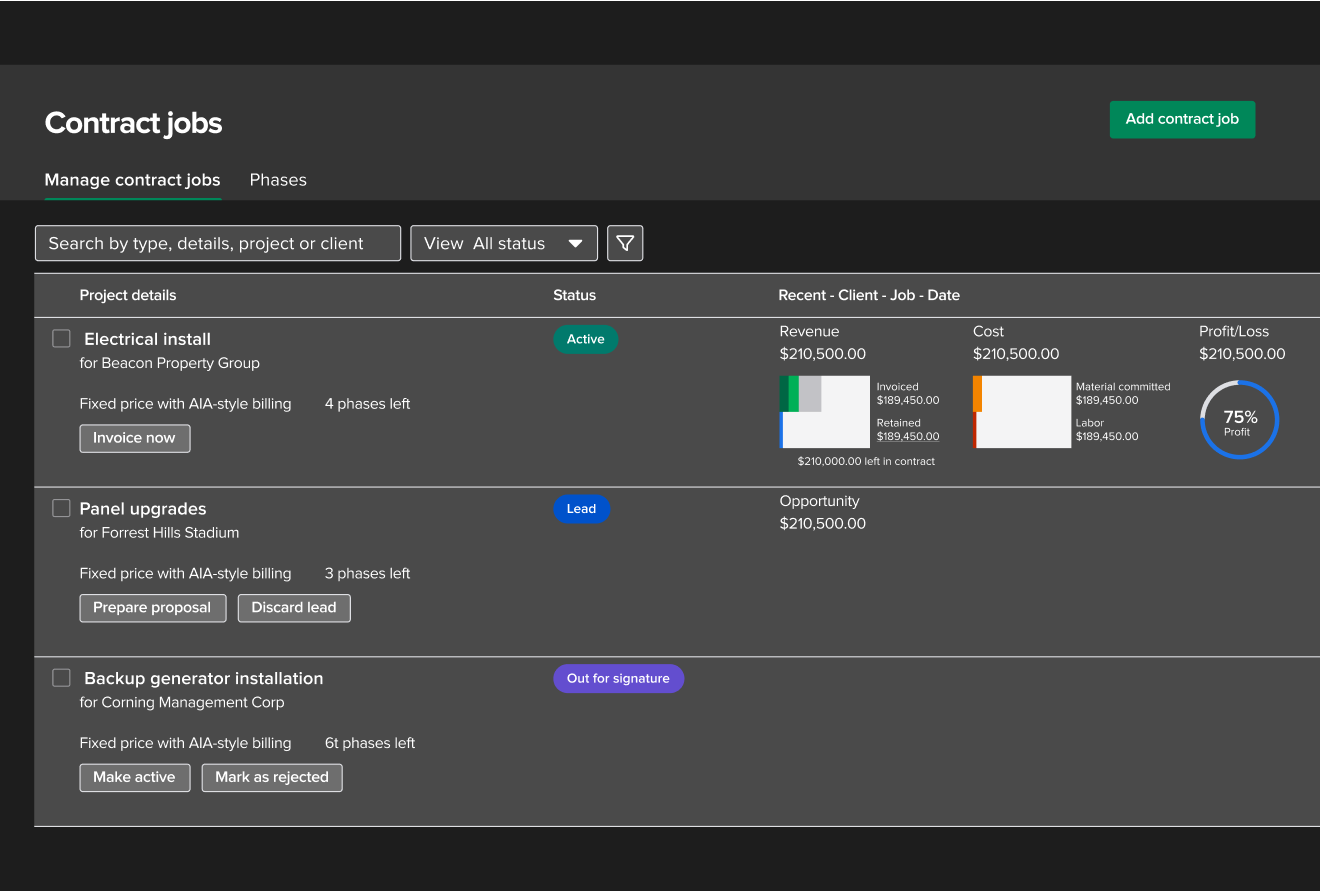
Procore Is a Great Tool — Just Not for Every Contractor
Let's be honest: Procore is powerful. If you're a large commercial GC managing $50M+ across dozens of projects, it's hard to beat. But if you're a trade contractor doing $2M–$50M a year?
A platform designed for multi-party preconstruction workflows, enterprise bid management, and 8-week implementations. Half the features your team will never touch.
Software that helps you bid jobs accurately, track costs in real time, bill your customers correctly, and know exactly how much money you're making on every project.
That's what Knowify does. Without the enterprise price tag, the 8-week implementation, or the features your team will never touch.
Everything a Trade Contractor Actually Needs
Built for the way you work — from proposal to payment. No enterprise bloat, no features collecting dust.
You Don't Need More Features — You Need to Know If You're Making Money
Most construction software gives you project management tools and leaves the financial picture to your accountant. Knowify flips that.
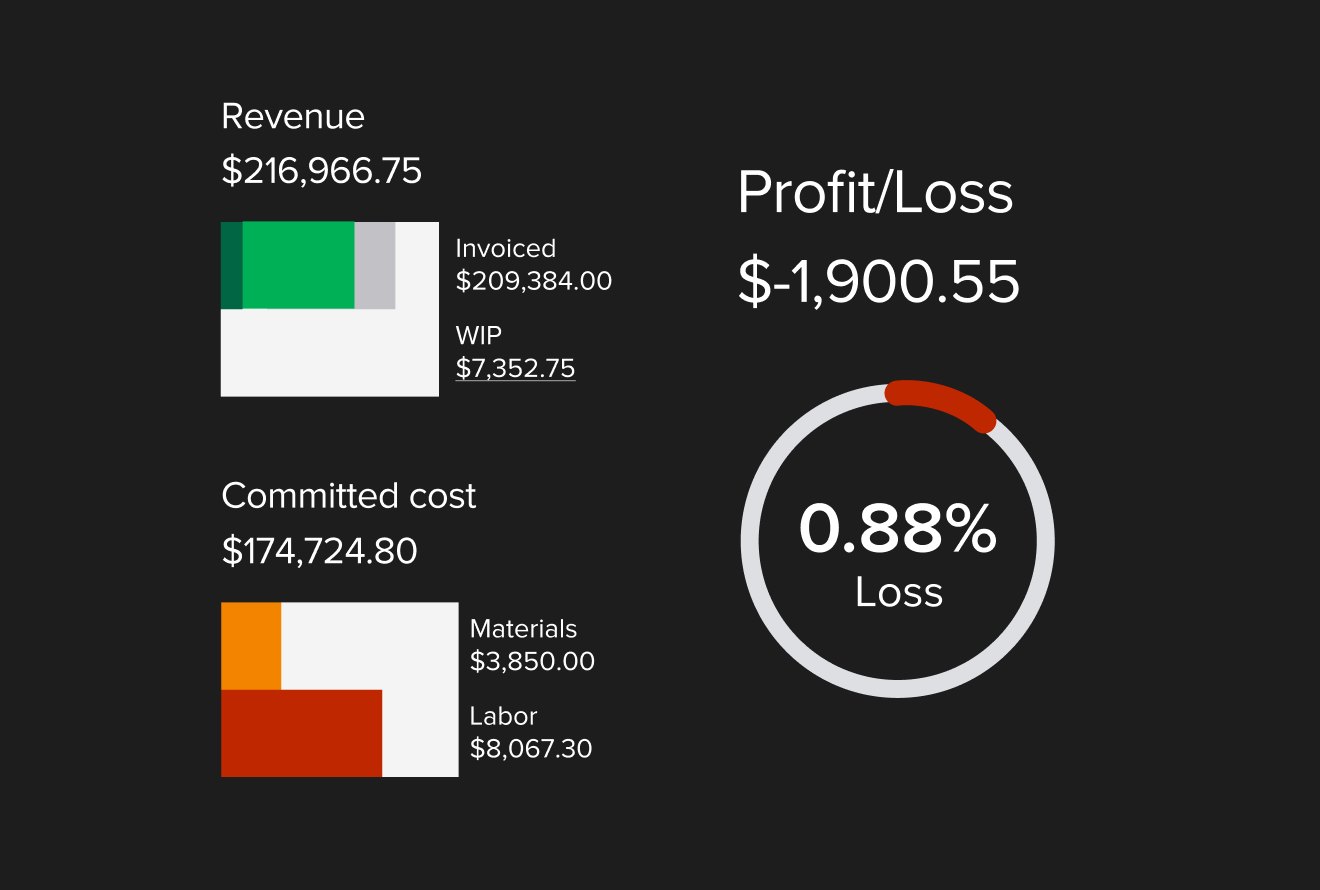
Every project has a real-time profitability view. Budget vs. actuals, revenue breakdown, committed costs, and projected profit — all updating automatically as your team works.
Procore offers financial management too — but it's designed for enterprise-scale cost control, not job-by-job profitability tracking. And the financial module is often a separate purchase.
Your Accountant Will Actually Thank You
If your business runs on QuickBooks, this is the biggest difference between Knowify and Procore.
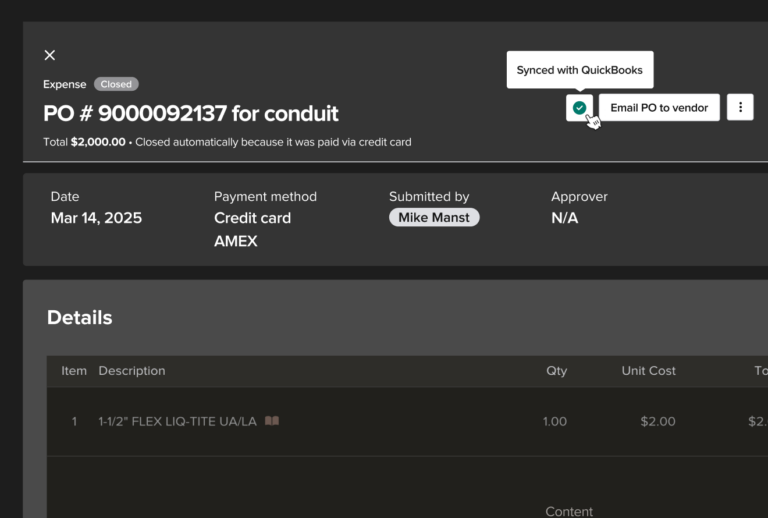
Knowify was built from the ground up to work with QuickBooks Online. Purchase orders, bills, expenses, time entries, invoices, and payments all flow between systems automatically — and land in the right job, phase, and cost category.
It's the only construction software that integrates with QuickBooks Projects, QuickBooks Payroll, and Intuit Enterprise Suite.
You Shouldn't Need a Sales Call to Find Out What Software Costs
Procore doesn't publish pricing. You have to request a custom quote, sit through a demo, and wait. Knowify keeps it simple.
Bid, execute, and invoice for fixed-price and AIA jobs while managing your team.
Schedule a WalkthroughPowerful project management and job costing tools for greater control and visibility.
Schedule a WalkthroughUnlimited users, inventory, subcontractor management, and advanced reporting. Built for complex operations.
Schedule a WalkthroughCustom quotes based on annual construction volume. Most contractors report $10,000–$60,000+/year with required annual contracts and annual price increases.
Common Questions About Knowify vs Procore
Yes — especially for trade contractors and subcontractors. Knowify is purpose-built for businesses that need job costing, AIA billing, and QuickBooks integration without enterprise complexity or pricing. If you're doing under $50M in annual volume, Knowify likely covers everything you need at a fraction of the cost.
Procore excels at large-scale document management, drawing set coordination, and managing complex multi-party commercial projects with dozens of stakeholders. If you're a large GC running $50M+ in projects, Procore's depth in preconstruction and bid management is hard to match.
Knowify starts at $99/month with transparent, published pricing. Procore uses custom, volume-based pricing that typically runs $10,000 to $60,000+ per year for most contractors. Knowify doesn't charge based on your revenue.
Yes. Knowify's onboarding team helps you set up your projects, templates, and workflows. Most teams are fully operational within days, not months.
Knowify is built for trade contractors — electrical, plumbing, HVAC, mechanical, remodeling — and subcontractors doing both project and service work. Procore is designed for general contractors running large commercial operations.
See How Knowify Fits Your Business
You've done the research. Tell us a bit about your business and we'll reach out to schedule your personalized walkthrough.
No credit card required. Get started in minutes.