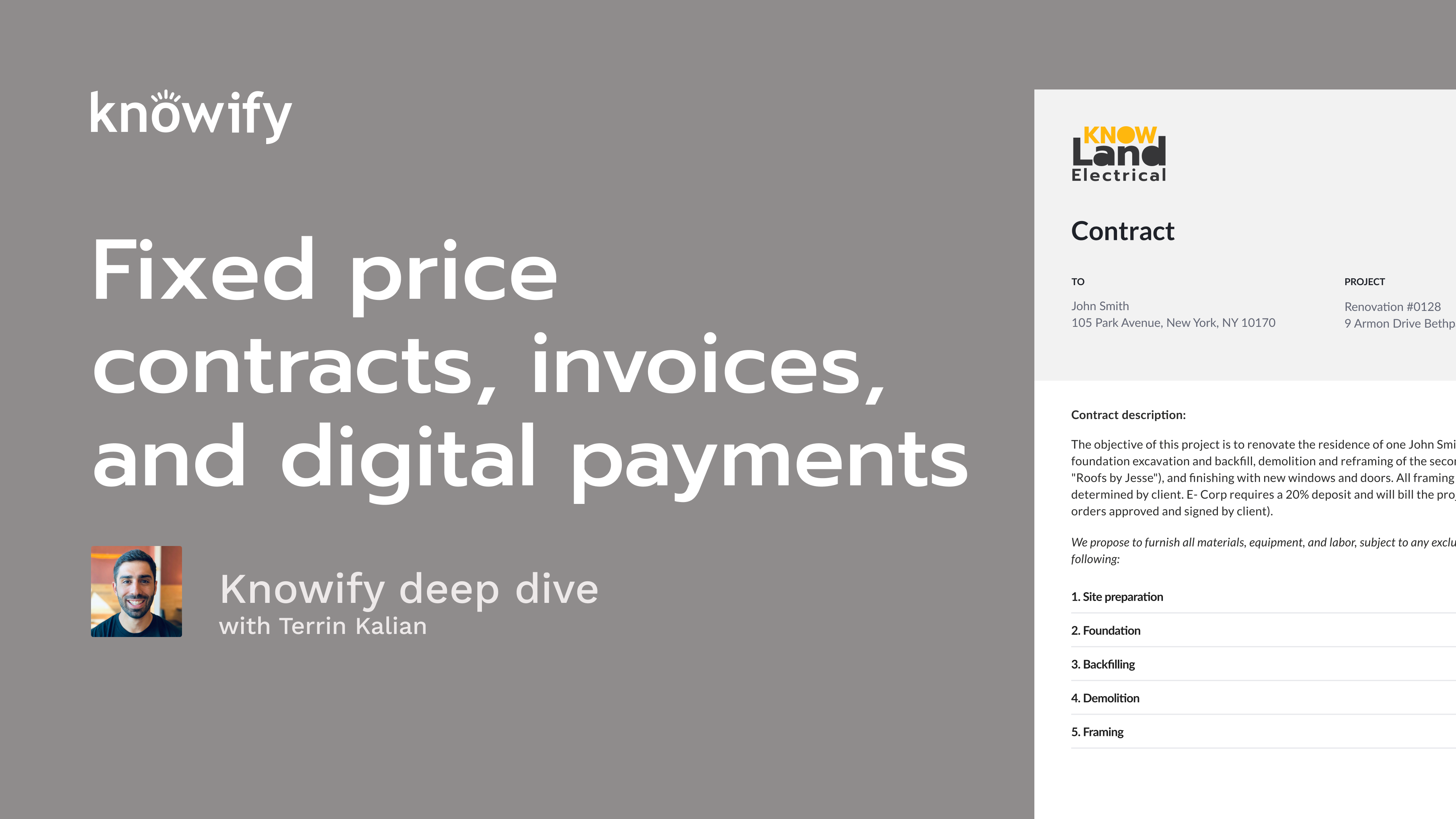
Fixed price contracts are the backbone of many construction businesses, but managing them efficiently can be a challenge. In this Knowify Deep Dive webinar, we walk through every step of building, invoicing, and tracking fixed price contracts, so you can streamline your workflow, get paid faster, and stay on top of profitability. Whether you’re new to Knowify or looking to sharpen your skills, you’ll gain practical, real-world insights you can put to use immediately.
Key learning outcomes:
Okay. That makes the top of the hour, bottom of the hour, however you wanna look at that. So I'll go ahead and get us started here. As always, I'd to just thank you all for joining in, taking some time out of your day to learn a little bit more about nullify. If you're new to this series, what we do is twice a month, just spend some time doing a little bit of a deeper dive training on different topics in nullify. So as opposed to our high level overview that covers a little bit of everything, we pick one topic per each of these sessions and spend a little bit more time discussing specifically that. And this week, we are covering fixed price contracts and invoicing. One of the more popular features that we offer in nullifies our ability to, manage contracts and the progress invoicing around that. So we'll be going through the concept of setting up contracts, creating invoices off of those, and how we recognize revenue around that. If you're new to the series or haven't spoke with me in the past, my name is Terren. I manage customer experience at nullify. Basically, do my best to make sure that everyone's as happy with nullify as a software and service as possible. I am based out of Denver, originally based out of our New York office, but I like the sunshine, and that's kinda how I ended up out here. And to quickly go over our agenda for the day, we'll start with a couple of slides just kind of covering what we're talking about in this year in this session. So what are, fixed price contracts? What are we talking about when we say fixed price contracts? And what are the different pieces of each contract that we put together? Then we'll get into the concept of what progressive invoicing is and how we can actually create progressive invoices, the actual documents in nullify. Once we go through the slides, I'll pull up my nullify account and just kind of walk you guys through different ways to set up all of these different types of transactions in your nullify account, and we'll do a q and a at the end. I always have my associate, Vin, who's answering any questions in the q and a that's submitted via Zoom. So if it's anything that's shorter, it can be answered with a quick response as opposed to something that's longer form. Vin will do his best to get to all of those. And I always do see the occasional person raising their hand during these sessions. We do keep everyone on mute for the session itself. So if you have a question, just go ahead and throw it in that q and a, and I promise that we will get around to answer again. All that being said, I'll go ahead and get us kicked off and discuss the concept of what a fixed price contract is. And you might know these types of contracts by another name. We often hear them called lump sum. But the idea is at the end of the day, a fixed price contract is a contract where the final price of the contract is decided upon before signing. So unlike a cost plus contract where your contract is a rate, something like twenty percent more than it costs me, and we'll see how much it costs, you're actually saying, here's how much we'll do the project for. Changes in price can happen via change order, but not outside of these additional documents that happen beyond the contract itself. So even if you spend more money, it doesn't mean that you invoice more money on these. Similarly, if you spend less than expected, you don't, necessarily have to give anything back to the customer there. It's just a way to say of saying ahead of time, here's how much I will, charge for the entirety of the contract. And this type of contract can be popular amongst all different types of industries. It's not uncommon for subs, both commercial and residential, for some residential GCs of different types and sizes. And it's really just a good way for you to be able to provide a price to the customer and give yourself a goal of here's how much we need to make in order to be profitable on this job. And we'll go through this, concept of, when I have a fixed price contract, then my budget gives me a target to see a final profit on the project, things like that. And even though the contract itself is gonna be fixed price, it doesn't necessarily mean that we have to invoice as one big lump sum as well. So, this is where we get into the concept of progressive invoicing, which we'll get into in a bit. But maybe the contracts for, as the screenshot shows here, eighty seven fifty, I can send any number of invoices on this project until the total amount invoiced equals that amount. And that's basically the idea of this dollar figure is that we are going to invoice up to this amount through the life cycle of the project. Now, when we're actually creating a fixed price contract to nullify, there's gonna be a bunch of different pieces to it. And the main one is gonna be our line items. When I quote a fixed price contract, there is a single final price at the bottom of the job, but it doesn't have to be all one big lump sum as part of the contract. That could be divided into individual lines that we're gonna be, invoicing through the life of the job. So I may say, I'll do the project for ten thousand dollars, but that might be two thousand dollars of demolition, five thousand dollars of, framing, three thousand dollars of finishing to add up to that final value. And we'll have a lot of options around how we end up invoicing those, which we'll get into. But, the idea is that these line items are what actually make up the contract itself. This is where the invoicing actually happens is the different services that we are providing and, how much we're going to, provide them for. And each line item can have its own set of details, comments, other notes to accompany it. So, yes, I might quote demolition, but I need to be clearer about what demolition entails, what we're demolishing, things like that. And so the details and comments really helps, when we're trying to communicate what's included in this contract beyond just here's the overall services we're providing and the price. This is where we can get a little bit more information to, really make sure that the customer understands what they are agreeing to when they sign the contract. As far as details go, we also do have the ability to include a bill of materials. Now the bill of materials, commonly, misunderstood, isn't a list of individual materials that we're invoicing inside each line item. It's a way to communicate, why the total of the line item is what it is. So if I say that I'm doing, some type of installation in my line item and it says installation five thousand dollars, if I wanna explain why it's five thousand dollars, I could say, here's how much we expect to spend on our labor, on the materials. Here's the different materials we'll buy, along with the, quantity and unit cost. So that way, we can give the customer a little bit more information about why they're spending as much as they are when they're signing the contract. Then the last major part we'll see in any of these contracts is gonna be our terms and conditions. This is where we can include things that aren't necessarily related to the individual line items, but to the contract and the job overall. So if you have things like, here's how often we'll be sending invoices, here's our, draw schedule, This is a list of things that are excluded from our services in case you were wondering. Things like that end up being very handy to have in your terms and conditions so that you can make sure that you are legally protected when these contracts are signed, and there's no expectation from the customer of something that's not actually part of the contract, things like that. Now when the contract's signed, we get into the concept of progressive invoicing, which, again, is basically the idea of invoicing pieces of the fixed price until the contract is completely invoiced. And there's a bunch of different ways that we can go about setting up progressive invoices. You could do it in dollars. You could do it in percentages. You could do it in units. As long as the final amount invoice does match that, fixed price agreed upon at the beginning of the project, how you get there, can be pretty flexible. Similarly, not just dividing into things like dollars versus percentage. You can also choose if you invoice the individual line items or the overall value of a contract. So if I have a, ten thousand dollar contract divided into six different lines, I can invoice them individually, or I could say, of that ten thousand dollars, I would invoice, fifteen percent or half of the first line item. And so we have a bunch of different options that are available just to make sure that we have the ability to provide the customer with the invoice that most accurately represents where we stand on this job and how much they owe us based off of our contract terms. Another handy thing when it comes to progress invoicing is that it could be a powerful tool for communicating, to your customer how far along you are on a project. So if you quote ten different services and invoice them on a line by line basis, you can use percentages to say, I'm invoicing fifty percent of demolition because I'm fifty percent complete with demolition. And it lets you kind of use the invoice as a two sided object, one side to, obviously request payment for your work, but then, on the other side to commute, communicate, your, percentage of completion of each of these, pieces of your work. This also helps a lot when it comes to things like, tracking work in progress on a project. If we have a fixed price, then we can kind of understand what the final revenue should be if all goes according to plan. And so we can use that price as a benchmark, a understood final value to recognize earned revenue as we are spending money. So if you're if you got to tune in to any of our last couple of webinars, we did some on setting up budgets. We did some on tracking vendor costs. And when we have cost versus budget, we can see that as a percentage to see progress through the job and compare that to the amount we've invoiced to understand our, spending progress versus our invoicing progress and get that real time WIP number throughout the system. And I threw this in as a note. We do have a separate webinar that's all on AIA invoicing, which we'll, cover at a later date. Yes. AIA invoicing is a form of progressive invoicing. But because there's so many additional pieces to that, it'll have its own webinar where we'll do a deep dive specifically on that one topic. Now when we are creating our invoices for, our, fixed price contracts, we have a variety of different ways that we could set it up. Mainly, the idea of whether or not we are going to display line items to the customer. And so I call that invoices, but actually references the proposal or the contract as well. Because I mentioned the idea of lining out a contract into individual services that are included in it. And so we could get more details. So here, we have demo, rough in, finish, and here's how much we are going to charge for each one. This is now the subtotal as result. But if you are more interested in just letting the customer know, here are the items that are included, and this is the total we'll deal with them all for, that's always an option as well in Notify. You could choose to hide, your subtotals on each line of the invoice or sorry, each line of the contract, which, again, will often, translate over to the invoice, itself. So maybe if we do the individual line item pricing, we then invoice percentages of each line item or dollars of each line item. Whereas if we only show a lump sum, now we're invoicing out of this number instead, and that's always okay. Just kind of a matter of preference. I'd say a lot of people make this decision just based off of the type of customers they have. If they know that their customers are going to be more likely to sign, if they could see the individual pricing, this kinda lets you provide some more information about here's how much we'll charge each one. Maybe you wanna give them the ability to opt out of significant certain lines, things like that. But if you'd rather, don't try to, pick everything apart. If you wanna be more straightforward, a little bit simpler with everything, this is always very acceptable as well to say, here's how much we're doing for the the whole project for it. Don't worry about the individual pricing. I don't want you going around, going around shopping around individual pieces of the project so I'm working with someone else. Completely understandable thing that a lot of people do as well. Now our invoice documents can come out in a couple different formats, mainly our standard and our schedule values invoice. The standard invoice is pretty straightforward. This is something that we're all pretty, familiar with. This is the idea of, here's a list of everything I'm invoicing for, as much of a description as I wanna provide, whether it's a percentage completion or just the description itself, and here's how much we're charging for these different lines. And we can control how much detail is displayed on each of these. But one thing that people often like to do with our fixed price contracts is set up what we call a schedule values invoice. And if you're familiar with AIA style invoicing, this is somewhat mimicking that, type of concept, of the second page of your AIA invoices, where it's not just saying, here's how much you owe me. It's actually saying, here's how much we agreed upon ahead of time. Here's our percentage to complete to date. Here's the remaining balance of the contract. And especially with longer form, projects where, we're gonna be sending a lot of invoices over a period of time, and we want the customer to feel comfortable and in the know of how much they're gonna spend through the rest of the project. These invoices can really come in handy to make sure that we're providing them with as much information as possible. And when we send out invoices through nullify, we do have the ability to include a link for online payment as well. We have a variety of different providers that we can connect you with so that, when you send out the invoice, instead of them writing a check or using a separate system to then transfer funds via bank or credit card. You could just have a link in nullify that says click here to pay, and then the payment will automatically be recorded in nullify and, eventually deposited in your bank account. So I'll pull up my nullify account now and just kind of walk through some of this process here. I'll start by adding a new job, and let's see. What is the month? August fixed price webinar job. I'll go ahead and choose my client who I'll be invoicing. We're gonna choose this standard fixed price contract, And I'm gonna choose simple here for the sake of, just quickly creating a contract. Professional is handy when we get into, cost versus budget tracking and things like that. But just to stay on topic, we'll stick with the easier version of setting this up. If you are, interested in learning more, we do have all of the older webinars recorded so you can learn more about that cost versus budget reporting, things along those lines so you can see how it'll interact with the contract as well. So when I start building a contract, Nova will do its best to fill in any information it has, so who we send this, proposal to. If we get a PO number from the client, we can fill that in. If I have my own contract numbering, system, I can set up, my own internal number as well. And, we also have the ability to do things like call out an estimated start and end date of the project, And this is all meant to mainly be for the sake of, displaying information to the customer. So this doesn't actually affect by scheduling. It's more just if I need to show on the proposal document itself, here's when we'll start, here's when we expect to be finished, that is okay. Our payment terms here are actually gonna be the payment terms of invoices. So this defaults to how soon after an invoice is sent, the payment is due. Common misconception is that this would be misconception is that this would be the invoicing terms of how often we invoice the contract. In this case, it's saying, oh, whenever we send an invoice, we expect payment in fifteen days on this job. And you see this, deposit feature in your account. This is just going to create a temporary invoice for you to, hold the deposit payment that goes outside of our progress invoicing workflow, which you can then credit back later on when the invoicing matches the amount that, you'll finally be invoicing. We can cover this afterwards if we get anything in the q and a for it. It's not the most commonly used thing, but for anyone who's interested in it, we're very happy to show you how it works. Then when we get into building out the project, we can put in a general description where I could say, you know, remodel of kitchen inclusive of, you know, x y z. Just to put in an overview of here's everything that's going to be covered in this contract. But then to get into the real meat of building the contract, we're really building out line items. And at its core, again, this is really what we wanna be putting together is a list of line items and their prices, each one being a different service that we're providing to the customer in here. So I could say add new line item, and a line item can be as simple as me saying demolition. Connecting to the catalog. We'll, follow through to our QuickBooks sync, but I could say demolition, and, we'll do it for four thousand dollars. And just like this, I have a contract underway. I have one line item. I have a total on this. And, again, this is really the important part of what we're putting together when we set up a contract. But I can have really any number of line items. So then when I get to things like, framing if I want, again, I can write in dollar figure right away, but I can also include a list of, comments or details that are affiliated with framing. So I could say, framing of interior as per plans, includes all cabinetry, things like that just so we can call out anything that needs to be referenced for the customer. And, again, we have the ability to create a breakdown of materials and labor that go into framing. So, yes, I can write it in a dollar figure here, but we can also use this kind of as a simultaneous budgeting and quoting tool where I could say, well, I'll need two by six studs. I will need one hundred of them at eight dollars each with a fifty percent markup. I'll also need to buy let's see. I guess I don't have any cabinet to my catalog. If I wanted to, though, I could make it a custom item. Cabinets. I need to buy five of them at two fifty each, also with a fifty percent markup. And so you can see how we can use this to kind of start the process of putting together our pricing. And as I fill this out here, you'll see this button set line item total. Clicking here will automatically update the price of this item based off of what I'm entering. I can also call out different types of lines in the bill materials. So laborer, I need a laborer for forty hours. We usually pay them around seventy five dollars an hour, make sure we have our markup in. I'll also have a foreman for twenty hours at a hundred dollars an hour. And now I have a framing line item with a little bit more detail than this demolition line item. We also have the ability, and I have a whole separate, session on, the concept of using service templates throughout the system. But if I have predecided pricing, I could also say something like can light installation. We need to do fifty lights and have a lot of this stuff auto populate for me, just for the sake of final display on the document. And I'll go in and put in some more markups again. And if you're familiar with a lot of the other flows at nullify, you can really do this markup stuff a little bit, faster and more easily if you use the professional style for job costing where we budget first. But what ends up being important here is that with all of this, I could save my changes and preview. I know if I was gonna generate a proposal document for me. Now this is very bare bones. This is just the basic, format that notify offers. We'll also automatically put your logo in here. I just don't have one for my account. But then you have the ability to to ask our support team for customization of these. So if you wanna change the layout a little bit, update things like fonts, colors, themes, anything like that, you could put a request with our team, we can make adjustments for you. So you'd still build it the same way in Novi. Everything's pretty straightforward, but you can get a little bit more detailed on the actual output side of things. The last thing I mentioned as the building blocks of our proposals or contracts here are our terms and conditions, and you do have the ability to save these, as company defaults in your account so that you could put this information in and have it automatically pull. And then let's say there's some differences with this specific contract. If I wanted, I can pick and choose what's included here. But this way, I don't have to retype or copy and paste every time. I just click this button, and it automatically loads everything in. You can see how this is a nice easy way for me to quickly put together a version of my proposal document. Those terms and conditions can be included, And, this is available for a digital esignature, that is legally binding for anyone who's, signing outside of nullify. Now some other options that we discussed through our slide deck are things like the option of whether we wanna hide or display line item totals. So when I preview this document as it is now, it's nice and detailed. So if someone wants to pick things apart, they can see how much we're charging for each line of the invoice or sorry. Each line of the contract. If I choose an outlook output style, highlight it in subtotals, we don't have to change anything else about the contract document itself. You can see that now it still shows all of the details, but just with a subtotal at the bottom so that we don't have to explain the cost of each individual item. That you can see this include the bill of materials as well. So framing includes this list of materials and labor. Not saying how much it specifically is for framing. Here's the total amount for the job, but this is just our way of getting a little bit more flexibility in, building this out so we only show the information we want to. When you make this change in output style, I believe it also will update the invoices that are related to this project. So that way, as you make, as you invoice, it doesn't show any information that wasn't initially displayed on the proposal document that you might want to have had hidden. You can see that you also have the ability to select tax rates here. This is just to provide the customer with information, on how much they'll end up paying in tax. This will also automatically populate the, tax rate on the invoices when we get around to invoicing. So a couple different options that end up being helpful here, both for display, communication, and then the actual generation of invoices later on. This is also where we have the ability to change our invoicing style. But before we get into that, I'm gonna go ahead and make this contract active so we could start the process of invoicing here. This way, we can actually look at the two different invoice styles that we have available. So now this is put together. I could say invoice now, and you'll see that we have a builder that gives us different options for how we wanna invoice. So the default method, which we call method one, is where I put in a percentage of each line of the contract. Fifty percent of demo, twenty five percent of can light, framing, ten percent of can light. And if we need to display more, I could say, like, include the description of the line item, include the bill of materials, don't show the percentage of completion, things like that. I also have the option here to say, can you just set every single line to twenty five percent? And once I hit confirm, Notify starts building an invoice document for me. You can see it pulls in description and bill of materials if I want. It marks off which items are taxable. It calls out a tax rate. All of this is just, generating based off of the information that Notify knows. And I'll preview this document really quickly, and you can see this is gonna be our standard invoice document that's available. But I actually am going to delete the draft here and start looking at some, other options that are available. So get rid of the draft. Go back to my job. Now when we're setting up this invoice, we have the option, again, of doing a percentage of each line. But let's say I'm a little bit pickier about how much I wanna invoice, and I don't wanna have to calculate percentage or round things off. This is where method two can come into play. Now instead of putting in a percentage, I could say, I wanna invoice twenty five hundred dollars of demolition. I wanna invoice four thousand dollars of framing to make sure that I get the exact amount I wanna invoice instead of trying to round out a percentage to come out to the amount that we want. A lot of the times, this could be handy in cases where we have very specific invoicing terms, very specific draw terms, that are lined out in the contract. Something that says, when we start demolition, we'll invoice a thousand dollars. When we're halfway done, we'll invoice another two thousand dollars. When we're done, we'll invoice the final thousand. If you wanna be more specific like that, it could be really handy to use this type of, invoicing method. But, similarly, if we are working in a mode where, the full contract value is more important than the line item value, this is where I could say method three, I just wanna invoice forty percent of the contract. Again, this is where different invoicing draws that you agree on with your customer come in handy. We're a lot it's not uncommon to say, when you sign the contract, I'll send a twenty percent invoice. Once I've started work and I've made some progress, I'll send another twenty percent. Once we are halfway done, we'll send another twenty percent. And then once it's completed, we'll send forty percent. Things like that become possible with method three where I don't have to worry about the individual lines, But instead, I could say, here's the total percentage of the contract that I wanna invoice. And you could see it pulls right in here so I can, and it does all the calculation for me, and I could take it from there. So instead of me having to do any kind of manual calculation on each line, build my group, stuff like that, this will just pull it all together for me. Some other options that we'll see available, would be method four, which is a lot like three in that it's out of the whole contract. But this is now where we're doing dollar figures of the contract instead of, doing a percentage of each, of the of the whole contract. So, again, if I have a situation where my terms basically say, the first invoice will be for five thousand dollars, the second one will be for ten thousand dollars, this is where I can just call out the dollar figure and not worry too much about what's being pulled out of which line. Then the last option you'll see here, this method five, is when we're invoicing units. When I set up can light installation, I called out the number of units, fifty for can lights. So this is where I could say, I need to invoice out of that fifty, twelve of the can lights, and have my invoice document instead say, for can light installation, twelve of them so far. Here's how much we charge for each one. Here's the line item subtotal. And it still works in a fixed price. So it'll let me keep invoicing until I've invoiced all fifty of these items, But this lets me go through that process of typing in how many of each item I wanna invoice instead of trying to calculate it as a dollar figure. Now before I actually finalize an invoice, I wanna go through the, view of our, schedule values invoices here as well. So, again, this could be really handy when we have longer term projects, so we want the customer to understand, progress through the job and where we stood in previous times versus now. So if I wanted to say, something like halfway done, twenty five percent done, ten percent done like we looked at earlier, I can see the builder is all very similar. But I'm gonna finalize this invoice, and you'll see that this is also where we are going to have the ability to call out whether or not we take credit card or ACH with these, if there is a processing fee that needs to be included here. And when the invoice is finalized, just to look at what it looks like, I have this invoice that calls out the different line items, the agreed upon value, how much I completed in the past versus how much I'm invoicing now, the total to date, so adding past to this, and then the percentage so far and the remaining balance. And on this first invoice, it's pretty straightforward. But just so we can kinda fully understand the scope of this, if I create another invoice now, this is also gonna be a good way to kinda show when we do progressive invoicing. One thing that can be pretty common is the idea of entering total completed to this point as opposed to the idea of how much I'm invoicing now. So demolition in the past, I invoiced fifty. If I wanna invoice, the other fifty, I don't put in fifty again. This is where I'll call out. We're now one hundred percent complete. We are now, sixty percent complete with this line. We're now twenty five percent complete. And so I'm not invoicing twenty five percent. I'm invoicing the difference between ten and twenty five. With our different invoicing methods, there are options to just enter in. Here's the amount that I'm invoicing to date, but this is where we really can, explain to the customer. This is how far along through demolition I am today. Same idea here. I'll go ahead and finalize this invoice, and I'll look at that schedule values invoice document again. Now we're working with one that has a little bit more progress on it, and we can see a little bit more of the story coming together. In demolition, we agreed on four thousand. We invoiced two thousand previously. Now I'm invoicing two thousand again. So we're at four thousand, which is a hundred percent complete, and there's nothing remaining to be invoiced on this line item. For framing, we agreed upon ten thousand eight hundred. In the past, I invoiced twenty seven hundred. Now I'm invoicing thirty seven eighty. So as of today, we have invoiced sixty four eighty out of the framing line, which is sixty percent, and here's the remaining balance to finish. And so as the customer looks at different invoices, looks at the invoice dates, they can kind of just understand where they stood on the project at any point in time and kind of, get a better idea of the progress made and how much is still remaining to be completed through the life of the project. And it's not very uncommon for these different lines of a contract to line up with our phases and plan and track. So we could see the cost versus budget percentage and use that as a guide of what percentage to invoice, as we're tracking the, life of the job. Now when I have invoices outstanding in a project, Eventually, I'm gonna receive money from my client's payment on these invoices. This is where I can click this record payment button to just tell the Nullify, and QuickBooks, this is now a paid invoice. I can also include a receipt that we send to the client from this screen. I can backdate things, and this can just record a payment in the system. It'll know to close out the invoice. If you're collecting payment, we could see card and ACH payment with fee enabled. I can actually click here to get the link. So that way, if I want to, process payment, maybe they called in to provide us with the information. I could just key in their info. I could put in bank account info, but we can just enter on, the payment details here. And another thing I like to call out is when we're recording a payment, it doesn't necessarily have to be the total amount. In this case, we have net fifteen terms, so as long as they pay the total balance by, you know, in fifteen days for set. So if they wanna send the first check for, let's just say, four thousand dollars, we can record that here as well and make sure that the new balance of the invoice is still tracked and outstanding. The invoice total is eight thousand dollars. The current balance is four thousand dollars. And when I record a payment again, no file will remember that to call it out here. So, yes, it's one invoice, but there can be multiple payments against it. And, of course, that does always sync with QuickBooks. Also, part of all these fixed price contracts is the idea of change orders. And we've discussed the concept of having the full change order webinar in the past. We'll very likely, revisit something like that. But as the change in scope happens and I no longer can do the project for the original agreed upon value of twenty six thousand, I can come in here and say add change order, and I'm gonna have to invoice an extra, let's just say, fifteen hundred dollars. The change orders work very similarly to line items. So I can have details. I can have a bill of materials if I want, and they'll have their own numbering scheme so I can call out which change order. I can, have multiple lines on one change or things like that. And there will be a document generated here, which, again, is customizable. Once this is made active, though, whether the client signs it or I just make them active manually, when I go to create an invoice again, you'll see that we have the option to call out that change order along with our other invoices. So whether I'm still invoicing the original balance or it's just the change order, however it's gonna go, I can call this out, and that's gonna be included on my invoice documents as well. And in our schedule values invoice, you'll see there's gonna be a separate section. Here's the total of everything before the change orders. Here is the change order on its own, and this is how much we're invoicing here. So I could see original balance of contract, changed balance of contract, and that could also be invoiced and sent to the client just like everything else that we've covered before. Now as we are recording all of this, it is updating the balance on, the contract, and it's gonna update my revenue reporting. So if I look at this job, I could see the total value of the contract, the amount invoiced. And if you see a variance here, it could be a case like this where there's just a difference between the, amount charged in taxes. So, yes, we've technically invoiced. We've earned in revenue this amount. They've paid us a total of seventeen thousand. But just so you know, there is taxes involved in that for that mismatch comes into play. And if I go look at my contract here, I can actually see the value of the contract, the amount invoice to date, the remaining balance of that contract, and I can look at each individual line. Demolition is a hundred percent complete and invoiced. Framing, seventy five. Can light, twenty five, and get a better idea of where we stand on this, job based off of how much we've invoiced. And one thing that's pretty common is for people who wanna report just so they can, tear something off that shows here's the outstanding balance of this. One thing I always recommend looking into is the advanced progress billing report, which is going to, provide us with information about all of these outstanding balances and where we stand on this project at any point in time. You can see that this advanced one also has invoice resolution. That's gonna give us a better idea of the invoices that were created and how much of each line was included in each invoice. That's the basics of what I like to show for fixed price invoicing in our webinar series here. One other thing I can call out really quickly just because it was relevant to the idea of whip that we discussed earlier. So if I have a contract like this case here, because in my previous webinar series, we were talking about the idea of cost versus budget, and then understand that as a percentage. So here's a contract that's worth forty one thousand dollars, but I've invoiced zero of those dollars so far. But this work WIP number is letting us know how much we have, in a sense, earned based off of how much we spent. So out of the twenty seven thousand dollar budget, we've spent fifteen thousand. If we look at the percentage of fifteen over twenty seven, and then use that percentage times our contract value, this is where we're getting the concept of our earned revenue on the project. And, again, the this can really happen more because we have a fixed price here, because we have a budget. We have percentages to compare to. We know what the hole is on these. And if you're ever wondering about this, you can click on the view details button next to the web, and it's gonna say your total budget is twenty seven thousand dollars. You've spent fifteen thousand. That's fifty six percent of the total budget. The contract value, it says forty one thousand. You've invoiced zero, obviously, zero percent. But it's now saying you should be then invoicing fifty six percent of forty one thousand. That's where this twenty three thousand dollar, WIP comes into play. Think I rambled at everyone a little bit long enough here. I'm going to jump into the q and a and make sure that we answer as much as we can about everything that's been submitted. First question is, is there any plan to have a percentage entered for deposits instead of a dollar amount? Not at this point in time. Deposit is a fixed item, so having it in a percentage could be handy for the sake of just understanding how much you wanna charge in a deposit ahead of time. But it wouldn't really change too much of functionality of how it actually works, which is just the idea of collecting a payment ahead of time. But definitely a great quality of life recommendation just to understand how much we wanna put it in as that deposit. I would wonder if the deposit as a percentage is something that ends up actually being more of a down payment and part of one of your draws, because we do see very common that an invoicing schedule says something like I called out earlier, which is on signing twenty percent of the contract. That doesn't necessarily have to be deposit. You can invoice that twenty percent of the contract value, as soon as the contract's active and you're ready to go. And then, the rest of the invoicing will remember the outstanding balance as you go through. So there are options, and I think it's, you know, worth exploring which one fits your business need the most. Someone asked about recommending a credit card provider for low volume. I think this is a good question that, unfortunately, I don't have a great answer for beyond the best thing to do is to shop around rates as opposed to just signing with the first people you chat with. So we currently work mainly with Intuit Payments and Square. I believe we have another option as well. But if you chat with our team, whether it's your success manager or support team, they'll be able to put you in touch with different people that can, provide you with information on how much you'll spend on the different payment providers, and they'll be able to, then you can make your decision on what would be best, and then, we'll help you with the setting this up with your account so you can collect payment via Noify. There's another call out of, including line item details on the schedule values invoice. We do hear this requested from time to time. I think right now, the big limitation is just the size of the document itself. Because the schedule values invoice is very specific to rows and try to show the contract balance of each line. It does get a little tricky to try to fit an entire description inside the box. But because we hear it often enough, it's something that we may still end up looking into. I always recommend that you submit this into the feedback portion of nullify. So if you're in your account, you hit this question mark and oh, wrong question mark. You hit this loudspeaker and, call out some feedback, and you might hear back from me relatively quickly. It's just a way for us to collect all that feedback. And the more we hear things requested, the more likely we are to, put them up in our, priority list. So definitely, look into that, and we'll we'll see what we can do to provide you with a little bit more in the future. Someone asked, are we able to have the deposit amount populate on the quota proposal? Absolutely. If you reach out to our support team, they can, set that up for you. Just shoot them a email support at nullify dot com, call it out, and they should be able to include that. And that's the right mentality for having the deposit amount, called out on the proposal because most of the time, you're not necessarily sending out a deposit invoice with this type of workflow. You're saying, hey. When you sign this, also send a check, and then that way it could be called out. There doesn't need to be an additional piece of paper to, exchange hands there. Also, just gotta thank you for the web explanation. I hope that I did a good job with that one, and, this was helpful, but I'm happy that I, helped out for this person here. Someone asking for a brief definition of what AIA invoicing is. Just at the high level, the AIA, the American Institute of Architects, built out an invoice document that is a much more detailed version of the fixed price document that doesn't just say percentage to date, but basically calls out, things around progress, invoice values that aren't completed yet. It's a just a very detailed document, that also includes concepts like, retained, values on each invoice. So, you know, we only accept ninety percent of every invoice, things like that. We'll have a whole separate session on that. If it's something you'd like to learn more about, definitely check out check it out. So and then if it's, again, something you want some training on, you can connect with our team. I would say AI is the type of thing that if you're unfamiliar with it, best chances are you probably just don't need to use it. You're probably a little fortunate because it could be pretty complex. But, again, if it is something you want more info on, never be shy about reaching out to our team. We're all very knowledgeable and happy to help with that. We also had a request to update, our YouTube library. We are probably overdue. I think as we lean more and more on these webinars and having the recordings all hosted, we do, send the links to the webinars a little bit more often than the YouTube library. But I will chat with the rest of, my team and see, what the appetite is and, how we can prioritize putting these videos together. There's a question about, incorporating monthly statements to help with collections. While we don't have anything that's gonna automate for that, you do have the ability to in your account, do things like even in the invoices screen. Let's just say I wanna see a list of all invoices that General's Construction owes me. I could say, show me everything where the client is Generals Construction, and the status is outstanding or overdue. And the invoice date is, let's just say, this year. Then this could be exported to Excel, so I have a document that I can send to the customer to let them know how much is outstanding and what the specific invoice documents are so they can pay accordingly. There's a question about a separate module for quotes, which I would assume is the idea of sending a quote before sending a proposal. We don't have any logic for that right now. You do have the ability to send a proposal, and then if there's a response, change the balance, send it again, things like that. Or you can set up a service job as a way to set up an appointment for a quote. And then when the job goes live, switch it to a contract job. Things like that can end up being pretty handy. But it's something that can often be managed via best practice and just kind of reviewing your workflows. So definitely don't be shy about asking for training on that because we could definitely find something that'll work for you. There's a question about tracking local sales tax. So we actually don't have a sales tax module in Noify. We use the sales tax rates, that are in QuickBooks. And so when you set a sales tax on an invoice and it syncs to QuickBooks, then you can use their tax reporting module to get more information on how much you have collected in sales tax, things like that. That was the next two questions, actually. So that would probably be your best method. And if you're not using QuickBooks, you can always create separate lines in the contract board, things like that. There we could find some solutions for you, but, that would probably be the best method. And then with the QuickBooks automated sales tax rate, you actually have the ability to set the job address and have notified figure out what the correct rate is. So you don't have to do that separately as well. So some things that could be, handy, definitely, worth looking into if the sales tax is a major pain point for you. There's a follow-up. Is there a plan to integrate invoice scheduling for large jobs that request monthly payment plans? This is in our pipeline. It is planned. Nothing immediate that should be out in the next, you know, couple of weeks, but, definitely something that we do hope to offer. I think there's always weird exceptions to the rule when it comes to things like monthly invoicing on fixed price contracts. But if it's not a standard fixed price contract, you might also wanna look into our cost plus options, which, again, we'll do a whole separate session on. Again, I'm just trying our our best to always be mindful of everyone's time. But you can set up recurring items to be billed every month. The question is, do you want to automatically create the invoice, or do you want to automatically create the billable so you can then invoice? And so a lot that goes into it, but, definitely something that we'll continue to improve over time. And then the last question we have, a lot of good questions today, is is it possible to send a repeat receipt of payment to the customer? Absolutely. When I record payment, I could say email receipt to, client, and that's going to send an email that says, we've received your three hundred and twenty dollars for x y z invoice and get that information across to them. Looks like that's the last of the questions. I hope I was pretty helpful just, showing you guys a little bit more around Noify and tracking all these fixed price contracts. As always, never be shy about reaching out to me, reaching out to your success manager or the support team, just to, get any other questions answered. It's something that wasn't covered in the session today, you know, we're always happy to help and do whatever we can to make sure that you get the most out of your Notify account. Thanks so much again, and have a great rest of your day. Take care.