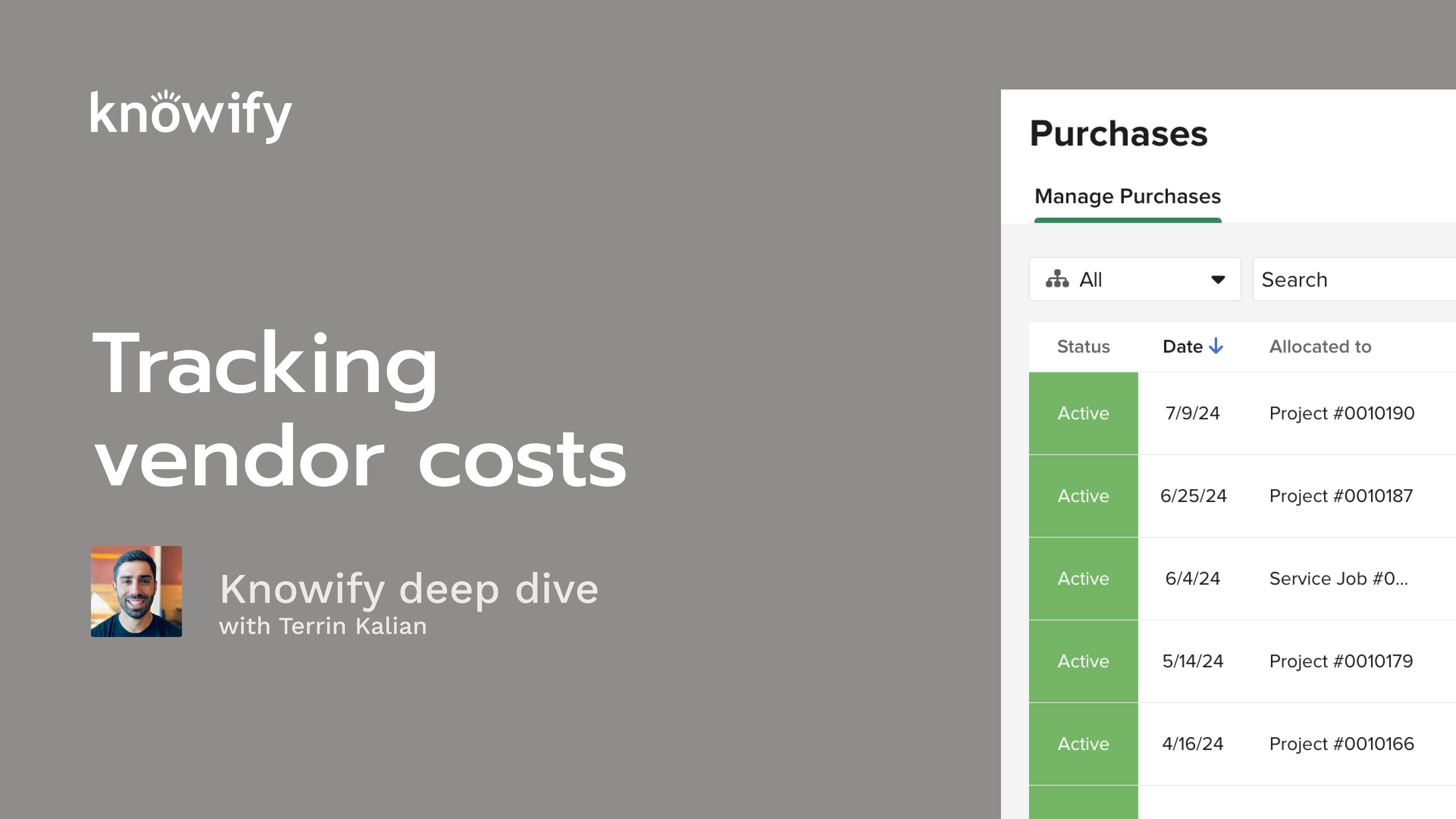
Ready to take control of your job costs and keep every project on track? In this on-demand webinar, Terrin Kalian, Knowify’s Head of Customer Experience walks you through the essentials of tracking vendor costs—materials, subs, equipment, and more—right inside Knowify. Whether you’re an experienced project manager or just getting started, you’ll find practical, easy-to-follow guidance and real examples that will help you boost accuracy and profitability.
Watch to see how Knowify’s tools help you make smarter decisions about project spending, avoid profit surprises, and streamline your day-to-day workflow. By the end of this session, you’ll understand not just the “how,” but the “why” behind effective cost tracking—with tips you can put to work right away.
Key learning outcomes:
Okay. That makes the top of the hour, so I'm gonna go ahead and get us kicked off. I appreciate everyone for taking the time to join in today. This is the second in our normal workflow of deep dive webinars where we pick a different topic, every other week and, go a little bit deeper into training and explanation of how it all works in nullify. And this topic is on tracking vendor costs. So at a high level, essentially, the idea of tracking costs that, really, as far as it NoFi goes, aren't labor costs, aren't payroll costs. So anytime I'm interacting with another party and incurring costs on a job, whether it's purchases, bills, or we'll cover a couple other means. That's really what we're gonna be covering here today. And if you don't know me or haven't, been to my webinars in the past, my name is Tara, and I manage customer experience at Nollify. Essentially, just trying to make sure that you're as happy with Nollify as possible at any point in time, whether that's from knowledge of how to use the product, which is what we're doing here today, how our team interacts with you, or, how you interact with our product, you know, how we actually use nullify. That's a a big part of what I like to do here. Just trying to make sure everyone's happy. To quickly go over our agenda, we're gonna start by just kinda defining the different types of cost categories, and costs that we track in Notify. So I mentioned that this is all vendor costs that we're covering, but there's different types of vendors that we work with, in Notify. So I'll be going into a little bit more detail on that and how to, track all of these individual categories. If you're in our previous webinar, I've learned more about budgeting. We discussed the concept of cost categories, and how to budget them. This is gonna be now the same idea, but instead of budgeting, tracking the actual costs. Then I'll pull up my, then I'll pull up my, demo account and show you a little bit more about what this all looks like, in an actual live nullify, and, we'll cover some q and a at the end. So I saw a question just come in. That's perfect. As you go through this webinar, if you have questions, throw them in Zoom's q and a. My associate, Ben, answers a lot of the questions during the webinar, and then I'll circle back to any of the longer form ones that, need a deeper explanation, at the end. All that being said, go ahead and kick us off here, and let us talk about cost in general. What do we mean when we talk about cost? Now and I'll give my usual warning of everything we discuss here is very nullify heavy. So what does nullify mean when we talk about the cost? And the simple definition of cost is this is money going out. So it's me spending money on something. And since nullify is very project heavy, it's money going out for the sake of completion of a project. Any money spent. So whether I'm receiving goods and services back or whatever it ends up being, anytime I'm spending money, money is leaving my hand into another party. That's what we mean by cost. And what we're tracking here today is gonna be actual cost, so not budget cost, not the idea of, I think it's gonna cost me two hundred thousand dollars in materials. It's I just spent a hundred thousand dollars in materials. And, again, for this webinar, we're mainly focusing on vendor cost. So a transaction between me and someone from outside of my company. So whether that is a material supplier or a contractor that I'm hiring or an equipment, rental, company, anything like that, I'm exchanging, my money, for goods and or services to be used on a project that I've been hired to do. And that's what we're talking about when we discuss cost in Noify and really throughout this webinar. And so here are the categories that we have available on in Noify. Number one would be materials, and this is pretty straightforward. This is the bread and butter of, cost tracking in Noify. This is really anything that I buy for a job that I use on that same job. So when I say use on that same job, I'm referencing something like, if I buy a certain amount of lumber to build something, then when I leave, I no longer have that lumber. I bought it for that project, and I used it on that project. If I buy wire to install into walls, then it's left on in those walls. I I don't bring that with me. And these are the types of materials that I'm referencing. I like to specify that it's burned on the job because it could be a case where let's say I work on a project where I realize, oh, I'm actually gonna need a ladder. I don't have a ladder, and I go out and buy one. Unless I give that ladder to the customer at the end of the job, it doesn't really count as a material cost to the job because it's a material cost to the company that's gonna help me with other jobs in the future. I'm bringing it with me. So that's not the type of purchase we're referencing. This is really the idea of here's something that I bought for this job, and I left it at the job. It's been burned by nature of me, performing this project. The other type of cost that we'll get into is labor, and that's something that we'll discuss in, I believe, the next webinar, but not this one because this is the idea of, tracking the cost of my employees or resources, and we'll call them often in Noify on the job. The reason this isn't covered in Noify, or sorry, in this, sorry, webinar is that your laborers, your employees generally aren't vendors, right, unless you're hiring a subcontractor, which is its own category that we're discussing today. We really, don't see laborers as a third party. They're part of your company. They could run, through payroll. It does cost you money, but it's not the same type of interaction of purchasing their work or, receiving a bill for their work. It's all run through payroll, which is its own, life cycle. The next, category we'll get into, though, the rest all do fall into our vendor costs topic here. Number one or number three would be subcontractors. This is the idea of, I hired someone to help me with work on this job. Similar to materials, this is, a cost that's spent that's specific to the job. It's not something that I, it's not a employee that I, have, on my payroll. This is a company that I, hired specifically for one piece of work on this specific job, in which I'm tracking this vendor cost. And the same way that the materials are burned on the job, the subcontractor work is burned on the job. The only difference is with materials, I'm purchasing goods, the materials that are used on the project, whereas with the subcontractor, I'm purchasing purchasing services, the actual work to be performed by them. The next option we have here is equipment. And if you're very familiar with NoFi, you'll know that we can track both internal and external equipment. So when it comes to tracking vendor cost, we're actually talking about, external equipment. This is the idea of renting from another company. Similar to subcontractors, I am essentially paying for the service of borrowing their equipment. This wouldn't be a material because it's not left there. It's not something that's owned by me either. This is the idea of I paid money in order for this equipment to be on this job site for a set period of time. When all was said and done, it was given back to them. That's the external equipment. That's the vendor interaction we're referencing. I talked to my equipment rental, supplier. They I gave them the money. They gave me the service of their equipment, end of transaction. Then we get into miscellaneous or miscellaneous, which is essentially anything that doesn't fall into, these other categories. The go to example I always give is something like a permit. It's not a material used on the job. I need you didn't need it to actually execute the work. It's certainly not labor. I didn't hire anyone. It's not a piece of equipment. It's not rented, but it is a cost that's very job specific. So I wanna be able to make sure that it's set, when we're, tracking the cost of a job. And so that's where, Miscellaneous comes into play, just anything that doesn't fall into our other categories above. Now I'll cover this through the demonstration, but, essentially, it's the way that these categories are tracked to nullify is at the vendor level. So when I have a vendor that I have back and forth with, I could say this vendor supplies me with materials, with subcontractor work, with equipment, etcetera. And that's how we're gonna know how this job cost when we get into, Noify. Now vendor transactions or vendor costing is really made up of a couple different types of transaction. One we'll cover really quickly is the concept of a material or inventory allocation. In Noify, we currently only allow this to be used for materials. It doesn't fit into our other categories, But this is the idea of materials used on a project that, maybe I hadn't purchased specifically for that project. So a lot of the times, this is from inventory, things I already had that I used on the job. I still wanna accept that there was cost even though I didn't pay anyone. I paid them in the past, and that's where this cost is coming from. So these allocations that we, reference at Noify against the idea of I need to add material cost to the job, but I don't need to enter a purchase or a bill because that all happened in the past. I don't need to reference that when I'm entering this against the job. Then we have purchases, which is essentially as exact as it sounds when I buy something, when I purchase something from a vendor. They can be connected to the concept of bills, our next option. But the question here, when you're thinking, am I entering a purchase or am I entering a bill? As always, am I holding a bill or am I holding a receipt? Is it a piece of paper that says, here's what you bought, or is it a piece of paper saying, here's the money you owe me for things that you have purchased in the past? Right? So that's really where we're gonna have the difference, between purchases and bills, and I'll cover how all of this works, how they play off of each other as well. But that's the these are the three types of transactions that make up vendor cost in Nollify, our allocations, our purchases, and our bills. I also wanted to I always like to kinda include this as part of this webinar, discuss the different types of costs that we work with in. It's a little bit more in the weeds than we, usually would go, but just to kind of explain because a lot of people ask, how come we're tracking committed cost? What is committed versus actual? So here's the quick little crash course that we're, discussing. So when we talk about committed cost, we're talking about cost that I have committed to paying at a future date, or as I wrote here, committed to be incurred. So this is things like purchase orders and contracts that I've signed with subcontractors. Basically, I have a document that says, hey. I need you to send me your goods and services, and I commit to spending this much, money on this, transaction. We're committed up until we're accrued. So, committed essentially applies. I haven't received a bill. I've just committed to receiving a bill at a later date. Once I receive the bill, that's when we have an accrued cost. This is something that I am now due to pay. I have to pay this this at some point. Obviously, there's always cases where bills don't get paid. There's arbitration. There's, you know, different legal cases where we don't actually end up paying the bill. Won't even get into the weeds with that. But this is now from committed. I said, I bought something, and I'm adding ten dollars of committed cost to the job to say, I think they're gonna end up sending me a bill for ten dollars. Then they send the bill to actually eleven dollars. That's fine. Now that's the accrued cost. I've accrued eleven dollars worth of cost that haven't been paid yet. The last part is actual, which is really the concept of cash flow. We don't work too much with, actual or cash flow, costing in Noify. We really see cost at the moment that, you've created the purchase order at or at the time that the bill was received. Again, we do have the ability to track both committed or, and accrued and or accrued. The reason we like committed costing in NoFi is that it gives you the earliest sign of progress. So sometimes what happens is you may spend a full month purchasing a lot of things, sending out a lot of purchase orders. And when you look at the performance of your jobs, if you're not recognizing that as cost, you're gonna be thinking, wow. We're very profitable on these. Then the month comes to a close. All the vendors send out their bills. It does a mass adjustment of costing on all of your jobs, which kind of gives you now little jump start of oops. Turns out I was looking at this all wrong. I actually have way more that's being spent on all of these projects. They're not as profitable as I thought. And so that's really the benefit of having that committed option is just to be able to see that information sooner and react accordingly if anything is over or under budget or, looking to be strained from our projected profit. Now, before we get into the demo, last set of topics here, is basically the different types of purchases that we have. So with bills, it's straightforward. I just have one. I received a bill. Not too many different types here. But when we create purchases in nullify, there's a bunch of different ways that we can recognize a purchase or enter a purchase. So the standard one that we somewhat default to is the idea of a purchase order, and you see we call it an itemized purchase order. This is a list of materials that I am telling the vendor that I would like to buy. This is a committed cost because I haven't received a bill for it yet. It's just a way of sending something to my vendor to say, here's what I would like you to send me. Eventually, they'll send me a bill for each of these items. And as I've received a bill for each item in the purchase order, know if I will automatically close it for me. This is no longer open. The bill is open instead. That's the, tiering of how we, keep the transaction, flow going. Then we also have what we call flexible spending purchase order. Now this also is the concept of a committed cost, but the big difference here is that flexible sprint spending purchase orders aren't closed when each unit has been billed. This is a dollar figure driven purchase order. So if I have an itemized purchase order for ten widgets, it's closed when I've received a bill for each of those ten widgets. If I have a flexible spending purchase order for ten dollars, it's closed when I receive bills that equal, ten or more dollars. It's saying I've now, received bills for everything that I had committed to be spending money on. And so that's kind of the difference between these two. Each of them can have multiple bills logged against it. It's just more a matter of what closes it. Is the number of items that I was billed, or is it the value of the items that I was billed? Then the other types of purchases that we'll work with are gonna be credit card expenses, cash and debit expenses, and, reimbursements. So a credit card expense, pretty straightforward. I went to a vendor, and I paid for something with a credit card. Realistically, a company credit card in this case. It's technically a committed cost because I'm gonna receive a bill from the credit card company later on. But this is the idea of, you know, how how do you even call that an accrued cost? I won't even get into it. This is the idea of, I use the company credit card to buy something. I receive a receipt from the vendor. That's why we know it's a purchase and not a bill. The bill then comes in from the credit card company later on, not from the vendor. My transaction with the vendor is completed. Our cash and debit expenses, similar to, credit card, it's closed at the moment that I create it. Because once I purchase these materials or services, whatever it's gonna be, the purchase is closed. I no longer expect anything else to come in from the vendor other than the materials themselves. That's an actual cost right off the bat. There's no bill. There's no, order, anything like that. It's just, hey. I gave you money. You gave me materials. End of discussion. Then our last option here for reimbursements, it would be when an employee buys things with their own money. Let's just say you have someone who, drives to job sites, then they reimburse, hey. Here's a a receipt for my gas for the day. We can manage these as well. It just basically creates an outstanding bill for the employee as the vendor because we don't have to pay the vendor. That part of the transaction has been completed, but I do still need to pay the employee. So all of my slides done. Let me pull up my account and try to show you a little bit more about how all this stuff works. I'm gonna very quickly put a new project together, And I'm not gonna worry too much about budgeting, because I wanna focus more on tracking all of my actual costs here today. I'm gonna enable cost categories, though, for everything on the demo of this phase just so we can go through all of this. And I don't really need to have a budget, but I do like to have it just for organizational purposes. So the first type of cost that I referenced was the idea of a catalog or an inventory allocation. If I'm on this project, I can save demo materials, and that's where this allocate materials comes in handy. If I don't have inventory and maybe I just pull these from another job site, something along those lines, I can just say studs, fifty of them, and add cost to the job. And the idea here is these studs came from somewhere. This may not be a vendor cost because I didn't interact with the vendor here. But at some point in the past, I had to buy these from someone, and now I'm showing they have been used on this job. Even though I didn't spend four hundred dollars on this job, I need to recognize that four hundred dollars worth of material has been spent on this job. It still cost my company that because I no longer hold materials. Same thing happens if it's from the inventory. I could say location, warehouse. And if you have parts inventory set up in notified, it'll say, here's what you have. I chose wire. There's four hundred and forty six units available. I need to use two hundred of them. They cost me a dollar each. Same idea here. It generates this allocation wire from the warehouse, and it adds that cost to the job. So, obviously, very manual adjustment. This isn't very automated. It's just a way of telling nullify, here's some information you need to know about how much we've been spending on this job so far. But now I wanna get into those concepts of purchases, bills, and vendor interaction, and cost categorization. So before I get too deep into that, I'm gonna pull up my list of vendors in nullify. This is where I could see everyone that I buy things from, everyone that I exchange, money for goods and services with. And if I edit one of them, so ABC Supply, I can see that there's a vendor type affiliated with them. This is what defines if the materials or sorry, if the purchases and bills with this vendor come in as material sub equipment or miscellaneous. With ABC Supply set to materials, all of my costs will be set to materials, but then I can always have Sabina's contractors. This is a subcontractor. I can have I think I have one that's very cleverly named equipment rental, which is tracked as equipment supplier and then miscellaneous vendor for all my miscellaneous expenses. And that's what's gonna be dictating how all of our job costing happens in Noify, into our categories here. So really quick, very simple example. Demo, create purchase with ABC Supply. These materials, we'll put a bit of a quantity in here. Submit. Because it's with ABC Supply, it shows up as, materials, p o one zero six. Bingo. Same thing can happen for subcontractors. So I could say, Sabina, those contractors, and it can really be anything here. Because what I write in the description doesn't really matter. So even though this is a subcontractor, if I wanted to call it equipment, that's fine. It's still gonna track as subcontractors because I have it under Sabina's contractors. But I'll say miscellaneous sub work. Submit this here. Same exact workflow. Didn't do anything different other than choose a different vendor. And if I come check this out, subcontractors, Sabino's contractors committed one thousand dollars worth of cost. Continuously going through the same flow, equipment, external, create purchase from the equipment rental sub. Try to make this a little bit of variance between the two purchases. Doesn't really matter. Now I'll be able to see the updated excellent equipment equipment cost on the job. And then the last one being miscellaneous. Here's where we have the ability to, pull up miscellaneous, whatever it's gonna be, permits, one hundred dollars. Now all I did was create the same type of purchase, a purchase order, an itemized purchase order to be specific four different times. And because of the classification of the vendor, it knows to make it material, sub equipment, and miscellaneous automatically for me. Now these itemized purchase orders, like I said, get closed out when every item in the purchase order has been billed. So what does that mean? It means if there's a hundred studs of lumber on this purchase order, when I receive a bill, I could say create bill for PO. And I'll say, I just received a bill for the first seventy five studs of lumber, and they actually ended up being eight dollars and, ten cents instead. And I'll go ahead and submit this. Now this purchase order is still outstanding. You see the bill has been logged. PO one zero six is still active, and it's outstanding in the amount of twenty five remaining studs of lumber. So if I go to log another bill, now it automatically knows to update here. There's twenty five left. Perfect. I'll log the bill for these. Submit. Now PO one zero six is closed, and there's no more, items that need to be billed. So if I tried to do that same thing, there's no more log of bill against this PO. The same would go for all of the other material cost categories as well. That's unrelated to, the purchase order flow. It's just important that with the itemized purchase orders, we close based off of the quantity built, and I could see here, here are the two vendor bills. Here's the PO. Here's what makes up the cost of this job. Now another thing that's worth noting is that when I overrode the cost, from the purchase order to the bill cost, that's what took precedence. So for these twenty five units, we maintained the cost that was on the purchase order. But when I logged this bill for seventy five units, you could see that it updated the cost because I put these in at eight dollars and ten cents. Since the bill is received after the purchase order, that's the cost that takes precedence. That's the more important cost. It's the more accurate cost because it's the most recent information I have. So even though I on this purchase order, I can see that, it's cost at eight dollars per unit, What's really gonna end up costing to my job is gonna be the bill against this where it's eight dollars and ten cents. So that's kind of an important note of committed cost versus, accrued cost is that we do take precedence of whatever the accrued cost is on the purchase order from the bill, will override what you had initially entered on the purchase order even if it was entered earlier in the process. Now for our, flexible spending purchase orders, what I'm gonna do is enter a subcontract. So for this other subcontract I put in or subcontract work, I did it like a normal purchase order, and that's always fine. There's nothing wrong with that. But we do have the ability to say, add subcontractor, and I believe I have someone in here called Ernie's Electrical. And I can enter this in as a subcontract instead of a purchase order. And what it's gonna essentially do is create one of those flexible spending purchase orders I referenced earlier. So I could say Ernie's Electrical is doing electrical work, and they send me a quote for twenty five hundred dollars. We also can make this unit based now. This is a recent update to nullify. So if you've been around in the past and had a need for this and we didn't have the functionality, I can now say, fifty units at, whatever the value per unit is, fifteen dollars per unit. So if it's, you know, beat of rough in, whatever it's gonna be, and there's fifty or fifty dollars each, we can set that up as part of this as well. But I'm gonna stick with our regular, contract style because this is gonna be more like our traditional flexible spending purchase order. I can also upload the, contract document here if I have one that needs to be on file. I can adjust the budget of this phase to be equal to the subcontract, which we know is, sometimes pretty common. We can have multiple lines if we need. I can update our PO number, PO date that's gonna be generated. But what's important here is that I have a vendor. I have a scope of work and a price for that scope of work in the contract. When I submit this, it generates an outstanding flexible spending purchase order. So I see earnings electrical, view PO. Now this subcontractor PO, again, works very similarly to a, standard flexible spending. It's the same base, workflow. The difference between this and our itemized is that now our balance isn't based off of number of units. You could see there is no units. It's just a balance and a percentage. So what does that mean? When I create a bill, when I log a bill for this subcontractor, I ugh. I ended up using the quantity anyway. Oh, well. I have the ability to say the this bill is for the first five hundred dollars of this purchase order. And what that's gonna do is change the balance of the purchase order. So now it's eighty percent open. So, essentially, even though I logged the bill for one unit and there's technically one unit, there's only one line of the, purchase order, it still continues to remain open, until that full twenty five hundred or more has been billed. So if I go to log another bill, now I'm gonna come in. And, of course, I broke this purchase order. But the idea here is that as I create these, flexible spending purchase orders, we can continuously log bills up until the entire contract value has been billed, and we'll be able to show you. The contract value is twenty five hundred. You've billed five hundred to date. We can also see how much was billed to date, and, take it from there. Now the other types of purchases that we work with, in fact, just to kind of round out that flow, so we're not completely left to egging, I'm gonna create a new flexible spending purchase order, and this will be for our equipment rental. So let's say I agreed on a dumpster rental for, fifteen hundred dollars. I sure wanna make sure that I get it on my same job here. Two sixty one. So I'll create a purchase for, my equipment rental, dumpster rental, a thousand dollars for two sixty one, and I'll submit this. Now that's a thousand dollars of committed cost right here, but what's gonna happen is it's gonna wait for me to log bills, to, update the cost through this. So, what I mean by that, I'll add new bill. This is from equipment rental. I'm just showing you this as another way to get bills into the system. So before, I kept pulling up the purchase order itself. So, I said, you know, purchase order, create bill. But sometimes what might happen is I might receive a bill from more than one purchase order. So I could say add a bill from equipment rental, and here's everything that I have outstanding with equipment rental. I can say perfect. They just sent me for PO, one eleven. They sent me a bill for the first, three hundred dollars of that. They also sent me a bill for the entirety of number forty two and sixty one. They also sent me a bill for something that I forgot to have the purchase in the sis system for, and I can enter that as well. So, essentially, I can enter the bill without having to have a purchase order, and we can also combine purchase orders under a single bill based off of what we receive from the vendor. But that's the general idea is that I can just, enter this and make sure it's all job costed according to what I received from my vendor. Now logging this bill, in reference to the purchase order, we could see the different purchase orders referenced in their, status. Purchase order one eleven for the equipment, I could see it's still outstanding in the amount of seventy percent. So if I were gonna go log another bill, another thing we have here processed by PO number one eleven, find items, it knows that it's outstanding in the amount of seven hundred dollars, and that's what it's gonna wait for. When I log this, bill, it's now gonna close that purchase because the entire thousand dollars has been billed. Unused balance, zero dollars, dumps your rental for a thousand, balance, zero dollars, zero percent, and it gives me all that information accordingly. Now the other types of purchase that we work with, number one here, our cash, which I mentioned, this is a very quick easy one. I could say miscellaneous additional permits for hundred and twenty dollars on two sixty one. This purchase is gonna be closed as soon as I enter it. It's also for the people who work with QuickBooks is gonna automatically sync to QuickBooks since I don't expect any further, interaction here. But the idea here is that I'm just entering in here's something that I paid for with cash. End of discussion. For people who are connected to QuickBooks and tracking their credit card feed through there, that's where this expense paid with credit card comes in. It's one of the only places in Nollify where you have a QuickBooks setting inside Nollify where I could say it was paid with credit card with my Mastercard. I went to ABC Supply. I bought this for, this much for this job. And what this will do is sync into my QuickBooks account and, create an expense with the corresponding payment account. And then their system actually has the ability to look through your credit card feed, compare it to what's been entered like this, and show you where there are matches. So if I can safely assume that if I'm entering a fifteen dollar expense with my Mastercard at ABC Supply, then there should, in my credit card feed, in my transactions list, there should be a transaction for fifteen dollars on this date. And QuickBooks will help me reconcile and match those so I don't have to manually do it. So that's kind of a neat, benefit of using your QuickBooks account with nullify and how this, expense mapping works. Now, again, because I no longer have an interaction with ABC Supply once this is purchased, this closes out that purchase as I create it, and we have that option, right off the bat. Last type of purchase here would be the idea of a reimbursement where when I enter reimbursement, it defaults to me. I can also enter on behalf of another user. And this is where I could say, we bought gas for fifty three thirty six, also for two sixty one, and have that be, cost to the job. And the way our reimbursements work is that now instead of opening up a bill with the gas station company or creating an expense with the gas station company, this opens a pending bill with the employee, in this case, Charles, as the vendor to say, you owe Charles fifty three thirty six for gas on this job. So that way, as we're going through the process of paying our bills, we can make sure that we're paying our, employees, as well for anything they purchased. And as a side note, if you don't use this type of workflow, if you don't want the outstanding bill, you also have the ability to, request a setting where we can stop bills from generating, or stop reimbursements from generating bills and syncing to QuickBooks. So it only shows up in your reporting instead, and you you can make sure that they're paid through whatever your other means of reimbursement payments are. So if it's through payroll or whatever it ends up being, you can use that instead of having it double log by nature of these sync and automation of bills. Now last thing I'll cover here, is the idea of tracking accrued versus, committed in Noify. So I'm gonna create a a pretty sizable thing here. Right? Let's say thirty five hundred dollars additional cost just to really separate. I wanna make sure that there's no bill log for this cost. So, again, I like to see this as my cost to date. You know, make sure that that purchase order is showing up as cost. But if that's something that you're not interested in, you can go to your admin section under customize, under cost management, say use actual cost instead of committed cost when calculating job performance. Go ahead and turn that on. And let's see. It might take a second. Nope. It's good right off the bat. So now it decreased my costs accordingly. So I can actually look and add these items up and know that this doesn't add up here because it's now only considering bill cost, expenses, so cash and credit expenses. It's only considering things that, have actually been billed and, actualized accrued instead of showing our purchase orders as cost as well. So if that's something that you wanna change, you have that ability. It could be toggled back and forth really as much as you need. Obviously, I wouldn't recommend investing with it too much. It is set at the account level. So if I set it and my coworkers also have access to the account, it changes their view too. It's not set at the user level, so keep that in mind whenever you change this setting. And then another last thing that I want to demonstrate as part of this, whole webinar is the concept of our purchase order documents beyond just, our costing that happens through submitting and logging purchase as a Novi. So I talked a lot about, okay. I entered a purchase, this many units. This is the cost, and it updates my committed cost by thirty five hundred dollars. And that's great. That's really strong for the sake of tracking everything. But if all we could do is track, then I have to have this workflow where I generate a purchase order. I email it to the vendor, through you know, I create it in my Word document. I email it through my inbox, and I go to notify, and I log it here. The idea that we don't wanna have to jump around that much. So in Noify, when you generate these purchases, they actually can be emailed to the vendor through the system, and we'll generate the document which can be customized as well. So if you don't like the layout, you can talk to our team about changing the text, the layout, anything like that. And then you can also customize the email that comes out so you can make sure this changes. We have additional options, like, whether you wanna show or hide the pricing. Maybe you create a purchase order with just quantity internally for committed costing, you have a price. But for the sake of actually displaying to the vendor, you want them to send you a quote. That's a case where you might not wanna have the price included in here because then, if I have the price, I start somewhat negotiating against myself. So instead, I just say, you let me know how much five hundred, units of eight foot pipe we're gonna be, and then we could take it from there. Other settings would be the ability to ship to job site versus HQ. You can, vary here. And then if you have additional notes you wanna write in, that'll show up on the purchase order too. But I just wanted to, again, kind of display and reiterate that, we, in Noify, don't have to just always be tracking cost, but could help you in the sense generate as well by actually creating the documents that are emailed to the vendor that then help us actually order and receive those materials. And in the same vein, I mentioned receiving. On any purchase order, I can open this up and say mark items as received and see, okay, out of the five hundred ordered, two hundred and sixty have been received and know what's still outstanding and might still need, communication from my vendor. So if I go to my purchases, I can see not received at all, partially received. And then if there's no clipboard, then no materials have been received here yet. But then when I finally close this out, now it's hidden because all of these materials have been received. So that is just about what I wanted to ramble at all of you about. I did see a lot of questions come in, so I'm gonna pull that up. The first one was where can I get a Noify vest? Send me an email. You should have my email from this. I'll check with the team. I can't guarantee that anyone can get a Noify vest that doesn't work at No5, but we might be able to send you something else. So shoot me an email, with your shipping info and size, and we'll see what we can send, your way. There's a question about exposure holds, what if, or contingency items that may be needed. We don't have a way to necessarily do that, today. That's another one. I'd love for you to reach out to me so we can discuss it, kinda see what you would like that to look like so we can, plan for it as we go because, procurement's a big part of what we do. So, understanding what that workflow would be, can help us design, be a little bit stronger in the future. Then there's a question about, tracking materials that are supplied by the customer. And this is a good question because this is asked to us, very often. There's a lot of different schools of thought to this. When it comes to nullify, what we're tracking is our cost on the job. And if my customer supplies materials, it doesn't cost me anything. So there's not as much of a need to have a log of that in Noify. But since we are project managing through Noify, if we wanna have a way to just recognize on a job that these materials were, created and used, we do have the option of doing something like let's say they supplied pipe. I could say there was ten feet of pipe used, and then I can either do, pipe again with a negative ten, or I could say customer supplied pipe, minus ten. I could do something like that. But the important thing is that whatever we would add to the job, we just wanna make sure that it's in at zero dollar cost. Right? We wanna make sure, like, I could also say, like, ten lengths of pipe at zero dollars. We just wanna make sure that, we're not recognizing that as our cost on the job since that would falsely state how much money we spent since all of the, since all of the cost was incurred by the customer instead. So I hope that that helps to to some extent. And if you have further questions or if you have ideas of a way, that could be done differently in the future, definitely let us know. Oh, you just got a fun one. So someone answered that question in the q and a with the same, workflow. So, thank you, Anna, for the help there. There's a question about the job costing hub, and that's a great thing that I didn't have planned to show, but it is very relevant to our, webinar here today. So if you're unfamiliar, on our notified dashboard, there's something called the job costing hub. And the job costing hub is a list of all vendor job costs that, have been incurred in nullify. So here's perch source. Here's a lot of the stuff I created today. I can see it filtered by date. And what's really neat and powerful about this is so I I did everything today on my demo phase. But let's say, like, I made a mistake, and this actually was all meant to be on a different phase of the job. I can select a ton of these items at once and say, like, can you move this all up to two sixty one to the rough in instead? And I can just move things between jobs and between phases, a little bit more easily like that. And so that's the benefit of the job costing hub. Beyond that, if we have a workflow where we pull expenses from QuickBooks instead of, only generating them in nullify and pushing them to QuickBooks, I could say, show me things that were pulled from QuickBooks and haven't been allocated to jobs. So here's August and June. Here are two expenses that I pulled in from QuickBooks that I never actually assigned to a job. I could take a look at this and say, like, okay. Show me what this was. Oh, now I know what job that's for, and I can allocate it accordingly. So that's another benefit of the job costing, costing hub. It's a new feature if you are using that QuickBooks to notify workflow. There's a question about when sending the emails, can the logo be in the body of the email instead of just on the document? That's not possible now, but it's requested pretty often. We are looking into it. It's, unfortunately not as straightforward as we want it to be, but it is something that we do hope to, offer in the future. There was another follow-up on the job costing hub. If I didn't answer with this quick demo, then it's something that we can, follow-up on, at another date. We can, I we'll connect you with your, account manager to go through some training. The follow-up on that was, allocating a PO against the bill within the job costing hub. So as of today, there is no way if you pull a bill in from, QuickBooks and you have the purchase order in Notify, they can't connect the same way that they connect when you log the bill in Notify against the purchase order. We are hoping to be able to offer something that does allow you to do that in the not too distant future. We'll be having an announcement when that becomes a thing. As of today, when you log a bill, when you pull a bill from QuickBooks into nullify, what you wanna do is make sure if there's a purchase order in the system, you make sure you find that purchase order and say, not delete. Close will remove the cost from the job, but maintain the record. So you could see I did purchase these materials, and I did, receive a bill, and that's the final job cost, I just wanna make sure that we don't have the cost of the bill as well as the cost of the, purchase order, which would duplicate my cost. So, just to kind of a a little note on, bills and POs. And then there was a question about pulling expenses from QuickBooks into nullify. This doesn't happen automatically necessarily. Under customized QuickBooks, this setting pull expenses would need to be turned on. So that's something that you would want to, make sure it's enabled before you have the, have that turned on. And we, before we start pulling expenses. And then, we cover this a little bit more in our QuickBooks mapping, but once that's enabled, you can decide which accounts do and don't pull from no from QuickBooks. So, like, in my account, if I log in expense for advertising and marketing, it does not show up in Noify even though it's logged in QuickBooks and I'm pulling expenses. So there's some things like that as well. We are running short of time, and that's just about the last of our questions. I really appreciate everyone for taking the time to join in. I hope I did a good job answering a lot of questions for you and teaching a little bit more about nullify. If you have more, definitely reach out to me. Reach out to your success manager. Make sure that we're, you know, going through, all of the free training that nullify has to offer. We're happy to help you out any way we can and make sure you get the most out of your software. Thanks everyone again, and have a great rest of your day. Take care all.