If you run a contracting business, there’s a good chance QuickBooks is already part of your operation. A January 2026 industry survey covered by Market.us Scoop found that 85.4% of construction companies use software for accounting, making it the most common software task in the industry. Most of those companies are running QuickBooks.
And for good reason. QuickBooks is reliable, well-supported, and Intuit keeps investing in it. It does what it was built to do: general ledger, accounts payable and receivable, bank reconciliation, tax prep.
What it wasn’t built to do is run a construction operation. It can’t schedule crews, manage subcontractor bids, track daily logs, store project documents, or produce WIP schedules. For a trade contractor, those aren’t edge cases. That’s the daily work.
RedHammer, the nation’s largest construction-only CAS firm and an Intuit Elite-tier partner, puts numbers to the gap. In their Construction Financial Software Matrix, they rate QuickBooks Online a 10 out of 10 for platform quality and integration capability, and a 4 out of 10 for job costing. That low score isn’t a knock on the platform. It reflects what QuickBooks was and wasn’t designed for. Pairing it with dedicated job costing software closes the gap.
You may already be living in that gap. The signs:
Intuit acknowledges the limitation itself. The 2026 QuickBooks Construction Profitability Report, based on a survey of 1,000 construction decision-makers, named what it calls a “productivity paradox”: headcounts are up, pipelines are full, and profit is shrinking. The cause, per Intuit’s own research, is disconnected technology that forces teams to guess instead of working from real-time data.
That disconnect is where contractor software with QuickBooks integration earns its keep.
“QuickBooks integration” is one of the most common claims in construction software marketing, and one of the least specific. Vendors use it to describe everything from a basic invoice push to a full real-time sync of every financial object. Those are very different things, and the difference shows up in how you run your business every day.
In a one-way sync, your construction software pushes data into QuickBooks. QuickBooks is the destination, not a source. If your bookkeeper renames a vendor or fixes a journal entry in QuickBooks, that change doesn’t flow back to your project management platform. Over time, the two systems drift apart.
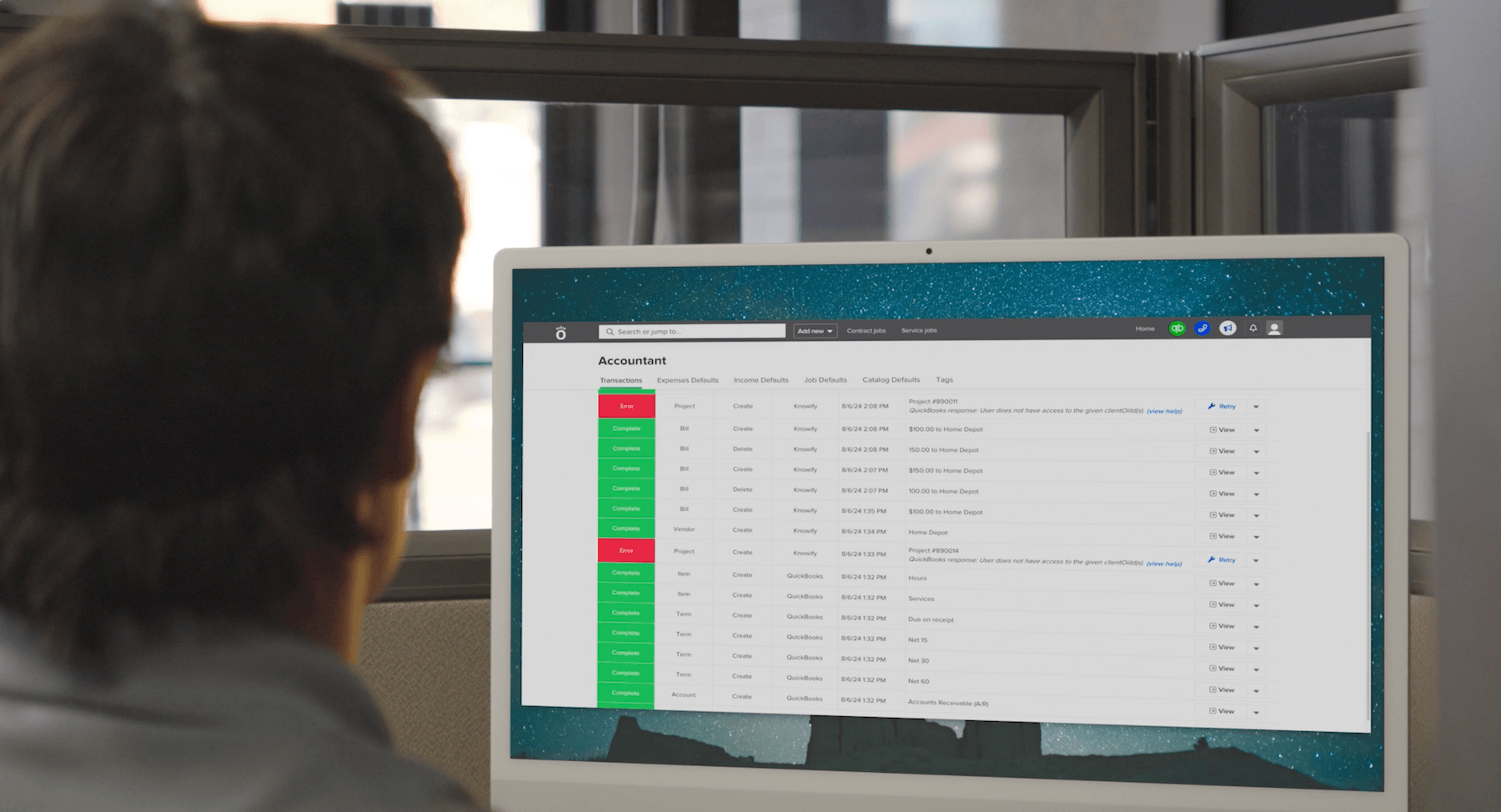
In a two-way sync, a change in either system shows up in the other in real time. A field change order updates a project budget in your construction software, and QuickBooks reflects it. Your bookkeeper reclassifies an expense in QuickBooks, and your job financials update to match.
Two-way sync is harder to build and harder to maintain, which is why most vendors don’t offer it. Projul, in their integration best practices guide, makes the case that one-way sync is the right call for most contractors because it keeps a single source of truth. That’s fair. But if you need your office and field teams working from the same numbers at all times, two-way sync ends the daily argument about which system has the right data.
The difference is concrete. When your bookkeeper updates a vendor in QuickBooks and your project manager never sees it, you get mismatched purchase orders. When a field change order takes days to reach accounting, your job cost reports are wrong while the work is happening. That’s not a hypothetical. It’s the friction that slows real contracting businesses down.
Sync direction is half the question. The other half is what actually moves between the two systems. The objects that should sync:
Chart of accounts mapping is the foundation. Every income and expense category in your construction software has to map to a QuickBooks account. Sub-accounts under Cost of Goods Sold, like Materials, Labor, Equipment, and Subcontractors, are what preserve the job-level detail that makes your financial reports worth reading.
Here’s a common failure point: change orders have to exist in QuickBooks before their costs can sync. If a labor charge syncs against a cost code QuickBooks doesn’t recognize, the integration either throws an error or dumps the expense into an “uncategorized” bucket. That’s how the books get messy.
The QuickBooks Online versus Desktop distinction matters too. The QBO API is modern, cloud-native, and well-documented. Desktop integration runs through middleware called the Web Connector on a dedicated computer, which is one more thing that can break. Most construction software builds the QBO integration first, and some never support Desktop at all.
When you talk to vendors, ask one question and make them answer it in detail: which objects sync, in which direction, in real time or in batches? A vendor who can’t answer that isn’t offering the integration depth your business needs.
Once you know what integration actually means, here’s what to weigh when you compare options.
Integration depth. Does the software sync the full range of financial objects above? One-way or two-way? Real-time or batch? This is the most important question, and the one most vendors talk around.
Trade-contractor fit. Was the software built for specialty trades like electrical, plumbing, HVAC, and mechanical, or adapted from a general contractor or residential builder platform? Trade workflows are their own thing. You run service calls alongside construction projects, handle T&M billing, manage smaller crews across multiple jobs, and need to track profit on both fast-turnaround service work and long jobs. Software built for big commercial builders rarely accounts for any of that. Look for construction project management software designed around trade workflows.
Financial-first, not financials-as-an-afterthought. Some platforms bolt financials on at the end. For trade contractors, that doesn’t cut it. Premier Construction Software, citing a QuickBooks study, reports that 25% of construction companies risk insolvency after just two or three unprofitable projects. Construction net profit margins average under 6%. At those margins, financials have to sit at the center of the platform, not off to the side.
QuickBooks version compatibility. Does it work with QuickBooks Online Simple Start, Essentials, Plus, and Advanced? Desktop? Intuit Enterprise Suite? Your QuickBooks setup will change as you grow, and your construction software should keep up.
Both project and service work. Plenty of trade contractors run new construction and recurring service or maintenance out of the same shop. If your software only handles one, you end up with two systems, two workflows, and two sets of numbers that don’t talk to each other.
Pricing transparency. If you have to book a demo just to find out what the software costs, factor that in. Transparent pricing signals confidence. Mid-market tools built for trade contractors start as low as $99 a month, and enterprise construction ERPs can run $50,000 or more a year. Where a product lands on that range shouldn’t be a mystery you have to call sales to solve.
Your accountant’s experience. They need to understand how data flows into QuickBooks and feel comfortable with it. A platform that makes your accountant’s job harder is the wrong tool no matter how good the field features are.
Evaluating features is one thing. Knowing what they do for your margins is another.
Without integration, most contractors can’t tell whether a job is profitable until it’s done. Costs are scattered across spreadsheets, emailed receipts, and notes scribbled in a truck. By the time it’s all entered and reconciled, the job is finished and the margin is whatever it turned out to be.
Real-time job costing changes the timing. When your construction software and QuickBooks share data as it happens, every cost lands on the right job, phase, and cost code automatically, whether it’s labor, materials, equipment, or a subcontractor invoice. You see projected profit while the work is still in progress, not after.
Good profitability tracking goes past basic job costing. It gives you margin analysis by job, by phase, and by cost code over time, so you can see the patterns: which kinds of work pay, which cost categories keep running over, where your estimating needs a second look.
The stakes here are real. With margins under 6% and a quarter of construction companies at risk of insolvency after a couple of bad jobs, real-time financial visibility isn’t a nice-to-have. It’s how you stay in business.
Manual processes feel free because you’re doing them yourself. They aren’t.
The American Payroll Association puts the cost of errors in manual time tracking at 1% to 8% of total payroll. For a contractor running $5 million in annual payroll, the high end is $400,000 a year. The Institute of Finance and Management pegs the error rate on manually processed invoices at 1.5%, which costs construction companies tens of thousands annually. On the other side, industry data from hh2 shows automation can cut payroll processing time by as much as 70%.
When your construction software integrates deeply with QuickBooks, estimates, change orders, and progress billing flow straight into QuickBooks invoices. No re-entry, no mismatched numbers, no week-long gap between finishing the work and sending the bill. Your field team tracks time on the job site, and that data carries all the way through to payroll without anyone touching a spreadsheet.
Your integration quality affects your bonding capacity, which is something most software vendors never bring up.
Sureties evaluate contractors on several pillars. James Moore and Co., a CPA firm that specializes in construction bonding, lists them: accurate and transparent financial statements, healthy liquidity, a proven track record, efficient systems and processes (specifically including integrated project management and accounting software), and succession planning.
The math is blunt. EisnerAmper notes that bonding companies calculate capacity at 10 to 20 times the difference between current assets and current liabilities. Every dollar of inaccuracy in your reporting can cost you 10 to 20 dollars of bonding capacity.
Bonding companies generally want schedules at least quarterly: aged accounts receivable, contracts completed, work in process, and new contracts since the last report. Producing those accurately depends on clean data. WIP schedules, over/underbilling analysis, and accurate job cost reporting all get easier when your construction software and QuickBooks share the same numbers in real time.
Ramp, in their construction bonding guide, points out that contractors who keep clean, integrated financial records consistently earn higher bonding limits. If you want to take on bigger projects, your technology choices are part of getting there.
Most conversations about QuickBooks integration stop at syncing invoices and journal entries with QuickBooks Online. The Intuit ecosystem has grown well past basic QBO, and your construction software should keep pace.
QuickBooks Projects is native project tracking built into QBO Plus and Advanced. It lets you track income, expenses, and profit per project right inside QuickBooks. In 2026, QuickBooks Online Advanced added a dedicated construction module with real-time profitability tracking, progress billing, and construction-specific workflows.
QuickBooks Payroll integration matters just as much. When field time tracked in your construction software flows straight into payroll, you cut out the manual handoff behind that 1% to 8% payroll error rate the American Payroll Association documented. Your crew logs time on site, and that data carries through to payroll with nobody re-keying numbers.
In February 2026, Intuit launched the AI-powered Construction Edition for Intuit Enterprise Suite, its first industry-specific ERP. IES Construction Edition is built for mid-market construction businesses. It includes project phases, cost groups for labor, materials, equipment, and subcontractors, AIA-style invoicing with running totals, proposals with e-signatures, negative change orders, and enhanced project budgets.
IES supports up to 20 custom dimensions with unlimited values, so you can track by project, job type, location, crew, and division at the same time. For contractors in the $1 million to $100 million revenue range, it’s priced at roughly $12,000 to $15,000 a year based on independent reviewer testing.
Here’s the part that matters if you’re choosing software today: Intuit’s Enterprise Suite integrates with Knowify. Knowify can feed data into IES dashboards and KPIs, which gives you a growth path inside the Intuit ecosystem instead of a migration out of it.
RedHammer, again the nation’s largest construction-only CAS firm, sums it up this way: for contractors who have outgrown QBO’s native job costing but aren’t ready for an ERP migration, Knowify is often the right next step. Their 2026 Buyer’s Guide describes Knowify as a project management and job costing platform built specifically for trade contractors and small-to-mid general contractors, with deep native integration to QuickBooks Online.
That positioning matters because it means you don’t have to choose between outgrowing QuickBooks and replacing it. The right contractor software lets you stay in the Intuit ecosystem and add the construction-specific capabilities your business needs.
Switching to integrated contractor software doesn’t have to hurt, but it does take some planning. Here’s the shape of it.
Start with your chart of accounts. This is the foundation of a clean integration. Every income and expense category in your construction software has to map to a QuickBooks account. Plan your sub-accounts under Cost of Goods Sold, including Materials, Labor, Equipment, and Subcontractors, before you connect anything. The hours you spend mapping accounts up front save you weeks of cleanup later. For a step-by-step walkthrough, see how to set up job costing in QuickBooks.
Projul, in their integration best practices guide, makes the point that the difference between a clean integration and a messy one comes down to a handful of best practices most contractors skip because they just want the thing turned on.
Bring your accountant in early. Your bookkeeper or CPA needs to understand how data will flow into QuickBooks and sign off on the chart of accounts mapping before you go live. Don’t skip this. Accountants who understand the integration become advocates for it. Accountants who find out after the fact become obstacles.
Plan for a transition period. Migration means re-mapping your chart of accounts, importing existing job data, training your team, and running both systems in parallel for a while. Most contractors finish setup and initial mapping within a few weeks.
Watch the common pitfalls. Don’t sync data before all change orders are entered in QuickBooks. Clean up duplicate customers and vendors before you connect. Don’t skip the parallel-run period where you confirm data is actually flowing correctly.
What the first 30 days look like. Setup and chart of accounts mapping usually take a few days. Team onboarding happens over the first two weeks. By the end of the first month, you should see your first synced transactions moving between systems and be able to confirm that job costs, invoices, and payments are mapping correctly.
The good news: software built for QuickBooks integration from the start, rather than retrofitted, makes all of this smoother. And with pricing starting at $99 a month for tools designed specifically for trade contractors, the cost of trying is low.
Can QuickBooks handle construction job costing on its own?
QuickBooks Online Plus and Advanced offer basic job costing through customers, sub-customers, and class tracking. But RedHammer rates QBO a 4 out of 10 on job costing depth. For trade contractors running multiple active jobs with cost codes, phases, and change orders, the standard approach is a construction-specific platform paired with QuickBooks. QuickBooks handles the accounting; the construction software handles the job-level financial tracking.
What’s the difference between one-way and two-way QuickBooks integration?
One-way integration pushes data from your construction software into QuickBooks. QuickBooks receives the data but doesn’t send changes back. Two-way integration syncs changes in both directions in real time, so a fix your bookkeeper makes in QuickBooks shows up in your construction platform, and the other way around. Two-way sync ends the question of which system has the correct data, but it takes deeper engineering to build and maintain.
Does QuickBooks integration affect my bonding capacity?
Yes. Sureties specifically weigh efficient systems and processes, including integrated project management and accounting software, when making bonding decisions. Accurate WIP schedules, aged AR reports, and clean financial statements are all easier to produce with integrated systems, and contractors with clean, integrated records consistently earn higher bonding limits.
Which version of QuickBooks works best for trade contractors?
QuickBooks Online Advanced is the most capable option if you want to pair QuickBooks with construction software. It supports the new construction module and Projects, and it gives you the deepest API access. Intuit Enterprise Suite Construction Edition is the next step up for mid-market contractors in the $1 million to $100 million range, with industry-specific features at roughly $12,000 to $15,000 a year. QuickBooks Desktop needs middleware to integrate and is being de-emphasized by Intuit. For a detailed comparison, see the best QuickBooks version for contractors.
What does contractor software with QuickBooks integration typically cost?
It ranges from about $3,000 a year for QuickBooks Online on its own to $50,000 or more a year for enterprise construction ERPs. Mid-market tools built specifically for trade contractors start as low as $99 a month. When you compare pricing, watch for transparency. A vendor who needs a demo before they’ll tell you the price is telling you something about how they do business.
Trade contractors need construction-aware software that integrates deeply with QuickBooks, not one that just syncs invoices. The right platform gives you real-time job costing, profitability tracking, and financial reporting that keeps your accountant happy and your bonding capacity climbing.
Knowify is built specifically for trade contractors, starting at $99 a month. Its QuickBooks integration covers Projects, Payroll, and Intuit Enterprise Suite, and Intuit lists it as a named partner on its own construction pages. Whether you run project work, service work, or both, Knowify connects your field operations to your financial data in one system.
See how Knowify works with your QuickBooks setup. Request a demo or start a free trial.