There is no single best HVAC software. The right tool depends on what kind of work you do, how big your team is, and where your business loses time and money today. This guide gives you a financial-first way to evaluate your options, so the software you pick actually helps you win more profitable jobs, not just fill a schedule.
Most buyer’s guides stop at scheduling and dispatch. We go further, because knowing whether a job made money is what keeps an HVAC business healthy. Use this as a framework you can apply to any tool on your shortlist, not a ranking of products.
The stakes for choosing well are higher than they used to be, and the numbers explain why.
The HVAC trade is large and fragmented. IBISWorld data (via Sequoia GEO, 2025) counts roughly 117,000 HVAC contractor businesses in the U.S., generating about $156.2 billion in annual revenue. Most are small, family-owned shops competing on service and price, and the right software is a big part of how they run their HVAC businesses.
At the same time, finding techs is hard. The Bureau of Labor Statistics projects 8% employment growth for HVAC mechanics and installers from 2024 to 2034, faster than average, with about 40,100 openings each year. The industry is also short on people: SMACNA reports roughly 110,000 unfilled HVAC technician positions nationwide. When you can’t simply hire your way out of more work, software that helps a small team do more is no longer optional.
Then there are margins. The CFMA 2024 Financial Benchmarker puts average net profit for specialty trades, including HVAC, at about 6.9%. At that level, a single cost overrun can wipe out a job’s entire profit.
Cash flow adds to the strain. The Dodge Construction Network reported (via DocJoist, 2024) that 74% of contractors faced moderate-to-severe cash-flow challenges in 2024. When margins are thin and payment is slow, small mistakes compound quickly. That is why real financial visibility, not just a full calendar, is what separates a tool that helps from a tool that only tracks activity.
Focus your evaluation on six capabilities. The first two are table stakes. The next four are where most tools fall short, and where the right choice pays for itself.
Good scheduling software lets you route, assign, and track techs, and see crew and equipment availability in one place. This is the baseline. Nearly every HVAC scheduling and dispatch tool handles it, so treat strong scheduling as a starting requirement, not a differentiator. What matters is whether the rest of the system is as capable.
Your techs live on the job site, so your software should too. Look for a mobile app that gives techs the day’s job details, lets them capture the work performed, and updates the office in real time.
This closes the gap between what happens in the field and what the office can invoice, which is where revenue quietly leaks out. When a tech records materials, time, and notes on site, the office can bill accurately without chasing details a week later. Test the app on a phone in the field, not just on a laptop, because that is where it has to earn its keep.
Accurate estimating is where profit is won or lost, yet it is a genuine blind spot in most HVAC buyer’s guides. Look for a tool that builds budget-backed bids and handles both design-build and plan-and-spec work.
A strong estimating tool should also let you build professional, budget-backed proposals quickly and reuse templates for common job types, whether you bill fixed-price, cost plus, or AIA-style.
This is a strength worth weighing carefully. Knowify, for example, turns a proposal into a fully budgeted project plan the moment you win the job, so the estimate you sold becomes the budget you cost against. That link between the bid and the budget is what lets you price the next job better, because you can see where your actual costs landed against what you quoted.
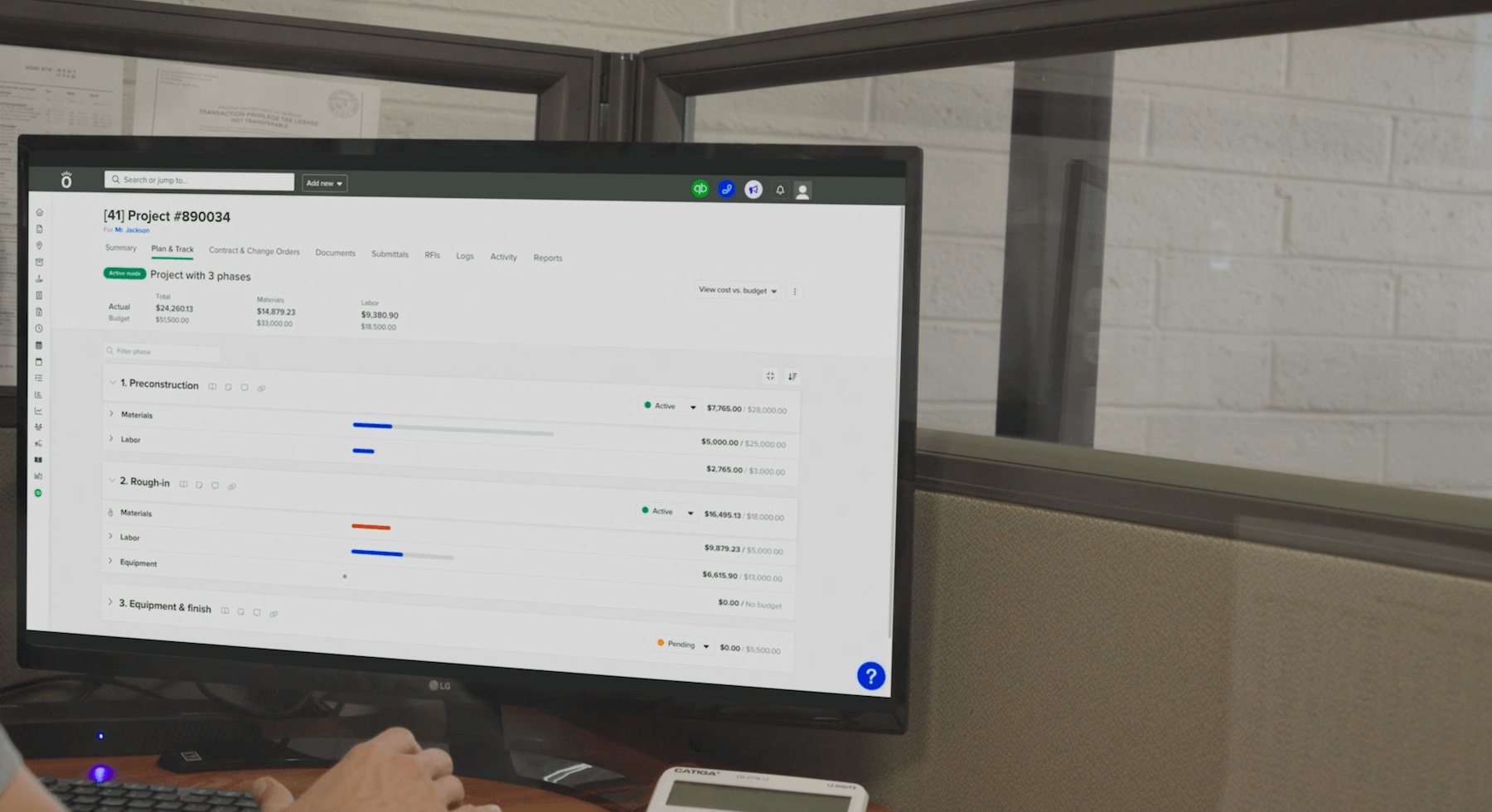
This is the biggest gap in the HVAC software market, and the single most important criterion for most contractors. Job costing means tracking labor, materials, and subs against your budget in real time, so you know projected profit before the job closes, not months after.
With average specialty-trade margins near 6.9% (CFMA 2024), waiting until a job is done to learn it lost money is a risk few shops can absorb. Knowify was built around this: it tracks committed versus budgeted costs and projected profitability for every job as you work. If a tool can’t tell you whether a job is making money right now, keep looking.
Slow billing is slow cash. Look for software that lets you invoice from the field and accept ACH and credit card payments, so you get paid before getting back in the truck.
Cash flow is under real pressure. The Rabbet 2024 Construction Payments Report found that slow payments cost U.S. construction $280 billion in 2024, and that 82% of contractors now wait more than 30 days for payment, up from 49% two years earlier. For building-equipment contractors specifically (HVAC, electrical, plumbing), CreditPulse 2025 data via DocJoist shows an average of about 57 days to collect, well past the roughly 45-day healthy target. Faster, more accurate invoicing directly shortens that gap.
If your books live in QuickBooks, integration is not a nice-to-have. A true two-way sync keeps job costs, invoices, and payments current in both systems, so you avoid double data entry and the errors that come with it.
This matters because of how common QuickBooks is. Enlyft data (via Electroiq, 2024) estimates QuickBooks holds about 62% of the U.S. small-business accounting market, and construction leads all industries in adoption at roughly 17%.
Knowify is built around the deepest QuickBooks integration in construction, with a real-time, two-way sync that keeps POs, bills, time entries, invoices, and payments current in both systems. That lets your team work in Knowify while your accountant works in QuickBooks, without either side redoing the other’s entries. Whatever tool you choose, confirm the sync runs both directions in real time, not as a nightly one-way export.
The best fit depends on the kind of work you do. A residential service shop and a commercial mechanical contractor need very different things, so map the tool to your business type before you compare features.
If you run a small service-focused shop, prioritize ease of use, mobile scheduling and dispatch, fast invoicing, and low admin overhead. Your day is full of shorter jobs, so the software should move as fast as your techs do and keep evening paperwork to a minimum.
Avoid heavy platforms built for large commercial projects; the extra complexity will slow you down. The goal is a tool your crew adopts without a week of training, that captures job details in the field, and that gets an invoice out the same day. Keeping admin light is how a small team protects its margins.
Many HVAC businesses do both quick service calls and longer contract installs. If that is you, you need one system that handles fast service work and multi-phase project work without bolting two tools together.
Look for scheduling that covers both job types plus real-time profitability across the board. Running service and project work in one place means less software to manage, train on, and pay for, and a consistent experience for every customer.
This is where Knowify’s Service Pro fits: it manages service jobs and contract work in one place, so your team runs a single workflow for jobs, invoices, and payments instead of juggling separate systems. That single source of truth is what keeps profitability visible as you take on more of both kinds of work.
Commercial and mechanical HVAC work carries its own requirements. You need AIA-style pay applications with G702/G703 formatting, retainage tracking, WIP reporting, change orders, submittals and RFIs, and prevailing wage job costing. Generic field-service tools rarely handle these, which forces work back into spreadsheets.
This is core to Knowify’s trade-first workflows. Chaney Mechanical, an Oklahoma commercial HVAC contractor that installs AC for hundreds of businesses including Costco, runs its projects and job costs in one system with Knowify.
If you do commercial work, make trade-specific billing and reporting a hard requirement, not an afterthought. Pay applications, retainage, and WIP reporting are hard to bolt onto a tool that was not designed for them. Ask to see a real G702/G703 pay app and a WIP report before you decide, so you know the workflow holds up under the demands of GC and government contracts.
Here is a fair, high-level look at several well-known options, based on public listings on Capterra and vendor sites, as of July 2026. There is no single best pick; as covered above, the right choice depends on your business type. Software features and pricing also change often, so confirm the current details with each vendor before you buy.
| Software | Best fit | Signature strength | QuickBooks integration | Starting price (as of July 2026) |
|---|---|---|---|---|
| Knowify | Trade/HVAC firms doing both project and service work | Real-time job costing and profitability, proposal to payment in one system | Two-way, real-time sync with QuickBooks Online (also Desktop and Intuit Enterprise Suite) | Core from $99/mo (billed annually) |
| ServiceTitan | Field service operations scaling toward enterprise | Deep, all-in-one scheduling, dispatch, CRM, and marketing | QuickBooks Online, Desktop Enterprise, and Enterprise | Quote-based |
| Housecall Pro | Small home-service shops wanting simplicity | Ease of use and strong mobile app | QuickBooks Online, on the Essentials tier and up | Basic from $79/mo ($59 billed annually) |
| Jobber | Small-to-mid home-service businesses | Fast quoting, scheduling, and invoicing | QuickBooks Online, on the Connect Teams plan and up | Core from $39/mo |
| FieldEdge | HVAC-focused field service shops | Broad QuickBooks version support | QuickBooks Online, Desktop, Enterprise, and Online Advanced | Quote-based |
| BuildOps | Commercial HVAC and mechanical contractors | Built for commercial (not residential) work; enterprise ERP integrations | QuickBooks (four versions) plus Sage Intacct, Viewpoint, NetSuite | Quote-based |
A pattern stands out here. Many of these tools lead with scheduling and dispatch, while fewer put real, job-level profitability front and center. With trade margins running thin, that difference matters when you want to know whether each job actually made money. Knowify leans into that financial-first view, pairing real-time job costing with a two-way QuickBooks sync. Match the tool to your business type, then confirm the accounting sync fits the way you already work.
Expect to pay by user or by tech, per month, with a wide range depending on capability. Based on figures from SubcontractorHub and BDR (2026), entry-level tools run roughly $30 to $60 per user per month, mid-market platforms about $100 to $200 per user per month, and enterprise systems around $300 to $500 per tech per month.
The headline price is not the real number. BDR notes that the true first-year cost is typically two to three times the subscription price once you add setup, training, integrations, and lost productivity during the switch. Budget an extra 10% to 20% for year-one onboarding and integration.
So weigh price against return, not against other price tags. Time saved on admin, faster payment, and fewer costly errors are what determine whether a tool pays for itself. The cheapest option that leaves you blind on profitability is rarely the least expensive in the end.
A useful way to frame it: if a tool helps you catch even one cost overrun or collect one invoice weeks sooner, it can cover its own cost. With average trade margins near 6.9% (CFMA 2024), protecting profit on a single job matters more than saving a few dollars a month on the subscription.
Use this checklist to turn a crowded market into a clear decision.
Work through these in order, because the first answer shapes everything after it. If you can’t name your must-have workflows, you can’t judge whether a tool fits, so start there before you sit through a single demo.
The demo step matters most. A tool can look great in a sales walkthrough and still stumble on your real jobs. Test it against a job you know well, and watch how it handles your estimating, costing, and billing before you commit. Knowify was built around exactly these financial-first criteria, which is why job costing, profitability, and QuickBooks sync sit at the center of the platform rather than at the edges.
Most HVAC companies use a mix of field-service tools and job-management platforms, and there is no single dominant product. Smaller residential shops often lean on scheduling-first tools, while contractors doing project work need job costing and accounting integration too. Popularity matters less than fit; the right choice is the one that matches your specific workflows.
HVAC contractors typically use tools for scheduling and dispatch, estimating, job costing, invoicing, mobile field execution, and accounting integration. In smaller shops these may be separate apps, which creates double data entry. Increasingly, contractors consolidate them into one platform so the field, office, and books stay in sync.
For a small HVAC business, the best software is easy to use, strong on mobile, fast to invoice, and light on admin. Prioritize a tool your techs will actually use in the field and that gets invoices out quickly. Also confirm it can scale, so you are not switching systems again the moment you grow.
Yes. Many HVAC platforms integrate with QuickBooks, which matters because construction leads all industries in QuickBooks adoption at roughly 17% (Enlyft via Electroiq, 2024). The key detail is quality: a real-time, two-way sync is what actually eliminates double data entry, while a one-way or delayed export does not.
Pricing generally runs from about $30 to $60 per user per month at the entry level up to $300 to $500 per tech per month for enterprise systems (SubcontractorHub, BDR, 2026). Remember that the real first-year cost is often two to three times the subscription price once setup, training, and integration are included (BDR). Compare total cost of ownership, not the sticker price.
The best HVAC software comes down to two things: fit and financial visibility. Fit means the tool matches how you work, whether that is fast residential service, commercial project work, or both. Financial visibility means the software shows you whether each job is making money and helps you keep cash flowing, not just whether the calendar is full.
Get both right and the software earns its keep. Knowify was built for the trades around exactly that financial-first approach, from proposal to payment. Request a demo today to see it in action.