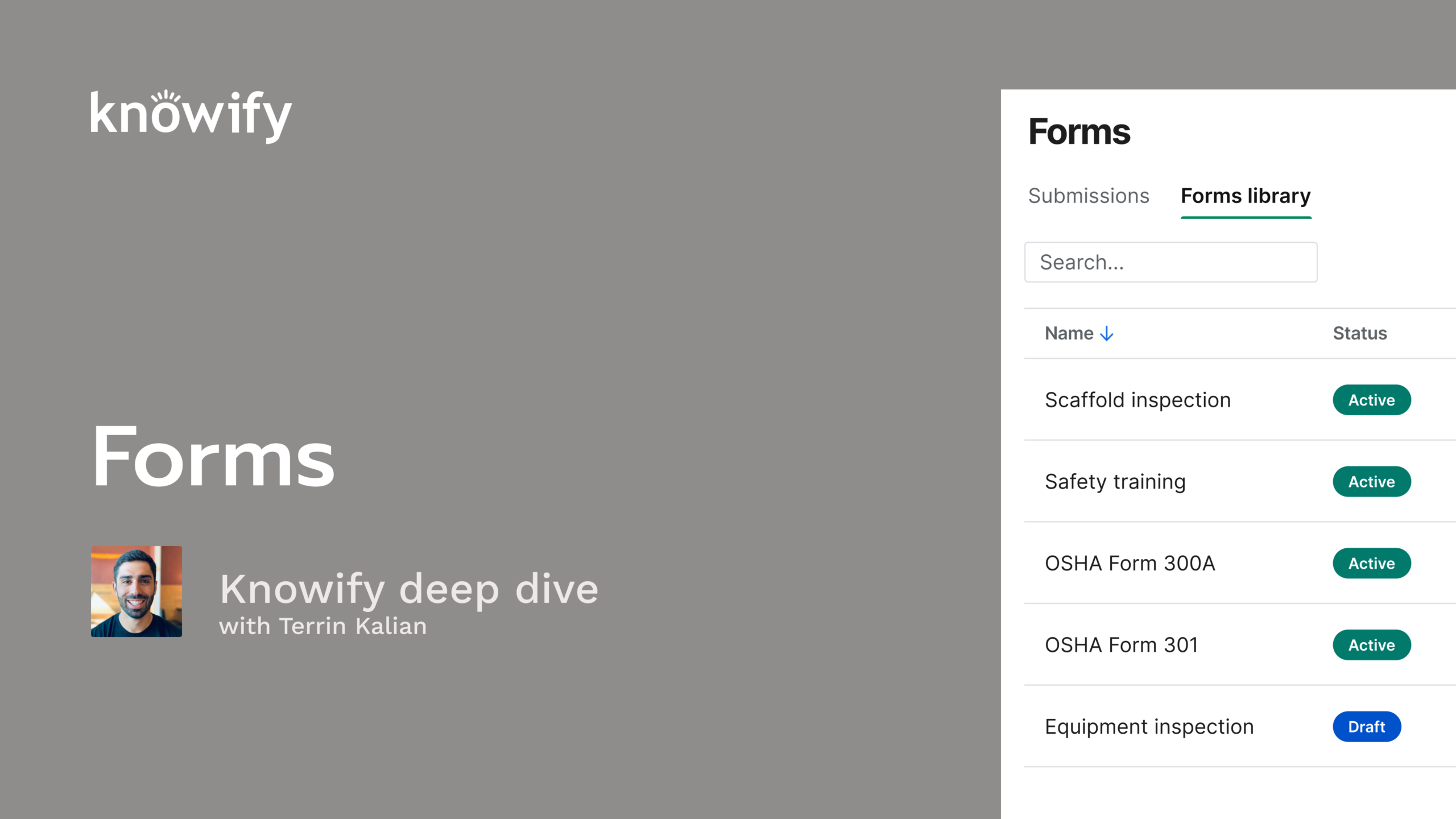
Knowify Forms lets you build custom digital versions of the paperwork your crews already fill out, like daily closeout checklists, inspections, vehicle maintenance logs, and sign-off sheets. In this session, Terrian Kalian, Head of Customer Experience, shows three ways to build a form: dragging fields into place, describing what you need in plain language, or uploading a form you already use and letting Knowify AI recreate it.
The demo then covers adding forms to contract, service, and internal jobs, filling them out on desktop or the mobile app with voice-to-text and finger signatures, and sending completed forms as PDFs to your team, clients, or GCs. It ends with a Q&A on conditional fields, multi-page printing, photo uploads, and what’s coming next.
You’ll learn how to:
Okay. Welcome in, everyone. Thank you for taking time out of your day to learn a little bit more about NoFi. Today's deep deep dive is gonna be on one of the newest, if not the newest features in NoFi, which is our custom forms builder. I always like when we can have a topic on something new, get to share just some of the developments we've made based off of a lot of our customer feedback. And this has been a really fun release for us internally to, just being able to offer a lot to solve all kinds of different workflows that people need to do in nullify. In this case, something that goes a little bit beyond the dollars and cents and more into the, actual process behind projects, which I always think is, some of the more interesting stuff and, definitely, can be some of the more fun stuff to use. I know it's kinda funny to think of, our business management software as fun, but when it comes to making custom things and, you know, having some nice flexible functionality, I think that does, make the software a little bit more enjoyable all around. For anyone who doesn't know me, my name is Terren. I manage customer experience here at Novi, and this is why I like these types of features. I think it ends up providing a better experience overall on the when you're using the product. And just having the ability to make something that's a little bit more unique to your business instead of being stuck to individual workflows ends up going a long way to make sure that the the process of getting everything set up in Novi is a little bit more seamless, and that's what we're always trying to do here. You know, try to give that comfort of knowing that even though you're switching softwares, you don't have to completely change everything you do in your business every day. And we'll start with just an introduction to forms, kind of what we're referring to when we talk about this forms feature in Notify. And we'll go through the, concept of how to set up forms, how to, fill them out, things like that. And then we'll go through our live demonstration of this in my account so you could see a little bit more about how this all actually works in practice. And we'll do a q and a at the end just to make sure that we answer any questions that you have about this. It's worth noting this is iteration one of forms that was released, so we do expect to be able to offer more functionality in the future. So maybe a lot of what you have in questions is, can you do x, y, and z? Maybe not today, but never be shy about providing providing us with that feedback because it might control what we end up offering alongside forms in the future. And sorry. Let me go back real quick. I also like to mention as well, for any questions that are maybe unrelated or shorter form, something like that, my associate Vin always joins in, in the background and answers a lot of your questions. So don't be shy about using that q and a in Zoom to, make sure you get any of your questions in so, you can get everything answered, and we'll do our best to get around to everyone. I think it's very rare that we ever leave a question hanging. And for anyone who throws a raise hand in, I appreciate the, willingness to jump on the mic. We don't actually unmute anyone. So if you have questions, use the q and a, and we'll make sure to, get everything answered. So no no need in raising hands, but, I do appreciate the enthusiasm. So just to kinda start, know, what is forms? What are we talking about when we discuss forms in Noify? And like I mentioned earlier, this is really one of the more custom things that we can create in Noify. So instead of being stuck with, oh, these are the two forms you can generate in Notify or here are the fields that are available. This lets us get very custom and actually build out a custom form inside Notify in the format that we need, in the intro, with the data, that we need collected, and really, however you need to have it collected. Then once we have our form, we have the ability to, let people, in the field, in the office, through the Knowlify software, actually fill out those forms. So not just building the blank forms, but then having people fill them out and saving all of those, submitted forms as well. So we have all of that on record and have all of that documentation. And it can really be used for a really any wide, array of different, practical uses where we see people use them for things like daily checklists, having project, closeouts, inspection, vehicle maintenance, all different types of things like this that, require, a user to actually write in, here's who was here, here's what was done today, information about materials we use, do things like collect signatures, anything that might not be a pre canned functionality inside Noify. We could build that into one of these forms so that we could still collect it without having to jump into another software. And a lot of this is powered by Noify AI, which you'll see a lot in the coming months. But, basically, as we all know, AI getting bigger and bigger in the marketplace these days, Just any way to help get all this information into the system a little bit faster. The Novi AI will help you both build forms. So if you don't know exactly how you wanna put this together, it'll help you with that. And then when it's time to fill these out, you'll have access to that as well, and we'll cover that a little bit more as we go. And, again, as we go through and set up these forms, we'll save all those submissions. So if you wanna see the submitted forms, anytime down the line in the future, they're all saved in your account indefinitely. So you can reference all of this data, through the life cycle of your account or pull up the job, see the submitted forms, all of that good stuff, just living inside nullify for you. And the process all starts when we're building out our forms library. And so before we obviously have people fill things out, we need the forms to exist. And we do have the builder, which is pretty straightforward, a list of different fields that we can accept. Give us a title, then a blank text fields. You can have selection fields. You can upload images, have things like finger signature, and you can build it just by putting the puzzle pieces together until you have the form that you want. But you can also do things like use the nullify AI and upload an existing form. So if there's a form that you use in your workflows outside of nullify today, you can actually drop that directly into nullify AI when you're building a form, and it'll do its best to replicate it to actually generate the form, the in its blank format inside your account. Once it's uploaded, let's say it's not perfect for whatever reason, you can still, make adjustments from the, automatically created one by AI, whether you do that by, manually making adjustments, moving boxes around, changing wording, whatever it's gonna be, or by continuously prompting the AI, hey. This is good, but can you make this change x y z? And the nullify AI can actually work off of text as well. So if you want to do something like write in, hey. Can you build me a form that is for, job closeout that we fill out actually daily, not when the job closes, but for daily closeout that, prompts for, a checklist of has the jobsite been cleared, and is it safe to walk through, and then request a signature at the end and a picture. You can write all of this stuff in just conversational format, and it can generate a form for you without you having to, build it manually. Then once you have the form built out, you can actually, get a little bit more control over things like what jobs does this apply to. Is it for contract jobs? Is it only for service jobs? Do we use it for internal, so nonjob related at all in a sense? And you could also control who has the ability to see the submission. So maybe there's some more private information in there. You don't want everyone on the, Notify app to be able to see what people are submitting. That's very okay. You can permission this out and have a little bit, more, specification. The people who view this, form have to be, specifically assigned to the project, or they need to be admin, something along those lines. Then once the form library is built and you have all these different options in your account, you'll have the ability to, call out which of them are used on different projects. This is really meant to be, so you don't have to have every single form on every single project. Maybe you have different, closeout forms for, contract jobs versus service jobs. Maybe you have, maintenance forms for your maintenance contracts, but you don't need them on your standard fixed price jobs, things like this. So you can actually say when you're setting up a job, here are the relevant reports, or forms to this specific job so that, when someone goes to pick, they have a smaller, more manageable list to pick from. We also allow you to call out forms when building out project templates in Notify. Another neat new feature from this year where I can create a, template and say this is x y z type of job. And whenever I use this template, these are the forms I want enabled, which can help, speed up the process of getting all of that set up so I don't have to shift through the, list of, forms every time I create a new job and call out specifically which ones are gonna be used. Then when we actually have this enabled, filling this out is relatively straightforward where I can pull up the specific form. And, again, the list will be limited to what we've enabled on the job. And I have the ability to, similar to when we're creating the job, chat with an AI to have the form actually filled out based off of the information, that we have. You can prompt it for to find information that's job specific, from inside Noify. So if it has something like project name, you could say, please fill out this form, get the project name, put in today's date, let us know, you know, what materials we purchased, who was on the job site, any information it can pull from inside, Noify, it should be able to populate the form with. And if you find that after the first, request, the AI didn't get everything in perfectly, you can keep the conversation going and, again, have this ability to continuously talk to the AI to make sure that the form is filled out instead of manually going through the form, look at nullify, look at the form, look at nullify, look at the form. You could just have this, you can just clarify via the text as you go through, what needs to be filled out in each field. And, for people who are filling out on mobile, you actually can use the voice to text option as well, which could be really handy. Let's say, we're in a rush. We have to go from one job to another. I don't wanna, type all this out. I can just speak into the, voice to text. Hey. Please fill out this form. This is a summary of what I did today. Here's who is here. And you can use all of the information from your voice to text to fill out the form for you using that Notify AI. And the process of filling it out on mobile, very similar to what we're gonna be able to do via, the desktop. It's just all, built into the Notify app, I don't have to pull up the Notify browser or anything like that. It could be really handy for things like, having people on your team sign off on things, maybe handing over the phone to a customer to get a finger signature. Maybe it's a site super for GC you're working for. Anytime you need to have these manual signatures and have all this filled out, a little bit quicker than having to pull up a computer with the, hold Notify browser app, I think it's a really handy thing for, us to have mobile, mobily capable. And, of course, any of the submissions that are created on mobile, still available on desktop just like everything else. They're just, being collected from, on the job site a little bit more quickly. Then, again, once the forms are submitted, you can control who has the ability to see them, but then you also will have the ability to share the submissions with people as needed. So you can call out specific team members on your NoFi account to say, share. You send an email to these people with a direct link, or you can actually send it to external people as well. You include, something like a client or an architect's signature or whatever, email address, whoever it's gonna be, And, they can receive a copy of the PDF of this form as well. So, it doesn't have to live solely in Noify. We have the ability to, be a little bit more communicative with all of this information too. All of that being said, let me pull up my Notify account here, and we'll walk through a a couple of samples of how this whole process is gonna work. So you could see in my account, I have forms as an option in my home page. It's marked as new because, again, this is, only, launched in the last, week or so. And I'm gonna be pulled into my forms library. This is where I could see all of the different forms that I've created in my account and not the submissions here necessarily, but the forms that are available. This could be filtered down, who created them, what the form's called. And in this case, I wanna get rid of my inactive one to just see the active. And I could click on any of these to see what the form currently looks like. Here's my fire fire sprinkler system inspection checklist, and here's a list of all the items. When I'm done with the form, if I'm not gonna use it anymore, this is where we can make it inactive or we have the ability to delete it. So if I have something like, here's a daily prod project checklist. If I don't use this one anymore, I can see it has been submitted seven times, but now I'm gonna make this inactive. I don't wanna delete it entirely, but, for right now, we're not gonna use it. I can also, from here, see my list of submissions, of each form. So earlier today, someone submitted the daily work summary. I can click here and see what they submitted, and here's all the information that was filled out. But I wanna go back here, and I wanna create a new form here. So I'll say add new form, and I'll say webinar form example. And to start building, I can do things that are pretty straightforward. Like, say, I'm gonna need an image here, and this can be a prompt for an image, or I have the ability to actually select which image goes here. So if I want a company logo, that could be called out, resized as needed. Noify advanced instruction, things like that just to make sure we have the ability to build. And it's that simple. It can just be a drag and drop, move things around. Here's where I can put in things that are more, fixed like a heading. This isn't something I'm asking people to fill out, but, this is where I could put in the name of the form. And then from here, I also have the ability to start building out things like prompts. So text for things like this is where I want you to input a name, multiline text if there is a longer form text that needs to be included here. And if I put something in that doesn't need to, be there, this is where I have the option to delete. And we could prompt for all different types of text fields, so or all different fields. So numbers, dates, drop down menus, multiple choice, single choice, yes or no checkboxes, signatures, tables, you name it. But this is the process if we want to build a form manually. What I can also do is input a prompt, and I just, rather than have you guys all watch me, type, I have some that I prebuilt here. But this is, can you make a form to fill out if they've cleaned the job site, stored materials, etcetera? I could say build, and Notify AI is going to read the prompt and say, here's the form that makes the most sense based off of what we have here. And I actually built on top of what I already had. Maybe we should make this a little bit cleaner of a, workflow. I'm gonna do that same thing here and have it start from scratch. And this has the ability to be our jumping off point too. So, yes, I like this form that put together, but I want to, actually also includes, include a place for, the name of the submitter, as well as a header on the form. Okay. This is looking a little bit better. I can reorder. I actually want signature below the name, and I wanna put in a job or a company logo here, which I can always, adjust however I need. And now this is matching a little bit more what I was picturing when I prompted the AI. So, again, we can always continuously talk to the AI to get the form that we want, or I could start with the AI basic prompt and then from there, move into, some more manual work. And this is where I can also prompt what types of jobs this is available on. Maybe it's for contract jobs, but not service jobs or internal. I like to always just set things to all just because I like to play with it throughout the system. But, again, you have the ability to control this. And this is also where you can control who sees the submission. So when someone submits a form, can everyone see that submission? Is it only admins? Is it only people who are, set up as job, members or team members on the job? So sales lead, project managers, etcetera. We'll stick this with everybody for right now, and we have our form here. Another thing I like to call out is when we create these different fields that can be filled out, I also have the ability of calling out, is this something that's required? So we can prevent submission of the form without filling individual items out. So we can actually call out, these are the things that have to be filled out, but then something like additional comment isn't required because maybe it's not necessary. Or we can actually say something like additional content, comments only shows if the have you safely stored and locked is yes. So we have the ability to get a little bit more control over how this all gets filled out. So if there are some things that we wanna hide until someone checks one box or they say, is there a safety incident? If they say no, it doesn't ask. But if they say yes, can you please explain? Things like that could be possible here. But here's my daily job site closer, closure form, and I'll go ahead and make this active. Now I'm gonna set up a new project, And a lot of this won't really matter here. And you'll see that I have the ability to enable forms, and I'm gonna choose that, daily job site closure form as well as a couple of these other ones just in case we wanna see some variability throughout the job here. And I always like to set a job address, not that it's any way, shape, or form, mandatory. And I'm gonna set a project manager here as well. That's gonna be John Higgins, so we can permission him to be able to see these things. I'm gonna quickly just generate a plan here. None of this will be necessary. You could see that the forms is automatically enabled, just so I have a full set of data on this project. Cool. So when we have forms enabled on our project, that's where we see this option of forms, turn on in the job itself. So I'll come to forms, and it shows here are the forms that are available on this specific job. So that daily job site closure form that I filled out earlier created earlier, I can click this button to start a submission process. From here, I can say we did clean but haven't locked materials up yet, and the job site is still unlocked too. Go ahead and submit. Now it's gonna use as much information from that sentence and as much as it can find throughout the, rest of the, system. So it knows, yes. We have clean, but I did call out that, I haven't stored and locked yet. Since that's mandatory, it's not gonna let me, finish this. I can also do things like, say, it's worth noting that there were no safety incidents today, but we did misplace a circular saw. My name is Terren. Just putting in information that might be relevant to the rest of the form. It's gonna do its best to fill everything out. It's gonna get our name and additional comments, and I can finish checking all of this out. And then here's where our signature comes into play. I can just write this in, and we have the ability to type as well. And just like that, I have a filled out form, which can be submitted. Now this stores in the submission section of this job. So here's my submissions. I can click here, and I could download it as a PDF, which will give us the ability to, email this outside of Notify, anything like that as we need. And I also have the ability to use this Notify, which is gonna say, do you wanna send it to, people who already existed, in your account, like John, or I could send it to myself? We can write in the email. Here's the subject of the message, etcetera, etcetera. And so once a form is filled out, we have the ability to send it through Noify as well. Let me see if I can pull up that email really quickly. And so I'll get this email, see who it was sent to. This, gives us all the info, and c form will open a direct link to the PDF that was generated. And so having that shareability ends up being pretty handy. We have the option to not just have it filled out, but then distribute it as needed, throughout the system as well. Then from the mobile app, I have the ability to do the same thing. And, obviously, in this case, this is much bigger shape wise than the mobile app. Here, could try to reshare and make it look a little bit more mobile. So this would be my phone here, and I could say, I wanna pull up the forms job. And from inside the forms job, you could see a forms button, is gonna say, here are the forms that have been filled out so far. I could say fill out form. Same idea, daily job site closure, and we have the ability to prompt that nullify AI as well. We completed everything. Please get my name too. And they should be able to check all of the boxes for me, fill out this form. I guess I'll I'll have to specify name. Again, it will learn more as we go through all of this. And when it's submitted, I'll be able to see this as another submission, so that this can not just show on the mobile, but it'll also show up on the browser side. So we can see the different submissions, one by Terren, one by John. One thing that also comes in handy, if I pull this up and I see oops. There's actually a blank space. I have the ability to switch forms to draft and say, this was actually John Higgins, I can resubmit on their behalf, which also helps in cases where, we had someone recently who has a form that requires signatures from multiple people on-site. And so, you can actually start filling out a form and then save it as a draft and, share with all different people as you pass it along. And so multiple people can fill out the same form if you want information in it that way and make sure that, it gets filled out, by everyone who's relevant to the, specific, form and process here. That might be just about everything else, everything I want to show, just kind of as a side note. So when we're working with service jobs, all of the same rules apply. So I could be in service jobs, and you'll see that we have the ability to select which forms that are available. And then this will live, in that same workflow from mobile or from the browser. I'll have the ability to, fill out these forms. And you'll see that this opens up a form section of the service job where I have the ability to have this filled out via browser or on our mobile app as well. And then we often have people ask about forms that are nonjob related. When we are setting up internal projects, we'll have the ability to set up forms here as well. So I can say enable forms, and we can have things like, time off requests, whatever it really ends up being, that we need to fill out that's not specific to jobs that can then be, once submitted, shared to different people throughout the company, without having to make everything job specific. So anytime you need something that is a form that is filled out through Novi, you have the ability to set that up. I did see a lot of questions come in, and I'm sure we'll have a a little bit of time getting into it. So, I'll wrap up my series of the demonstration there. And let's see. The first question is, when assigning forms to a job, is there a way to mass, assign all forms instead of picking one at a time? So right now, you could do the select all, and you have that option. One thing that can be really handy, and I mentioned this earlier, is that when we're creating a job template, I could say something like this is a all forms enabled job and say enable forms, choose them all. Maybe that's all there is in this template. Doesn't really matter too much. And the whole thing is, when I'm adding a job, I could say apply template, all forms enabled, and it'll automatically take care of that for me. So if you need as a shortcut, that's certainly an option to help speed up that process so you don't have to check them one time or reenable on each job. When creating a new form, is there a way for it to be able to pull other fields from other parts of a project? So when you are filling out a form, it could pull from different parts of the project based off of, the information prompted, via the Noify AI in the submissions. So I could say, fill out with today's date on the inspector. And then if you need, you could say, check purchases and time entries for the day. Any information that you needed to mine out of Notify to fill out the form. As long as you prompt it here and there's a place for it to relevantly go in, it should be able to, drop that information, automatically into the form so you don't have to do it manually. So that's where the information throughout Notify really starts coming in handy. It's just using that Notify AI prompt to have it automatically fill everything out. Will be a possible future feature to include alternate invoice forms. So it sounds like maybe we're referencing the, concept not of forms, but different templates for invoicing. That is something that we will likely, explore down the line. But as of right now, each account can only really have the one invoice format. Definitely chat with our support or success team to learn more about your options. There's a couple ways we can try to get around that rule, but, that since it's a different feature, I'm gonna make sure that we stick to the form specific, different, functionality here. If we have to inspect multiple pieces of the same equipment on a job, do you have to send individual inspection forms for each piece, or is the tech able to save it and start over with the same form? So there's no real limit to how many times you can fill out the same form on a job. So if you wanted to have something for equipment maintenance, you could always just say, start with, let's just say the first field is for equipment maintenance. I could say for piece one to five three, and just fill that out over and over again for each piece of equipment as needed. So no limit to what can be, no limit to what can actually be, entered, or how many times something can be entered. So if you need the same form to be used for several different instances by the same person on the same day, that's absolutely an option. There was the question, can forms be conditional? As in, can this, you know, this must be done before we move on? And gonna kinda two part answer this one where pieces of forms can be conditional. So I could say, text, text, and text, or I could say, this is text one, text two, and text three. So I have the ability to say, text two conditions, show this field when text one is filled. Text three conditions, show this field when text two is filled. And using this type of conditioning, we could basically set it up. So when I'm filling out this form, first, I fill out text one, which shows text two, which shows text three, and we can move in orders like that. What this doesn't do yet, but we will do in the future, is the actual, triggering of the form being a condition to be filled. As in when I do x in nullify, it prompts for the form to pull up before I can do y in nullify. That's on the road map. It's things that we wanna be able to do. We're always looking for feedback on what we want those conditions to be. Is it when completing a job? Is it when checking out on the job? Is it when it's in submitting a purchase? So any feedback you have like that, don't be shy about reaching out. We're always happy to take it in and, see what we can do in the future. There was another question. Can you demonstrate how to actually capture the signature? That's a good question here. So I think my daily job site closure has a signature form on it. So if we're looking at this from a mobile standpoint and I'm filling that daily job site closure, from here, there's the signature field. When I click this, it gives me the place. And, obviously, I'm on my, computer here, but we have the ability to sign here with our finger and save. And so from the mobile app, same idea. I just click on that signature field, and it starts pulling it up so we can finger sign, right through the app. Will you be creating a prompt to be able to notify a team member or, task team member when a form is completed. So right now, we have the notification where, when we submit, We can set a notification, as we showed earlier here. So and we have the ability to as we submit to, notify as well. So submit and notify. Having the automation of it isn't, available now. It is something that we'll likely look into down the line. Similarly, looking into things like having a Zapier integration where the submission of a form is a trigger, which then, automates something via Zapier to send notifications. Stuff like that is always in the works. So, if you have more thoughts on who you'd like to send these things to and how you'd like to define it, how you'd like it automated, never be shy about, providing us with that feedback because we'd love to make that, you know, work as smoothly for you as possible. Can you prompt the AI to make changes to the visibility or required field? So, maybe that is, in reference to the concept of, conditional, display of different fields in on forms. The AI should be able to figure that out. If it's not doing it right off the bat, you can definitely submit it to us, and we'll look at your prompt and see if we can communicate it more, in the future. But, realistically, the Noify AI should be able to do anything that a person can do. It just might take a little bit more talking to it to get more complex workflows put in. And so, again, if you're finding that, no conversation with the nullify AI is getting the, end result that you want, just communicate with our team. You can reach out to, me directly or to your success manager, and we will, see what we could do to, improve that so that it works a little bit better for you moving forward. I've uploaded a conditional release. It only picks up data entry and not the included verbiage. Definitely, again, reach out to support or your success manager. We can look into it. I don't know if you're referencing the concept of it auto filling or auto creating a form. But, again, anything that's AI driven can be trained. So, if you're finding that the AI is not working the way you expect, maybe it's not being, as reasonable, it's not understanding well, we can, explain, it to explain to it, how to start in taking this information a little bit better. I think a good example is during our beta, the AI was, ignoring second pages on multiple page forms. We've kinda just, you know, write into the AI. Hey. Make sure that you're looking at every page. You can make multi page forms. And using that information, it's, more powerful. So, again, the more feedback we get from you, especially in these early, stages because it, is a relatively new feature, The more feedback we get, the more we can offer, as the feature improves, in the future. How do I get a form to format properly on a multipage print? That's a very good question. So I think there's always limitations when it comes to limiting things to one page based off of what's in it. Right? So, if I have something that allows free text and that text that text can span any amount of, length throughout the bottom of the page. We can always bump things to other pages. But when you're creating a form, even if you create the whole form manually, you can actually prompt the Notify AI, do your best to fit this on one page, and it should be able to try to organize things. Sometimes it'll just be impossible. There will be too much, content to fit on one page. But if it is possible, using that Notify AI should be a really strong option too. There should be a really strong option to get it, to submit the way that you want. A follow-up, question on the submit note notify. And I think that's a fair question. It's, someone asked, who does that notify? So if I have a form here, I'm gonna essentially submit this blank, where I'll say submit and notify, notify. Nice. I can it just pulls up this form for me so I could choose who to notify on the job. So clicking submit and notify doesn't automatically send the notification. It just automatically pulls up the prompt for me to send the notification, and that'll send via email. And so, again, it's really just trying to skip the step of having to submit, go find the submission, and then notify. We just have the one step, submit and notify, and do that mistake every time I say notify too much, to get that to go through. Is there a limit to how many photos could be uploaded to a form or maximum file size? That is a very good question. So there is not necessarily a limit on how many photos can be uploaded. And when you're building a form, you can actually choose for the photos field. So let's say I pull put in another image field. I can say multiple images. You can also have a, you could customize the, size and shape of the image field, things like that, or if you want it to be automatic. But when we choose multiple images, we have the ability to upload more than one at a time. I'm not sure about the max file size per upload, but you do have the ability to upload multiple. I do think it's worth I do think it's worth being careful when you fill these out because similar to the concept of one page formatting, the more pictures we upload, the harder it is to get the PDF to display perfectly because the images come in all different shapes and sizes and whatnot. So, definitely make sure that you are being careful about, how you are setting these up and then maybe, run a couple tests and look at the display before moving forward and distributing these to other people. But, again, you should have the ability to accomplish just about everything you need to do. There's a follow-up on the ability to assign for all forms to a project. They're actually asking, can we assign one form that's automatically active on all projects? Not at this point in time. I think that's a a great bit of feedback right now just to keep, projects from being swarmed with too many available forms. It has to be enabled on a job by job basis, but we do have that ability to, quick enable using things like templates. So maybe you have the same template used every time that always keeps that, project, or that form enabled. That might be a great way to speed up that process. You don't have to manually do it each time. Is there a way to have a project number drop down box on the form? So, we theoretically could have a drop down where I could say this is our project number. However, we would have to update this form every time we add a new project number. So what makes more sense is to have something that's more like just a generic text box that is project number because the Notify AI should be able to very easily find the, easily find the project number from inside the job so it can fill it out, no matter what is available in this drop down. Right? So instead of limiting it to, specific solutions, this type of field will work regardless of, what the project number is and what, you've there create and vary there. Interest in using forms to sign out material to technicians and subs. Hoarded material shows a quantity on hand. I wanna sign out materials with a signature required. So this would fall more into the concept of setting up mandatory workflows. So, basically, saying you can't do x, y, and z until a form is filled out. It sounded like in this case, it was the concept of pulling items from inventory and then putting them back, which I think is an awesome use for forms. Again, we wanna just learn more and more about how you're using these so we can make sure that we're optimizing the system as we go. Today, it's not an option, but definitely would be something that we can look into in the future. Like, hey. You can't create a, inventory pull and nullify until you fill out this form that describes why you're pulling the items, what you're using them for, if you think that this is enough, things like that. There's a follow-up of if the q and a's will be accessible with the video. I do believe we include the q and a as part of the recording that's hosted on the, website. So, definitely, check out the video when we're done. And if you, are interested and can't find the q and a, you can always follow-up with me at a later date. I'll be sending out this recording as soon as it's ready to make sure that we get all these questions answered for you. Then the next question is for a sign off sheet. Can we pull data directly from the contract, similar to how we could pull the plan and track, for the work order? Yeah. Absolutely. So any data that's inside Noify should be pullable onto the form. I think because it's powered by Noify AI, it's pretty familiar with all of the different ins and outs of your Noify account. And you might have to communicate like, hey. We're looking for phase names, not line item names. We're looking for work orders or descriptions. Just if you include a a clarification of this is what I want you to populate in that field, the Noify AI should be able to, provide you with that information. Someone calling out the forms are not yet available for us. Kind of a side note on forms is it's currently available on Noify's current iteration of the enterprise plan. So in the past, we had equivalent plans that were called things like unlimited. This is different from the unlimited plan. It's the current equivalent. If you're interested in getting forms and you're on unlimited, definitely chat with your success manager. They can provide you with pricing and information on changing. If you're on any other plans, you might need to upgrade your account to, the enterprise plan. But if you see that you don't have forms and either believe that you should or are interested in adding it to your account, reach out to your success manager, and they'll give you more information on how to get it enabled in your account. That's all I have for you today. I hope that today was informative and helped you guys learn a little bit more about, the forms feature and answer any questions that you have. If more questions come up and if you are interested in adding this to your account or anything along those lines, you know, never be shy about reaching out to me or your success manager or support, to ask questions and make sure that everything gets answered. I appreciate everyone again for taking the time, and I hope you have a great rest of your day. Take care, everyone.

