
See why trade contractors choose Knowify
Run projects and service work on one platform, with the deepest QuickBooks sync in construction and real licensed AIA pay apps when you need them.
Knowify gives growing trade contractors everything BuildOps does for commercial work, and supports residential work at the same time. Handle projects and service work in one platform that offers the deepest QuickBooks sync in construction, and get started quickly with public pricing and a free trial.

Knowify is built for growing trade contractors who run residential or commercial work, and both projects and service, on one platform. It offers everything needed to run jobs profitability from start to finish, with the strongest QuickBooks integration available on the market.
BuildOps is designed for very large, commercial-only MEP contractors. It’s a commercial-only platform with strong enterprise reporting and ERP integrations, with custom pricing and an in-depth sales and implementation process.


Knowify is built for growing trade contractors who’ve outgrown spreadsheets or QuickBooks alone, but aren’t looking for an enterprise system that takes a long time to implement. It fits best when you run more than one kind of work.

BuildOps is built for large, commercial-only contractors operating at scale. If you’re a 100+ tech commercial MEP operation with the back-office staff to support a full implementation, BuildOps is purpose-built for you.
The punchline: BuildOps is the right call if you’re commercial-only and already a large outfit. But most growing trade contractors aren’t only commercial. They run residential and commercial work, both projects and service, often with the same crews. That’s the contractor Knowify is built for.

Knowify and BuildOps are both strong construction management platforms. But they each have clear differences based on their ideal user profile.
Most commercial platforms make you choose. BuildOps is built for commercial work only. Knowify handles both, so the same system handles your commercial AIA or prevailing wage work and your residential service calls without bolting on a second tool.
That matters because most growing trade contractors don’t stay in one lane. Whether you handle multiple types of work today or want to leave yourself adaptable to doing so in the future, Knowify was built for that mix. Bid, manage, and invoice every job type on one platform, with one set of numbers.
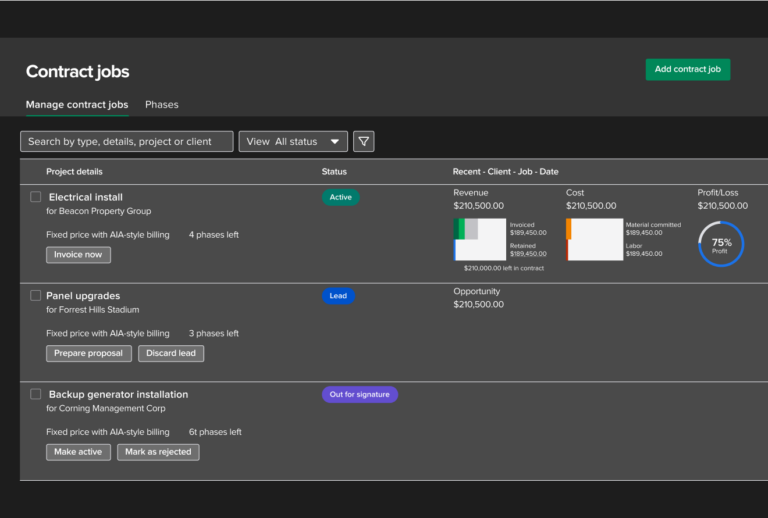
Both platforms sync to QuickBooks. The difference is how deep it goes. Knowify’s real-time, bi-directional sync goes deeper than any other software so you and your accountant can work in either system and see the same numbers. BuildOps treats QuickBooks as one accounting connector among several ERPs.
The depth shows up across the whole Intuit stack. Knowify syncs natively with QuickBooks Online and Desktop, QuickBooks Payments, QuickBooks Time, QuickBooks Online Payroll, and the Intuit Enterprise Suite. BuildOps connects to QuickBooks for accounting, but runs payments through its own processor, time through its own tracker, and payroll through a third-party partner. And Knowify syncs the things commercial contractors actually need in their books like retainage, schedule of values, and G702/G703 pay app data back to QuickBooks, which QuickBooks can’t track on its own.
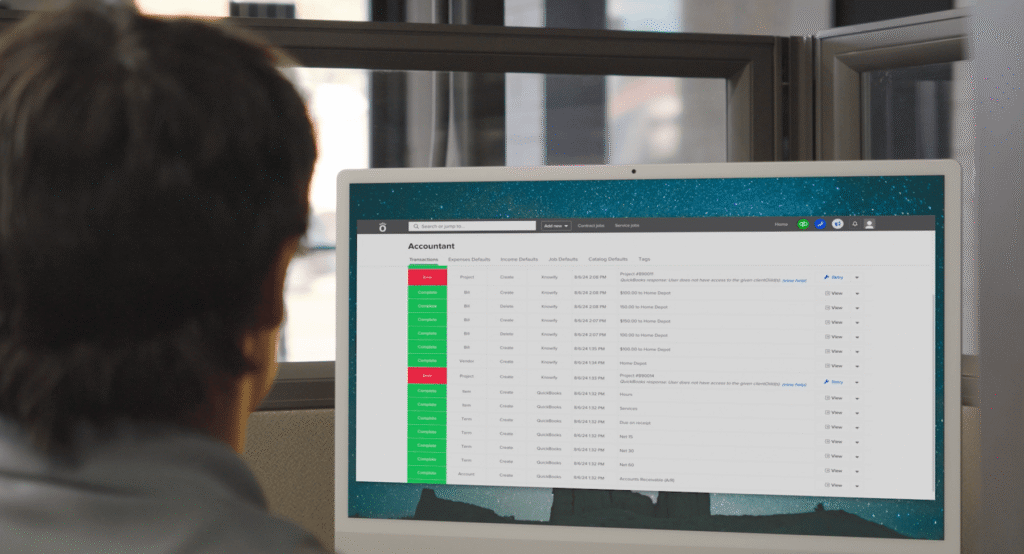
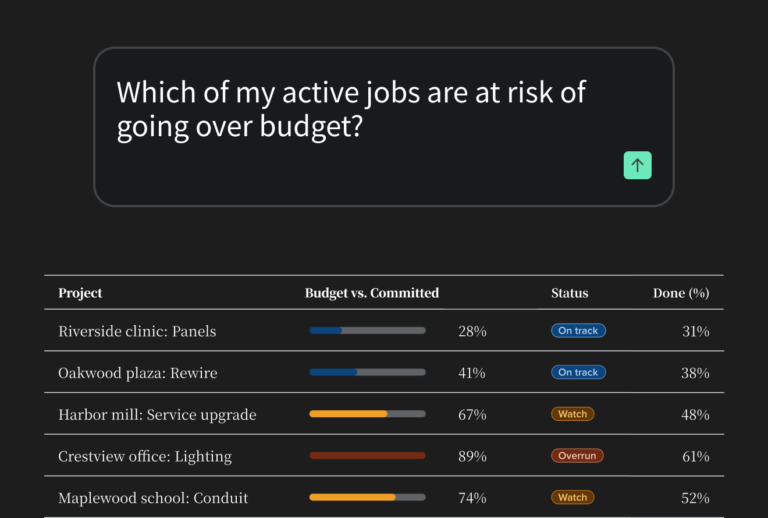
Both platforms have invested in AI, but they take opposite approaches. BuildOps’ OpsAI is embedded inside BuildOps, meaning it works the BuildOps way, in the BuildOps app. Knowify’s AI Connector is open: it brings your live job data into the AI tools you already use, like Claude and ChatGPT, so you can ask “what’s my WIP?” or “which jobs are underbilled?” and get real answers based on your actual project data.
It’s the difference between one assistant locked inside a platform and an open connection to the AI tools your team already works in.
We knew years ago that we needed some sort of business software because I need to be able to run one-day service jobs, and projects that take up to a year. No one had the list of features I needed, except Knowify.
“Knowify is the main reason we’ve grown so much in the last few years. As the owner, it easily saves me 20 to 40 hours a week vs. what I was doing on paper before.”
“Knowify is a comprehensive software that allows us, from the time we complete our takeoff to the time we complete the job, to use one software to run our projects and see how we’re performing in real time.”
“Using Knowify + Claude is already saving us 10 hours a week in admin work. That’s $15,000 to $20,000 a year.”
Run projects and service work on one platform, with the deepest QuickBooks sync in construction and real licensed AIA pay apps when you need them.
Knowify has published, transparent pricing. Plans start at $99/month (Core, billed annually), with Advanced at $329/month (billed annually, includes 10 users) for full project management, job costing, and WIP reporting. Service dispatch is a $99/month add-on. Every plan includes a 14-day free trial, with no contract and no implementation fee.
BuildOps does not publish pricing. Cost is scoped per field and office user, quoted after a sales demo, with onboarding included. There is no free trial.

Yes, if you run both residential and commercial work, Knowify is often the better fit. You get the same licensed G702/G703 pay apps and the same project-plus-service management BuildOps offers, plus the deepest QuickBooks sync in construction and pricing you can see without a sales call. BuildOps is built for large, commercial-only operations at scale.
BuildOps is built for large, commercial-only MEP contractors and priced by custom quote. Knowify is built for growing trade contractors doing >$1M in revenue who run both residential and commercial projects or service work, and has native QuickBooks integration and published pricing. Both do real AIA pay apps and both handle service and project work.
Yes. Knowify runs residential service calls and commercial AIA projects on the same platform. BuildOps is commercial-only and doesn’t handle residential at all which is one of the clearest differences between the two.
Knowify publishes its pricing: plans start at $99/month, with a 14-day free trial and no contract. BuildOps doesn’t publish pricing — you get a per-user quote after a sales demo, and there’s no free trial. If you want to see a number and start this week, that’s Knowify.
Yes. Both generate real, G702/G703 pay apps. Knowify builds in the schedule of values, retainage tracking, and change-order reconciliation, and you can run it on a free trial without an enterprise rollout. Enter percent complete and stored materials; Knowify builds the pay app.
Knowify’s sync runs both ways in real time across QuickBooks Online Desktop, QuickBooks Payments, QuickBooks Time, QBO Payroll, and Intuit Enterprise Suite — including retainage and pay-app data, which QuickBooks can’t track on its own. BuildOps connects QuickBooks as one of several accounting systems and runs payments, time, and payroll through its own tools and partners.
Yes, but it works the opposite way. BuildOps’ OpsAI lives inside BuildOps. Knowify’s AI Connector is open — it brings your live job data into Claude and ChatGPT, so you can ask “what’s my WIP?” or “which jobs are underbilled?” and get answers from your actual numbers, in the tools you already use.
Growing trade contractors doing >$1M who run both residential and commercial, both projects and service calls, and want real QuickBooks depth, published pricing, and a free trial. If you’re commercial-only at 100-plus techs, BuildOps’ enterprise tooling may suit you better.