Planning your projects in Knowify: Scheduling, tasks, and forms
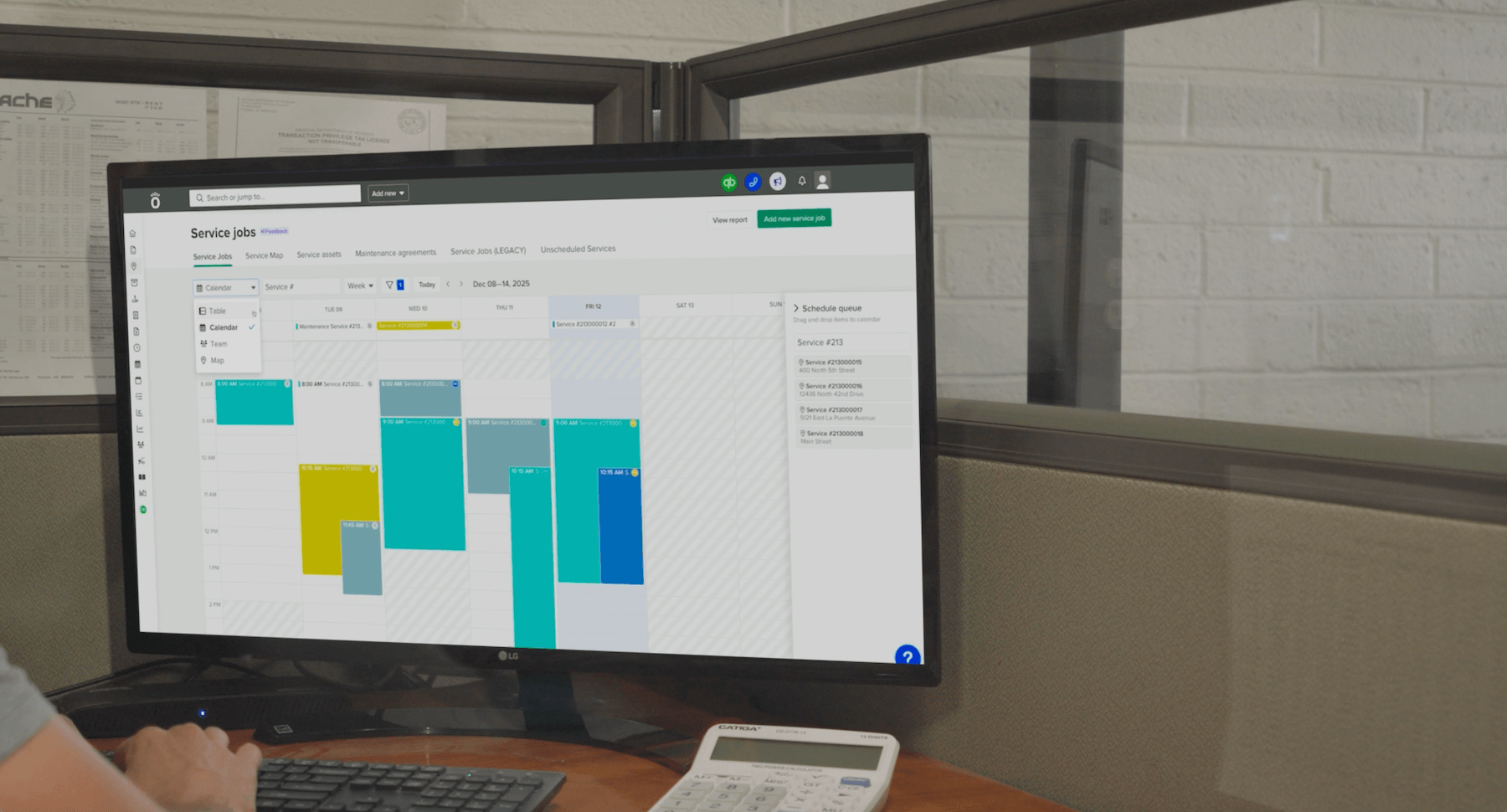
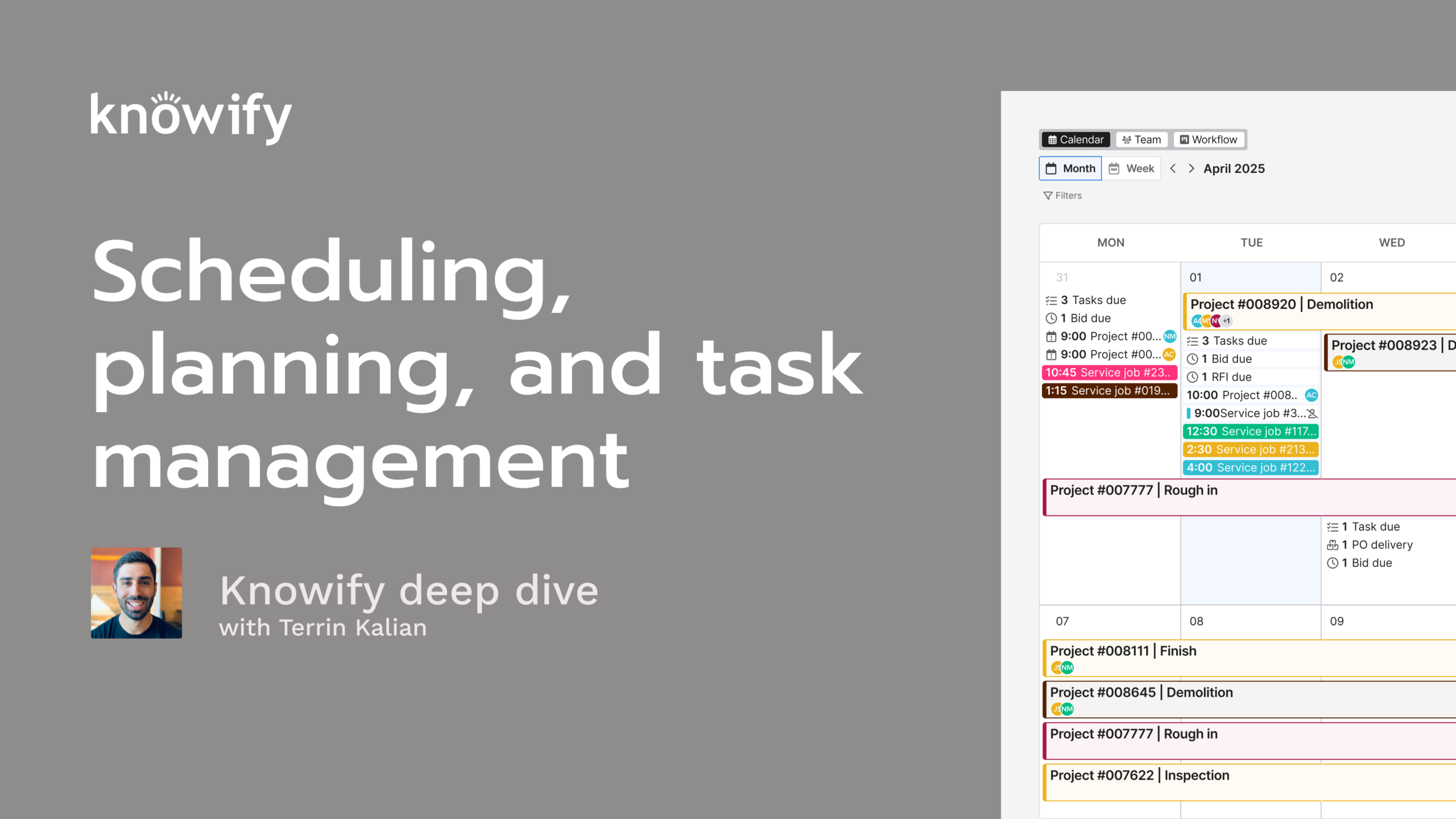
Knowify is known for tracking the dollars on a job. This session covers the other side: planning the work before your crew shows up. Terrin Kalian, Knowify’s head of customer experience, shows how to set dates for each phase of a job and assign crew members to specific times. She also covers the calendar and team views, which show what’s coming up across all your jobs and who still has open days. Your crew sees their schedule in the mobile app and checks in to the right job and phase. That means fewer “where am I today?” texts and cleaner job costing.
From there, the session covers tasks for the smaller to-dos inside each phase. It also covers forms, which collect job information from the field or the office and keep every submission on file with the job. The session ends with a live Q&A covering form uploads, company logos on forms, and where to find submitted forms.
What you’ll learn:
Today's webinar deep dive is going to be more on the project management side of Nullify. So, obviously, nullify in general is a project management software. But if you're familiar with our system, you probably know that a lot of what we do is focused around the dollars and cents construction, how much we're spending, how much we're making projected remaining costs, stuff like that. But there's all this other functionality inside the nullify system that's more around planning projects, communication, things like that. And this is where we're really gonna be focusing today. Our next three sessions will be around this type of concept. Today is gonna be focusing more on the planning of projects before actual execution. We'll mention a little bit about the completion of the project itself, making sure that we're tracking things like, as stated here, scheduling and task management. And so a lot of what we'll cover again is gonna be focused on preconstruction and just making sure that we have a plan of attack before we start a project, but we'll cover all of this as we go. If you're new to this series, we have a session twice a month where I just do a little bit more of a deep dive on these specific topics So we can spend a little bit more time than maybe what you might get in, an overall demonstration of nullify that covers everything, and I can, make sure to get to some of your questions that you might have on these topics as well. If you don't know me, my name is Taryn. I have managed customer experience in NoFi for the last decade, and you may have had me jump in on some calls you've had in the past. You may just know me from these sessions or some of our other YouTube videos. But my job is really just to make sure that you guys are as happy with Nollify as possible. And so when it comes to these webinars, my interest in... Is in making sure that you are, getting the most out of the system because a lot of the times, you know, we have a subscription with Nullify or whatever our software is, and we know that we pay the subscription, but we don't really know what we're getting out of it. And so, hopefully, with this series, you get to, get a little bit more use out of your, Nullify subscription account. And I'll start with a slide deck where I'll just go through some of the concepts that I'll be covering in this, session. A lot of this will be focused around scheduling, the idea of setting up a plan of when we're gonna get to different parts of that job and then communicating that plan to our teams in the field so we can make sure that everyone knows what they're supposed to be doing and when and where. We'll also focus on some task management, which is less the idea of scheduling chunks of a job and more individual to dos inside a project itself. Definitely a simpler thing. It obviously interacts with schedules when we have things like due dates. We'll cover that in session two. And I'll also be going through some of our forms functionality, relatively new to nullify, but it helps a lot when we're getting into the concept of planning a job, collecting information about that job, to be able to set up, forms on a project to collect whatever that information is and have it live on the job itself. Once I go through my slide deck, I like to pull up a demonstration in my nullify account just to kinda show you how all of this works in real time. And then we do a q and a at the end. So any questions that come in to Zoom's q and a feature, I will do my best to get to all of them. And then my associate, Vin, likes to stay on the line and answer some of the shorter form questions that come up through the life of the webinar as well. We do have this in a... As a one directional session, so no one will come off mute. There's no need to raise hands or anything like that. If you have questions, just throw them in Zoom's q and a, and I promise we will get to answering them. All that said, I'll go ahead and get us kicked off here with the basics of scheduling. So when we're setting up a schedule in Noify or really in any system, I think it's important to really understand what we are trying to accomplish when we are building a schedule. Is the schedule our ability to say, here's what we're gonna get to different projects? Is it setting up a plan of dates affiliated with pieces of the job, or is it more I'm scheduling my crew to make sure that they know what they're doing on each hour of each day? Both of these are considered scheduling, neither right nor wrong. But when we know what we're trying to accomplish, it really helps us find the right tool and the best processes inside nullify, to get the best end result. You could schedule out phases of jobs in more of a classic Gantt chart style of setting up a schedule where I'm saying we will get to phase one from the sixteenth until the twentieth, and then phase two starts on the twenty first. It goes till the twenty fifth. Building out that type of logic really helps us so we can see when we expect to get to different parts of the project and understand our company's overall workload and, what we're trying to, fit into our, different months, weeks, etcetera. But what we can also do is create individual, what we call assignments, which is where we're saying, not just we'll get to this job on this date range, but more, I need John at this location from this time until that time, and this is what we expect him to be working on. Both show in our calendar. You don't have to pick one or the other. It's really just a matter of preference of how you wanna set up schedules, and everything can be shared with people in the field so that they have the ability to see what they're expected to be working on from their mobile app. Now when we are setting up assignments in nullify... And my screenshot's a little old. I'll probably have to update that for my next session like this. But when we're setting up assignments, this is where we are, basically communicating to our crew. Like I said, I need you on this job doing this type of work and then having specific time affiliated with it. What's nice about this is, essentially communication to make it so there's... Doesn't need to be as much back and forth. So in this screenshot, we have Brian Wilson being scheduled on something. Instead of him texting, hey. What should I work on? I go check some other schedule, text him back, have some more additional details. If we are scheduling our resources via Notify, all they have to do is open up their app and say, see, okay. I'm expected to be in this location at this time. Here's the type of work I'm supposed to be doing. And it also helps us for the sake of tracking. So when I am looking at the cost versus budget of a job, if we're assigning people to individual phases, then when they track time, it can hit those specific phases. So if we're scheduling just generically the job, nothing wrong with that. We can still see cost versus budget of the job. But when we wanna get that more granular detail, I wanna see the cost versus budget of demolition on the job, then scheduling someone on demolition makes it easier for them to get their time to that phase so we could see how it's affecting the budget. This also helps so they don't have to search around as much. Right? If someone, gets to the job site and has to search, okay. Here, I'm at this job. Let me find the job number. Now let's choose what, phase them on. Aside from just the delay, they might click the wrong thing. They might hit the wrong job. If they're scheduled, it's just the first thing that they see, and it makes it a little bit easier for them to pick the right option so that your job costing again is as accurate as possible. When things go against the wrong job, it's always possible to, reallocate it to the correct location, but this can reduce the amount of administrative work, on the approval side so that you don't have to, be continuously moving time entries between different projects and phases to get all of your accurate, data. Now when we are looking at a schedule in nullify, we have a variety of different views, mainly our calendar versus our team view. Now I mentioned the two different types of scheduling, the idea of, when will our company get to this job versus what is Brian doing today? What does his schedule look like tomorrow? Now the calendar does show everything, but I think it's a little bit more useful when we're trying to get that first concept. What what is our company doing? When are we getting to different projects? It could be a little bit more vague as a result of that, but this is a good way to kind of see that broad capacity of where there's availability in the calendar, where we have full projects, where we have individual, tasks and assignments in the, schedule, and it can be filtered down to really see exact what we need. So if I wanna look at the calendar but specific to one project, we can actually filter down the calendar to say, okay. Show me all events that are specifically for this project or specifically for this customer or if we need specifically for this one employee. When we do things like for this one employee, it helps us see when do we have availability for, more employees, or for this employee to have more things added to their schedule. It can also help view things like bid due dates, when we have delivery dates for purchases, tasks that are due, things like that just so we can, really see everything that's relevant to our company in one, calendar. And we do a bit, offer the calendar view in both monthly and weekly. So if you wanna see the high level month, again, I think that's very useful. You could see gaps very quickly. But if you want something that is more granular with maybe an hourly resolution, that's where weekly views can come, more in handy so we can get that more detailed schedule where we could see, more, fine gaps, available in the schedule. Then when we drill down to our team view, this is less, okay, show me the entire company and what's happening across everything all at once and more, let me see every employee I have and how full their individual schedules are. And this makes it really easy if I'm trying to say, okay. I need to make sure John has a full schedule for the day or for the week. Let me see where he has availability. Because if we see any gaps there, we know that we have someone that, currently isn't planned to be on anything on one of these days, which obviously isn't ideal, to make sure that we're getting the most out of all of our workers. And this could be broken down into specific resources, teams, projects, types of work, things like that. And it can also be divided, or looked at as either a weekly, a two week view, if we need to look a little bit further out, or an hourly view if we again, or a daily view if we need to have that, more specific hourly resolution. So maybe a little bit less of, woah, what is John working on on Wednesday, and more, when does John have ex, when does John have availability on Wednesday? And we'll walk through a lot of the calendar and team view and scheduling options when we get to the, demonstration portion. But that's just kind of our basic breakdown if it helps you understand a little bit better why we have these different views and, when to use each one. Now when we look at tasks, again, this is more when we're, looking at the concept of things that need to be completed, to dos, really, as opposed to a large scale phases and scheduled assignments on a project. So think when we're looking more at scheduling, it might be, need the demolition to be done, from Tuesday through Friday. But inside demolition, I might have removal of existing appliances, clear out site preparation, things like that that might go inside, the, phase to make sure that everything inside that phase is getting done. So we get to be a little bit more specific and see what pieces of this have been completed through the life cycle of this phase. They could be assigned to multiple people. So whoever has the availability can mark things as complete as needed. And we have ways that you can, format these into a task dictionary, as we call it, so that you can, prebuild tasks on a job and save a little bit of time putting this in on any, project. And tasks are also connected to notifications. So you assign someone a task. It'll send them a notification. Hey. You've been asked to do this. This is what a job it's for. This is when it needs to be done. And when they mark it as complete, that can notify you as the person who created the task, to say, hey. Remember you told Taryn to do this? It's now been completed. The last feature that we'll cover here is our forms feature in nullify, which is, the ability to set up, custom documents that can be filled out, in nullify whether on the browser or on the mobile app, where it can be something like a checklist. It can be a... In a pre estimate information form. Just any way to collect information about a specific project, which, employees can fill out and then also, can have the AI fill out using information that it collects through nullify. And the way this basically works is that you can build out a library of different forms that you offer. So here are the different things that we need to get get filled out through the life of a job, and all of the different fields that will be included on these forms. And then you can assign them to different jobs. On this job, we need this specific form so that, not every single form has to be on every single job. And as they're filled out, all of the submissions will actually be stored inside job for reference at a later date as needed. When you go to fill this out, again, you have the ability to, have someone type in details, into the nullify AI and say, can you fill this out? This is where you can fetch purchase information. Here's some... A summary of the work that I did today, anything that they need, and that can be voice to text as well. The real goal here just making it as easy as possible for people to submit information into the forms, from the field or in the office, really whatever works best. Now I'll pull up my account and just kinda walk through the different workflows that we've mentioned here, and I'll start by just creating a job quickly. And you'll see that when I'm creating a job, I have the ability to enable forms. I'll throw a couple in here, but I might go through this again when we get to the form specific part of this, session as well. And I won't focus too much on creating a budget or anything like that because, we have all separate, sessions for that. I'm just gonna throw in a really quick three phase plan here and then generate a simple proposal just so we can make this job live, which will give us the ability to start tracking it as we go. Now the job's live. The scheduling is going to happen almost mainly in our scheduling section. We've made a recent adjustment to nullify inside plan and track where you can do a bit more directly from inside here, mainly adding assignments, which are our individual appointments. The one thing that's worth noting, because if we see our default view of plan and track, here's a list of our phases, and we really just see cost versus budget statuses, things like that. If I switch this to dates and progress, I can actually set dates to phases from here as well. So when I hit set dates, I could say demolition. Let's just say demolition started yesterday and should be done today. And I have the ability to set up who's actually gonna be on this. So maybe I'm starting by just building out my schedule, and here's when we plan on getting to each phase of the job. And as I do this, know if I actually build out a Gantt chart for me as well. So if you like the traditional Gantt chart view, you do have the ability to see and adjust from here, which I do think is always pretty powerful. We can, use the simple drag and drop type of workflows for all of this. But when we're setting up these phases, this is handy for just seeing when we plan on getting to the job. But if we wanna actually have a specific person assigned to each phase, I can click on these dates and say, it's gonna be from the sixteenth to the seventeenth, and I need it done by John, Jason, and Laszlo. Now what this does is looks at the different dates, the sixteenth and the seventeenth. And if any of those resources... And I can confirm by clicking here to see who it is. Check their, smartphone app for Noify. It's gonna say, you're working on Project 62363 for general's construction. Here's the address, and you are doing the demolition. So if they pull up their phone, and just for the sake of our example here, this is my fake version of the nullify mobile app on browser. That user John, Higgins is the one I'm logged in as. I'm working on 62363 on demo, and all I have to do is hit check-in here to, start my timer, and it knows what job to assign that to, job end phase. You can see that everything I'm scheduled on shows up. So, yes, that one project was visible, but then other things I'm scheduled on. So here's one that's an assignment. This is a specific time of day. Here's another project and a phase that I'm supposed to be working on. This just gives me that extra layer of detail so I can understand which different things I'm expected to do each day and have the check-in be a little bit, faster. Now as I put this into plan and track, it doesn't just live here solely. If I go to my scheduling section, it's gonna live in this calendar view as well, and you can actually see that there's a lot of different, phases that are scheduled across, different projects here. So if I wanted to say, well, I wanna see the calendar, but I'm actually only interested in parts of this job. We can kinda get a revamped view of all of this. I can move things around as needed. Let's say, this job is now planned to start tomorrow instead of today. I can make that move. And now if I go look at the schedule for this user, we could see that that's removed from the schedule because it's no longer something that they're expecting to work on today. And if they need to look ahead, they can click on the next day and see what jobs they're working on. So having this, be a nice, simple drag can really help where we keep the people assigned to it. I still want it to be Jason, John, and Laszlo. But, if those three are now supposed to work, on Wednesday instead, we can make that quick move. We can also change end dates by clicking and dragging just the end of a phase. And, again, this is just our way of moving entire blocks with everyone assigned to it all at once. Another option that we have, though, when we're looking at, scheduling our jobs is the concept of creating what we call assignments in Notify. So when I assign someone to a phase, this is pretty straightforward. I have Jason, John, and Laszlo, who are working on demo for this job whenever I decide the demo, it happens on this job. And it really is what we would call a full day allocation. So we don't call out a specific time of day. It's more just, hey. This is your job for that day. This is where we expect you to be. But if I need to be more granular for that, so I could say, okay. Yes. The demo is scheduled to end today, but I do have a small task that's related to demo that I need John to work on tomorrow. When you click on the calendar, we have this assigned resource option where I can put in my job number for demo, and I could say from 6AM until, let's just say, 09:30, I'm gonna need, John to work on this one as well. We do highlight when someone's busy when you're trying to schedule, but we don't stop it from happening, just because you might actually want this to be something that they, work on, multiple things, in the same day. And from my perspective, I think when we set up an assignment, it takes a little bit of precedence over anything else that they have, in their calendar for that day since we have specific times that are affiliated with this. But I could say, for Wednesday, I need you to finish the rest of the demo that we couldn't do on Tuesday and include additional notes. And, again, we can always send push notifications about this type of thing as well. Now you see this creates a different type of block that has a specific time affiliated with it, and we could see a small little notation of who's actually working on this. And from the view of the person on the app, they'll see now the specific time of day that they're supposed to be working on this, which, again, might take precedence over the items below, which are phase full day, assignments that, they're scheduled on. And it could even be the same phase for the... For multiple days, things like that. It doesn't really matter, but we can also open this up and see our specific scheduling notes affiliated with that assignment to get a little bit more detail, than just the overall phases work order. Other views that can be handy here, again, I can actually come in and say, show me all items in the calendar that relate to John Higgins and get a simplified view here as well. And another one that ends up being very useful is the concept of show me every object that doesn't have a resource assigned to it, and this helps me understand where there are things that are planned, but we don't actually know who's getting to it yet. So I could see tomorrow, we actually have the rough in for this job that's scheduled. Let me go ahead and get someone assigned to that. It's gonna be Harry, Ernie, and Eli. And now that's no longer gonna be an unassigned object. So the next time I come to my schedule, I'll know that that's something that no longer needs attention. And I mentioned that this is also available in a weekly view, and I think a lot of the benefit to the weekly view is being able to see that hourly resolution. So I could see each day of the week, and our phases that don't have hourly resolution are stacked at the top. So anything I need to see here that can tell me more about what's scheduled on each day is all stacked in here. But if I wanna understand capacity of the company, of individual resources, I can look at this weekly view and say, perfect. From this weekly view, I want you to show me everything that John is scheduled on, and now I can more easily see the gaps in John's schedule to add more things to it. So from ten until, I think I said, 02:30 there, I want you to be working on this job. And this ad blocks it to the calendar. Aside from our calendar view, which again can be monthly, weekly, if I'm trying to set up schedules for individual people, this is where we can get into the team view. And, again, it can look kind of cluttered, but I always have the ability to do things like filter down to specific resources. I'm interested in only these people's schedules. And then if I want, I can even do, other filtering, like... And show me any time that these people are working on demolition. Now I have a nice simplified view of my schedule to, see exactly what I'm interested in. But what's handy again about this team view as opposed to the calendar is I can look at individuals. So if I'm trying to make sure that John has something on every day, I actually can see there's no gaps in his schedule. Let me open up to see when we have some capacity. It looks like Ernie has availability on Monday and Tuesday. That helps me a ton, and I can click on days to add things to this person's schedule to make sure that the days are filled out. And this team view, again, can also be seen, at a daily level instead of, just looking at it weekly or, as I mentioned, can also be two weeks. So if I wanna look in the future a little bit more easily, now we can understand better the capacity of Ernie through the following week. But I can say, let's see, just for today, what everyone's working on. I can see where people have gaps in their schedule. So, it looks like Kyle has availability starting at, looks like, 02:45, and I can add something to his schedule here. And, again, just make sure that we're filling out different pieces of the schedule and making sure that no one has any hanging time that is currently unscheduled, and as a result, they might end up doing nothing. Now as we go through all these different views and filters of our calendar, one thing that can be really handy is the ability to set up presaved views. So maybe I'm mostly interested in looking at the week and seeing unassigned events through the course of that week. So resource is unassigned, and maybe I'm only interested in phases and non assignments, things like that. This helps me now so I can get that idea of what's going on. And from here, I could say new view, weekly, unassigned. And now whenever I land in the calendar, if I'm thinking, well, cool calendar, but this is just way too much for me to look at. I'm interested in weekly unassigned. With one click, I can get right to the view I need. Perfect. I know that I need someone here. I can get it assigned, and that helps me build out my schedule based off of how I like to look at it. Relatively new feature, very handy thing to have, when you have specific things that you're interested in when you get to the calendar. And I think it helps a lot so things aren't overwhelming. I know when you first land on the scale on the, schedule, a lot of times, this can just seem like too much, detail. So this can be a nice way to, just jump in and quickly say, here's what I'm interested in. Don't show me the rest. Now we mentioned the concept of phases versus assignments, and I think one thing that is handy inside this calendar view is that, both of them show up. So you can see that a lot of my calendar is broken down into these, big phases. That's what we call contract job phase. Maybe I'm just interested in, my calendar as it pertains to service jobs. We could set that up and get a quick understanding this way. Or maybe I'm only interested in assignments, and then individual tasks inside projects, so bid due dates and PO delivery dates, tasks. Again, just understanding a a simpler version of the schedule. And sometimes this helps me view all of this a little bit more easily. So, again, you have the ability to really just filter down and make the calendar look however you need. And another handy thing about having this concept of an assignment only view and being able to schedule the assignments outside of dates is if I need to do something like schedule one phase for multiple date ranges, a phase itself needs to have a firm start and end date, just so we can use that information to understand, the earliest date that we worked on this phase and the last date that we, had it assigned for. But we can always do something like... And let me, actually break down back to that job that we had. Let's say I need this demolition, again for yesterday and today, but I need to have part of that demolition happen later in the month, and I don't even know who's gonna do it yet. I have the ability to assign a resource and say demo, and I don't actually have to put someone on it. And I have these events where these are all scheduled appointments of the demolition phase without a person on it, without having to stick to the original start and end date. It gives me just a little bit more flexibility in, setting up schedules that way. And so that's just some ways that we can look at the different, views of our scheduling and make sure that we are maximizing our crews and getting to all of our jobs in a timely manner. And, again, it can really help us understand where we have capacity. So let's say I have another, company reach out and say, hey. We have a, big job we want you to work on. Here's the scope of it, and I can look ahead in the calendar and say, okay. Well, when do we have capacity? It looks like January is where things really start to clear up, and that helps me understand, you know, when I could take on more jobs. Aside from scheduling... Actually, one last thing I wanna touch in on, when it comes to scheduling just because I mentioned it a little bit earlier here. So in our plan and track section, this is, part of the new update. Let's say I know I want to schedule someone to work on this job and, don't wanna leave context, and I don't need... Necessarily need to, create a new date range for the phase. If I wanna say, oh, I actually need to assign, John to work on this. They asked us to follow-up in December. We can set up assignments from inside the job as well without having to leave that context, which I think is a handy improvement that we made just to make things move a little bit more smoothly without having to do too much rescheduling. So, again, different, options that we have here that, allow us to be more flexible with scheduling while we're working inside our plan and track section. But now we're in plan and track, and I wanna look at the concept of task management. And this could be pretty straightforward where I'm in my job and I need something to be done for demolition, and I just click that add new task button. I could say, remove old oven. I need that to be done in one week. Oven should be mostly out of place. Just needs a hand cart and elbow grease. And this is also going to be assigned to, John. You'll see I use him a lot just because that's my mobile user. And now I can see this on the phase. So for demo, removal of Dovin is due on the twenty fourth, and it's assigned to John. And I can click on this and actually get a conversation thread going with this as well where I can say at, Taryn, I can't tag myself, at John, make sure this is done with care just to have that thread going about anything, requested here. And, again, this does show on the mobile app. So if I'm in the job and I say tasks, here's remove old oven. And from mobile, we actually have the ability to say, show me my tasks overall, and here they are across all jobs as well. Tasks also can be managed to nullify in just its own task section where I can get a better idea of show me all tasks that were created in the month of November. It's just the one. I can also say, show me everything that's completed in the month of, November. Looks like I haven't done anything yet, or everything due in the month of November. And so this just gives me a little bit more of a, ability to see the specific, task that I'm interested in, and then we can get more detailed filter of, show me everything that's assigned to where is my guy, John, again? And then, you know, show me not just assigned to John, but also, is currently pending and not completed. And here's a list of things that I know that I need John to do, and when I expect them to be done by. And I mentioned the concept of this tax... Task dictionary, which is where we can build out a list of tasks that we're frequently using. So, like, I have final site check, generate daily log, order materials, perform precon site check, all of these good things. And I can add more to this. So fill out precon form, and I could say who usually does this. So this usually gets completed by, let's just say, Jason. Now when I'm creating a new project, I can actually from either inside the summary, add from dictionary, or from inside an individual phase. Let's just say, rough in, add from dictionary, and it's gonna say, well, which ones? Let's just add them all, and it'll automatically assign the person that we usually have this assigned to. And I can set all my due dates, but I can really quickly generate a list of tasks that way just so I don't have to do this manually every single time I create a new job. All these tasks are also displayed inside the calendar. So if I wanna look at my scheduling view and say, okay. Show me everything that needs to be completed in the time frame. I could say calendar event, tasks. And a handy thing that we could do here is expanding events. So I could see the individual tasks and who they're assigned to and everything along those lines of when we expect different things to be done. Again, this can always be filtered down to the individual job too. In this case, all of my current tasks are affiliated with that job, so the filter doesn't do too much. But, again, this gives me that control of just understanding, who's in charge of what tasks and when we expect to get them done on each job, etcetera. Now the last feature we'll cover here is gonna be around nullify's forms. And we have this form section. And if you don't have the sidebar just for reference, this is where we would see tasks, scheduling forms. But here's gonna be a list of all the different forms that I, have existing in my account. So here's my daily job site closure form, and here's a list of things that I ask people to do when they close out a job. And we can make some manual adjustments. So I also need a checkbox on this, and I could say, is this something that you can certify is accurate and honest, whatever we need to put in here, before the schedule. We can really custom make all of our different forms inside Nullify. And when needed, we can also use Nullify AI to help generate these forms. So what that would look like is, just writing a conversational prompt where I could say, can you create a form where a user can confirm the size of a lot, the estimated home value, the estimated scope of work, and how long it should take to complete. And just with a prompt like this, the Notify AI can quickly put something like this together. This is a very simple, straightforward one. But, of course, we have the ability to get more detailed with this as well where I could say, this looks good. Can you also include job name and require a signature and keep fiddling with it until it gets to the point we need? This form also... Form Builder also have the ability to intake forms, via PDF or other images, and the AI could do its best to replicate and have that exact same, format just available in Noify for users to fill out. Once the form is active, we have the ability to define who can see the submissions. Is it available to everyone, just the people who are on the job, just admins? And is it... You know, and that's beyond the people who obviously created the form themselves or created the submission themselves. And then what type of jobs does it, work on? Contract, internal service, etcetera. Now I set up a couple forms on the job that we were working with earlier, and it creates this tab in my job called forms where I can say daily completion log, and I can actually ask the AI to fill it out. Can you fill this out? I'm the submitter, and I did nothing today. It took eight hours. And, again, you can always speak into this from mobile, but the Notify AI will do its best to fill out everything that you have told it and everything that it knows. And it should be able to collect data from around your Notify account as well. Then I also have from mobile the ability to pull up forms and say, out form, pick from the list of options, and then this also can be filled out with AI. But I could say, yes. I've cleaned the job site. Everything's stored and locked up. Here's additional notes about the closure. I'm Taryn, and this is my signature, and submit. Submitted forms. Again, I can view these because I submitted it. I also have myself listed as an admin in this, in the web browser, so I can view all of the different submissions. I'll give it a quick refresh to update it. And then I can also view submissions, download them, or I can actually email them out to people internally. Here are the people on my team that need to see this. And I can also email them to external people as well to notify them about the forms that have been filled out. And so we have all of these workflows inside Notify where, yes, I could set up schedules, but then we have the ability be really granular in what's in the schedule. We can plan ahead of time. We can be, a little bit more, actionable while the project is ongoing. We can send notifications so people know what their schedule is, and then we can go a little bit more granular and deeper down where we start looking at task management. So less of here's what you're scheduled on and more looking at the concept of here is the, individual items that I need you to do on each job. Then for projects that maybe are ongoing and we need to collect data or things that we need to collect data before the job starts, we have our forms feature, which can be very customizable and give us the power to collect information that is required before the job starts and have that stored on file. So if I need to reference it at a later date or distribute it to other people internally and externally, we have that functionality. That's mostly what I wanted to cover through this session. I want... I always like to make sure that we have some time to go through the questions. I saw some come in. So I'll pull up the q and a now and see what else we can answer. The first one is asking about the ability to have forms where something like a DocuSign puts blank spots on side of, on top of an existing form, which is a good question. At this point in time, we don't have that type of functionality. But if you upload the form either with or without text inside it, we should be able to just recreate it pretty well using the nullify AI. So instead of having the format already there and then you put blank blank boxes in where people fill it out, you should be able to upload the entirety of the form and just have it there for people to fill out in the field. And if you're finding that the autofill via AI is underwhelming or anything along those lines, just report to our team. We can always keep improving the AI. It learns and gets a little bit stronger every day, so don't be shy about that. But it should be something if you have an existing form that you like, that we can work with. There's a question about using the Cloud Connector to edit forms from inside nullify. Right now, the Cloud Connector, our MCP server, is read only, so it can't actually edit the forms. But the form builder and, submitter is powered by a very similar type of AI. So, you should be able to get a lot of similar functionality without even having to leave Noify. So I think there's a lot of power there. And, again, if you find that it's underwhelming or is not fully understanding prompts, stuff like that, definitely let us know, so we can make sure that we're always improving it to match your expectations. There's a question about, templates for forms that are prebuilt. We don't have templates for prebuilt forms right now, and I think with the AI that can have text prompt to it, there's not really too much need for it. Where if you are looking for a form but don't know exactly what you want it to look like, you could just describe to the AI, hey. Can you build me a form where I can collect x, y, and z? And I can build it out and get more and, more detailed as you keep asking more questions. So I think there's a lot of benefit to, using that and really pushing it to its limits to make sure that, it can, do that prework for you. So as opposed to us giving you a jumping off point, and then, you make your edits from there, the AI can give you the jumping off point, which it is all powered by Noify, so it has all of its own logic and prebuilt information in there anyway. And then you can make your edits once it creates. Can a crew leader submit a job completion form through the mobile app that no... Automatically notifies the project manager? Good question here. So essentially, asking, can someone submit a form that notifies other people affiliated with the job, that the form's been submitted without giving them the power to actually change job statuses and things like that. Right now, from the mobile app, there's no way to notify form submissions, but that is something we're working on. We expect it to come relatively soon. And the automation of the notification will probably be something that, we look into in the next year as well. So instead of having the user say, okay. Now I wanna notify, and this is who I wanna notify, have some automations around, hey. Whenever this form is submitted, let these people know and having some logic in there. So I think, nothing like that today, but definitely stay tuned because we do expect to launch more and more forms updates in the coming months. There's a question. In forms, is there a feature that lets you see the submitted forms? So instead of maybe looking inside each individual job, which I think is a great question, and, yes, we absolutely offer that. So in forms, there's a section called submissions where I can actually see here's the one that I submitted earlier today. And I also can pull up individual forms and just... Actually, sorry. That's something that we're still working on. But, we can see how many submissions there are for each form. And then, again, from here, filter down, into individual forms. So if I wanna see daily completion, here's a list of all the submissions that were done for the daily completion log. But definitely a good question there and more room from group there. There's a question about adding company logo to a form. Absolutely. So when we're building, you see you have this image option, and I'll just drag this in and move some things around. I like images to be at the top. And then you can have this be an open field where people on the job site can upload images, but you also can upload your own image to this. Here's a bird holding a golf tee. So that... This is hard coded in when people fill out the form. There's a question about subtasks. We don't have anything for that today. Tasks are essentially sub items underneath phases, and then we'll have a feature coming out where phases are sub items under groups. So rather than having something more granular underneath tasks, tasks will be the granular item underneath the phase, which is gonna be underneath the group so you can actually have that same level of detail. We're just going further up instead of further down, but it should have all the same, general functionality that way. And then the last question here was, does the form go into the specific job it's being filled out for? Absolutely. Again, I can pull up any job and look at the submissions that are affiliated with that job in my form section. So this lives here at any point in time. If I download a form as well, this does save it locally on my desktop, but it also sets it up. So in my document section, the form is automatically uploaded here instead of me having to upload it manually once I've downloaded it. It looks like that's the last of our questions. I really appreciate everyone taking the time to join in and learn a little bit more today. I hope that this was helpful and people picked up a couple of nice little tips of how they can get more out of their scheduling, task management, and forms. And if you have additional questions about any of this functionality, never be shy about reaching out to your success manager, to our support team. You could shoot me an email, and we'll do everything that we can to help. Thanks everyone again. I hope you have a great rest of your day. Take care.