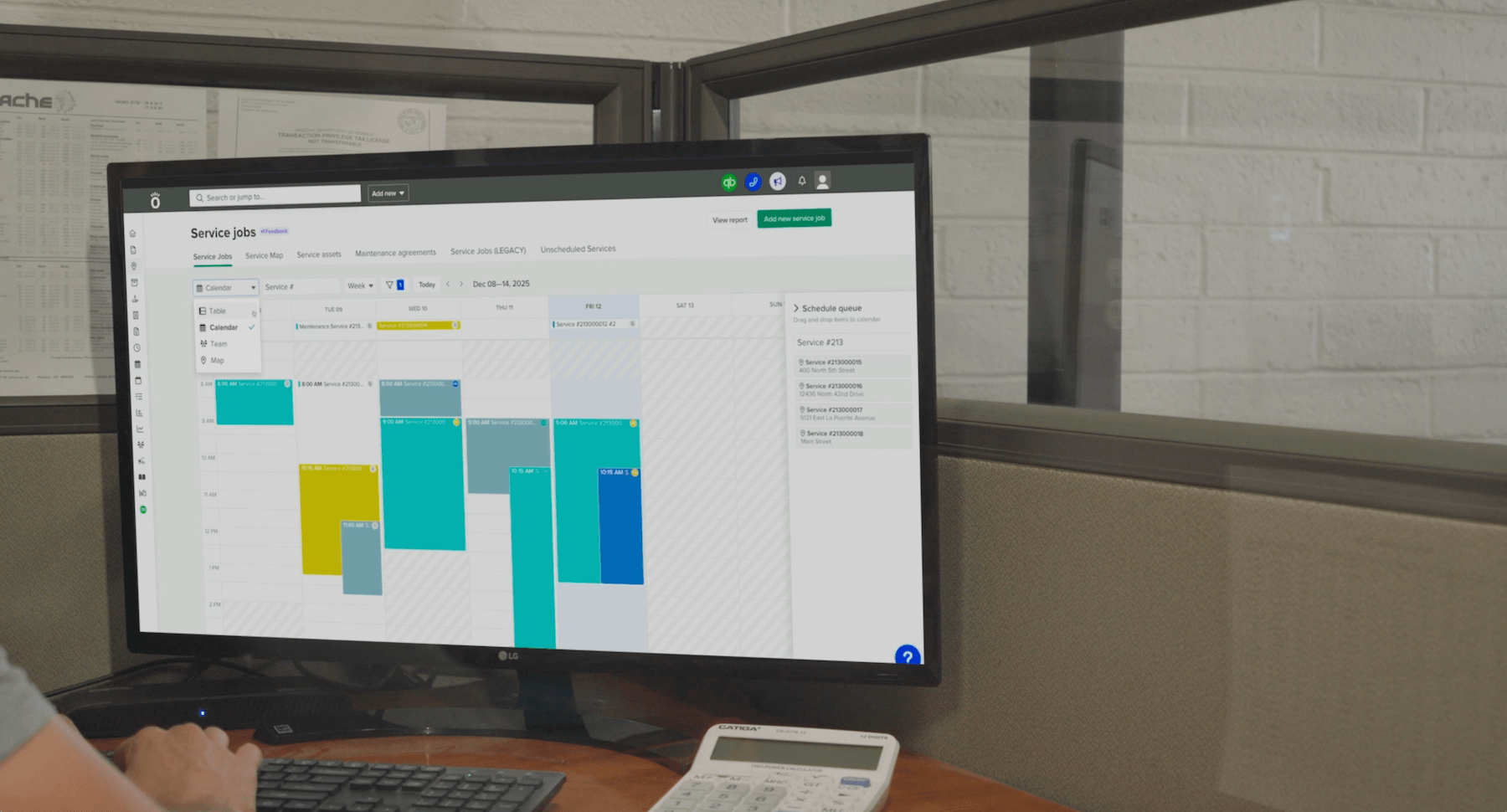

At our first Knowify Next event, we introduce Knowify AI, a margin optimization engine built into Knowify. It reads your job history, daily logs, budgets, and billing to show where you make money and where you lose it, then helps you act on it inside your account.
The session includes a live demo of the new Knowify AI Assistant. You’ll watch it turn a client email into a priced bid and build that bid into a job with a budget you can cost against. It also schedules the crew and pulls together a daily brief of the jobs that need attention. We also show AI built into everyday work like form building, and the AI connector that brings your Knowify data into Claude, ChatGPT, and Grok. The session wraps with a live Q&A on beta access, pricing, and data security.
Alright. Hello, everybody. Welcome to Knowify Next. My name is Frank Brogey. I'm the head of product marketing and community at Knowify, and I am so excited to be your host at today's event, Noify Next. We've been working on some really exciting stuff behind the scenes, and I'm super glad to be able to share it with you all here today. Really, really, really exciting stuff. Looks like we've still got a bunch of folks shuffling in. So while everybody gets settled, I'd love to hear from you in the chat. Feel free to introduce yourself there. Let us know where you're joining from. It helps make sessions like this a little bit more interactive when we know who's on the other side. So feel free to chime in. Let us know where you're joining from, what kind of work you do. You'll see the chat down there at the bottom of your screen. I'm joining from sunny Massachusetts on a crisp fall day today. Jason, great to see you here from Vancouver. Awesome. And we've got a pretty full room, which is great. Angela, good to see you. Dave, thanks for joining. William from Mansfield, not too far away from where I am out near Worcester. Jason, Graham, Jenna, Matthew, Siobhan, James, Lucy, great to see you all. Really, really glad you could join us today. Really great activity in the chat. Love seeing everybody come in. Chris, Maria, great to see you. Wow. Moving quick. Max from Signature Electric, great to see you. Long time NoFi customer. Leslie, Marcia, Mark, Aaron, great to see you all. Alright. Looks like everybody's found the chat, is fantastic. I'll also add that you can also see the the q and a option down there at the bottom. If you have any questions you'd like us to answer during today's session, feel free to drop those directly in the q and a. A couple of my colleagues, Vin and Gil, are on hand today to help answer your questions. So they'll be answering those as they come up during the session. But I will jump in at the end and take a few of them live. So if you wanna hold on to your questions till the end, that's great, and and I'll be able to handle them then. But if you do have anything burning, Vin and Gil will be there to help you along as we go. I'd say keep any questions you specifically would like us to answer there in the q and a. That's gonna be a little easier for us to find. But feel free to continue to use the chat, chime in, and and discuss amongst yourself. Really, really great to see the connections here. Alright. As we've got the room filling up, I'm gonna go ahead and jump us in. So let's take a quick look at what we're gonna cover today first. We'll start with a bit of a look back, then we'll turn our attention to the future where I'll introduce noify.ai and the margin optimization engine that we're building into Noify. I'm gonna share some examples of Noify AI in action, including a sneak peek of our all new AI assistant, which I'm really excited to share today. It's gonna be entering, an exclusive beta next week. And as a thank you for joining today's event, you will all be eligible to participate in the beta, get hands on early, and get started using it. So we'll close with some next steps for getting that early access set up, and then we'll wrap up with that live q and a that I mentioned. So it is okay to send questions in the chat and as... In the q and a section as you go, but I am gonna answer them live at the end. Awesome. I'm just taking a look at the chat here. John, Eric, Will, Leonard, great to see you guys all. Thank you so much for joining. Like I said, it's really exciting to see the activity there in the chat. So please keep it coming. Still have lots of people filing in. So with that, let's go ahead and jump in. Let's start by taking a look back at at our mission at NoFi. And kind of one of our earliest taglines and the things we rallied around is that we set out to help contractors know their business so they could grow their business. Knowledge, obviously, really central to what we wanted to accomplish. It's right there in our name, Noify. But we didn't just wanna give contractors a system that they could use, you know, to manage their work from beginning to end. We wanted to equip them with the knowledge that they needed to build their business with confidence. We've always been about building your business. I think on the back of my shirt right now is a little tagline there that says build your business with confidence. And since 2012, you know, when we started rallying around this message, thousands of you have been able to do just that. Over the course of these last fourteen years, contractors running NoFi have done almost 3,000,000 jobs on our system, build over $30,000,000,000 worth of work, which is just, you know, mind boggling and staggering to see that number. And meanwhile, managing over a quarter million AIA pay apps and and handling commercial work while also tackling, you know, nearly a million change orders. And so just that speaks to the scale of the amount of work that's gone on on the Noify platform and everything that trade contractors are doing with Noify, honestly, to to build the world that we all live in. And so together, while all of you have been doing that work, we've set out with this idea. We've been able to build this really powerful platform that's connecting fields to finance, and that's really where we've been hanging our hat. We've built so much more around this kinda core workflow. But this core workflow of having budgets that you can actually job cost against, having your job costs be connected to the real work that's going on in the field, actually on the job site every day, and connecting what's going on on the job site to the actual dollars and numbers that you're looking at in the office, and then being able to actually close the loop and bill based on those actual job costs. Sounds simple. Sounds like three really simple steps. But anybody who's worked in the trades can tell you it's usually a lot more complicated than this, and it takes a lot of work to actually just get this system working really seamlessly. So since, you know, we've built so much more around this, and I'll talk about that in a second, but since the beginning, this has really been the core of how we've helped trade contractors manage and understand their business. And that platform, this kind of core competency has been a huge part of why our customers have succeeded. And succeed, you have. You all have used Nullify to grow, you know, much healthier businesses over, you know, over these last fourteen years. One job at a time, building stronger and stronger businesses. On average, customers and and and contractors who use Nullify over the long term are improving their average margins on jobs by, you know, a 10% improvement in their margins, which is, you know, fantastic to see. That mission that we have of making every job more profitable starts with your margins. They've also improved their invoice volume by, you know, two x. They've doubled the amount that they're invoicing for from, you know, the first day that they start with Nullify to those customers that stick with us in the long term over five years, which is fantastic to see. And that two x growth rate is four times faster than the rest of the market based on some some trade benchmarks. And so to see that our customers are, you know, making each individual job more profitable while also growing their businesses even faster than their peers, means that we're, you know, we're... We've been able to succeed, at our mission about knowing your business and growing your business. And anytime we can take a look at numbers like this, puts a big smile on our face. And as you have succeeded, you've also helped us, become experts in the way that you work. So as you've succeeded, we've been able to broaden our platform. We've developed really deep expertise in the nuances of, you know, what it takes to manage a trade contracting business. Everything from understanding fully loaded loaded labor and WIP reporting, your daily logs, certified payroll, tracking retainage, all these really, you know, complex nuances of running a trade contracting business. You all have helped us become experts in as well. And, you know, together, I would say we've become, quite a powerful duo. So with kind of all this, you know, background and foundation that we've built together, that's allowing us to now be in a strong position where we can look ahead forward and, chart what's coming next. And when I started, here with Noify, one of my missions was, to talk to as many customers as I could, talk to as many contractors and and as many people using Noify as I could, to get a sense of what it is that's top of their mind every day. And consistently, some of the themes that have come up, you know, it's actually why we started our our online customer community last year. And so often, so much of the the discussion centers around kinda these three facts, especially in the last twelve months. But for our customers who are already job costing and and they've kind of developed that core competency, they find that it's great that they could be tracking this data on each individual job. But they've got questions around, now that I have all this data, I've, you know, been running jobs in nullify for years. What is this data telling me, you know, beyond any one individual job? It could be, you know, an indicator that, you know, hey, this job maybe needs some attention or, you know, that we're also hearing teams would love to be able to really step back and use that data to inform their strategy. But far too often, that's just not a reality for contractors. So many, you know, player coaches who are are also spending a lot of time in the field just simply don't have time to step back and and take that kind of strategic view of things. I spoke to somebody. I think this quote was from maybe a month ago, maybe maybe even two or three weeks. And they said, as a small business owner, running a business can feel like trying to manage a runaway train. And trying to stay ahead of that is just simply not possible when the work is is is really constant. And even though there's a need and a want to have better insights, it becomes really hard to carve out time for members of your team who are, you know, actively contributing to your bottom line just to kinda step back and answer some questions about what we should do next. And then, you know, even more recently in the last, I would say twelve months or, you know... And and these conversations have increased in the last six months. It's people who are feeling like, you know, there's this new AI technology out there. It should be able to help me. But once again, I'm not sure where to start and being able to actually step back, look at the market, see what what new solutions are out there, figure out how to use them, figure out how to implement them for my teams just isn't a reality for so many businesses. And those who have started oftentimes are finding that they get a, you know, a great head start using tools like Cloud and ChatGPT. But because they're not aware of, you know, their active projects and the active work that they're doing on a day to day basis, they kinda hit some limits. And and this is something that we've heard, you know, time and time and time again. So you know, looking at at these kind of themes, you know, this is kinda where our vision for the next chapter of Noify was born. And with that, that's when I'd, you know, like to introduce Noify AI. Noify AI is a margin optimization engine that we have built right into Noify. It's designed to help trade contractors build more profitable businesses with every single job that they're running in Noify. So we've, you know, taken this approach from totally the ground up. We've rebuilt the infrastructure that the Noify platform runs on, and that's allowing us to take advantage of new AI technology that's gonna help provide better insights about what's driving your margins and make it easier than ever to knock out work that drives your bottom line. I'm super, super excited about this next chapter. Think everybody at Knowify is this has been a labor of love for many people on the team behind the scenes for the last twelve plus months, And we truly believe it's gonna change the way that trade contractors manage their work and build their business. And as we set out to build this, you know, we didn't just wanna build, you know, an AI chatbot or slap an AI generated summary here and there around our platform. We really wanted to look back to our mission and make sure that we're building something that would actually help our customers know their business and grow their business. And so we started out by looking at what makes Notify unique. Where could we deliver value for our customers that no other system really could? And that led us to design an AI system that could power what we're calling a margin optimization engine for trade contractors. We wanted to deliver something that could analyze and understand the nuances of how you work, learn the specific levers that drive profitability in your business, and puts you in control so that you can maximize every job's impact on your bottom line and build a healthier business along the way. So today, we're gonna talk about how we turn that vision into a true margin optimization engine and what it looks like in action. So without further ado, it all starts with margin intelligence. We wanted to ground everything that you do in Noify, everything that you do in your business in the confidence that it's going to have a meaningful impact on your bottom line. Alright. If time wasn't limited, this wouldn't matter so much. You'd have the bandwidth to try everything. But like that business owner who said it feels like managing a run a runaway train, you can only take on so much. So we designed noify.ai to be able to answer questions like, you know, what are my biggest profit drivers right now or where are my margins at risk of slipping this week? How profitable is this client? What needs my attention today? Those questions that when you start with intelligence about your margins and what drives your bottom line, you can be much more targeted and much more confident in the way that you manage your business. So we wanted to start with that foundation, But that's just a foundation. We wanted also to make sure that Noify dot ai could close the loop and help you actually get work done that would help improve your bottom line. And that's where the margin optimization side of the story comes into play. Right? Noify.ai is not just an analytics engine. But because it's part of the platform that you use to manage your construction projects and manage your service tickets, it can recommend specific actions you can take to protect your margins on any job from building smarter bids to catching unbilled work and cleaning up cash flow. Not only that, it can actually do that work for you right in nullify, which we'll take a look at in a couple minutes. And that process is how this becomes a true margin optimization engine. It's something that's constantly running under the hood that can help you run a more profitable business. With margin intelligence, you get the insights and confidence you need to actively optimize your margins on every job. And then when the work is done, the results feed back to the top and fine tune the engine, which makes the next set of insights even smarter so the next job can run even smoother. So before we show you what this looks like in action that's coming up next, I do wanna just touch on what makes notify.ai so effective as a margin optimization and why we're in a position to do this so well. So first off, it's embedded in the system that you use to manage all of your work from field to finance. And that means it has a massive amount of context to draw from about the way that your business operates. So from the client relationships that drive your business to what's actually happening on the job site, and basically there's a story behind every dollar that's spent or earned on a job. And that's the first thing that makes Notify dot ai special. The insights and recommendations that you get from Noify dot ai are always unique to your business. And because of the breadth of the Noify platform, it has so much context about how you work and how every job is executed that it can use as a starting point. From there, can combine that context with everything I was just talking about that NoFi understands about just what drives profitability in the trades in general from all the experience that we've built on. And that's what makes the margin intelligence really powerful. Right? So NoFi AI can understand which clients are best for repeat business or which ones always lead to scope creep. It can predict which of your subs might run over on budget or exactly where you tend to overspend on materials. That's the thing that generic AI systems really can't replicate. Nullify has the infrastructure to tell you a story about every dollar by client, by phase, by department, by job type, cost category, vendor, sub, you name it. It understands what makes trade work unique and what levers drive profitability in the trades. Things like the relationship between underbidding scope creep and change orders or how complex AIA billing and withholding retainage can be or the importance of managing your work in progress. It uses all of that context to build a picture of where you earn money and where you lose it and most importantly, why. And the final piece of the puzzle, as I mentioned earlier, is that Noify AI is embedded directly into our construction management platform. It's not a separate add on. It's not a separate product. It's embedded directly into our platform, which makes it really easy to actually act on the insights it's delivered. You know, in some cases, nullify.ai can take the work off your plate directly, making adjustments to your project budgets or schedules at your request. And together with better insights and confidence about how to improve your margins, This is the piece that really puts you in control like you've never been before. And together, that's gonna allow you to understand your margins, what's driving them, what's putting them at risk, where you have the biggest opportunity to improve. It's gonna help you spot margin risks on your active job. So in addition to the, you know, 30,000 foot view, really hone in on what's going on today and where are the risks, where can I take action to be most effective, and then prioritizing work that's really making an impact in moving your bottom line? This is what we set out to accomplish. And so this is gonna play out in a variety of ways while you're using Noify. As I mentioned, Noify AI is embedded in Noify itself. It's kind of a new layer that's in our very DNA as a platform. But as you're using Nullify, it's gonna kinda show up and give you a couple different places where you can engage with nullify.ai on a day to day basis. The first of these is what I mentioned prior, our kinda new and upcoming AI assistant. This is a chat agent that helps you optimize your margins in Noify. It's there alongside you every day as you're doing the work, and can be proactive and help you improve your margins. That's kinda space number one. Space number two is embedded AI. And the Noify platform having kinda been built from the ground up to be able to to take advantage of AI technology is now gonna start to have some new embedded workflows where we're gonna use AI to take some admin work off of your plate just as you work in Noify. And the third surface where Noify AI is gonna be in action is our AI connector. This is how you connect Noify to your external AI tools like Claude, ChatGPT, or Grok. And it will allow Noify to inject that margin intelligence into those systems to make them work smarter for you wherever you work. So let's take a little bit of a closer look. So I mentioned the assistant. We're gonna lead with this one. I think it's it's definitely the most exciting piece here today. Our new assistant is your copilot as you build a more profitable business in Noify. And it can answer questions about your business. It can help manage your active jobs proactively and and making changes inside your Noify account to to manage those jobs. And it can take admin work off of your plate directly. The assistant is not your typical chatbot. Because it's powered by Noify AI, it learns your business, it recommends ways to make every job more profitable. And because it's built right into Noify, it also understands how to use all the tools in Noify better than any generic AI system can. Much better than connecting Noify to Clot or ChatGPT or something like that. So when it recommends a way to improve your margins, you can turn those insights directly into action just by asking. So let's actually see it in action and see how the assistant can put the margin optimization engine to work in your business. So here's a place that that I love to start, which is this kinda analyze my business prompt. When you get started with the assistant, there are a couple default prompts that you can run with just a click to get you started and comfortable with understanding the scope of the assistant and what it can do for you. So this is one of those that you can run right out of the box just with a click. And this turns the assistant into a strategic business adviser for your company. It looks across your entire work history. It identifies patterns where you're losing money on jobs and gives you suggestions about what to change that can protect your margins at scale. It's And looking at things like, you know, where your budgets tend to break, how accurate your bids are, which clients or types of jobs are the most or the least profitable, and how your billing and payment collection impacts your bottom line as well. It's that strategic 30,000 foot view of your business, and it's uncovering the margin intelligence that's gonna feed that margin optimization engine. So here's an example that it's run on on my Nullify account here. You can see that it starts with a high level view of where kinda my business stands today, where my profitability is looking. And it quickly is gonna call out for me some areas where I have opportunity to improve. What's really great about the assistant and about Noify's kinda built in AI is that it's always linking insights back to what's going on in the field and on the job site. So you're never just left looking at a number and wondering why that's the case. Noify is really great at linking the field to finance, and so it's gonna be able to tell you exactly why, whether that's scanning your daily logs and giving you an update on why progress looks like it's slowing down or looking at your schedule and and taking a look to see if if labor hasn't been able to show up on time or things like that. So we'll dive into some specifics here. You can see in this case it's looking at specific phases where we tend to perform really well but also phases of jobs where we tend not to perform really well. And again, looking at this at the phase level and the cost category level is really valuable. It splits out the type of work that is the most profitable for me as well as the areas where we tend to lag behind. This is... You know, helps me understand what parts of the business I should focus on going forward, where are we least efficient, what deserves my time, and and where should we be bidding more to build that healthier, more profitable business. And then it's also taking a look just at, you know, the the financial side of things to understand what can I be doing today to help improve my cash position? So it's analyzing my cash flow, my billing, taking a look at my work in progress, scanning for unbilled work that I can bill for today that will help my profitability without having to do any additional work out in the field. And what's really nice because it's connected to nullify and really wants you to be able to turn all this into action, it is flagging areas where it might just be that we're a little bit behind in the data that we're putting into the system as opposed to, you know, raising a red flag that says labor is short on this job when in reality we just haven't, you know, entered the labor in for that job. What this is especially useful for is just helping us clean up our processes in the office to get a cleaner view of that kinda real time profitability. So if I were to run this on a weekly basis, I'd always have an up to date look at what's driving profitability in my business. And then what I love is it will always close with some specific adjustments, things that I can do today and that I can focus on today to make a difference in my business. And this is tailorable for any specific role. In this case, it's it's kinda targeting that that player coach that I mentioned. But if you tell the assistant that you're a project manager and what it is that you're specifically interested in or the areas of the business where you can make a difference, it will tailor its recommendations for you. So this is very heavily weighted towards that margin intelligence side of things. Now let's take a look at how we can use the assistant to create bids for new work and actually get work done on a day to day basis. So I'm gonna jump over to a new tab here where you can see I've asked the assistant to help me prepare a bid for a new job. It's gonna use margin intelligence insights like the ones that we just saw to help get your margins into a strong position before the job even starts. It'll look at your job history and look at similar jobs or previous work that you've done for a client and build a risk profile for the job while you're still putting together the bid. And that way if you've underbid on labor or materials for similar jobs in the past or if this client is especially susceptible to scope creep, the assistant will flag that for you and suggest ways that you can protect your margin right off the jump. So that might mean, you know, suggesting to mark up a sub more than you have in the past or maybe splitting out your work into a few phases so you can catch your labor overruns faster. Whatever it is, the assistant will also help you implement it directly in nullify. So it's turning those margin intelligence moments into actual margin optimization. So again, let's take a look and and see what this looks like in practice. So in this example, I'm asking the assistant for help building a bid for a long time client of mine. I just copied and pasted an email that I got for the... From the client directly into my chat with the assistant that covers the the client's request on on the work that's gonna be done. I also gave it a target margin that I'd like to hit and let the assistant kinda do the rest. So we can see it's providing a a breakdown of how we can approach all the work that was requested by this client and still hit our target margin. And it's gonna be pulling from the prices that are reflected in our our catalog for the work that we're doing, for the materials that we're gonna use on this job, and helping estimate based on the previous work that I've done for this client that has a similar scope. All this is gonna be laid out for me right here in the chat in just a really clear, easy to skim way, which is great so that I as a business owner can review this, see if it passes my sniff test in terms of making those estimates accurate. And then I can always make changes in here directly, just kinda communicating back and forth with the assistant via chat. But we'll see. It can give me a pretty detailed breakdown. It's it's broken everything down specifically by phase, including the the materials and expected costs for each phase, and also pulling in the the kinda scope and work orders that our that our customer included in their email. As I jump down a little bit further, you'll see that it's taken the project's kinda dates and milestones that have been requested from... You know, by the customer. It's pulling those in as well, and then proposing, you know, a billing and, and payment schedule for me. And where this becomes especially value, valuable is in what happens next. So it's putting this all here first so that I can, just, you know, review, you know, review this and make sure it it it passes muster from my end. But now I can ask it to... Let's create this job and build out the budget in Noify so that I can start tracking costs against this and and start moving this work forward. And I wanna include all of my labor assignments. I wanna include my materials and costs and all those work orders that we just looked at. So I'll jump over here and we can see it's able to actually build that out in nullify complete with that budget that you can cost against. So here's my project. You can see for each phase of work that we just looked at, it's broken out my materials budget, my labor budget, and we can see here the the specific materials are pulled in from the catalog complete with their costs and quantities. Same with our labor, whether this is members of my team directly, it's able to pull in the the rough hours that we just looked at as well as their costs as well as any subs that are gonna be working on the job. In this case, there are no subs on this phase, but there are some for phases a little bit further down. And then right here, we also have the work orders. So all the specific asks from our customer are captured here as well. So really just a quick copy paste from from the client, a quick review on my side as it matches all the previous work history that I've done in Noify as well as, our previous pricing, and, kind of expected labor from from past work and from our catalog, and has now mapped that into Noify. So I immediately basically have a budget that I can cost against. But we still wanna take this one step further. So in addition to building out jobs for you, the assistant is able to help you manage those jobs on the go. Because once the job starts, we hear from a lot of our customers, they just wanna be able to make quick changes on the move, especially when they're those player coaches who find themselves out in the field a lot. So let's ask the assistant to get this work scheduled for us. Schedule out all those phases. We wanna allocate this stuff to our, to our team in the field, so that they can start tracking their time against these jobs, and we can we can start the work. So I'll jump up here to, to the assistant's response. We can see, you know, it's able to schedule all of the phases for this work. It gives me a quick summary of the work that it did as well as who it was scheduled to. And I can see on my company calendar here, here's all the the the phases of work that have been scheduled out. And if I select any of these individually, I can see that it's it's assigned the right resources for my team. The assistant's gone ahead and and assigned the sub as well so that we can start tracking their hours including the work order. So there's really specific instructions in there as well. And, you know, this is just one quick example. The assistant also performs great as expected on mobile. So while you're on the go, you can just kinda quickly ask, hey, looks like we need to, you know, reschedule this visit for tomorrow. Maybe it's a service ticket or we need to take somebody off of a job and move somebody else on. Really easy to just say reassign this, take Ernie off the job. Let's have Frank do it today. And the assistant can make those changes just as you go. Great. I'm seeing some great activity here in the chat. I know I said I'd I'd save some questions for the end, but I'm seeing a great question from from Edmond asking about having some skills supported so you don't have to copy and paste prompts every time. That's definitely on our plan. And in the early days of the beta, we have those default skills that I just mentioned. But it is something that we're planning to roll out so you'll be able to create skills for any of this analysis, whether it's analysis or actions you wanna take. Maybe it's approving time entries or scheduling work that is, you know, unscheduled and needs to get a resource assigned. Any of those kind of recurring admin tasks, project management tasks, or analysis and reports that you wanna run, yes, you can you can save those skills and just kinda run it with with just a click or a command. So, yeah, great ask there and, you know, happy to say that that we'll be delivering that really soon. Great. So I'm gonna show one more example that that I think is great here and another kind of one of those prepackaged skills or or prompts that Edmund was asking about. And this kinda shows, you know, we just started with building a bid and getting down into the nitty gritty of of project management. The daily brief is also gonna give you a kind of a zoom in and give you a quick read on what needs your attention across all of your active jobs. The daily brief is a great place to start, so that you can very quickly get to action. And oftentimes, for the customers that have leaned on this so far during our, like, early alpha testing, is helping them create kind of their to do list for the day or for the week. So the daily brief is gonna summarize what's changed since yesterday, what needs your attention, where your money is at risk, and it will always flag your next steps that you can take to right the ship. So this is where margin intelligence meets margin optimization. It's gonna scan your daily logs and time entries. This is really important to fill in what's actually going on in the field behind the numbers that you see in the office, and it's really flexible. As I mentioned before, you can have more focus on cash and collections for owners, for example, for scheduling and progress for PMs, or, you know, billing and approvals for your office staff. Lots lots of our customers like to start their day with this, or they use it to get a summary of everything that's happened across their business on the way home from the office. So they don't have to sit at their desk and click through and then get updates on every job. They can, with one click, get this daily brief and give it a quick skim before before taking off for the day. So let's take a look at what this one looks like here in nullify. We can see we're getting a, again, a quick snapshot, up top. And what it's covering is not just what happened on the job, but also, what's going on in in cash and collections and, and billing. So we can see we're taking a look at our labor. We can see that we're over on our labor here. So we're... You know, this job is now at risk and this is gonna file up to the top of our our list of what needs attention. But again, what I mentioned that I really love is that notify.ai is able to look at our daily logs from our team in the field and find out why is it that we're over labor. So you're not left emailing the PM. You can get a view of that right here in in notify.ai. You can also see that it looks like there was no change order generated or signed. So, again, the assistant knows what tends to cause margins to slip. And it's gonna suggest here for us to get a change order for this because it looks like maybe there was some some shift in scope. So that's just one example. As you can see, there are a couple other examples down here. But everything is linked to an insight, a tie back to what's going on in the field or on the job site that is driving this, and then some sort of corrective action that I can take to help get the job moving again in the right direction. And then what I love is just kind of a final view. If you really only skim one thing, you can skim just really quickly your at risk jobs and then what's up next. But like we were just talking about with with Edmund and the skills, this is all very configurable. And it's just kinda one example that that I think highlights really well what Nullify dot ai is capable of and and what the assistant can pull in for you. I'll pause there. Like I mentioned, I'll I'll hang on for some, some questions at the end, but I am seeing some activity in the chat and some questions about this. Lewis is asking, will we be able to create a skill or memory for the whole company instead of each individual team member? That way they can all pull from the same info and see it the same way. Yeah. It's very similar to what I was mentioning with skills. We're also including this kinda company context or company memory. So excuse me. If you have instructions for ways that you would always like things handled, certain SOPs or or processes that you have, naming conventions, admins will be able to define those in their kind of company level memory or company level instructions so that that work stays consistent across the whole team. This is really pivotal for kind of rolling things like this out across maybe a team of PMs or or office staff where you kinda wanna some control and regularity when they're using the assistant to take action and nullify. So great question for me there, Lewis. Lewis, to put you on the spot, I know is a customer who has loved the the daily briefs. He actually built a custom daily brief in in Claude that I know he he liked to just press play on at the end of the day, I would actually read it to him like a a radio podcast in the car on the way home. So Lewis, great to see see your name here. Kat's asking, is this already active or something coming in the future? She is new to Nullify. So this is as we'll touch on at the end, actually we're gonna be kicking off our our beta for this assistant early next week. So at the end of today's session, I'll give you some some ways to raise your hand and say you're interested in the beta. We'll we'll collect those all onto a list. And then once we're ready to give you access next week, I'll be in touch personally with an email with with some instructions. But I would say very, very, very soon, matter of a couple days. So really looking forward to getting your hands on there, Kat. Great question. Awesome. So let's move on past the assistant here. The other surfaces where nullify.ai is gonna gonna help out, we're gonna demo a little bit less here and just kinda touch on these at a high level. But I mentioned previously that the Notify AI assistant is... Because it's it's chat based, it's a little bit of a sandbox. There's a lot you can do with it and it's very flexible. And as that, as more of our customers use that kind of flexible system, it'll help us understand where, you know, where there's the most value for Notify dot ai to step in and help. And will allow us to kinda build and include just in our core kinda nullify experience some places where the assistant can almost break out of the chat and just jump in and and help you do work a little bit quicker and help take some admin work off of your plate. So for those of you who have gotten started with our new construction forms and and digital forms, you've already probably seen this in action where... I actually have an example I can demo here where notify.ai will kinda jump out of the chat and it will give you the option to just, you know, do some work and and take a little bit of the admin burden off of you right where you're working. So in this example, we're building a form. This is something that I want my team in the field to fill out while they're on a job site. For this example, I'm I'm building a safety inspection for fire suppression projects. And you can see that I have the option to actually just go ahead and build this form with nullify.ai. So if I don't wanna use the form builder, notify.ai says, hey. Here's a a place I think I can help. It's gonna give me the option to just drop in a in a simple prompt what I would like it to build. And now we're running the the beauty of a live demo. You can see it working here. And in just a couple seconds, it's now it's now built the form out for us. Yeah. Tamisha, looks like, yeah, you've used this one uploading invoices or POs. This is also active here. Leslie, it was slick, yeah, while importing your existing forms. That's that's great feedback. These are, you know, today, just small places where we know we can help take some some admin work off of your plate. But now that we kinda have this infrastructure for nullify.ai, it's gonna allow us to do a lot more of this going forward. And so these are some changes you can expect to see to the nullify platform, really just across the board. And the final piece is what I mentioned earlier, the ability to use our AI connector to inject this kind of nullify dot ai margin intelligence wherever it is that you're working. And so our AI connector uses an MCP server, if you're familiar with that. If not, it's it's a really simple link that you can use in tools like Claude, ChatGPT, or Grok. It'll ask you to authenticate with your Noify credentials and give those systems access to the kinda insights from from Noify. And the way that this actually works is rather than just having access to the data that's housed in Noify, the AI connector actually allows Grok or ChatGPT or or Claude to talk to Noify's AI engine. This is gonna be much much more efficient for those tools than if they were just connected to, you know, the the the database in Noify. And allows you to get like really, really, really strong insights from your live data in Noify while working in these other platforms. And what we've heard from some customers is this allows you to take advantage of those platform strengths while keeping your job data from Noify at the center of things. Right? So Noify effectively becomes the, like, the beating heart at the center of these AI tools. So one example, have customers who really love the interactive dashboards they can get from Claude and the fact that they can hook Claude up to a few different data sources around their business. Right? For some, it's, you know, maybe connecting, also to some data that they get from their CRM that they use to track sales activity. For others, maybe it's their project management tools or accounting or payroll tools. And they use Claude almost like a business intelligence tool that centralizes and reports on data from across their business. And so with the Noify AI connector, they can now get a complete picture of what's going on across all their jobs, you know, from what's happening on the job site to where they stand financially right there in in Claude or, you know, again, in ChatGPT or or or Grok or wherever it is that they happen to be working. So you can see, you know, easy example here. If I'm working in Claude, really easy just to ask a question about my contracting business, and we can see that Claude's able to talk to nullify.ai and pull in some some insights directly in here. So we wanna make those kinda on demand answers and that margin intelligence available on any surface where you're working. And you can also see an example like I just mentioned of, you know, sample dashboard. If you're really into dashboards and visualization, Cloud might be a great tool for you. And if you're using Cloud for your dashboards and visualization, then connecting it to Noify can allow you to pull in some financial information from, you know, the work that you're managing in Notify. This example here from a customer is somebody who's interested in kind of sales performance of various members of of their teams and different PMs, And you can see that they're actually able to pull in the profitability from jobs that they own, which is all tracked in nullify directly into this dashboard that they have built out in Claude that pulls in from a a couple other data sources as well. And I mentioned a couple times these examples from customers. One of the reasons that we are so, so excited about this is the folks who have been hands on with it so far are, you know, talking about the value it delivers in ways that I've never really heard our customers talk about the value that they're getting out of software. Billy Clark from Paint Applicators, a great customer of ours, mentioned that their commission reporting, you know, used to take almost an hour, and now he just, you know, has it done in five minutes just using, you know, Noify and specifically in the AI connector. And what I love here is, you know, it means he's not working weekends. He can get home sooner, spend more time with his family. And at the same time, he almost sees the, you know, the the ability to run his business smarter as even a a bonus on top of that, which is which is really nice to hear. Lewis, I put you on the spot earlier. I saw you in the chat. You said it pretty simply and just said this is the best thing Nullify has ever done, which, you know, we took to heart and and shared this around with with our team. Your quote here, it's no longer I think. Now it's you know. That's a huge shift. It's exactly what we wanna do. Putting no, you know, a no... Right in the center of Notify and giving you the confidence that you need to build your business. You know, that's that's a fantastic way to put it. And then finally, a customer of ours, you know, was able to kinda put some dollars to the amount of time that he's saving with this. He's saving about ten hours a week in admin work. I think this is in his first week of of even testing this out. You know, what she's guest... Estimating is, you know, between 15 and $20,000 a year in in time savings. Just one workflow, weekend. I know at this point, he's probably been using it for, you know, at least two months and and is seeing even more value. So the values here, I think our our customers are are kind of proving and able to find places where this is making a substantial difference for them. And so as we get into our beta of the AI assistant, we're really excited to see what you do with and how you're able to use this to kinda propel your business forward. So with that in mind, I'm gonna kinda pause here and we can talk about kinda next steps for getting hands on with with notify.ai, for getting hands on with with our assistant, and being able to jump in there to get some early access. So if you're not yet a Notify customer and you wanna learn more about our platform and and see Noify AI in action and just kinda get a sense of the Noify kinda story from start to finish and how it might be a good fit for your business, you can use... There's a link in the chat right now, and we'll also follow-up with this via email. But there's a link there where you can can click to get in touch with our team and learn more. If you are an existing Noify customer and you wanna sign up for the beta and get some early access to the assistant, which, like I said, should be coming next week, you can click on that second link there, or you can scan the QR code here on the left side of the screen. A poll also just popped up. So if you'd rather not click the link and wanna just tap your option there, you can feel free to do so, and we will be in touch proactively, you know, save you the the trip to our website. Great. At this stage, I'm gonna switch over to the q and a. If you did drop a question in the chat, at this stage, since I'm gonna switch over to the q and a, feel free to to drop it there in the q and a as well if I, haven't had a chance to get to it so far. Question here. Can it go through historical data and identify inefficient budgeting and tracking, recommend budget templates from actual purchases? You are describing exactly the the benefit of using the assistant and kind of the, I guess, cumulative value of nullify.ai when you've been a customer of Nullify for a long time. So, yes, it can look backwards through, you know, whatever job history that you have. If there's specific places where it seems like you always under budget and you always burn through, whether it's a specific cost category, a specific phase, even a specific phase for a specific type of work or potentially a specific customer, it will detect those for you and and point those out. So, yeah, great question there on on historical data. Really good one. I also know you're an active member in the community. So as you get hands on, we'd love to learn from your experience a little bit and see you share some of that in the community. Great question. Next question. Can it send out alerts when we hit a certain percentage of the cost budget or any category of the cost budget? Great question, Mandy. We don't yet have the ability to have those kind of proactive alerts. Like, you can imagine maybe something hits your inbox or is an alert in in nullify. We don't have that yet at this point, but it's something that we've that we've discussed and we would love to build towards. I'd say in the near term, having the ability to create those kinda skills, and we're also, you know, over the course of the of the beta, gonna work on the ability to kinda schedule those skills to run. That would kinda give you the, I'd say, the best proxy where you could, you know, maybe run that every day and then, you know, get callouts when you're either over your your budget or over a specific goal or things like that. But we don't yet have the ability to to send out those alerts, but definitely something we'd we'd love to build towards. Riley, will there be an industry benchmark to see where you compare to others in your industry? Fantastic question. This is something that we've discussed actually quite a bit. And one of the questions that we were gonna have to all of you is just what kind of interest that there was there. I'd love to learn more about the specific areas of your business that you would like to benchmark against. You can feel free to drop those in the chat. Or when we follow-up with the, recording, you can you can, reply to that email directly and and send them over to me. Because, you know, this is something where one version of this is you have some certain goals, and you just want the assistant or... To tell you when you're trending above or below those goals. But if you're not even sure where to start, we can see value in there being some industry benchmarks there, whether it's by trade or or things like that. But we haven't quite landed on what that experience would be like in the product. So very open to getting some feedback there. Great question. Can Noify AI recommend catalog items and typical prices based on actual historical purchases? This is something that I haven't like personally tested too much hands on, and I'd I'd encourage you to jump in in our beta and do some testing here. What I do know is that if you give it some direction and some recommendations to say, you know, these are the types of items that that we're going to need and provide that kind of initial spark, it will it will, you know, pull those in and then suggest some pricing based on your historical. We've even seen some examples where it's provided some suggested pricing that the the user was then able to go to their customer and say, hey. We're gonna have to make this job a little bit expensive than previous ones. But then they had the data right there to back it up to say, you know what? We're actually losing money on these materials, and it kinda gave them that data that they could work off of. But I would I would encourage you to to jump in there and and test this one hands on. And, again, please feel free to share your your results in the community. Thanks. Awesome. Great questions coming through. Can Noify AI ask for specific info per job to fully understand historical context and recommend unit prices. You'd rather give them the right info so that they can understand it better. Yeah. This is an area where, if you're worried about, you know, how it, is kind of interpreting previous jobs, the nice thing is that because it... The the assistant is very good at explaining its work. And so as it kinda gives you its recommendations, you as the business owner or or manager will have the ability to kinda look at it and and interrogate those recommendations and ask, you know, where did you come up with this number? Where did you come up with that number? As you start to hone in on what you would prefer to see, you know, maybe we should, you know, leave this job out of the analysis. It's not really a good comp. Or I actually care about, you know, this metric for this job. You can just tell the assistant that, you know, those are your preferences, and it will just remember those preferences. Or you can always save those to that company memory or instructions, which is gonna help avoid this kinda, like, junk in, junk out situation that that you described. So it's meant to be constantly kind of learning and evolving with with your help. But in terms of, again, that really specific question around, like, unit prices, I would say give it give it some testing. But pricing and materials and production tracking and things like that are all things that that the assistant can touch and has access to. So, you know, it should be able to help there. Great question. Brian question here. Will we be able to prompt scheduling based on geographic logistics. If you could give me a little bit more info on what you mean by that, whether it's, like, people's proximity to jobs or things like that, that'll be helpful for me to understand your question a little bit more. But the assistant is able to make changes to your schedule. It can look at your team's availability and suggest somebody who who is, you know, available to take the job. We're also working on kinda as as we speak, having our AI systems talk to our fleet tracking and telematics systems that we integrate with. So you'd be able to, you know, find the closest truck and and and maybe route that person there. And maybe what I'm gathering from your question is you might also wanna do this, you know, maybe if there's not a truck and play, but just on on somebody's location or maybe the last job that they checked into. That's something that we're we're thinking about, like I mentioned, in kind of the same vein as as this telematics integration. So that's something that we should we should test in the beta. That's the beauty of these betas, and I'd love to get your... Kinda your specific workflow that you're trying to accomplish. If you could jot that down and send it to us, that would be really helpful too. Great question. Thanks, Brian. Curtis here, look... Asking about certified payroll reporting and facilitating kinda managing their labor overhead and prevailing wage requirements. Yes. Nofi's... I'm not sure if you're if you're using Nofi today, but Nofi does give you the availability to manage your prevailing wage kind of rates on any given job so you can job cost to those specific wage rates and and classification requirements. And that way as you do your job costing or your your bidding and budgeting, you can do that with those specific prevailing wages in mind for the specific jurisdictions where you're working. And Noify helps get you, you know, 50% of the way there on your certified payroll reporting. Excuse me. So, you know, short answer is is yes. Definitely. The assistant can also lean in and help there. Certified payroll is notoriously complex. So I would say for any specific workflows, again, feel free to to send those to me directly afterwards, and I'll be able to get you a better answer. Or if you're a Noify customer, you can feel free to just kinda start exploring in the beta next week. And as I'm in touch with, some instructions, I'll also reach out and just ask for your feedback. And so it would be great to, to know if you're able to accomplish what you're looking for there. Justin's asking, are there symbols that can be added ahead of prompts? Yeah. This one, I I believe so. Like I said, our kind of prompt infrastructure is still, is still being built, and, we're kinda working on that, you know, again, as we speak, and and should be out in the coming weeks. What I'd love to know from you specifically... I know you mentioned a couple examples here with the pound or, like, items and details and priority. If you could just jot down for me specifically what, you know, what your workflow is here, what you would hope to to accomplish, I'll be able to get you an answer on, you know, whether we can support that with our our prompts and save skills. But, again, beauty of of the beta is as soon as those skills are available, it's something you should be able to test as well. So feel free to reach out to me directly, and I'd love to get you an answer on that. This one reached the q and a. Matthew's given Lewis a shout out on great business name Crane Monster. Yeah. Love to see that. Tony's asking, can AI capture from pictures, you know, model and serial numbers from RTUs and then add them to your asset list for for the job? This is something that we're working on. In today's version of the assistant, the answer would be no. But we are working on having anything that you kinda upload or or documents that you add to jobs be things that the assistant can can read and pull information from. So that's a great example of what that use case would be. It's not something that we support today, but it is something that we are working towards. And that specific use case is one that I'll I'll, you know, keep my eye on as we as we build out this functionality. So stay tuned from us. If you're not already a, you know, a member of the Nullify Pro community, it's our our online customer community and forum. There's a section there called building with AI where we're gonna be posting most of our kind of, like, ongoing updates during the beta for the assistant. And so as as this functionality becomes available, that's gonna be a great place to stay tuned. Great question, Tony. Alright. We've got two minutes left on the clock. Three more questions up on the board. If you are asking your questions there in the chat, feel free to push them over to to the q and a so I can try to get to them. We'll move... Try to go quickly through the last couple here, and then and then we'll wrap things up. I see here, yeah, asking about, what measures are in place to protect my company's confidential information? Is there any risk that the data shared with the assistant could be exposed or leaked online? Great question and something we're actually gonna be publishing a little bit more about, in the future once we get this out of beta and and fully launched. It's just a little bit around the the privacy infrastructure here. But, you know, we take security and privacy around this very seriously, And your company data from Noify that's shared with the assistant lives just within, you know, your your instance. And so, you know, it doesn't go outside of your user base the same way that the rest of the data that sits inside of your Notify account does. And also... Excuse me. And also at the individual user level, we have permissions in place where, at this stage, it's really only your admin users and and people with the ability to to see and approve anything kind of across the Noify platform will be able to see data from from the assistant. But like I said, stay tuned. We're gonna be publishing a little bit more about specifically our our privacy policy when it comes to to your data here. But it is something we take really seriously, and I look forward to providing an update on that. Dolly's asking, will there be an additional cost for us when we sign up for access to the AI assistant? This is maybe a a fantastic place for us to close. The good news is, no. During the beta, this is is, you know, wide open, and both kinda usage and availability are wide open to anybody who'd like to participate in the beta. We also, once we fully launch this, are going to include the assistant to some degree in in every account. So, you know, no matter what plan you're on or, you know, how much you pay for nullify, you'll have access to the assistant. There will be some additional kind of more powerful functionality that gives you controls over the So things like those skills, the company memory, and things like that. That will be in in an add on for the assistant that's gonna gonna be that upgraded version, which will also come with significantly more usage for those accounts who are are using this really heavily. But there's a baseline level of the assistant that will be available in all accounts as soon as we go live. So really great question there. Right. At that point, that takes us to to 04:00. If I didn't get to your question, you can feel free to to reach out to me directly via email, but we also do have the q and a captured here. And so I'll do my best to to follow-up with you folks directly whose whose questions we didn't get to. But really, really appreciate everybody who joined our our call here today and our first edition of Knowify Next. I was incredibly, incredibly lucky to get to share the... Our future vision for knowify.ai with you all, give you a sneak peek at that assistant, and just kinda give you the keys to get started testing in there yourselves as members of our our beta cohort next week. So you can look forward to an update from me with a recording to this event as well as some more instructions on getting started with with the the beta of the assistant starting next week. Thank you everybody for joining. Really nice to see some familiar faces here. Glenna, you're the last one I saw on the chat. Again, a familiar name. So really great to see you all. Thank you very much. Bye bye.
