Speed up setup and reduce manual entry with this hands-on session on importing data into Knowify. Terrin Kalian (Head of Customer Experience, Knowify) walks through when to use quick copy-and-paste imports vs. flexible file uploads with column mapping, and shows how to bring spreadsheets (like takeoff exports) straight into your budgets, contracts, POs, and time tracking. You’ll see how Knowify auto-matches catalog items, maps columns, and rolls imported details into proposals and job costing, so you can keep using your favorite spreadsheets without sacrificing accuracy or momentum.
We demo imports for Plan & Track (lump-sum phases and fully itemized budgets), contract lines + bill of materials, purchase order lines, time entries, and a full takeoff → Plan & Track build. The Q&A also covers enabling the Time Import tool, working across multiple jobs, and best practices when you’re syncing with QuickBooks.
You’ll learn how to:
Import phases with budgets or itemized materials/labor into Plan & Track
Use contract line imports and attach a bill of materials (with optional markups)
Generate purchase orders by pasting item, qty, unit cost, and product numbers
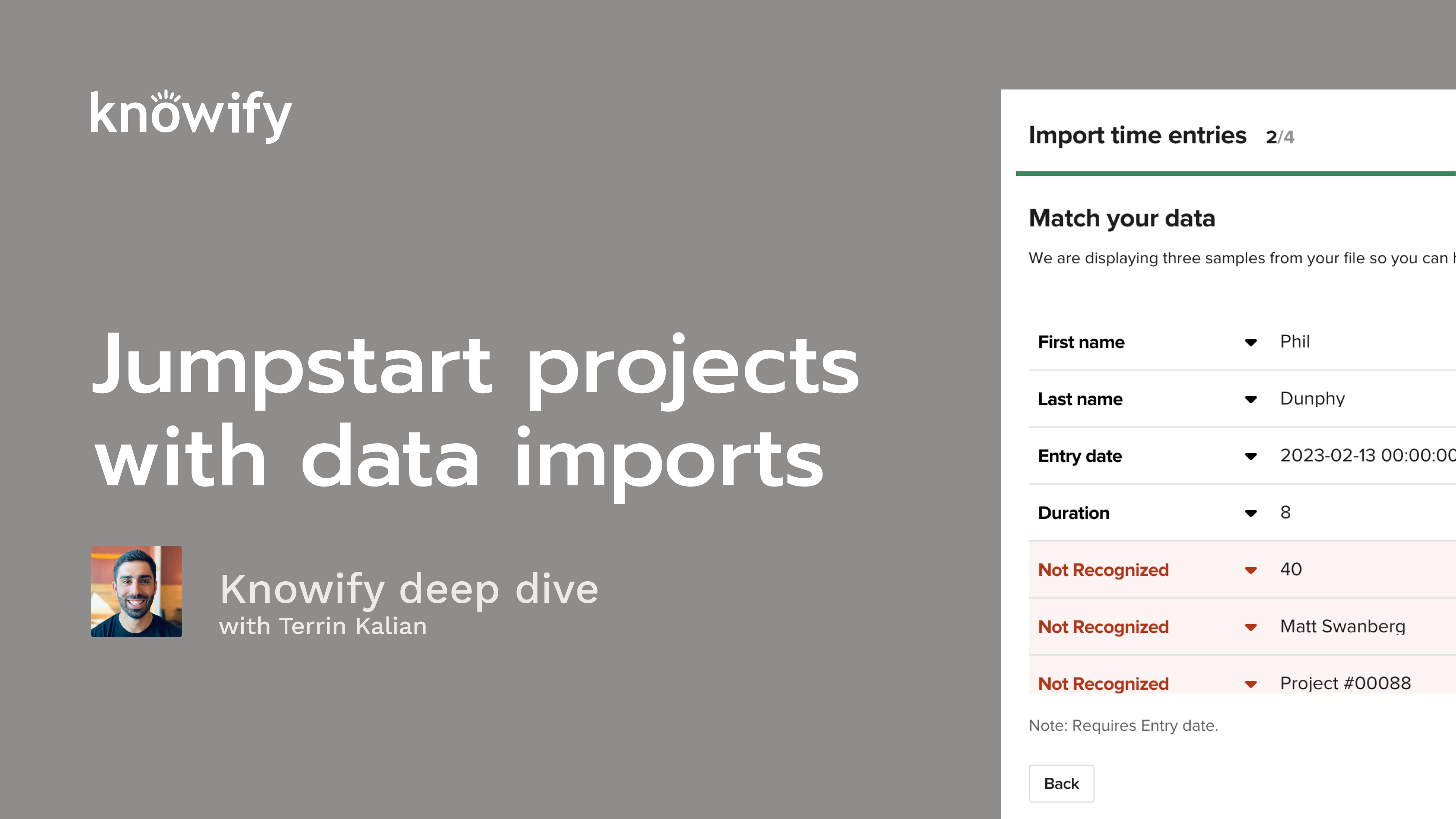
Upload time entries (per employee/job/phase/date) and map columns on the fly
Run a full takeoff import that creates phases and detailed line items automatically
Let Knowify auto-match catalog items from your spreadsheet to your item list
Choose the right method: copy/paste for speed vs. file upload for flexible mapping
Enable Time Import (Admin → Customize → Integrations) and understand QuickBooks tips/limits (when to sync hours vs. expenses)
Today's topic for our webinar series is about importing spreadsheet data into your nullify account. So through this series, we cover different topics and do, as the title suggests, deeper dives into these topics as opposed to just running through very quickly a little bit of everything. And I really like this topic because I think a lot of people from before using Notify are using spreadsheets or maybe you're just one of these spreadsheet wizards who has a lot of really nice custom data that you can generate using a a spreadsheet. And we wanna be able to play nicely with that to make sure that it can still work with your Noify account. So if you're using something for, let's just say, estimating and you have a sheet that's giving you a lot of really good information about, how much you expect the job to cost, We don't want that to mean you have to now manually do it again in Noify. We want you to be able to use that information and pick up, in Noify moving forward with the rest of the project, tracking the actual cost, invoicing the client, everything along those lines. Usually, bit of a shorter webinar, so maybe I can get everyone some minutes back today, but I'll be showing you a little bit about how all this works. If you don't know me, my name is Taryn. I've been in Noify for coming on eleven years now. Just really making sure that people are happy with Noify is my main goal. I'll work a lot, with people who are trying to workshop solutions, with the existing workflow. I take a lot of product feedback. I'm always very passionate about making sure that, NovoVise is easy to use, while still being flexible as possible. And we'll start by, going through where you have the ability to to import data, what type of data is allowed or able to be imported into Noify, and then, the different ways that we have to import into Noify because we have different, methods that are available depending on the complexity of what you're trying to build out in the system. And I'll show you how all this works in my demo account so you could see that. And at the end, we'll go through some q and a. My associate, Ben, stays on the line and answers some of the quicker form questions, via q and a, in the Zoom feature. So where it says q and a, you can enter questions there, and we'll be answering them. And then I'll pull up, some of the longer form questions at the end of the webinar and make sure to answer those. And we do keep everyone on mute through the extent of this webinar, so we always see people raising hands. Unfortunately, we won't actually pull you off, with the raised hand. So if you do have a question, just throw it in that chat, and we'll make sure to get to it at the end. All that being said, I'll go ahead and kick off, you know, what's available for important Noify. And I mentioned that we have two different styles, and I'll get into that a little bit, in a little bit more detail later on. But, the idea is that we have a copy and paste import, which is exact as it sounds. If I have a set of data in a spreadsheet, set up correctly, I can actually just copy that from Excel or CSV, whatever your format is, and paste it directly into Notify. It's really handy for quick lines of data. So things like, I have a list of phases and their budgets. I just need those to show up in Notify. Not too much detail, and I'm just here is the name of the phase, and here is the, expected material labor, etcetera cost. Then to get a little more detailed inside each phase, we can import, lists of, material budgets, individual lined out materials. So instead of saying five thousand dollars in materials, it's actually here's what we need to buy, the quantity, the unit cost to generate more detailed budgets that way. We can also import lines of contracts. So if you're generating your proposals through Noify, this is where you'll be able to just take the information, all of your pricing that you generated elsewhere, and drop it into Noify for the sake of creating the proposal document, sending it out for esignature, invoicing, and things like that. And then similarly to getting more detail on individual phases, you can actually import a bill of materials, so a list of what you wanna tell the customer you are including in each line item of a contract and, the pricing affiliate with it that you wanna share. And then another handy one is purchase lines. So if you're generating purchase orders through Noify, instead of manually keying in, I'm buying this, I'm buying that. If you have in a spreadsheet a list of everything that needs to be purchased, you could just drop that into Noify again so that we could take over from there and generate the PO document, email it, manage the bills that come in, things like that just to kinda speed up your processes a bit. Then when it comes to our Excel file imports, the two big ones that we have are for time entries. So if I have another system where I'm tracking time or maybe my payroll system, something like that, instead of me keying in each entry or trying to do mass entries, I could just take an Excel sheet and drop it into nullify for all of my time costing data. And then what we call our takeoff import, which is a full plan and track section. So an entire budget and project plan generated inside your nullify account, through a single Excel sheet, drop. And there's a lot of pros and cons to each of these, and I think a lot of it just comes down to figuring out the best workflow for you with the spreadsheet that you're using. And a lot of it, again, is very workflow based. So let's just say we use professional style job costing where we budget first. Probably won't get as much use out of the contract lines import. But if we use a simple or advanced, I can import my contract, my build materials, and have that retroactively create a, budget for me. So, again, a lot of options available, and I'll do my best to show them all to you in, as much detail as possible. Now for copy and pasting, again, this is a little bit simpler and just by nature of how copy and paste works, how, we can read data. But the idea is that, we'll have preset up column structure, for different types of data that we wanna generate here. So in the example here, we're actually generating phases of a plan and track section. And since it's straightforward, each line is one phase. We can keep it very simple. Here's my materials budget for the phase. Here's my labor budget for the phase. And just every time we see a new row, we can create a new phase. And anytime we do copy and paste, it's gonna be that simple. Just a very straightforward, each line, create something new, and get that high level, simple data to be affiliated with it. When you start an import, we'll always tell you what column structure you need so that you can create it ahead of time. I think that's always handy, and I'll I'll pull up a template in a bit of what I use for the demonstration aspect of this. If you're ever interested in getting a copy of that, let us know. I'm always happy to share it with you. It's a really handy thing to just have ready and, use for your testing. And we'll basically do is just copy the data, leave the headers out of it. Just say, here's all of the data. You'll see where there's the import wizard, paste it in there, submit, and know if I would just automatically do all of the quick entry, instead of you having to do it all manually from the spreadsheet. And I think that's another place where this can actually be pretty handy. I know a lot of people, again, if you're talented with Excel, maybe you just move faster through it, you know, maybe less clicking, more tabs and enters, things like that. If you just like the process of entering things into Excel, but you wanna then have it in nullify afterwards, this is really a handy way to do that is just quickly put together your information, copy and paste. Now we can use nullify pickup moving forward. Once you paste, we'll do a little confirmation of, hey. Does this look right to you? Here's what we're about to import. And if it looks all good, you just go ahead and hit that import, and, we'll take it from there. And, again, the copy and paste, very quick, easy thing to do, and I'll show you all the different places where it's available. Now the file upload is where things get a little bit more technical. This is meant to be flexible based off of where you're getting your data. And I mentioned that it's available for time entries and what we would call a takeoff import, a full plan and track import. The reason that this is a bigger, file upload style, the reason that we do custom mapping is that in our experience, this type of data, a list of, time entries, a detailed budgeted list of what goes into the job. It's gonna come out from all different softwares in all different styles. And so instead of having the pre canned, here's exactly what it needs to look like to work like we have with copy and paste, It's a little bit more, hey. Which of these do you want to be the first name? Which of these do you want to be the last name? You know, what is the duration? So if you don't have the exact order of columns or the same names, on each of these columns, you still could tell Noify, hey. According to me, this is how I want it to import. And then that way, we could be flexible with a lot of different file formats. We'll always give you the option to download a test file. So if you have a software that's exported this type of data and they're gonna let you control the export, I think it works a little bit better to limit to only the columns that are relevant to Noify to make sure that it's formatted nicely. I think it'll just save you a little bit of, time when you're actually doing the import itself. But, again, it's meant to be flexible and give you the ability to import however you like. So we'll cover how that's all gonna work, as we go through. Similarly, when we submit this, it also does give you a verification. And with our imports like this, with our time, we'll let you know if something didn't import. So you could see, okay, out of the hundred time entries I tried to import, two of them failed, and those two are because the date was formatted incorrectly or the username doesn't exist in nullify, things like that, just to make sure that we're covering all of our bases and nothing's slipping through the cracks. All that being said, let me pull up my nullify account. And, I referenced a little bit earlier on, but this is gonna be my spreadsheet that I use, to kind of explain the different ways that things could be imported to, our nullify account. And if you're ever interested in getting a copy of this, just let us know. And, again, happy to share that along with you. So I'll start with creating a new job here, and I'm gonna do it in professional mode, just so we could start with the budgeting aspect of these imports. Now, of course, I have the option to just add new phase, enter in the name, give it the budget for all the different categories, and that's great. But, again, we've seen some really impressive spreadsheets that people make that are gonna give them something that looks kind of like this. Here is the name of the phase, material, labor, sub equipment, miscellaneous budget, and the number of days it takes to complete. If I have this, I can highlight and copy the relevant data, Go to notify, and we'll see this, get started, by adding or copying phases from a spreadsheet. When I click this, I can now paste, verify. It's gonna say, hey. We're gonna create five phases if I wanna confirm. Yeah. It looks right to me. Import. And that's how we really quickly can just generate phases. Right? So if I have something that's spitting out this type of format of data, instead of me having to key in five phases or, in some cases, fifty, sixty, seventy phases manually. This just gives me the ability to quickly get this and drop it into Noify. So now I can start tracking this job moving forward. But as I mentioned, sometimes this is not enough detail. Right? Site prep, a thousand dollar budget. What if I wanna know what goes into that budget? And, again, I don't wanna go through the process of entering everything manually. You'll see we have another copy from spreadsheet option here. I'm gonna go to materials budget, and here's my format. And if you're ever wondering what the format looks like, when I hit copy from spreadsheet, you see it's gonna tell you description, quantity, unit cost. And if I'm not sure what that looks like, view example. Oh, here's a perfect example. You'll see me even use these examples here and there throughout my videos, things like that. Now I'm going to copy here, paste here. And you see that we even give the option to match description with catalog items by name. So if I have a item that I'm importing that matches something from my catalog, I can get that connection for things like our QuickBooks sync and other parts of reporting in nullify to make sure that it's consistent even though it's, being keyed in via this import. Again, I'll verify. I could double check. This looks good to me. Import now. And now I have a list of materials, a nice detailed list that's a little bit more than a single dollar figure. It's really showing me what's involved, in this phase and what I'll need to buy. So handy option there. Again, meant to be a time saver. And if you have spreadsheets that you key in something like a quantity or a number of rooms and it's sticking, and it's gonna spit out a list of what needs to be purchased, this is a great way to get that information into your nullify account. Now if I'm using professional mode the way it's meant to be used, this is where I have the option of creating the proposal. And, of course, all that information carries over. I just put in my markup. We have a contract ready to go. Similarly, if I have that list of materials, I can pull that bill of materials directly into my, proposal. So we don't really need to do imports here. But in a lot of cases, we do know that people will generate a proposal before they create a budget, or maybe they have two separate calculations or workflows, one for budgeting and one for proposals, and they don't necessarily connect with one another. I'm gonna disregard plan phases here. And instead of me using the plan and track section to generate my contract, you'll see I have another option here for copy from spreadsheet. Similar idea here. I have a contract, and I do know that a lot of times people just have long lists of repetitive draws. We wanna make sure that that doesn't have to be something that's manually keyed in. But I'm gonna go ahead and make another simpler copy here. With our contract items, if I were to create this manually, very simple, name, price. And so that's how this import works. I'm going to go to our spreadsheet imports. I'm gonna say copy in here, paste, verify data, and import now. Now very quickly, generated a proposal. And just like this, I have the ability to start sending it out for signature. I created this. So you can see how having this data in Excel, we could very quickly get it into a, formatted document, which is, available for esignature through nullify and then eventually all of our invoicing and that good stuff too. I can also see this catalog icon showing that anytime it found a match between, our nullify catalog and what was imported, it did, automatically tag this. So when this does things like sync to QuickBooks, it'll know to use that finishing item onboard. Then as it pertains to the bill of materials, same idea. I have that option to copy from spreadsheet. So if I don't want to import from a plan and track section, I'm starting everything here. I can go to my bill of materials. We have that same list. Only instead of just item name, cost, and quantity, we also get markup involved here. So what the customer always will see is the final marked up cost, but I'll have the ability to have my, estimated cost in here, my budgeted cost. Maybe I'm gonna pull that into planning track, something like that. I'll say copy from spreadsheet, paste here. And now I have a bill of materials, which, again, will be part of our preview if we want it to be. This is gonna be on the document itself. So, again, the goal here is to still be able to get all of these nice benefits out of nullify, our custom documents, our esignature, our budgeting, purchasing, things like that, without having to manually, be required to manually key things in. While I'm in this screen, fun little shout out of a new feature that we launched, in the past week. You'll see that we have an arrange option in our bill of materials now. If I wanna change the order, so let's say I want lumber to show up at the bottom, We have the option now to change these here. It's gonna update, and that's gonna apply to the, actual document that is generated as well. So handy little improvement that we launched recently. Just wanted to share since we're on the screen. And I know it's been requested, quite a bit, in the history of, this type of feature in nullify. So if that's something you've been looking out for, you're in luck. It is now available. Couple other places for the copy and paste or really one major one, is gonna be our purchases. So let's just say I never actually did this import. And this is nice when we can because I can create purchase, and it's gonna autofill all of this information into a PO for me. But if I do the overall phase import so rough in does have a materials budget, but not a list of materials. If I don't wanna have to key in the materials manually, I could say create purchase from, Ace Hardware, and you'll see we have this copy from spreadsheet option again. I need to go to my purchases tab. This is gonna be item name, quantity, unit cost, and if necessary, item number. I'll go ahead and copy here, paste it, verify data, and this is gonna generate, our, purchase order for us, right, based off of all this info. You also may see here's another somewhat recent improvement is this set and all purchase items option. We heard a lot of people were saying, like, yeah. We like the initial import, but, it takes me a long time to keep setting it to the same phase over and over again. The idea here is if I am working on three sixty eight, and I'm saying this is actually all for installation, I could choose this set and all purchase items to have it automatically update so they're all matching so I don't have to set it one line at a time. Obviously, if they're against different phases, then we have the option to manually set it. Like, oh, this one's actually for the three sixty eight site prep. That's always fine. But if you ever wanna mass update things all at once, you don't have to manually key it in. This could be a huge time saver for you. Now I submit this. And just like before, I have the ability to actually generate the document without having to do this in Word or anything like that. It's just off of the information that I copied and pasted from my spreadsheet. We're generating purchase orders quickly and easily and then using nullify for the rest of the process, like locking our bills against POs, syncing to QuickBooks, things like that. Now we get into the more complex parts of imports where instead of doing the copy and paste, we're generating bigger sets of data. And I'll start actually with our time. So, if I'm in my review time section, I can have import time here. And if you don't see that in your account, it would be under admin section, customize, integrations, and we have time import. Now the way this will work is in review time, I'll start the import, and it's gonna ask for a spreadsheet. And if you ever want the sample file, you could see download and fill out the spreadsheet template. This is just gonna download a sample out of nullify that will be something that you can, fill out, with whatever your other time software is. But I'll upload, and this is the sample I'm gonna use. Time import for sample webinar. And, it's a little small here, but, I I can pull up a bigger one in just a moment. But the idea here is I'm gonna go ahead and import this. And when I upload and review, before it does the import, it's gonna look at the data and say, hey. This is what we think the first name is, the last name. This is what we understand as the job name. And in my case, it automatically found a lot of it because I told, the spreadsheet ahead of time. I named all of my columns based off of this information. And then I also have the ability to do things like skip columns. So, like, hey. We don't have notes. Ignore that, and we can, oop. I chose cost. I could say ignore this. Right? That way, it removes it from the sheet. Maybe you have something that's specific to your time tracking software that's not relevant to Noify. But that's where we have the ability to get a little bit more custom with all of this. This is where we could see the other things that are available for import too. So, in this case, I have first name, last name. But let's just say instead of first name, last name, you use something like employee ID, then you can, ignore these columns and then map something to employee ID instead. What's really important is that when we import a time entry, we need to know whose time it is, when it was, and for how many hours. Technically, job name, phase name, those are optional. But, obviously, the big benefit that you get out of Noify is having all of this stuff be job costed. So I do recommend that you have those in there if possible. There's also a cost field here. The cost is, also an optional field. If you don't set a cost, it's gonna use the admin section, predefined rate for the person you're importing for. But if you have maybe, something that's more technical, someone who's getting paid, different rates, it's not always matching to the admin. Importing with the cost can be pretty handy here, just to make sure that, everything comes in at the job costing rate you want. But here we have, I'm identifying who the person is, first name, last name, which job it's for, the phase, how many hours, and on which date. I can go ahead and finalize my import. It's saying we found twelve lines to import, and success. If there were any entries that had an issue, this is where it would actually download a spreadsheet for you that says, here's a list of all of the time entries that failed, and here's why. It's usually things like, there's a nickname in nullify, but a formal name in the time tracking software. Or, I mean, that's the major one. Or, like, the date is formatted in a way that doesn't make sense. There's a couple things here and there. Always very quick and easy to troubleshoot. Never be shy about reaching out to us to help. But I could see how in that quick little here's my export. In that quick little action, I now have a large number of time entries that are automatically generated in my account, and there's really no limit to how many you can generate at a time. That's just twelve. Over the course of a week, if you have a staff of twenty that are working through this other system, they're all submitting several time entries a day. You could generate a couple hundred time entries, through this means and really save yourself a lot of administrative effort to get all of the job costing accurate and nullify. Not that it's necessary, but I'll go ahead and approve this time. Cool. And what I'll get into next is going to be my takeoff import. So when I'm adding a new job, if you have a takeoff software or a spreadsheet or anything that's going to really get you a granular budget of, here's all of the different types of work you're gonna need to do. Here's what you need to buy, how many hours it's gonna take. Here's how much it's gonna cost. You have the option of dropping that into nullify as an entire plan and track section. So, similarly, when I import takeoff, instead of a copy and paste, it's gonna say, hey. Can you do you wanna upload this, file for us? And we do have a sample file that you can, download for, example. And here is a I really wish I could blow this up a little bit more easily. Here's a sample file of what it looks like. Essentially, I call out the phase, the item inside the phase, the quantity, the unit price, etcetera. Same idea. When I upload, it's gonna say, well, here's our best guess at how this is gonna go. And I actually built one with, wrong naming for the column headers. And so it's it has one called cost, but that's not actually the cost I want. So I could say, don't ignore this. This is actually the cost, and this one can be ignored. And now I can finalize the import. And just like that, we took a spreadsheet and generated an entire plan and track section with a list of phases and itemized, lines inside each phase. And the way this works I think I have a good example here. Perfect. So when nullify reads your spreadsheet, it's gonna look at the phase name first. And if the phase exists, it's going to add to it. If it doesn't, it's gonna create a new one. So if I'm nullify reading this, it's gonna say framing. That doesn't exist yet. Create a framing phase. Add a widget ten widgets at a hundred dollars per widget. It's a material. Demolition doesn't exist yet. Create demolition. Widget two, quantity, cost type. Framing already exists now, so don't create another framing, but add a foreman to framing at fifty two hours at fifty dollars an hour. And, again, this is labor, not material. And that's just the thought process of the import so that as long as you have your list of phases here and they have their unique naming or whatever it's gonna be, this is gonna know to not just create too much data in the nullify account. It's not gonna duplicate data. It's gonna do its best to understand what's going on here and generate a plan and track the way you would with this information. Similarly, it can map, individual items inside the budget to the catalog so that if you are, using, your QuickBooks sync or anything like that and it's connected to your different items in the notify catalog, you can have it automatically tag here. Like, here's paint and primer. You can see we get our little catalog icon to confirm. And then from here, same idea like, we covered earlier. Let's just say it's time to now create proposal. We have a nice detailed plan and track where I can just put in my markup, do things like carry over my bill of materials from the, budget if we need, and we have this automatically generating our document for us. If you don't have the takeoff option in your account, reach out to our team. We could turn it on. It's not on by default in a lot of cases, mostly because we like people to see these types of webinars, learn how it works ahead of time, get you a little bit of training, make sure that it's gonna be the right fit for you. But this is available to anyone who's budgeting in Noify, so never be shy about reaching out to us if this is something that you want. Those are the main things that I want to cover regarding imports. I did see some questions come in, so I'm gonna go ahead and see what if I can get some answers out to you. If we have the detailed line item quote from the vendor creating the pre op, can we upload that, and it pulls, in the data? So, if the vendor is sending you a list of information in this type of format, then it absolutely can be imported into Notify as your purchase order. If it's something like a PDF, and not a Excel sheet or a CSV type of file, There are a lot of different softwares you can use out there to parse it out into Excel data. Honestly, with how much AI has gotten advanced these days, I would recommend looking into uploading that, PDF document into something like ChatGPT or Claude and saying, hey. Can you turn this into an Excel sheet for me? And then from there, you'll be able to very quickly and easily, upload it into Novi. So, that's something that, should be a handy tool to make sure that you can minimize the amount of manual input that happens on the nullify side of things. Then there is if I have a spreadsheet where each line is an invoice instead of, each line is a line of an invoice, that's a good question. So at this point in time, you can't import an entire transaction in that. I can't have a spreadsheet where each of these is its own bill. It has to be each line of a transaction. So you would instead of importing the spreadsheet to get all of the individual transactions in all at once, you would wanna do them on a case by case basis. We may look into things like that in the future. It's mostly a case of it gets difficult to import multiple lines across multiple bills or multiple purchases, things like that. It's not out of the realm of possibility, and we're, definitely happy to explore it a little bit more. But since the individual lines of things like our purchases are pretty straightforward in a dataset, name, quantity, unit, price, unit cost, that's a little bit more straightforward for us to give you the ability to, drop into nullify. And I did see a lot of other questions come in through, that were answered via VIN. So, hopefully, we, have all of those, nice and answered. But other than that, that's all we had for today. Again, I know it's a shorter topic, but I really do think that there's a lot of power to this. If you have other ideas on places that you'd like to see imports, would like to, you know, add more importable data to existing imports, things like that. If you have thoughts on it, never be shy about reaching out to us. Again, that's a lot of what I like to do here at Novibe is make sure that we're making it as usable as possible for you. So if there's places where we can improve, never, be shy about reaching out. It's, you know, always appreciate to hear your feedback. There was a final question about getting a copy. Absolutely. If you're here, it's me it means you registered. And if you registered, then we will email you a copy after we're done, so you will be able to watch this, to your heart's content. That's all I have for you all today. Again, really appreciate the time, and hope you have a great rest of your day. Take care, everyone.