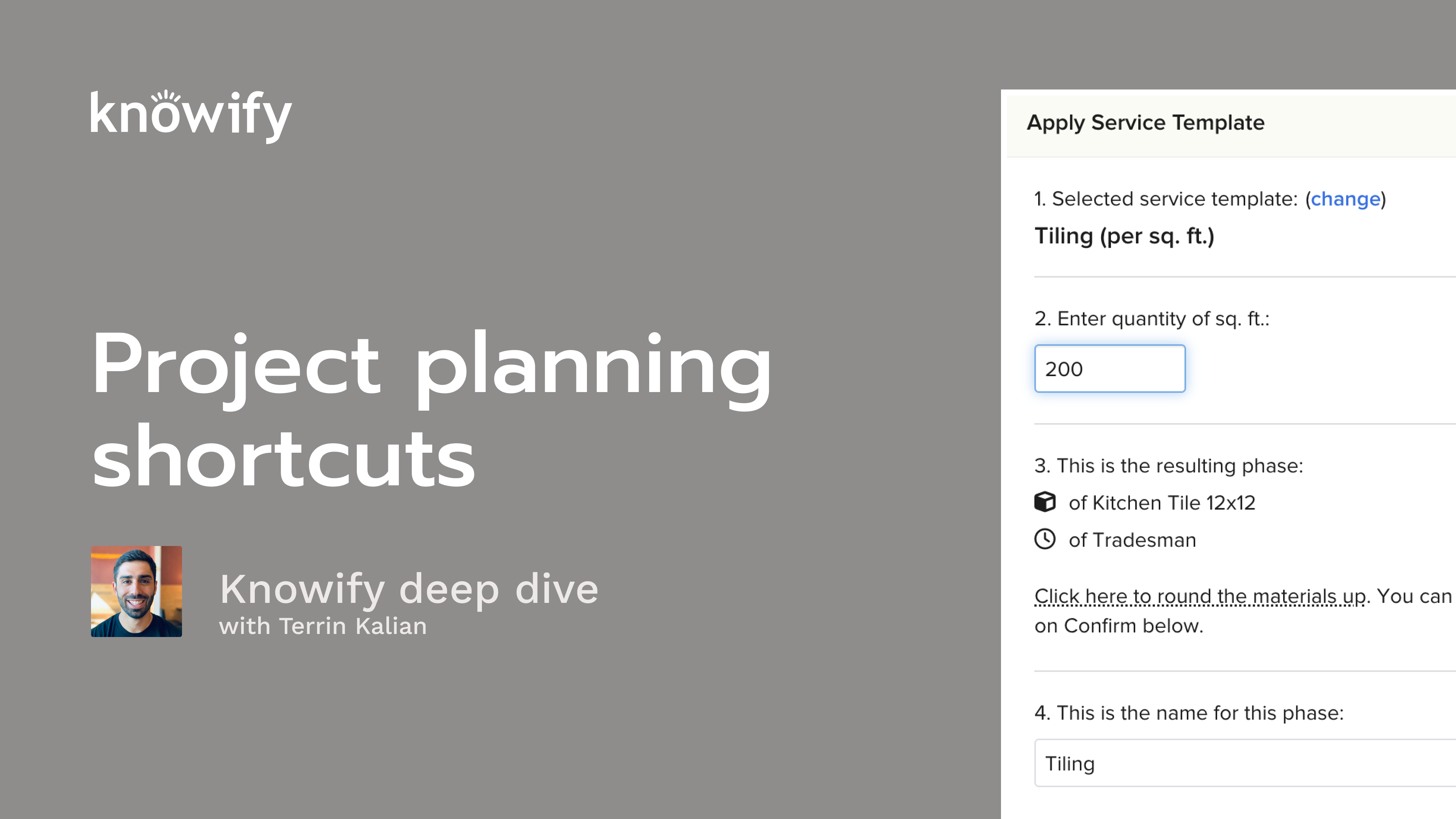
Level up your project setup in Knowify with this fast-paced session on project planning shortcuts. Terrin Kalian (Head of Customer Experience, 10+ years at Knowify) walks through how to turn your repeatable workflows into reusable Plan & Track templates and Service Templates. This will help you build budgets faster, generate proposals in clicks, and cut down on manual data entry. You’ll see how templates carry over phases, items, dependencies, work orders, and bill of materials, plus how to copy full jobs when you need a head start.
We also cover using Service Templates on both the budgeting and contract sides (unit-based pricing, minutes-based labor, materials rollups), and how to pull contract data into budgets once a job goes live. The session wraps with audience Q&A on equipment, prevailing wage, task dictionaries, exporting, and more.
You’ll learn how to:
Build and save Plan & Track templates that prefill phases, items, labor, materials, dependencies, and work orders
Apply a template to new jobs and make quick quantity/scope tweaks without rebuilding
Create Service Templates (unit-based formulas) to auto-calculate labor minutes, materials, and scope of work
Use Service Templates on proposals (Advanced style) and auto-generate budgets from the contract/BOM
Copy entire jobs (budget + contract) for a complete starting point
Speed up task setup with the Task Dictionary
Have feedback or feature ideas? Drop them in the Knowify feedback portal or reach out to our team. We’d love to hear from you!
Okay. That makes the top of the hour. So I'm gonna go ahead and get us kicked off. As always, I like to start by just thanking everyone for joining in today. Always means a lot that people are taking the time to learn more about and, you know, learn how to get the most out of their account. So thanks for taking some time today to just attend this session and listen to me ramble on about this software for a little bit. Our topic today is on project planning shortcuts. And just to be a little bit more specific, we're gonna be discussing, building out different types of templates to speed up the process of building out jobs in your Noify account. Obviously, nullify is a very powerful tool, even when you're just using it, building everything manually. But, having a couple of these shortcuts can really speed up the time, that it takes to get the benefits out of nullify. So not just the basic entry, but generating jobs, generating contracts. And, you know, the more that we can bid, the more we can win, and, the more revenue comes our way. And that's kind of the goal here. And if you don't know me, my name is Taryn. I manage customer experience in Noify. So my main job here is just to make sure that you guys are happy with Noify as a company, as a product, everything like that. You may have had me join a couple call of your calls in the past. I like to tune in and hear what people are providing as product feedback and learn where we can improve to make sure we're doing everything to make Noify as smooth as, possible. And a lot of the features that, we'll be covering today came in from customer feedback, stuff like that. So, again, never reach out about reaching out to me if you ever wanna chat about where you'd like to see, you if I go in the future. The two main things we'll be discussing today are plan and track templates and then what we call service templates. I'll go through some slides explaining these a little bit more, what the difference is, where we can use them, and then pull up my account for the demonstration portion so we could see it all happen in real time. If you have questions during the webinar, feel free to throw them in Zoom's q and a feature. My associate, Ben, answers some of the questions through the webinar itself if they're shorter form. But if, it requires a little bit of a longer response, I'll go back at the end and make sure I could show you some of this stuff in my account too. I'm gonna close my door so the dog doesn't come in. She likes to come in and bark while I'm in meetings sometimes, make sure that I didn't forget that she's around and needs some attention. But all that being said, I'll go ahead and kick us off and discuss the concept of creating plan and track templates. So in Noify, if you're familiar with plan and track, this is where we end up, planning a project and eventually tracking it, hence the name. And when we talk about planning a project, it's the idea of writing down a list of what needs to be done, what needs to be purchased, building out our budget, estimating how much the job cost us. And we like this by we like this process of budgeting first to give us the best chance at being profitable on a job. Because if I start the process at quoting a price to the client, which isn't necessarily wrong or a bad thing, but then we're retroactively trying to find out how much we should be spending to make sure that price that we quoted is going to be profitable. Whereas if I budget first, then I can go through the process saying, well, if the job's supposed to cost me a thousand dollars, I know that I should quote to the client two thousand dollars to make sure that I have some profit on this project. And maybe those numbers don't perfectly line up. You get the idea. So our plan and track template can do is speed up that budgeting process so that that first step isn't as much mature. You will create a project and build out a budget and then include just about everything that you could possibly consider in this type of project so that when you are then starting a new similar project, you can, say, pull up this old template and start the budgeting process from there. It's built off of existing projects because a lot of times you might put together a budget for an actual job and then look at it and say, you know, that's actually a really good one. I might need to use this again in the future. Or maybe you didn't save it as a template, you look at it later down the line, have a new project down the line that says, yeah. You know, it was a lot like this other project. We just go grab it as a template that way. A lot of different options here. But when we're building the template, it's nice to give it an easy name, call it something like template painting for whatever different type of work you do. Let's say your company has five main types of work. You could build the five templates to make sure that you're always starting on the right foot. And then you just fill in things like your list of phases, the description of work that goes into the phase, the different type of labor you'll need, materials you'll need, and the quantities don't need to be perfect. Let's say the scope of work is always the same, but, the actual quantities change, with the size of the project. That's always okay with this type of workflow. We basically just use this template as a jumping off point so we can, start building for the specific job we're working on. The ones we're happy with it, in our budget mode of plan and track, there's this user's template option, which basically means next time I'm, creating a job, give me the option to start with this baseline, so I can, make adjustments for the specific project I'm working on, as we go through. Now we also have, the ability so this is now sorry. Pulling into using the templates. When we're creating a new job, we'll be prompted. Do you want to use a template? If you choose yes, you could search through the list of the different options you have, select it, and it pulls in everything that I mentioned earlier, which is things like our list of phases, the sub items inside that phase, our descriptions, quantities, if you have quantities that are relevant here, dependencies, if you have if you're using dependencies for your scheduling and things like that, so that we, again, can start making adjustments after the fact. So now we have our jumping off point. We know what we're working with. Awesome. Now let me adjust it for this specific project, and we can move forward onto the, process of building out proposals and bids to our customer. Now the other type of template that we work with that I'll be covering here, is our service template. Now the same way that our plan and track templates are meant to be a way to save us time budgeting, These can also be used to save time. But instead of doing it on a full project, it would be on individual phases of the project. They could be a little bit more powerful because they're more specific, where I can basically create a service and say, here's what we provide. Here's the number of units we measure in it. Here's how much we usually charge. This is how much we usually need to buy whenever we do this type of work per each unit so that I can, really get a detailed, phase and budget of that's gonna automatically calculate the quantity of everything goes into it. And it can be used on both the budgeting and the quoting side, which I'll cover a little bit through this webinar here. But when we're using the service template itself, if I use it in planning track, I could say we're doing, in this screenshots example, tiling. We have two hundred square feet of tiling, and it could pull in the amount of tile I need, how many hours we'll need, a description of the work that comes into play, everything like that. So then I could say, now I know how much the job will cost me. It makes it easier for me to, quote something to the customer, or I can actually jump right into that contract and say, hey. Use our tiling template, and it'll pull in a list, with pricing on it already that says, to the customer, here's how many units of, tiling we're doing in square feet. This is what we'll need to buy, how much we're usually gonna charge for it, things like that just to provide them with more information. And then I'll show you how we can even use that to retroactively create a budget. Again, it's not always the preferred flow, but it can be very slick and, easy to, get a lot out of nullify when you use this type of workflow. Now short slideshow today, but I do like to just show all this stuff in action. And I'm gonna kick off by just, going through my process of, creating a project, plan track template. So I'll give this new Java name, and I'm gonna say template for webinar. And what's today's date? Four twenty one twenty six. I could choose any customer. It doesn't really matter since we're never actually going to send anything to the customer. Sometimes people like to have an internal customer that's used as a fallback, something with their own company name, something like that. Really up to you. I'm gonna use fixed price. And for job costing style, I think it's best to use professional here so we can jump right into the budgeting. We don't have to worry about the rest. Now when I start building this out, it's gonna be just like building any other project in Noify. If you go to the first webinar that we do when we start this series, it's always on budgeting. And that's gonna be a great I great way to learn all of the different ins and outs of building out project plans in your Noify account so you can get more detail of what goes into these templates. For right now, I'll go somewhat simple, but still try to show everything we have here where I could say, on this type of template, I need to do demolition. I can connect that to an item if I need, which can come in handy when it comes to things like QuickBooks sync and reporting. And I could say demolition usually costs me two thousand dollars, and I usually have to have some labor on-site for three thousand dollars. I can say I usually have subcontractors that are hired for a thousand dollars. And I can also do things like include a work order, demolition of existing site as per plans and removal of, remaining debris, things like that, just so this can automatically be included here. But way that we can get a little bit more, detailed with this, I could say framing, same idea. And instead of just writing in a materials budget, I can write in a list of what I usually need to buy for framing. So I could say lumber, pick from my list. Here's my eight foot studs, strand board, nails. Man, I've doing this for ten years. I've used these items for so long. Kind of arbitrary, but kinda just hit me now. Now if I were creating a budget for an actual project, this is where I would wanna put in quantities. Here's how much lumber I need for this project. Here's how much strand board I need for this project, etcetera. But since this is just a template, I like to just put in a list of different items that I usually will need to buy just so they're here for reference when it comes time to using this template on actual job. And I'll show you a little bit more about what I mean by that. The same thing goes for things like labor. I could say, I'm gonna need a foreman, and I'm gonna need a laborer. Not really sure for how long yet, but I do know that I need those hours budgeted. And then, again, I could say things like framing as per plans, etcetera, etcetera. I could say, let me save this really quickly so I could set dependency. I could say framing, can't start until demolition is finished. I can also do things like set the number of days that we're gonna be at each phase, things like that, define how progress is tracked, whether it's in a percentage or, in a custom set of units, and that's gonna be very relevant to our phase tracking and project management webinar where we discuss things like daily logs. Let's just say a thousand. I don't know. We're just throwing in numbers here. And let's just say this is good for my base level template. This kinda gives me the general idea of what we'll need to do. Now I'm gonna go say save and switch to active. And when I'm creating another project in the future, I can start by saying create new contract job. Now I'm going through my normal workflow. Here's who the customer is gonna be, set things like my job address, anything that's relevant. And instead of me building another budget manually one line at a time, I'm gonna hit this use template option, and I could see maybe I'm gonna need a second to refresh. Sorry. One, bear with me here. I forget to save it as a template. You know, sometimes I just move a little too fast. Of course, I did. So use this template. Sorry about that. Now I'm gonna go set up my new project. I'm gonna say, okay. This fits the mold of this template that we created. Apply, and you'll see that it's automatically pulling in demolition with its numbers, framing. And this is where I could say, okay. For this project, I'm gonna need two hundred units of lumber, a hundred sheets of OSB, ten boxes of nails, and a hundred units of drywall. So the idea here is that now instead of me having to recall what I end up using for the different phases as far as materials go, I have the list in here, and all I have to do is adjust the quantity. So, again, we're trying to just make sure that we're doing our best to remove margin of error, make sure that we are, making it so that nothing gets dropped off in the process from one project to another. Now right from here, let's just say I was moving forward. I have the ability to now use that to create my proposal, because a lot of people ask about proposal template as well. Although we don't necessarily do a proposal template, we do have the ability to pull that, budget template into your proposal so you can kind of get a similar type of, workflow by using an old budget template and then generating that proposal off of that information so it doesn't have to be reentered every time. Kind of a similar thing that I like to show when it comes to the idea of full project templating and, having proposals update as well. It's not uncommon for people to save a project as a template that they then use our copy job feature. So let's say I don't just like the plan and track section, the budget, but I also wanna copy over the proposal and everything else. Then whenever I have a project similar to three fifty six, I can come in here and say copy job. This is now three fifty seven for a different customer. Create copy. This will generate a job just like, the other one where I have the same budget all set up, and the proposal information is automatically loaded in. So I don't have to make copies of that, manually. It's just gonna automatically come in from the other project. And that's kind of the idea of just using, templates to speed up the process. You can see that I generate, generated two proposals off of this template pretty quickly in a couple of minutes, just making sure that we can get these bids out as fast as possible, without having to triple check our work, and making sure that we include everything because it's already preincluded on the template. Some other things that are pretty common is, and this is kind of more of a best practice than, here's something you have to do. But I always say that when it comes to building out templates, in your list here, overkill is kind of underrated where I'd rather have too many items and say this project in particular doesn't need drywall than have, less items included in the template and say, well, I hope I remember to use drywall as part of this when the project includes it. You know, you can always, again, adjust those quantities as needed, on a case by case basis. Now, again, this is really handy for building a pretty high level quick project template, But I did have to fill in these numbers, and there were some information that, you know, some math I had to do outside of Novi or in my head to get this up to date. And this is where the idea of service templates can come into play. So what I could do is add a new service, and I'm gonna call this, webinar widget install for twenty one twenty six just so I I'm sure I already have another thing called webinar widget install. I'm just trying to make sure I don't overwrite. And what I could do is include something like a default scope of work. So installation of widgets as per plans, x y z. Just write in what I need to usually communicate to my team in the field and my customer who's eventually gonna receive a proposal for the for this. And I could say this is per each widget. I could define my price per widget. We usually charge around five hundred dollars. Now I can say how much I estimate in cost per widget of each category. So here's where I could say a hundred dollars of labor, a hundred dollars of material, a hundred dollars of subs. So this is a situation where, the let's up our price then. Right? Because we wanna make sure that our price is, more than our cost. But now it's gonna have the ability to budget based off of this information, and tell us how much we'll spend based off of the number of widgets that we're estimating. We also have the ability to get more detail than that. So I'll call this webinar widget install itemized. And, again, make sure we check this as a template. Now same idea here. I can still say things like seven hundred and fifty dollars per widget. But instead of me saying we spend a hundred dollars on labor per widget, I can actually say, for every widget, I'm gonna need a labor on-site for, let's just say, ten minutes. I'll also need a foreman on-site for five minutes. I'll also need to buy a widget, and this is an item that's already in my, catalog. Here's quantity of one widget for every widget installed, which makes sense. I could do the same thing with subcontractors for every sub. I'm going to need to budget, sure, on widget installation, a hundred dollars per of, sub installation work. Same thing with, equipment. I could say I'm gonna need an excavator on-site for, let's just say, five minutes per widget. And then if there's a miscellaneous budget, and, obviously, the chance of actually needing, this much, in one template, Very rare, but it is all possible when we need that type of breakdown. Let's just throw something else in here. Let's say wire. So for every widget, we need ten feet of wire. I don't know what a widget is, but this helps. Now that this is created, I'm gonna have the ability to speed up the process of building out a, budget by using that information. So what that will look like and I'll show both options here. Number one, I'll add a phase, and you see we have this use service template option. The first option we had, obviously pretty handy, webinar widget install, and I need to install fifty widgets. And just like that, we have a phase with a name, a budget. Progress is automatically set. We have a work order included. Really quick just run through of now we have a budget for this phase of the project. But you can see that the budgets here are all lump sum, which nothing wrong with it, but maybe you want more detail. Maybe you wanna use nullify for purchasing, track things like hours spent versus hours budgeted, things like that. That itemized budget, same idea, fifty widgets. Now it's gonna not just pull in the dollar figures, but it's gonna say, here's what you need to buy. Here are the hours you should spend. Here are the subs you'll hire. This is the equipment you'll use. Here's the miscellaneous cost affiliated with this. So you can see how we now have more detail than what we would have had with our standard service template, and the quantities are auto populating, which is a little bit stronger than what we might be seeing from our plan and track template. So, again, the idea is all about saving time when we're generating budgets in our Noify account. And so if you put put together a lot of good service templates, you can really speed up that process, which, again, will also then speed up the process of generating proposal because I can come in. All of that information has carried over. Beautiful. Just throw in my markup. And I can also do things, like include a breakdown of, all of the materials, and labor on the, proposal. So let's say I wanna share that information with my customer, have that automatically pull in. You don't have to do this, but, obviously, it's an option. This can then be something that's visible on the document itself. And you could see how using that service template, really sped up the process that it took for me to make a nice detailed proposal, generate a budget, and give me information that I can then track against when it comes time to actually, purchasing these items, tracking the time, things like that all inside nullify. Now I also mentioned the idea of using these service templates to actually, generate a, contract as opposed to starting with our budget. So I'll go through the same process, but I'm gonna choose advanced, and you'll see why we choose advanced in a second. First thing about advanced is that it starts the process by generating a contract, and it's not gonna have a budget until that contract's active. So when I hit save job, instead of jumping over to plan and track like we would normally see, this is locked and is saying, hey. Just tell us what to put together here. So this is where I could say widget installation, and I want that itemized one. How many? Five hundred. And knows to put a price in on it automatically. I think I did fifty last time. This would be a much larger project. But it also built this itemized budget for me. I can put in additional information about markups if we don't have it, automatically included in on, the items themselves. If it does have it included, you can see how it automatically pulls. Obviously, very handy. And I'll add another line just, for the sake of making a little bit more robust of a project. Hundred and fifty can lights, same idea. And, again, what you could see we're doing here is actually generating a very quick proposal based off of quantities instead of me having to write down each of these items individually. We also are carrying over a scope of work to communicate more to our customer if we want. And when this contract is made active, I'll be able to go back to my plan and track now and you see, would you like to pull the contract data as budgets and work orders? Absolutely. Because now I have a budget on this project, and it's all detailed based off of what we had in our service template, without me having to double up the work or anything like that. It also includes, again, those work orders so that information could be provided directly to our, users in the field. And another neat thing about that work order because you often often hear someone say, hey. Can we get a, version of the proposal template but without pricing on it? If you use this workflow, then I can go to this work order document, and it's gonna be very similar where it's a breakdown of the different, line items we quoted, the description of work, a list of the material, and labor that was budgeted, but without any pricing affiliated with it. So this is a nice thing that could just be ripped off, handed out to someone so we have a, comparable version of the proposal without any pricing. Then, again, from here, all the tracking is just like anything else we do in Noify. I can purchase off of these templated items. I could track my actual versus budgeted hours. Really, anything that I would do, and we obviously have a ton of webinars in this series hosted on the site where you can learn, all the different parts of, what happens in Novi after this. But this is our way of just being able to quickly generate projects, based off of prebuilt templates and work that'll save us a lot of time when generating new jobs and proposals in nullify. Bit of a shorter webinar. I only see one question that came in, which is, will this be posted on YouTube? Technically, we have a separate site where, we post all these, but we do email them to everyone who registered after the fact. If you have feedback on any of this, if there's stuff you'd like templated that you're not seeing, reach out to our team, chat with us. We're always happy to provide you with more information on this, see what we could do in future updates to know if I. But, again, no questions, which is nice. You guys can get some time back on your Tuesday here, and I appreciate everyone for joining in. There is is there a way to include a checklist on any template? So that's a good question. Late question, but, again, we have time, so I'm happy to, go into that a little bit. One thing that I was thinking might be a good thing to include as part of this webinar is our task dictionary, which is similar to a template, where you do have the ability to generate a list of tasks that you are commonly doing. So I have, like, perform precon site check, order materials, final site check. And to build these, I could say things like, you know, generate daily log for customer, and we usually assign this to Charles. Submit. So when I'm generating a project, although I can't pull those over into the template itself yet, I do have the ability to say, while I'm planning three fifty eight, add from task dictionary and say, need to have all of these tasks. They'll automatically assign to the default person. I could say, like, okay. Precon site check needs to happen today. Materials need to be ordered by Friday. Daily log needs to be done next Friday, and then the final site check should be on, May twenty ninth. I can affiliate them with different phases of the job if they're relevant, and I can quickly generate a list of to dos, that are assigned to the job without me having to manually add those every time. I just do add from dictionary and automatically apply those to the project. Similar to that, this is available on phases as well. So if I'm in my, dates in progress view of plan and track, Under tasks, can add from dictionary. So let's just say I have the same checklist for each phase of the job. I can continuously be adding this and save myself some time of generating tasks as we go. And so I guess to go back, the original question was about a checklist. Although it's not necessarily the formal form type of checklist, this is a way to have a is it done? Yes or no through the life of a project, and you could track its current status at any point in time on a job. There is a question. I'm not sure I follow this one. It's I have a question about projects. If it's the same customer, is it more than one project? You can have more than one project per customer with multiple different prod sorry, multiple different scopes of work, everything. You can create as many projects per customer as you want. And then, again, you can copy a project from one customer to another. So if I do a job for customer a and then down the line, customer b has a similar need, I can copy that project over from a to b, and create a new project for the sake of starting from scratch without having to build, one line at a time. There's a follow-up about the task dictionary. Do you have to have an assigned person, in the task dictionary? Not at all. I like to have it if we have someone who's usually responsible for it. But when using the task dictionary, you also have the ability to change who the resource is or final site check, assign it to someone else. So that way, you can, vary this on a job by job basis if you need. And then there's a question. Why do service items go over to QBO? That's a bit of a large question because service items go over in in some parts and, other parts not so much. It really just depends on how you're syncing. I'd say that's probably something worth, scheduling a session with your success manager or another member of our team, to go through in more details. We can really show you everything about how that sync works. We have the best sync that exists with QuickBooks Online at this point in time. So, chances are whatever you're looking to accomplish, we can make it happen in Notify. That's all I have for you guys today. I appreciate everyone again for joining in, and I hope you have a great rest of your week. Take care.