The biggest inefficiency most trade contractors face isn’t on the job site. It’s the gap between the field and the office.
That gap shows up everywhere. Time entries get scribbled on paper and submitted days late. Receipts sit in truck consoles until the end of the month. Invoices don’t go out until someone in the office reconstructs what happened on a job three weeks ago. Scheduling changes get relayed by phone, if they get relayed at all.
The financial impact adds up fast. Manual data entry accounts for 35% of all payroll errors in construction, according to research cited by hh2. Unintentional errors and intentional fraud related to paper timesheets costs contractors around $4,000 per employee per year. Across a crew of ten, twenty, or more, that’s a number worth paying attention to.
A mobile app doesn’t fix these problems by adding complexity. It fixes them by putting the right tools directly in your crew’s hands: time tracking, scheduling, expense capture, invoicing, all handled on the phone they already carry, while they’re still on the job site.
Peer-reviewed research published in the SCIRP journal confirms that mobile apps and cloud-based platforms improve coordination and decision-making on construction sites. Contractors who haven’t made that shift are spending more time on admin, getting paid slower, and making decisions based on data that’s days or weeks old. The U.S. construction industry accounts for $2.2 trillion in annual spending — at that scale, small inefficiencies in field-to-office communication compound into real money.
There’s no shortage of construction apps on the market. The ones that get used share one trait: they focus on the tasks that happen every day on every job. Daily, repetitive work, not edge-case features or dashboards nobody checks.
If you’re still using paper timesheets, you’re losing money every single day.
Paper timesheets cost construction companies around $4,000 per year as a result of unintentional mistakes, as well as purposeful fraud. To say they’re inaccurate and untrustworthy, is an understatement.
The accuracy problem goes beyond missed hours. Manual time entry introduces errors at every step: crew members estimate instead of record, handwriting gets misread, and office staff re-key everything into payroll. That manual process is responsible for 35% of all payroll errors in construction. On prevailing wage jobs, where certified payroll accuracy is a compliance requirement, those errors carry real legal and financial risk.
Digital time tracking through a mobile app eliminates most of this. GPS-enabled clock-in and clock-out gives you verified location data. You know who was on which job site and when. Geofencing takes it further, ensuring employees are actually at the job location when they punch in. No buddy punching. No guesswork.
The payroll savings alone justify the switch. Construction companies using digital time tracking have reduced payroll processing time by up to 70%. One company cut certified payroll processing down to 30 minutes. Compare that to the hours your office manager currently spends chasing paper timesheets and fixing data entry mistakes, and the return on investment is immediate.
Knowify’s mobile app handles construction time tracking with GPS and geofencing built in. Every clock-in feeds directly into job costing, so you’re tracking the true cost of labor on every job in real time, not reconstructing it at the end of the month.
A scheduling tool only works if the people who need it can actually see it. Two things have to be true: service managers need a full-team view from one screen, and crew members need their next assignment without calling the office.
For the manager, that’s availability, job status, open slots, and assignments visible at once, not buried in a calendar app that doesn’t connect to job data, and not in a spreadsheet that’s outdated by 10 a.m.
For the crew, it’s their schedule, job details, directions, and any scope changes pushed to their phone. When a new assignment comes in or a schedule shifts, push notifications close the gap between dispatch and execution. No more “I didn’t know about that job” at the end of the day.
The real advantage comes when scheduling connects directly to job data. When a tech sees their next assignment, they should also see the job details, the quoted cost, and any notes from previous visits. Crews that arrive prepared finish faster, make fewer mistakes, and don’t waste drive time going back for information they should have had from the start.
Knowify connects field service management to job details, budgets, and resource availability. What your crew sees on their phone reflects what’s actually happening on the job.
Every trade contractor has a version of the same problem: a shoebox, or a truck console, or a jacket pocket full of crumpled receipts that need to get matched to jobs at the end of the month. Some never make it. The ones that do are often illegible, undated, or missing the job reference entirely.
Mobile expense capture fixes this at the point of purchase. A crew member buys material, snaps a photo of the receipt with their phone, tags it to the job, and it’s done. The expense is recorded, attached to the right job, and visible in the office immediately.
Purchase orders work the same way. Created and tracked from the field, they sync back to the office and into accounting without anyone re-entering data. When every expense is captured in real time, your cost reports reflect what’s actually been spent, not what someone remembers spending. You can see whether a job is making money while work is still in progress, with enough time to actually do something about it.
Knowify auto-creates expenses as crew members work: purchases, time entries, and subcontractor costs all sync to QuickBooks. No double data entry, no month-end scramble.
Delayed invoicing is one of the most common cash flow problems in the trades, and one of the most preventable.
Here’s how it typically plays out: a tech finishes a service call, scribbles notes on a work order, drives to the next job, and doesn’t think about that invoice again until the end of the week. Back at the office, a manager sits down with each tech to reconstruct what was done, what materials were used, and what to charge. Sometimes that meeting doesn’t happen for a week. Sometimes the notes are incomplete. The invoice that finally goes out is late, possibly inaccurate, and the customer has already moved on mentally.
When a tech can generate an invoice right from the job site before getting back in the truck, the work is still fresh, the details are accurate, and the customer gets the invoice while the job is still top of mind. That’s the difference mobile invoicing makes.
The best mobile invoicing isn’t about typing up an invoice on a small screen. It’s one-click generation from job records that already exist: time entries, materials used, work descriptions. The invoice assembles itself from data the tech captured during the job.
Add online payment acceptance (credit card, ACH) and you shorten the cash cycle further. The invoice goes out on site, the customer pays that day, and the revenue hits your books before the truck is back at the shop. Knowify’s Service Pro module handles this end to end, with built-in payment processing tied directly to field job records.
Not every app that runs on a phone was designed for someone using a phone on a job site. There’s a meaningful difference between a mobile app built for the field and a desktop platform that’s been shrunk to fit a smaller screen.
A truly field-ready app is designed for the reality of construction work: someone wearing work gloves, standing on a roof, in direct sunlight, with spotty cell service. The interface needs large touch targets, not tiny buttons designed for a mouse cursor. Data entry should require minimal typing: dropdown selections, photo capture, and tap-to-confirm workflows instead of text fields. Load times need to be fast, because nobody stands around waiting for a screen to load when there’s work to do.
Offline functionality is the dividing line. Construction job sites frequently have limited or no cell service in basements, rural areas, or steel-framed buildings. A field-ready app still captures time entries, expenses, photos, and job notes without signal, stores everything locally, and syncs automatically when connectivity returns. If the app goes blank the moment you lose a bar of service, it’s not ready for the field.
Role-based access matters more than most buyers realize. A foreman doesn’t need the same view as the office manager. A field tech doesn’t need access to company financials. The best apps show each user exactly what they need for their role. When a tech opens the app and sees only their schedule, their active job, and their clock-in button, they use it. When they open it and see a dashboard full of data that doesn’t apply to them, they close it.
One practical test: if it takes more than three taps to clock in, your crew won’t use it consistently. Speed and simplicity aren’t optional.
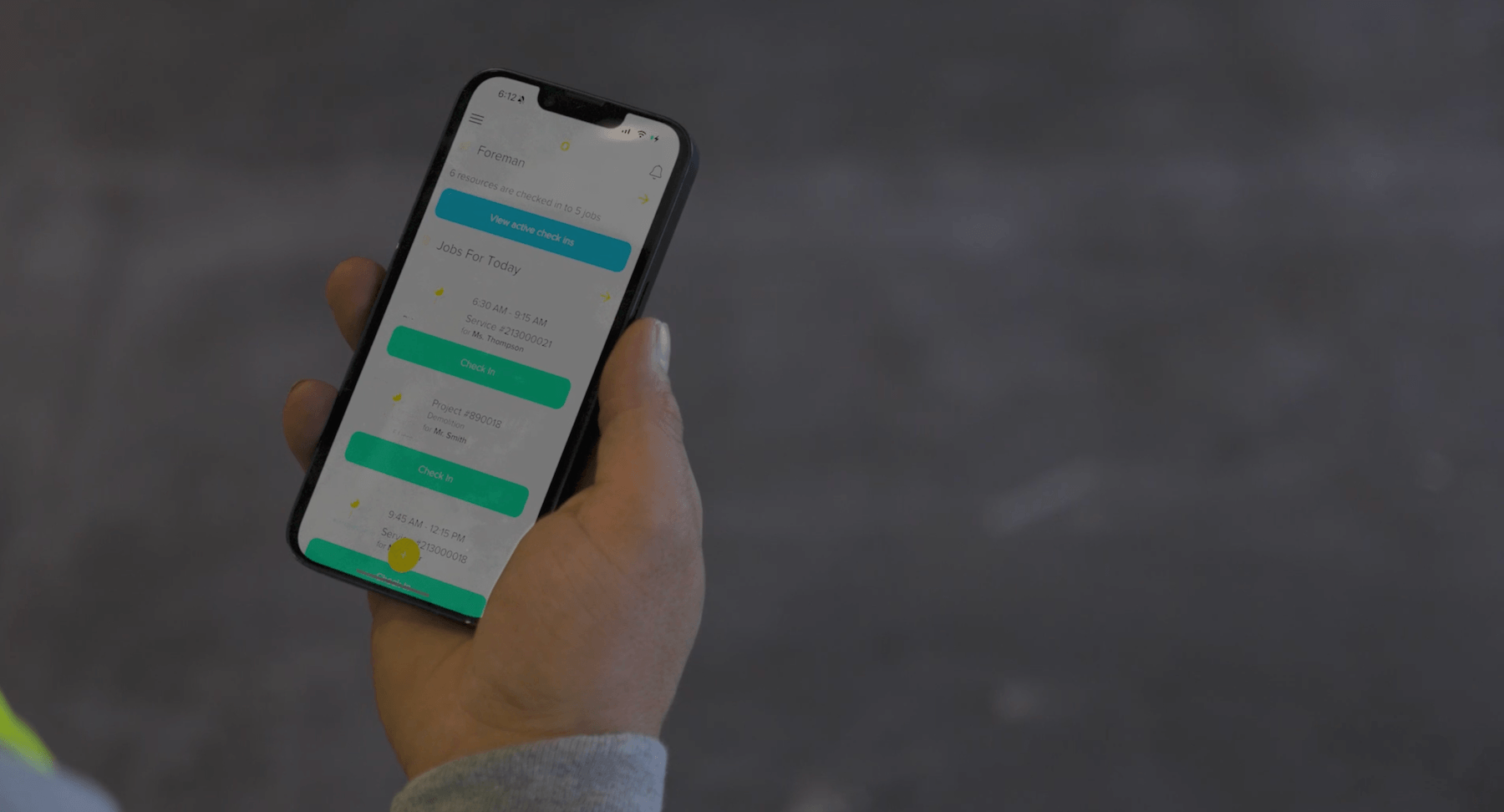
Knowify’s mobile app is designed for field techs first. It shows them what needs to be done, where, and by when, without the clutter of an office interface.
The most expensive problem in contractor operations lives in the space between the field and the office. When field data doesn’t flow automatically, someone has to bridge the gap manually. Time entries get written down in the field, then re-entered into payroll. Expenses get logged on paper, then re-entered into accounting. Job notes get texted to a manager, then re-entered into the project record.
Every re-entry step introduces delay and error. That 35% payroll error rate from manual data entry doesn’t come from carelessness. It comes from a system that requires the same information to be entered twice, by different people, at different times, often from handwritten notes.
Real-time sync eliminates re-entry entirely. When a crew member clocks in on the mobile app, that time entry appears in the office immediately, not at end of day, not in a batch upload, not after someone downloads a file and imports it. The same applies to expenses, purchase orders, and invoices.
This is where accounting integration depth separates serious tools from surface-level ones. Most construction apps offer some form of QuickBooks connection, typically a one-way export. You push data from the app into QuickBooks and hope nothing needs to change. But jobs are messy. Change orders happen. Cost codes get adjusted. With one-directional integration, any change made in QuickBooks doesn’t flow back to the app, and your systems drift out of sync.
Two-way, real-time sync means changes in either system reflect immediately in the other. A cost code updated in QuickBooks appears in the mobile app. A time entry approved in the field posts to the general ledger. No manual reconciliation.
When field data flows into job costing in real time, you can see projected profitability before the job is finished. You can catch a cost overrun on day fifteen instead of discovering it on the final invoice.
Knowify’s QuickBooks integration is the deepest available in the construction software industry: two-way, real-time sync that keeps your field data, job costs, and books aligned without anyone re-entering a single number.
You can have the best mobile app on the market and it won’t matter if your crew doesn’t use it. Adoption is the actual challenge, and it’s one most app vendors skip past in their sales pitch.
The common mistake is rolling out everything at once. Buy the platform, turn on every feature, hand a phone to each crew member, expect adoption by Monday. What happens instead: confusion, resistance, and a tool that sits unused.
Start with the tasks your crew already does every day. Clocking in. Checking the schedule. Logging a receipt. These are small, repetitive actions with an obvious benefit: less paperwork, less time at the office, less chasing down information. If the app makes those three tasks faster, your crew will use it, because it makes their day easier.
Adoption happens when the crew sees the benefit to them, not just to management. “This helps the office track your hours” means nothing to someone standing in a ditch. “You can clock in from the job site and never fill out another paper timesheet” does.
Pick an app that needs zero training for basic tasks. If you need to run a seminar or hand out a user manual, the app is too complicated for field use. The best apps are self-explanatory: a crew member should be able to clock in, view their schedule, and snap a receipt photo within five minutes of downloading.
Assign a champion on each crew: one foreman or lead tech who’s comfortable with the app and can answer questions on the spot. Peer support outperforms classroom training every time in the trades.
Expect two weeks of friction. New habits take time. If you’re still fighting resistance after two months, the tool probably isn’t the right fit for your team.
Knowify’s mobile app is built around this reality. Field techs see only what they need: their schedule, their active jobs, their clock-in button. Nothing else.
If you’re evaluating mobile apps for your trade contracting business, here’s a practical checklist to cut through the marketing.
Trade-specific workflows. Generic project management apps don’t handle AIA billing, change orders, retainage, prevailing wage compliance, or WIP reporting. If your work involves progress billing, a schedule of values, or G702/G703 pay apps, you need a tool built for the trades, not adapted from one.
One system vs. multiple tools. Running three or four separate apps, one for scheduling, one for time tracking, one for invoicing, one for accounting, means multiple logins, multiple subscription fees, and no data connectivity between them. Every time you copy data from one system to another, you’re creating an opportunity for error. A single platform that handles field operations and financials together eliminates that friction.
Accounting integration depth. “Integrates with QuickBooks” is on every app’s feature page. The question is what that actually means. Basic CSV export is manual data transfer with extra steps. Look for two-way sync that keeps your field data and your books aligned in real time, with cost codes, job phases, and vendor records flowing in both directions.
Mobile-first or mobile-last. Ask whether the mobile app was designed for the field or bolted on after the desktop version shipped. Open the app on your phone and try to clock in. If it takes more than three taps, or if the interface looks like a shrunken desktop screen, it wasn’t built for your crew.
Scalability. Will this app still work when you add crews, trucks, or a service division? Some tools work well for five people but break down at twenty. Ask about user limits, multi-crew scheduling, and whether the platform handles both project work and service calls.
Support and onboarding. What does onboarding look like? Is support U.S.-based? Is there a real human you can call when something goes wrong on a Friday afternoon? Responsive support is the difference between a tool your team uses and one they abandon.
Knowify covers all of it: trade-specific workflows, the deepest QuickBooks integration in construction, mobile-first design, U.S.-based support, and onboarding built to get your crew up and running fast. Built for the trades. Built for you.
The essentials: GPS-enabled time tracking with geofencing, crew scheduling and dispatch, field expense capture, mobile invoicing, real-time job costing, and accounting integration (especially QuickBooks). Beyond the basics, look for trade-specific features that general apps miss: AIA billing, change order management, retainage tracking, prevailing wage compliance, and offline mode for job sites with limited connectivity.
The best ones do. Offline mode lets crews capture time entries, expenses, photos, and job notes without cell service. Data stores locally on the device and syncs automatically when connectivity returns. Not all apps offer true offline functionality, so test this before you buy, especially if your crews work in basements, rural areas, or steel-framed buildings where signal is unreliable.
Pricing ranges widely, from free (with limited features) to $50–100+ per user per month for full platforms. The more useful comparison isn’t the subscription fee; it’s the cost of not having one. Paper timesheets underreport hours by 15–20%, manual payroll entry causes 35% of all payroll errors, and delayed invoicing pushes revenue collection out by weeks. The right app pays for itself in recovered revenue and time savings. For a detailed breakdown, see Knowify’s pricing.
Most apps specialize in one or the other, either long-term construction projects or fast-paced service and repair work. A few platforms, including Knowify, handle both in a single system. That matters because running separate tools for project work and service calls means separate data, separate logins, and no unified view of your business.
Start small. Begin with clock-in/clock-out and schedule viewing, tasks your crew already does daily. Show them the personal benefit: less paperwork, no paper timesheets, faster access to their schedule. Pick an app that needs zero training for basic tasks. Assign one tech-comfortable foreman as a peer resource. Give it two weeks before you evaluate; new habits take time. If resistance persists after two months, the app may not be the right fit.
A mobile app works for a trade contractor crew when it’s simple enough for anyone to use, fast enough that it doesn’t slow the work down, built for the realities of the field, and connected to your financials so every hour and every dollar is accounted for.
Knowify is financially-focused job management software built for the trades, from proposal to payment. If you’re ready to close the gap between your field and your office, request a demo and see how it works for your crew.