Last updated: June 2026
Project and service management software for contractors combines construction project workflows (budgets, job costing, AIA billing, change orders) with field service dispatch and scheduling in one system. Most construction management tools handle one type of work or the other well. This leads to contractors running two separate tools for either side of the business. Running separate tools for each means two subscriptions, two QuickBooks syncs, and a field team toggling between apps to figure out which job they’re on.
The short version:
Most trade contractors don’t do just one kind of work. You’ve got the big jobs, the bid, the budget, the months of phases, and you’ve got the service calls that come in all day and need a tech on site by yesterday. Software for the trades usually handles one of those well and treats the other like an afterthought.
The two kinds of work look different on paper:
The contractors who feel this hardest are the specialty trades: HVAC, plumbing, electrical, and mechanical shops that do both kinds of work.
The cost of the second software subscription is easy to see on your credit card statement. The bigger costs never show up on an invoice, and they can often sting the most.
Stack a project tool next to a separate service tool and the bill climbs fast. For a 10-person team on standard annual pricing, a service tool like Jobber’s Grow plan ($299/mo) plus a project tool like Contractor Foreman’s Pro plan ($221/mo) runs about $520 a month.
What you don’t budget for is the second integration into QuickBooks. Two syncs means two things that can drift, two things that can throw errors, and two things your bookkeeper has to reconcile when the numbers don’t line up. Any contractor who’s chased a sync error knows it never happens at a convenient time.
When your systems aren’t connected, your teams work in the dark. Moving information between the project side and the service side burns through valuable admin hours.
Picture the office manager. A customer exists in the service tool and again in the project tool. A job gets entered once for dispatch, again for costing, and a third time when it lands in QuickBooks. None of that work shows up on a customer invoice. It’s pure overhead, and it grows every time you add a job.
Your techs and crews don’t care about software categories. They care about getting through the day’s work. When the scope changes on a service call and it needs to become a tracked project, or a project punch list turns into a service follow-up, somebody’s toggling between two apps or driving back to the office to get a new job set up.
One Knowify customer described getting onto a single platform this way: “This will give us the platform that we can use both in the field and in the office.”
Every new hire has to learn a system that’s hard to even describe: service stuff goes here, project stuff goes there, and don’t forget the third place where it all has to match. Every new job means more admin. As the team grows, the seams start to show and the things you duct-taped together start to break.
If you’re going to consolidate onto one system, hold it to a real standard. A platform that genuinely covers both sides of your business should have:
This is what Knowify was built to do: give a trade contractor one system for everything, instead of two systems that may or may not stay in sync.
Knowify is one system for managing all of your project and service work, from proposal to payment. Same customers, same jobs, same financials, whether the work is a six-month build or a Tuesday service call. The goal is the same on both sides of the business: stay profitable, stay on track, stay organized.
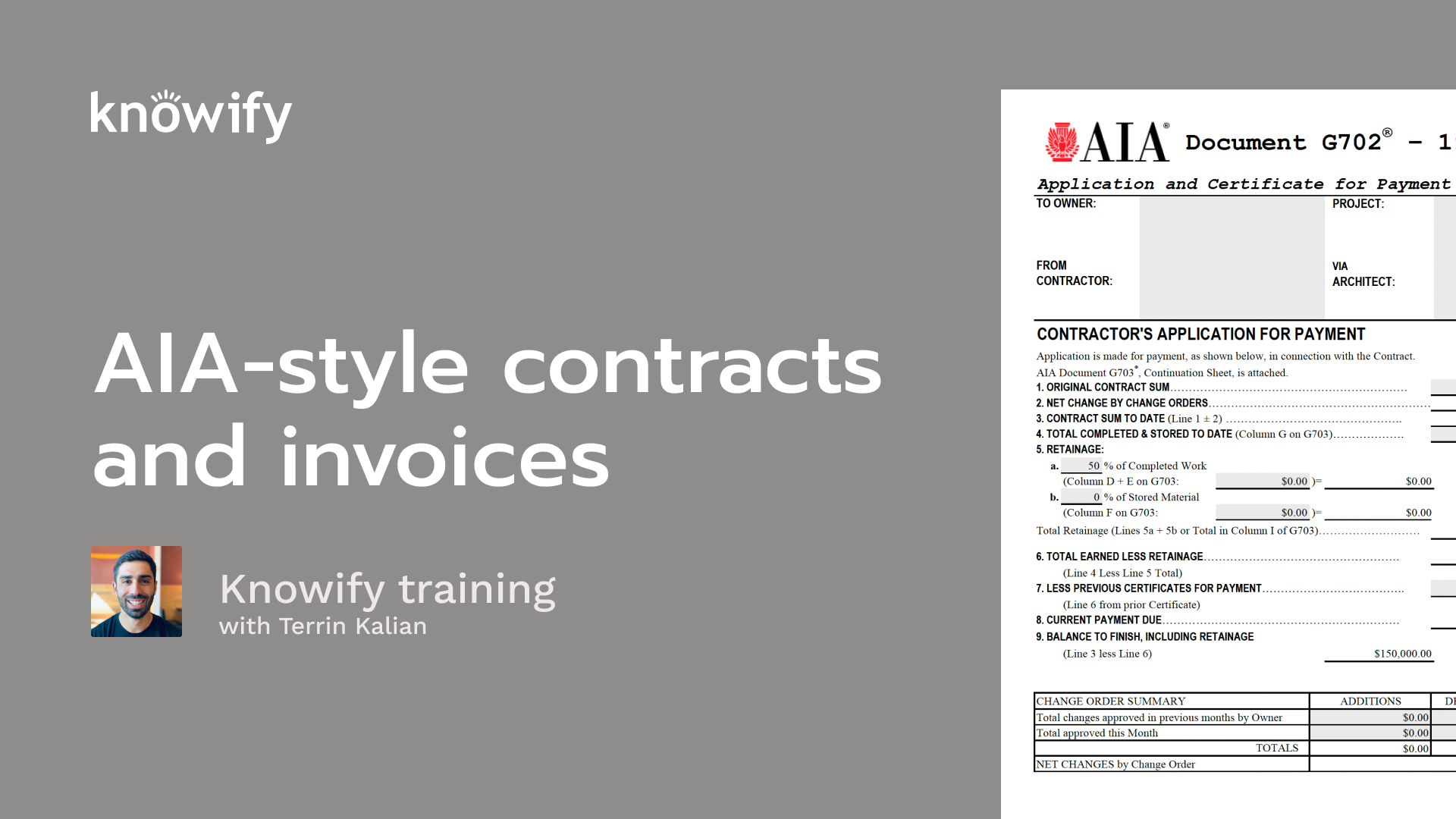
On the project side, Knowify does the construction-specific work that general project management tools skip. Real AIA pay apps, meaning actual G702/G703 documents through our AIA Contract Documents partnership, with an auto-generated schedule of values and retainage tracked by phase. Change orders that flow straight into your billing. Job costing by phase and category, so you can see budget versus actual against the profit in real time. WIP reporting that tells you when it’s time to bill.
It’s the AIA billing that tends to stick with people. As Julia K., an accounting and payroll admin, told us: “What keeps us at Knowify — invoices with option to have detailed SOV. I didn’t see anything like this at any other software.”
Service Pro adds the fast-moving side: dispatch and scheduling, field-to-office sync in real time, one-click invoicing from the job site, and maintenance agreements that turn into predictable recurring revenue. Because it’s the same platform, a service call and a project share the same customer record and the same financials. Nothing gets retyped, and nothing falls in the gap between two tools.
Service Pro is a $99/month add-on on annual billing. $99 for your entire service operation, living on the same platform as your projects, still costs less than standing up and maintaining a second tool, and a lot less than the admin hours two disconnected systems quietly burn.
One long-time customer, Sully S., put it this way: “They have completely reworked their service module to make it a far more robust experience which truly helps us manage this part of our business.”
Knowify is the #1 QuickBooks integration in construction, and it covers both sides of your business with a single real-time, two-way sync. Your project costs and your service invoices both land in QuickBooks automatically. No double data entry, and one integration to maintain instead of two.
For a lot of contractors, that’s the deciding factor. In their words: “The QBO integration is why we signed.”
These are standard ongoing annual rates for a 10-person team, compared apples-to-apples.
| Setup | Monthly cost (10 users, annual) | QuickBooks syncs | What you get |
|---|---|---|---|
| Knowify Advanced + Service Pro | ~$428/mo ($329 + $99) | One native sync | Project management, real G702/G703 AIA billing, job costing, dispatch, scheduling, mobile field execution, maintenance agreements, all on one platform with one login |
| Two-tool stack (Jobber Grow + Contractor Foreman Pro, or similar) | ~$520/mo ($299 + $221) | Two separate syncs | Service work in one tool, project work in another, customer and job data in two places, two vendors, two things to train on |
At a 10-person team, the two-tool stack runs about $90 a month more than Knowify with Service Pro, and that’s before you count the second sync, the double entry, and the second vendor to train on and manage. (Knowify’s Advanced plan includes up to 10 users, and Service Pro is a flat add-on regardless of headcount. Month-to-month billing runs higher than the annual rates shown here.)
Best fit: Trade contractors doing both contract and service work, residential, commercial, or both, already running on QuickBooks Online, and growing past the point where spreadsheets and a couple of disconnected tools can keep up. HVAC, plumbing, electrical, painting, concrete, and mechanical shops are right at home on Knowify.
Probably not the fit:
Can one software handle both construction projects and service calls?
Yes. Knowify with Service Pro manages project work (budgets, job costing, AIA billing, change orders) and service work (dispatch, scheduling, field invoicing, maintenance agreements) on a single platform. Both sides share the same customers, jobs, and financials, and sync to QuickBooks through one native integration.
What’s the difference between project management and service management software for contractors?
Project management software handles long-running contract work: bidding, budgeting, job costing by phase, progress or AIA billing, and retainage. Service management software handles fast-moving calls: dispatching techs, scheduling, field execution, and quick invoicing. Most tools specialize in one. Contractors who do both often need a platform that covers both.
Does running two separate tools really cost more than one?
Usually, yes. For a 10-person team on standard annual pricing, a two-tool stack (a service tool plus a project tool) runs about $520/month, versus roughly $428/month for Knowify Advanced plus Service Pro. Beyond the subscriptions, two tools mean two QuickBooks syncs, duplicate data entry across systems, and extra training time, costs that don’t appear on the bill but add up every month.
Does Knowify do real AIA billing or just “AIA-style”?
Knowify generates actual G702/G703 pay app documents through an AIA Contract Documents partnership, not “AIA-style” formatting. That includes an auto-generated schedule of values, retainage tracked by phase, stored materials tracking, overbilling alerts, and e-signature, so what you send holds up with the GC’s accounting office.
Is Service Pro included or an add-on?
Service Pro is an add-on to a Knowify plan, a flat $99/month on annual billing ($199/month month-to-month), regardless of how many users you have. It adds dispatch, scheduling, field-to-office sync, one-click field invoicing, and maintenance agreements. Even as an add-on, it usually costs less than running a separate service tool, since it lives on the same platform and the same QuickBooks sync as your project work.
Will it sync with QuickBooks without double entry?
Yes. Knowify has a native, real-time, two-way QuickBooks Online integration. Costs, invoices, and payments from both project and service work flow into QuickBooks automatically.
What trades is Knowify built for?
Knowify is built for trade contractors (HVAC, plumbing, electrical, painting, concrete, drywall, and mechanical, etc. ) doing residential and/or commercial work. It’s ideal for contractors running both project and service work.
Stop paying for two tools to do one business’s worth of work. Book a Knowify demo and we’ll show you both your project work and your service work running on one platform, with one QuickBooks sync.
Real people, US-based, ready to help.