Get an inside look at one of the most-used features in Knowify: AIA-style invoicing. Whether you’re already using AIA pay applications or you’re just getting started, this deep-dive webinar breaks down exactly how to set up, generate, and manage complex contract billing with confidence. Led by our Head of Customer Experience, Terrin Kalian, who brings 10+ years of hands-on Knowify expertise, you’ll get practical guidance and real-world tips to streamline your billing.
If you’re ready to master AIA forms, manage retainage with ease, and keep your billing on track with QuickBooks integration, this session is for you. Walk away with actionable know-how and a clearer understanding of how Knowify can simplify your AIA pay app process.
Key learning outcomes:
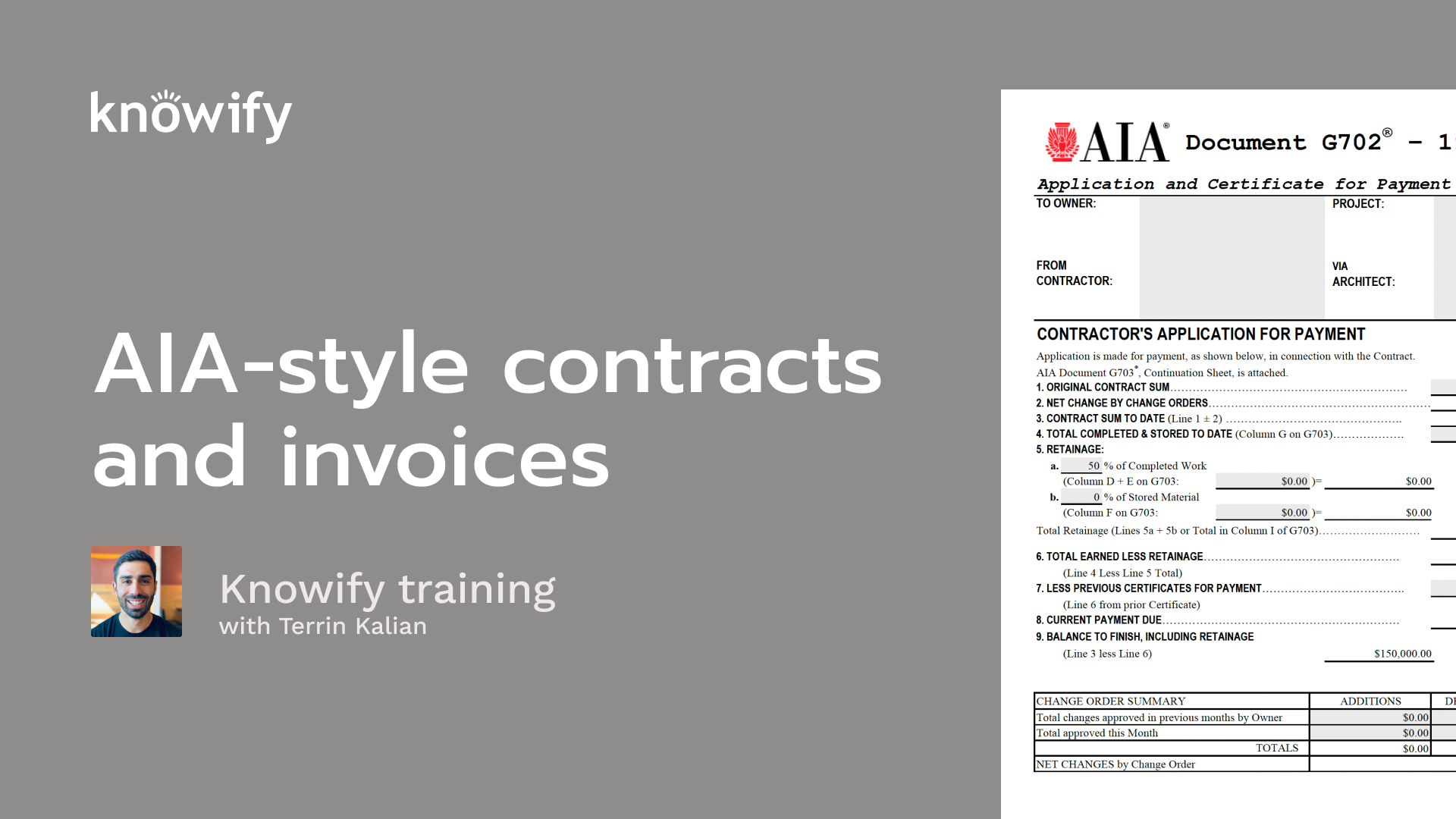
Alright. That makes the top of the hour, so I'm gonna go ahead and get us kicked off here today. Really appreciate everyone taking the time to join in and learn a little bit more about nullify in this session. If you haven't been to these deep dive sessions in the past, this is a live host of an hour. We have a lot of you guys tuning in just to learn a little bit more about our topic. And we do this about twice a month, just covering a different topic each time where we can, spend the entire webinar on this one concept instead of jumping through all of nullify. And that way, we can get a little bit more depth of knowledge on whatever we're discussing. And this week's topic is AIA style invoicing. So, definitely, it's something that's one of the more popular concepts in Novi. I know a lot of people come to Novi just for this functionality, And I'll just be going through the concept of what is AIA, you know, how to create these invoices, things like that. If you have questions through this, use the Zoom q and a, and I'll recap all of this. I just saw some hands going up. No need to raise your hand. We don't take anyone on off of mute on these. It's all just done, you know, via the q and a, and, this is gonna be mostly me, talking at you as opposed to a back and forth. But, again, throw any questions you have into that Zoom q and a, and we'll get to them as we go through. If you don't know me, my name is Taryn. I've been in Knowify for a little over eleven years now. Just making sure that people are as happy as possible with Noify, with the way our team works with you, with our product. Really, anything we could do to make the overall experience of working with Noify a positive one is my end goal here. And to quickly recap, I know I said a lot of this at the beginning, the format of this webinar. I'll start by defining what AI invoicing is, discussing here is what we're talking about when we say AIA invoicing. Then we'll go through the concept of building out contracts that are invoiced in AIA style, the invoices themselves, the concept of retainage on invoices through the life of a job. And I'll do a bit of a more detailed breakdown of completed work versus stored materials, which I think is one of the more confusing concepts that goes into AIA style invoicing that, always requires a little bit, extra clarification. Then I like to pull up my account so I can, do a demonstration, show you how all of this works inside Notify, and we'll get to any of those questions that you enter through the webinar as well at the end. I also have my associate, Ben, who answers a lot of the questions through the webinar if they're a shorter answer, if they don't need me to demo, if they're unrelated, things like that. So, again, don't be shy about using Zoom's q and a, if you have questions through the webinar itself. But just to kinda kick us off here, what is AIA style invoicing? Just at a high level, the AIA is the American Institute of Architects, and they designed this style of invoicing that is divided into two different documents that provides more than just a request for payment, but an explanation behind the request for payment. It's very popularly used on commercial and, government projects so that when you are invoicing, instead of just, hey. The guy told me a thousand dollars, so I paid him a thousand dollars. You're sending an invoice that gives a breakdown of here's the work that I've completed. Here is the money you're paying me for, work that hasn't been completed yet, you know, money collected ahead of time. Here's the value of the contract, our agreed upon value, our change orders. It gives all the information about the project itself beyond just, hey. Please pay me x amount. And that's a big reason why it's become so popular is just for the sake of good record keeping, through the life of the job, and it's been used commonly outside of, the original government, purposes a lot, as well. And it's made up of two forms. We have a g seven zero two, which is our cover page. That's gonna be just a summary of, how much the contract's worth, how much is in change orders, remaining balances, and how much is being requested payment today. Then we have the, g seven zero three, which is our, continuation sheet or as they'll see in calls very often, our schedule values, which is a similar type of breakdown. Here's the total expected value, amount invoiced, or amount, completed, etcetera, but at the line item level instead of at the overall contract level. So instead of the idea of here's the total value of the contract and how much I'm requesting in payment now, it's here how here's how much we agreed on these specific services, and how much I'm invoicing now, how much I've invoiced in the past, etcetera. When we do these AIA style jobs, it's very common, to also have to deal with retention on these, which is the concept of, my customer holds, x percentage, usually around ten percent, of everything that I invoice for until I've completed the project, at which point it is released. As these people raising their hands again, no need to raise your hand. Just throw questions in q and a, and we'll get to them at the end. It's a good form of safekeeping, just basically making sure that, if you hire a contractor, they do a good job. They can't just collect the money and run away. So once the job's done, you do a final site check. They did a good job. Here's the rest of the, amount that's been withheld. And so the idea is, let's just say there's ten percent retainage. If I have completed enough that I should be asking for a hundred dollars, that invoice comes out to a ninety dollar invoice because ten percent of it is withheld, until the job is completed. And here are the concepts. That's really the concepts that go into the AIA style invoice workflow. When we're building out the contract to nullify, it's gonna be very similar to our standard fixed price contract. So if you attended our fixed price contract webinar, you're probably pretty familiar with a lot of this. But the idea is that I just have a list of line items that adds up to a total amount that I quote to the customer. And you'll see a couple additional fields, things like, request for proposal number, GC's contract number, contract date, our retainage, things that need to be included in order for us to go through the workflow of AIA style invoicing in Noify. When we build out an AIA contract, we can always change the format of the line items to get to our total, final value of the contract, which will come in handy in cases where we have a separate schedule values that doesn't match what we quote quoted to our customer. So it's not uncommon for someone to request a quote from me. I send back my quote of, we think we could do this for fifty thousand dollars. And they say, well, we approved the fifty thousand, but not as a lump sum. Can you divide it into these, specific categories, which is gonna be a little bit more, in line with the schedule values that we need to see so we can track progress using these invoices. We have things like a request for proposal number, ask for proposals on several different jobs. This way, when you send them the proposal or quote or contract, however you wanna look at it back, they can reference specifically which job you are setting in your bid for. Same thing with, contract number. They'll usually give you a number to reference that needs to be included on invoices, same idea with their contract date. And then the retainage is something that we'll be entering once the contract's live so we could start tracking it once we start, invoicing. Then when we're actually creating the invoices, instead of going through the normal notify invoice builder, you'll see that we have a specific AIA style invoice builder where, we don't just start by putting in our percentage or dollar figures of each line that we wanna invoice. We start by defining what we call period two, which is basically saying this invoice encompasses everything through this date, which in theory could be forward dated backdated. But the idea is I am saying, this invoice, which I'm sending maybe in the middle of the month, encompasses everything through the end of the previous month. So let's just say I send an invoice today for everything completed through, not necessarily today, but through the end of July. I don't want people to look at the September first invoice date and assume that this is what was done as of September first. I want them to look at the period two date and understand here's where the project stood as of July, end of July, just so we can really understand where we stand on that job, where we stood on that job over time. Then when we invoice, we can, put in completed work as a percentage, which is our most common way of doing this. Each line, I could say what percentage we have completed as of this period. And then we can always enter stored materials as a dollar figure, which is our way of saying, here's how much we're collecting that isn't completed work yet. Completed also can be entered as a dollar figure if necessary. Sometimes you have very specific draw rules or anything like that that makes you require an exact number instead of a percentage. We don't wanna deal with rounding, so we do have that option. And then for people who need very simple invoicing, you can also just key in a dollar figure. I need to invoice this amount at this point in time. Don't worry about progress or anything like that, on the job. Now as you're going through the invoicing process in, Nullify, we'll automatically be calculating the retainage for you, so you don't have to worry about removing that manually. So think if I have ten percent progress, I could just enter that. I don't need to say ten percent less the amount retained or anything like that. I just go through the whole process of progress invoicing, through the life of the job, and it will all calculate for me. And then when I'm done with the job, I'll be able to, create that retainage invoice for the amount that, has been withheld to date. Now, as we are tracking the retainage, there's gonna be a lot of different options of how we can actually go through this. But the idea is that we set a retainage percentage for completed work and an amount for stored materials. And, again, as we go through the progress invoicing, we're essentially pretending the retainage doesn't exist for the sake of, entering our progress. So if I am going to create a ninety dollar invoice with ten percent retainage, I actually invoice a hundred dollars, and we'll know to take that, ten percent out. And Novo will track how much is retained through the life of the entire job. So when you're finally done, you can create that final invoice of, okay, here. Is there everything that's been through the light? Letting up that you do have the ability to generate the retainage invoice in the AIA format. So if you even though the standard, is usually to just create a normal invoice since the progress on the project is now complete, we do have a way which I could show you of how to generate an AIA style invoice for our retainage as well. And we have a lot of workflows that can also be used for situations where, let's just say, retainage is invoiced midway through the life of a contract. So it's not uncommon to have a workflow that is when you're halfway done with the project, we'll pay you for half the retainage, and then we end, we withhold five percent instead of ten percent moving forward, things like that. And for the people who sync with QuickBooks, we also have the ability to generate journal entries for, each, bit of retainage on every invoice that you create so you could track how much is retained in QuickBooks. And then once you finally invoice that retains, we'll reverse out all the journal entries out to make sure that everything is balanced on the QuickBooks side. You don't have outstanding retainage that shows after it's been billed. Then the last concept I wanna cover in my slides before I jump into my account is the idea of completed work versus stored materials. Now the biggest misconception with this is that we're asking about work or labor versus materials invoicing, but that's not really what we're doing here. Completed work is a way of explaining how much of an individual line item has been completed. So in the screenshot we have here, on demo, I agreed upon five thousand dollars, and I have work completed. I previously completed twenty five hundred. In this period, I have completed another twenty five hundred. This being half of the value, I'm saying this period, I completed half of the demolition. In the past, I completed half of the demolition. Now I'm completely done with this. When I invoice stored materials, I'm not saying, and here's how much I spent on materials. I'm basically saying, here's money that I'm requesting that does not communicate progress through the job. So when we have work completed this period, if I have purchased a lot of materials but haven't done any work, I don't want this invoicing period to show any work completed. Because then if someone goes to the job site to look at the work that I've done, it's gonna say that I'm invoicing x number of dollars, but then they'll go look at the work that's completed and nothing's been done. So we have material stored as a place to hold on to money, a way for us to request money without stating that we have completed work in this or previous period. Once money goes into material stored, it then eventually transfers over to work completed this period and then eventually into previously. So the idea of material stored is I need money, but don't go look at the progress on the job because I'm not communicating that I've actually, done any work. I'm requesting money ahead of time. And it's commonly used for situations where I need to buy something very expensive that I might not have the, liquid capital to, go purchase, before I actually get paid. And so I send out a invoice. Hey. I need to collect ten thousand ahead of time just so I can order these materials. Haven't actually done any of the work, but please pay me this, then I'll go ahead and install it, and I'll move that into work completed as I actually do the installation. And that's kind of where the concept of calling it material stored is. It's basically saying materials that I purchased that I'm holding on to but haven't actually used and installed or anything like that yet. Then, again, as we move it from material stored into work completed this period, it's our communication of, yes. I have completed the work. No. I'm not asking for money. I just am communicating this is the, work that I have done that you paid me for, previously. So we could end up in situations where I have a ton of work completed this period, but I'm not actually requesting any money on it. I'm just communicating progress through the job. So now I'll pull up my account and go through a couple examples of this. I'll create a new job, AIA webinar, and I'm choose this fixed price with AIA style billing. And I'm gonna stick to simple right now since we're not gonna worry too much about, budgeting or job costing, anything like that. We're gonna stick very heavily to the invoicing aspect of nullify here. So I create my, contract, and a lot of this is gonna be pretty straightforward. I'm sending this to Vin. Here's the request for proposal number he sent. We could get started today. We'll be done at the end of the month, put in description of the project. And to send the quote, I can make it as simple as contracts. I'm gonna do this for twenty five thousand dollars. And just like with our standard fixed price jobs, we can choose whether or not we include line item subtotals. Maybe I just wanna show the, lump sum, total. Maybe I wanna actually, line it out for them. We can set a list of terms and conditions that pull in, and this will generate a document for me, which I do have the ability to send for a digital esignature if I want. Once this is active, I'll have the ability to start invoicing. But because it's AIA, it'll require that I first fill in my GC contract number, GC contract date, and my retainage percentages. Now as it stands now, it's just a single line item. And if I go to invoice, it's gonna try to invoice off of that one line item. But, again, I might end up in a situation where the customer, this a one construction, says, I like twenty five thousand, but I need a more specific breakdown when you send me the invoices. So I can hit that edit schedule values and start breaking this down into lines where I could say, first, we need to do demolition for, let's just say, eight thousand dollars. I'll also have to do, let's just say, rough in for ten thousand. I'll also have to do installation for five thousand and finishing for two thousand. Let's see if I did good math here. I think I did. I also now could remove the contract some line because that's no longer its own item that's gonna be invoiced. And we could see the comparison of the original bid sum versus what the current contract value is. And if I need ever need to reference my original bid, I can go back and look at that as well. But now I have a new set of line items that'll actually end up invoicing. So I'll say invoice now, it's gonna say, what's the last date of the billing period? So if I wanna say we this is everything we had completed as of July thirty first. I can come in here and say, as of July thirty first, we were halfway done with demolition, and I needed five thousand dollars in, money for our rough in. I'm invoicing fifty percent of both of these, but the big difference here is I'm not communicating any progress on this rough in, line. So if I look at my PDF that's generated, I can get that cover page first. The contract is for twenty five thousand dollars. There have been no change orders, so that remains the contract value. As of, the period two date, I had completed, nine thousand dollars, worth of work. There's four hundred dollars being retained in completed work and, five hundred dollars being retained in stored materials. Once I subtract the retainage from the amount that I am requesting, there's eighty one hundred dollars that needs that is total earned to date less retainage. And then I can subtract the previous invoices of which there have been none. This is the first one. Current payment due, eighty one hundred dollars. The remaining balance of the contract, which is just comparing, amount that, we have invoiced so far, to the, total amount of the contract. We'll also label this. This is application for payment number one. This isn't my invoice number. It's just the first invoice on this job. So, again, if I go look through the life cycle of these invoices on this project, I could see as of the first application in this date, here's the progress. As of the second application in this date, here is the progress and understand where we stood the whole way. The notary section on the right is essentially our way of having someone sign, notarize saying the information that I included in this document is accurate. Everything is truthful. So this way, we're not sending in invoices for work that we haven't actually completed yet. Then this also generates our continuation sheet where I could say demolition. We agreed on eight thousand. I've completed four thousand so far. That's fifty percent. Here's the balance to finish my retainage. Rough in, we agreed on ten thousand. I've completed nothing, but I'm requesting five thousand dollars in materials stored, excuse me, just to collect money ahead of time, on this project before I start working on this. When I finalize this, the process will work very similar to our standard, invoicing workflows in Noify where this can sync to QuickBooks. I can send it directly to the customer. We can record payment here. I can, process payment via credit card or ACH, things along those lines, and it's recognized as revenue on the project. We'll also be able to see contract total, the amount invoiced, the amount paid, and the amount retained to date. Now Novi is gonna remember that for the next time I create an invoice. So now my next invoice is for everything done through the end of August. We'll protect you from under invoicing or anything like that. So let's just say I wanna say, oh, demolition. I've completed twenty five percent now. Since we've already gotten to fifty percent, we can't reduce the amount of completed work to twenty five percent because we've already set stated we've finished half of this so far. So I can only ever invoice the same amount, which would obviously result in zero or, in this case, more. I've now completed, as of the end of August, seventy five percent of this. I also can move money from stored materials into completed work. And, again, just to make sure that we don't put ourselves in a a tough position, I don't have the option of saying I've completed forty percent of this item, but I'm done storing materials because I've stored so much in materials that it equals more than this forty percent. And so the only way I could do this is if there was still some stored, the total amount being invoiced on this line is more. And if I am in a situation where I've actually now finished fifty percent on this line item, and actually, I'm gonna reduce this one back to fifty percent temporarily too. I don't even wanna get into it. When I preview here, we could see that we are moving, materials from, stored into work completed this period for rough in. But looking at the bottom here, work completed this period, this isn't how much I'm requesting in, on this invoice. It's just a way of me communicating work that has been completed in this period. And so that's a common misconception that we see are people trying to compare the bottom of column e to the current payment due or maybe trying to add up e and f to current payment due. That never really actually adds up. The idea is that this is the amount that I request to get payment when you factor in the completed work, the retainage, the previous invoices, etcetera, whereas this is communicating progress on individual line items, throughout the project and, where we stand on these, on the outstanding balance of each of these as well. I'll go ahead and add a little bit more progress here. And then we could look at a a couple other concepts here. One would be change orders. So if I were to add a change order, which is gonna be different from editing my schedule values because this is an adjustment, not a change in the breakdown, but an actual change to the contract value. I have the ability to, have my own internal change order number, but I can also, put in a GC's reference number. So if they have their own reference number that I need to call out on the invoice, I have that option. And this is where we can join multiple change orders into a single, line on the invoice as well. Now when I go to invoice, if I were to, invoice well, I probably should different period. It'll actually remember which change orders were and weren't approved, so it'll stop me from invoicing change orders that aren't approved yet. And in this case, I'll go through and create my. I'll I'll fully invoice the red balance of the contract. We have, an option here, invoice retainage separately. So I have the option if this is the last invoice to call out that I want the retainage included in this invoice, or if I want to, have it on a separate invoice. Just to see what that looks like. When I'm finalizing, we'll see here's the payment that we're requesting, and here's how much is being retained. If I were to uncheck this, here's the payment that we're requesting, and here's the, change in retainage. We're now asking for that money on this invoice just for a little bit of a visualization. Another thing I'd like to share here is this concept of use forms with AIA logo. What we do in nullify, and you'll see, you know, through this webinar, I keep saying AIA style. Right? We're not, this technically isn't an AIA invoice because it doesn't have the AIA stamp on it. It has all the same information, but if you're in a situation where the customer requires the actual official AIA, logo on the form, you can check this box. We'll track when you use this because the AIA has to charge for their specific forms. You do get a pretty decent discount when you use these forms. It'll be twenty nine ninety eight for every, invoice that you create. I believe, direct through their site, it ends up being forty dollars or something like that. When this is checked, you'll see that the format updates. So you get that official format with the stamp on it instead of the no five basic, version of it. But I'll go ahead and create this invoice. Standard format will invoice for you separately. Now when I go back to this job, we can see that the total amount invoiced out of every line is a hundred percent, which means the remaining balance is just our retainage. I could say invoice now, and it's gonna switch from the AIA format to the standard format where it says the amount that's retained out of each line, I could start invoicing that now. If we're in a situation where we need that to come out in the AIA format, I can always edit, call my retainage now zero percent to zero out the amount retained to date, hit that invoice button again, and I'll say this is for everything done through the end of September. Go ahead and finalize. And in this case, it creates that retainage invoice, reduces the amount retained by twenty seven hundred, request twenty seven hundred in payment, and it generates a retainage invoice in the AIA format. For some of the other workflows that come into play, just because this always ends up being a a common, set of questions. Let's just say I work in a world where halfway through the project, the retainage changes from ten percent to five percent, or I, have some lines that don't have retainage at all or anything along those lines where things are getting very specific as to what the rules are around my AI, style invoicing. I'll fill this stuff out again just on a fresh job so we can go through these concepts. When I create my invoice let's just use that first example. I'm now halfway done with the job. Here's how much is retained so far. Now that I'm halfway done, the customer says, retaining just five percent moving forward, and we'll pay out half of what we have. I can say edit information, change this to five percent. Now the next time I create an invoice, even without me, entering any progress on the job, because the retainage has changed since it's reduced, to remove that, the retainment retained and requested in payment on this invoice. That's one very specific happy path of they reduce, they pay out half of it, they retain a five percent moving forward, everything applies every line item. When we have trickier workflows that might not fit that exact setup, we have this option that says waive progress invoicing restrictions. What this basically does is tells Notify, hey. What I'm gonna do isn't gonna be inside the realm of the normal progress invoicing workflows laid out by the AIA, but I have to make some manual adjustments that, won't quite make sense. I understand that this isn't normal, and I understand that because I'm doing this, I no longer can trust that Knowify will get this perfect because Knowify is doing basic math to figure out the progress on the job and the remaining balance. So I, accept that, no, if I might not be able to perfectly track my retainage and contract values moving forward. If I proceed anyway, this gives me the ability to do things like adjust retainage on an individual line item. So let's say there is no retainage on demo, I can reduce that to zero. Now it's gonna remove that retainage from here, request that I get it paid back, but I have the ability to adjust that retainage on a line by line basis that way. This waiving restrictions also gives me the ability to do things like invoice a hundred and twenty percent of an item. So if you have an agreement with a, customer that basically says, well, the scheduled value is a target, but it might end up going over it. Using this waive progress invoicing restrictions allows you to go above the agreed upon amount and basically do the, hey. I know better than what NoFi is trying to do. I have very specific needs. And so if you ever are in a situation where you need to override the automatic math that's done by Noify, you have the ability to use this wave progress invoicing restrictions option. It just makes it trickier for us to troubleshoot and trickier for us to automate the progress invoicing moving forward on this project. This also allows us to do things like change the pay app, number. So if I'm in a situation where, maybe I have used a different software up until this point and I need to start on payout number six, I could just enter that here so he doesn't have to start at number one every time. Changing the payout number also comes into play if we have a situation where I need to move, monies directly from stored materials into previously completed. While that isn't the intended workflow of the continuation sheet. We do see that a lot of GCs get a little confused. They expect things to go right from material stored into previously completed even though it hasn't actually been, included in any specific period. And so you have the option of creating an invoice that just moves from store materials to completed work and then invoicing again, reusing the payout number, so that it looks as if it moved directly from store materials into completed work without an in between step. But anytime you find these weird workflows that aren't part of the standard, progress invoicing workflow, you can, look into using that WAVE progress invoicing restrictions, option or chat with our team. We could try to recommend best, practices and best workflows for, your specific needs. That's most of what I wanted to show via demonstration here. I did see a lot of hands come up and some questions come in. So I'll do my best to start going through those. The first question just says, add option to bill stored materials as percentages. That's not a very common practice. We hear it requested from time to time, maybe once, maybe twice a year. Not very high on our priority list, but if it is something that we find, is becoming more and more common, we are happy to look into adding that. I do always recommend that if you have feedback of places we can improve, you use this feedback icon. I'll get back to you. I'll probably set up a meeting with you to learn more, but definitely something that's worth the time to submit so we can keep track of this. The things that we hear the most often, carry more weight and are more likely to get implemented sooner. There's another question about adding a contingency option where they don't want it to be I guess, this is someone who's trying to do things via retainage with contingency, which I'm not sure I completely follow. But in a sense, contingency should be worked into the markup of individual line items. Right? If we have a fixed price contract and we're gonna invoice the entirety of it, it's usually expected that the amount that you quoted includes the amount that you might end up going over. This is kind of the nature of our fixed price job. So in a sense, contingency usually isn't in separate line. If you need it as a separate line, you can always add it, to your contract as it align your schedule values. You can invoice as much as you want out of that with each, individual line. And so as you're creating your invoices, you could say, here's the amount that I'm billing for demo, rough in, finish, and then here's the amount that I'm invoicing out of contingency. So you can have that included as well. If there's more to that, again, can't recommend enough just submitting feedback, and we can go into, have a one on one meeting, go through some, workflows and kinda how you need to set that up, so we can set that, you know, look into adding more functionality for it in the future. Then there's a follow-up question about if the invoicing is linked to a phase, can we track the progress, to support the billing progress? That's a good question. We don't have anything like that right now, but we are looking into some reporting that should help with that down the line where we can, compare our cost versus budget, progress to our, invoicing progress, and we'll probably keep exploring more and more of that as we go. So as of today, not too much of a functionality around that, but, definitely, something to, look out for in the near future. Next question was how can approved alternate line items be reflected? I think when you have alternates, some of the best things to do are just manage it via change order. So in the original contract value, you can include in the wording. You know, if you decide to go with an upgraded finished package, there will be an additional five hundred dollar charge. And then if they decide to go with that, say, upgraded finished package for five hundred dollars, and then that'll be invoiceable as well with the rest of the contract. And that's what we see as the most commonplace, workflow for people who need to manage, options and alternates, with their, AIA style invoicing. It looks like that's the last of the questions that I have. I do see a lot of, questions that that were answered by Vin. So, thank you, Vin, for getting in on those. If you have more questions or wanna set up a call with me for product feedback, with your success manager for more training, try to cover more specific workflows that maybe weren't a part of this, definitely don't be shy about reaching out to us. So let us know. We're always happy to help. Thanks, everyone, again.