Job management software for trade contractors
Built for how you
run your business.
Not how an enterprise
runs theirs.
BuildOps is a powerful platform. It was built for large commercial-only operations that can justify the price and the process. If your business does both project and service work, runs on QuickBooks, and needs software you can actually act on without a 4-month implementation, Knowify was built for you.
 Official QuickBooks Partner
BuildOps is a strong platform.
But it wasn't built for your business.
BuildOps is purpose-built for large commercial-only operations: 50+ techs, enterprise budgets, months to spend on implementation. If that's you, it may be the right call. If it's not, keep reading.
Built for large commercial-only operations
- ✗Enterprise pricing with a dedicated sales process. No published rates.
- ✗Annual contracts are standard. Multi-year contracts common at enterprise scale.
- ✗Commercial-focused platform. Residential work is not a primary use case.
- ✗Implementation takes weeks to months. Users report significant onboarding complexity.
- ✗No prevailing wage workflow. No Lumber or eBacon integration.
- ✗Per-user licensing means scaling your workforce scales your cost significantly.
Built for trade contractors doing real work
- ✓$149 - to talk to sales. Public pricing available. No sales call needed to get a number.
- ✓Month-to-month pricing. No long-term contract. 14-day free trial with no credit card.
- ✓Handles both residential and commercial work on the same platform.
- ✓Native QuickBooks partner. QB Time, QB Payroll, QB Payments, and Intuit Enterprise Suite all sync natively.
- ✓Prevailing wage labor tracking, plus certified payroll reporting via Lumber and eBacon integrations.
- ✓Live in days. US-based onboarding team included at no extra cost.
The only construction platform that's a native QuickBooks partner
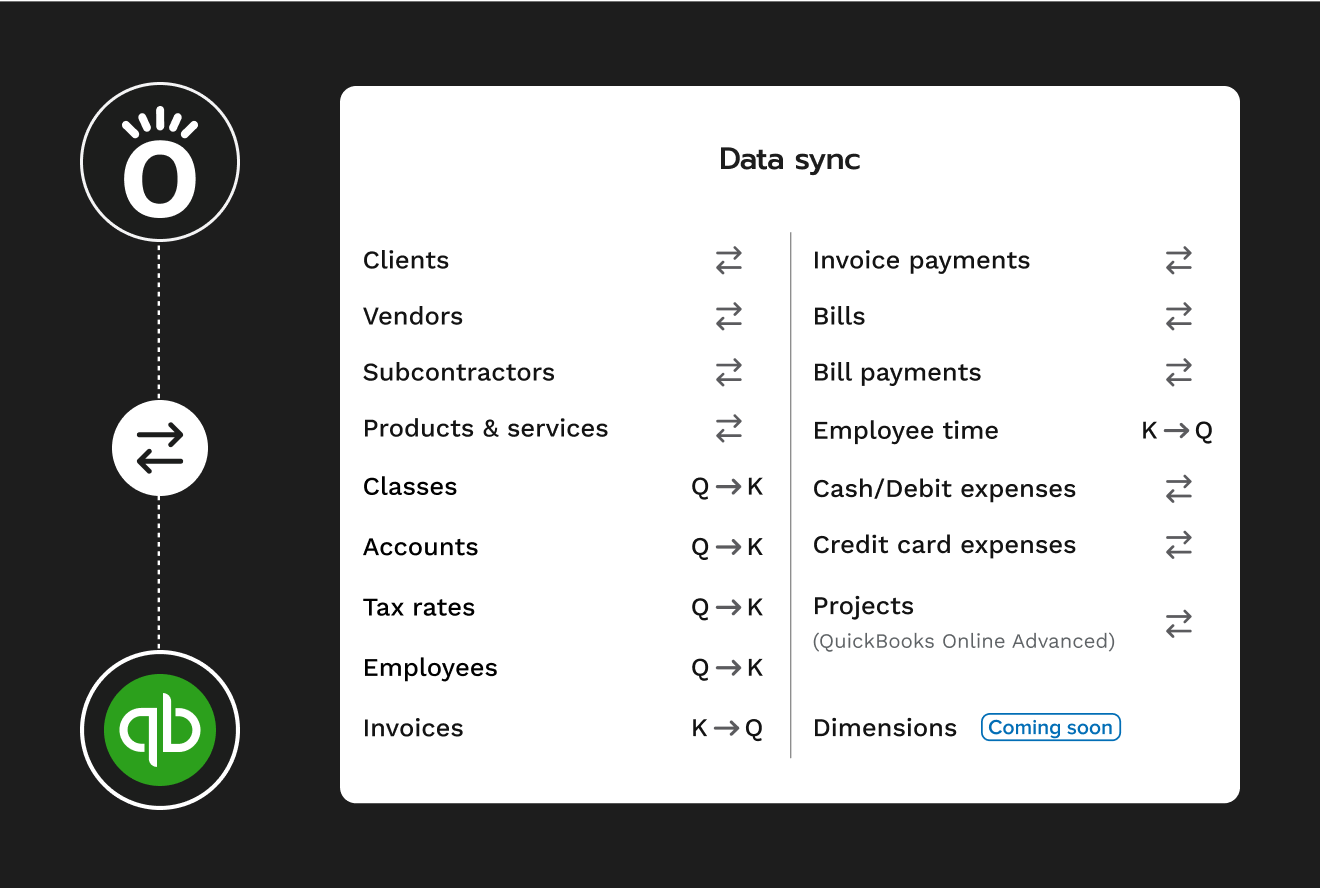
Knowify is the official QuickBooks Online construction software partner. That's not a marketing claim. It means QB Time, QB Payroll, QB Payments, QuickBooks Desktop, and Intuit Enterprise Suite all sync natively, not through a third-party connector that sometimes works. Every job, cost, invoice, and payment hits your books exactly the way your accountant expects.
- Native two-way sync with QuickBooks Online, QuickBooks Desktop, and Intuit Enterprise Suite
- QB Time, QB Payroll, and QB Payments included as Intuit ecosystem partner
- Vendors, projects, invoices, and bills stay in sync automatically. No double entry.
- "Connection to QuickBooks online: precious option, it is well integrated" — verified G2 review
How Knowify compares to BuildOps
Based on Knowify's published feature set and publicly available information about BuildOps as of May 2026. BuildOps features may vary by plan. Verify directly with BuildOps.
| FeatureBased on Knowify published pricing & features | Knowifyknowify.com/pricing | BuildOpsBased on publicly available information |
|---|---|---|
| Buying Experience | ||
| Published pricing | ✓ All plans published at knowify.com/pricing. Comparable stack from $349/mo annual. | ✗ Pricing not published. Requires a sales engagement to get a number. |
| Free trial | ✓ 14-day free trial, no credit card required | ✗ No self-serve trial available |
| Contract flexibility | ✓ Month-to-month or annual. No long-term lock-in. | ✗ Annual contracts standard. Multi-year contracts common at enterprise scale. |
| Implementation fees | ✓ No implementation fees | ✗ Implementation fees typically required. Users report significant upfront costs. |
| Project Management | ||
| Estimating & proposals | ✓ Fixed price, cost-plus, T&M, and AIA contract types | ✓ Available |
| Phase-based project structure | ✓ Multi-phase scheduling with cost categories per phase | ✓ Available |
| Change orders | ✓ Electronic creation, eSignature, auto budget impact | ✓ Available |
| RFIs | ✓ Included on enterprise plan | ✓ Available |
| Daily logs | ✓ Weather, manpower, subcontractors, deliveries, safety | ✓ Available |
| Subcontractor management | ✓ Multi-line subcontracts with insurance and license tracking | ✓ Available |
| Residential project support | ✓ Residential and commercial work supported | ✗ Commercial-focused platform. Residential is not a primary use case. |
| Financial & Billing | ||
| AIA G702/G703 pay applications | ✓ Licensed G702/G703 forms via AIA Contract Documents partnership | ✓ AIA billing available |
| Progress billing & retainage | ✓ Schedule of values, retainage by phase, stored materials | ✓ Available |
| Real-time job costing | ✓ Automatic. Labor, materials, subs, equipment vs. budget | ✓ Available |
| WIP reporting | ✓ Real-time WIP reporting included | ✓ Available |
| Prevailing wage / certified payroll | ✓ Via Lumber and eBacon integrations (WH-347, fringe benefit trust) | ✗ Not identified as an available feature |
| Service Work | ||
| Service dispatch & scheduling | ✓ Real-time drag-and-drop dispatch board (Service Pro add-on, $99/mo) | ✓ Commercial service dispatch, a core capability |
| Work orders & mobile invoicing | ✓ Mobile-first. Invoice from the job site. | ✓ Available |
| Recurring maintenance agreements | ✓ Included in Service Pro | ✓ Available |
| Equipment service history | ✓ Per-asset service history at client locations | ✓ Available |
| QuickBooks & Integrations | ||
| QuickBooks Online sync | ✓ Official QBO construction partner. Native two-way sync. | ~ QBO integration available. Partner-level status not confirmed. |
| QB Time, QB Payroll, QB Payments | ✓ All three sync natively as part of Intuit ecosystem partnership | ~ Not confirmed as native integrations |
| QuickBooks Desktop | ✓ Supported | ✓ Supported |
| Intuit Enterprise Suite (IES) | ✓ Native integration included | ~ Not confirmed |
| Support & Platform | ||
| US-based support team | ✓ US-based. Custom reports built free. | ~ Support available. Model and location not confirmed. |
| Dedicated mobile app | ✓ Native iOS and Android apps | ✓ Mobile app available |
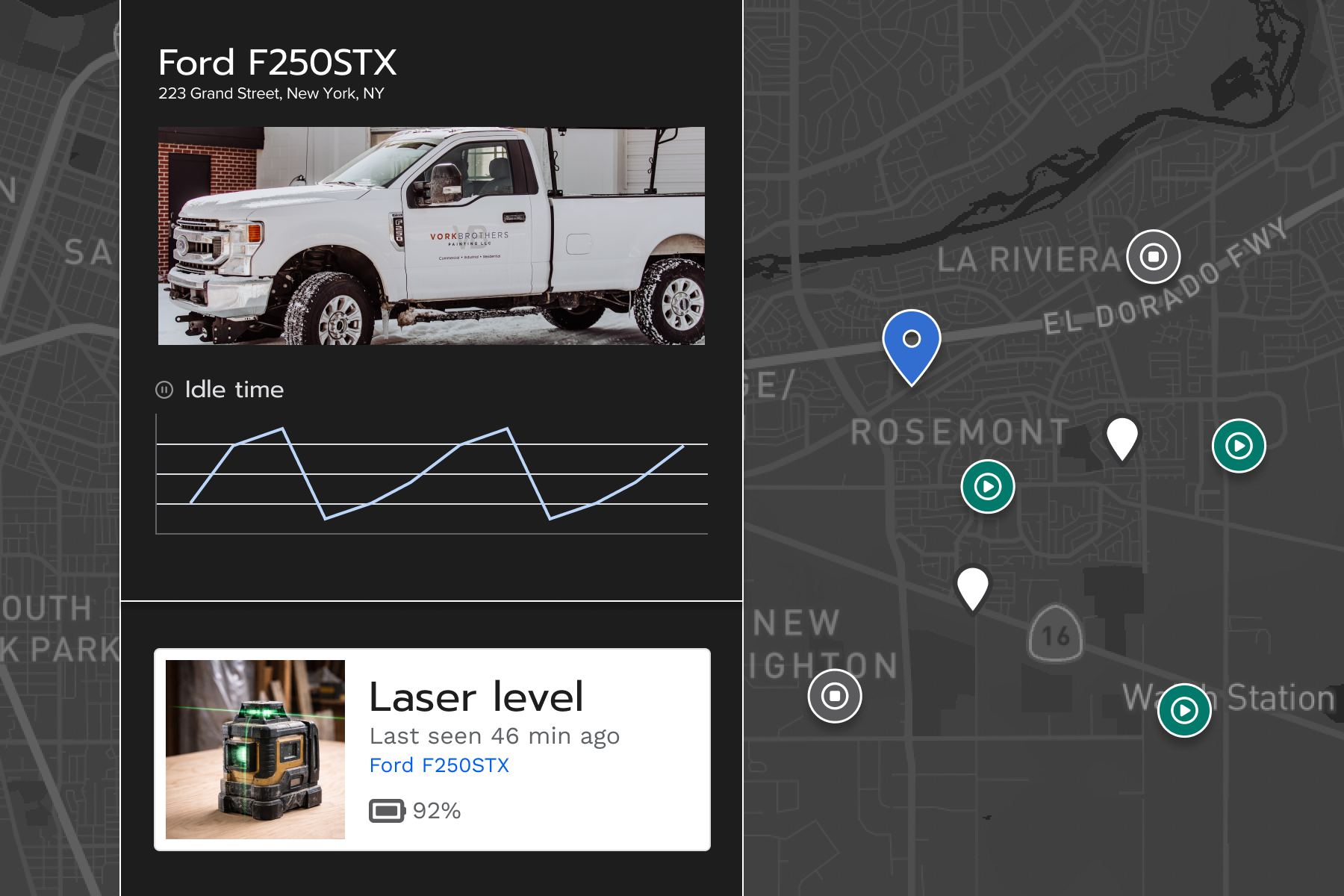
| Fleet telematics | ✓ GPS tracking, AI dashcams, tool tracking (add-on via FleetSharp) | ✓ Available |
| Implementation timeline | ✓ Days to a few weeks. No implementation fees. | ✗ Weeks to months based on user reports. Significant onboarding process required. |
✓ = Confirmed available · ✗ = Not available or not offered · ~ = Partially available or status unconfirmed
BuildOps information based on publicly available sources as of May 2026. Features and pricing subject to change. Verify current capabilities directly with BuildOps before making a purchasing decision.
Ready to see it for yourself?
Book a 30-minute demo. A trade contractor specialist will walk you through the platform.
Project work and service work: one platform, one QBO sync
BuildOps is commercial-only. If you do any residential service work (or plan to), BuildOps has no answer for that half of your business. Knowify handles both in one place, with one native QBO sync, so you're not running two systems and two sets of books.
- AIA pay apps, progress billing, and retainage for commercial project work
- Dispatch board, work orders, and mobile invoicing for service calls
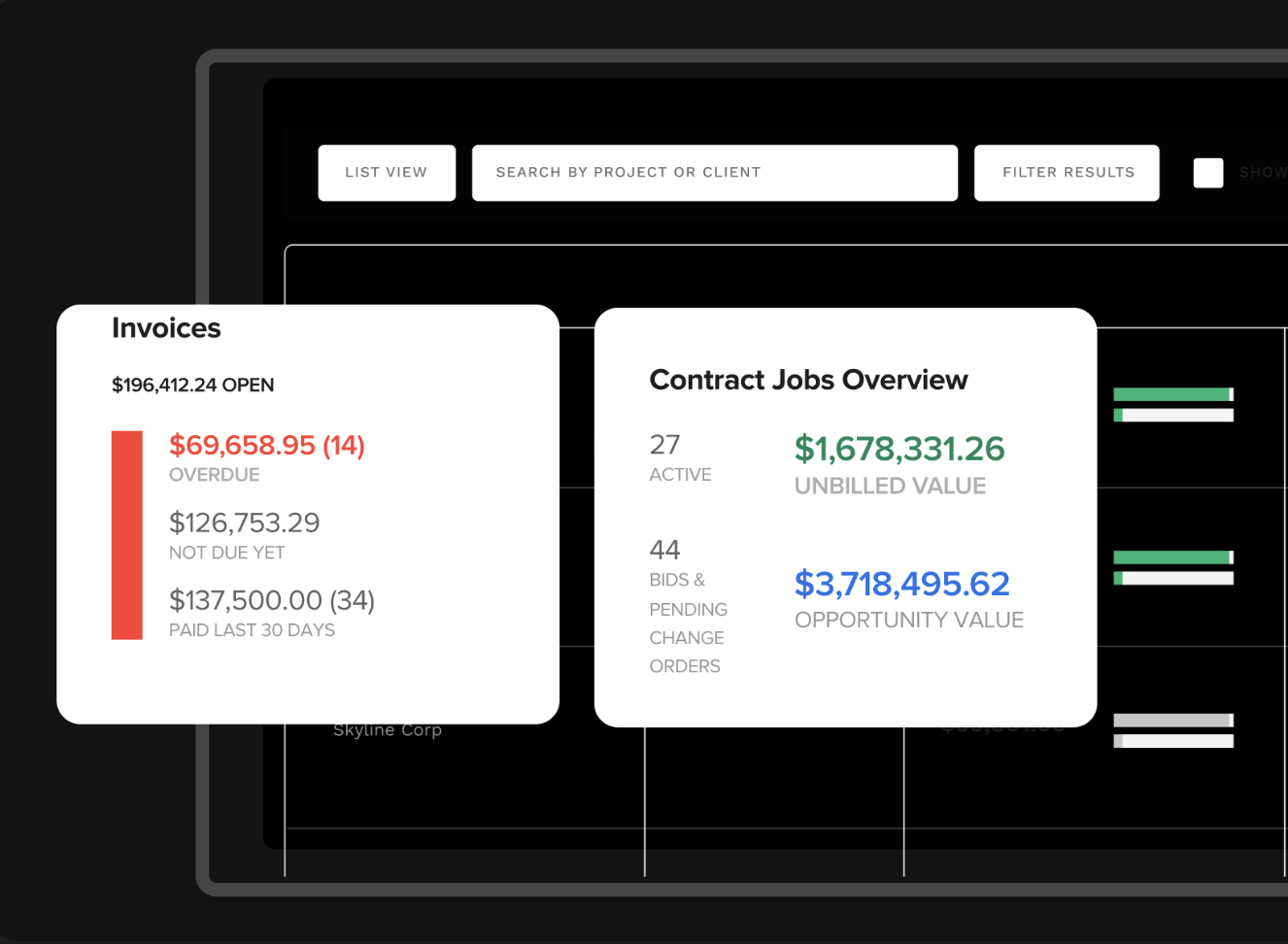
- Job costing across both work types. One financial picture.
- One QBO sync. Not two separate integrations to reconcile.
"AIA billing used to take eight hours. Now I can do it in eight minutes."
— Clint Chaney, Chaney Mechanical
You shouldn't need a sales call
to know what software costs
BuildOps is priced and sold like enterprise software because it is enterprise software. Knowify publishes everything upfront because we built it for contractors who have better things to do than sit through a discovery process.
BuildOps
Contact salesNo published pricing. Enterprise sales process required to get a number.
- You can't evaluate pricing without going through a sales process
- Annual or multi-year contracts are standard at enterprise scale
- Implementation fees required before you go live
- No free trial. You commit before you can properly evaluate.
- Per-user pricing. Every person you add to the platform adds to your bill.
Knowify
$349per month, billed annually · comparable plans · all pricing published
- Advanced plan + Service Pro — the comparable stack for project and service work
- Month-to-month. Cancel or adjust any time.
- 14-day free trial. No credit card required.
- All plans listed at knowify.com/pricing. No sales call needed.
- Plans available from $149/mo for project-only contractors
A mobile app your field team will actually use
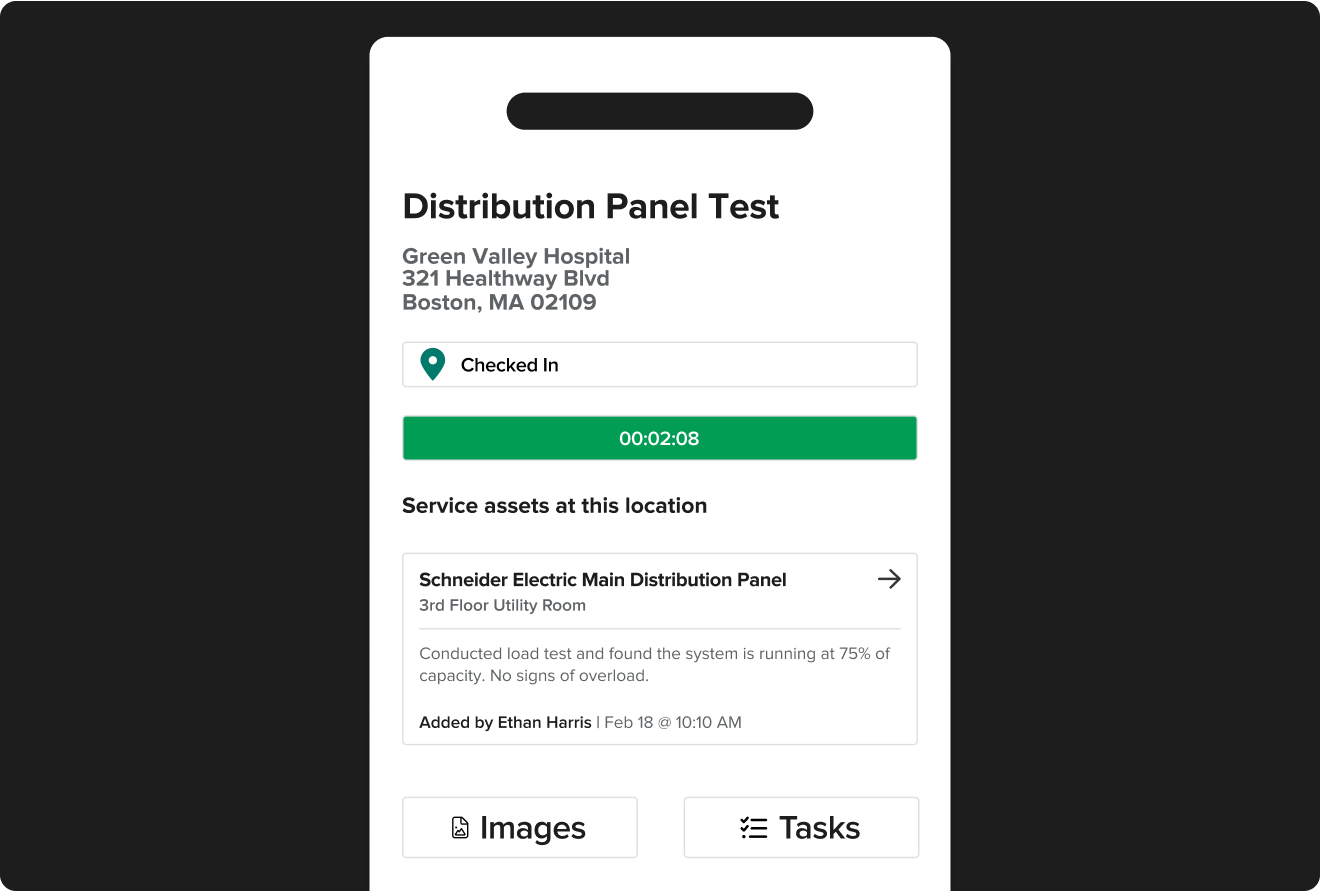
Knowify's dedicated iOS and Android apps were built for crews that don't sit at a desk. Clock in from the job site, log materials, complete work orders, and invoice before you leave the property. No browser, no workaround, no call back to the office.
- Native iOS and Android apps, not a mobile-optimized browser
- Field time tracking tied directly to job costing by phase
- Service asset history at each client location. View install records on site.
- Invoice from the field. Send it before you leave the job.
Straight from trade contractors
"What keeps us at Knowify — invoices with option to have detailed SOV. I didn't see anything like this at any other software."
Julia K. · Accounting & Payroll Admin
"No one had the list of features I needed, except Knowify. I need to be able to run one-day service jobs and projects that take up to a year."
Owner · White Bros. Plumbing
"Knowify continues to have stellar customer service. They are true partners — right there to help when we need things like a customized report."
Sully S. · Long-term customer
Things BuildOps evaluators ask us
"BuildOps has a stronger service module — why would we switch?"
BuildOps is a more powerful commercial service tool at scale. If you're a 50+ tech commercial-only operation, it may be the right fit. But if you do any residential work, need a QBO integration that actually works, or can't justify enterprise-level pricing, Knowify is built for where you are.
"We run on QuickBooks — will Knowify actually sync correctly?"
Knowify is the official QuickBooks Online construction software partner. A native partner-level integration, not a third-party API. QB Time, QB Payroll, QB Payments all sync natively. This is the most common reason contractors choose us over BuildOps.
"What if we need to scale — can Knowify handle it?"
Knowify handles multi-phase commercial jobs, RFIs, submittals, subcontractor management, WIP reporting, and prevailing wage at higher plan tiers. One customer scaled 300% over 5 years on the platform. It grows with you without replatforming.
"BuildOps has both AIA billing and dispatch — does Knowify?"
Yes. Knowify + Service Pro is the only platform with actual licensed G702/G703 forms (via AIA Contract Documents) AND service dispatch at non-enterprise pricing. BuildOps has both, but at enterprise pricing, commercial-only, with no residential support.
"How long does implementation take?"
Most customers are live within days to a few weeks. BuildOps users report implementation taking weeks to months. Our US-based support team handles onboarding and builds custom reports for free. You'll be sending invoices before BuildOps finishes their discovery phase.
"Is Knowify really month-to-month?"
Yes. No annual contract required. Month-to-month on all plans. We publish all pricing at knowify.com. No sales call needed. We built it that way because we want you to stay for the right reason: it works, not because you're locked in.
See why trade contractors choose Knowify over BuildOps
Book a 30-minute demo with a trade contractor specialist. We'll show you AIA billing, service dispatch, and QBO integration, all built for a business your size.
- See real G702/G703 pay apps generated from your project billing
- Watch a service call dispatched and invoiced end-to-end
- Understand how QBO sync works, so there are no reconciliation surprises
- Get a pricing comparison with your current stack