
G702/G703 pay apps
in minutes —
not hours.
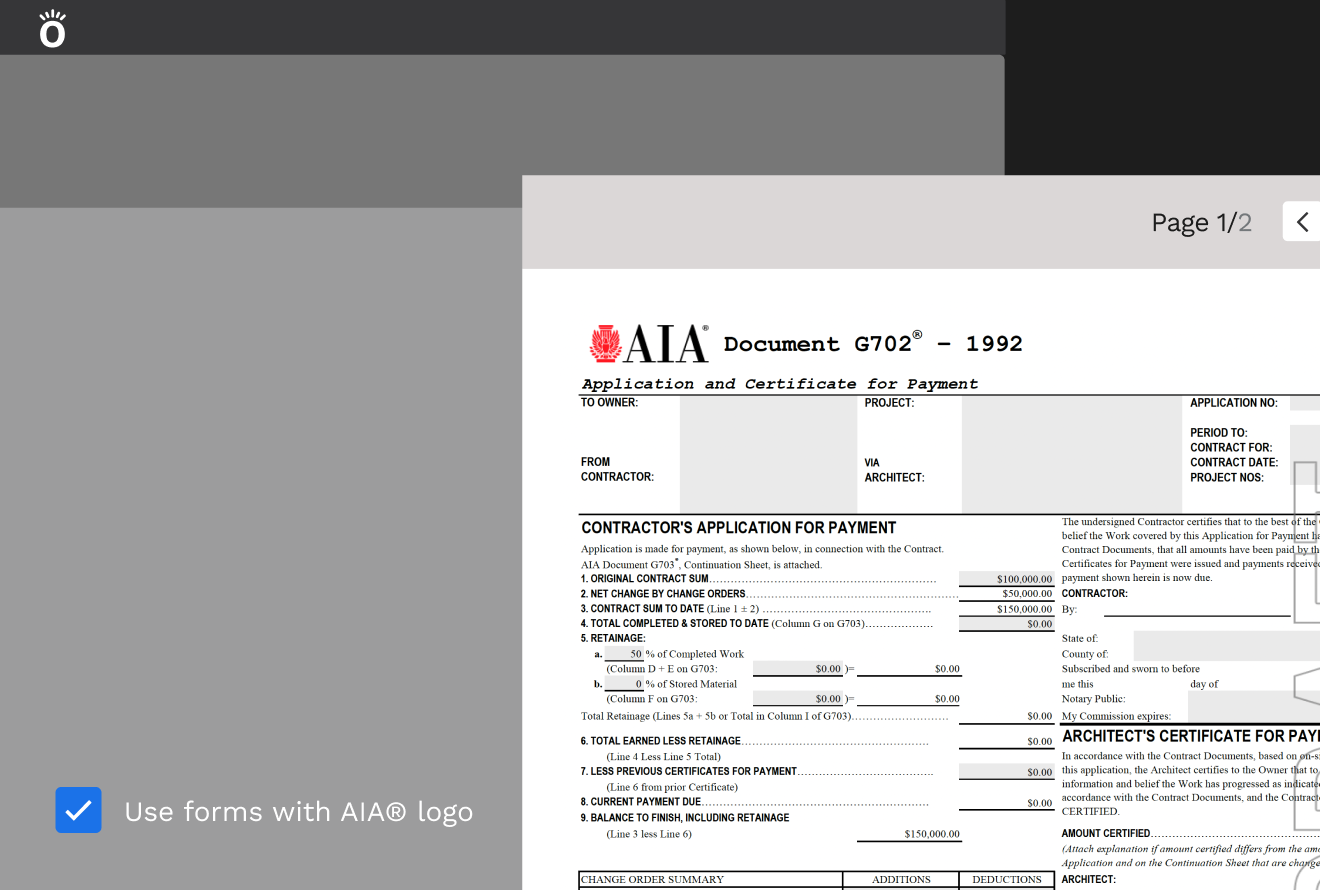
Knowify generates G702/G703 pay applications directly from your project billing. Your schedule of values, retainage, stored materials, and change orders are all built in — so billing day takes minutes, not an afternoon in a spreadsheet.
 Official QuickBooks Partner
Most contractors build pay apps by hand. There's a better way.
Without Knowify
- Pull numbers from your project tracking and paste them into a spreadsheet template
- Calculate retainage, stored materials, and previous billings manually — and hope the math is right
- Chase down change orders that weren't captured in the right column
- Format it to look like a G702 and submit it — hoping nothing gets pushed back
- Do the same work again in QuickBooks so your books match your billing
- Half a day gone. Every billing cycle.
With Knowify
- Your schedule of values is built from your project budget — no separate entry
- Retainage, stored materials, and change orders update automatically as the job progresses
- Click to generate — Knowify builds the G702 and G703 from your live project data
- Forms generated via AIA Contract Documents partnership — professional, complete, ready to submit
- Approve the pay app and it syncs to QuickBooks automatically
- Billing day is minutes. Not an afternoon.
Real G702/G703 pay apps — generated from your project billing automatically.
Knowify is licensed through AIA Contract Documents, so the G702 application for payment and G703 continuation sheet your GC receives are the real documents — generated automatically from your project billing data, not assembled manually. Your billing day goes from hours to minutes.
- G702/G703 forms generated via AIA Contract Documents partnership
- Via the AIA Contract Documents partnership — the standard form GCs reference in subcontracts
- Generated directly from your project billing — no manual transfer of numbers
- Continuation sheet (G703) with line-by-line schedule of values built in
- Retainage calculated by line item — exactly how the GC expects it
"AIA billing used to take eight hours. Now I can do it in eight minutes."
— Clint Chaney, Owner, Chaney Mechanical
Your schedule of values builds itself from your project phases.
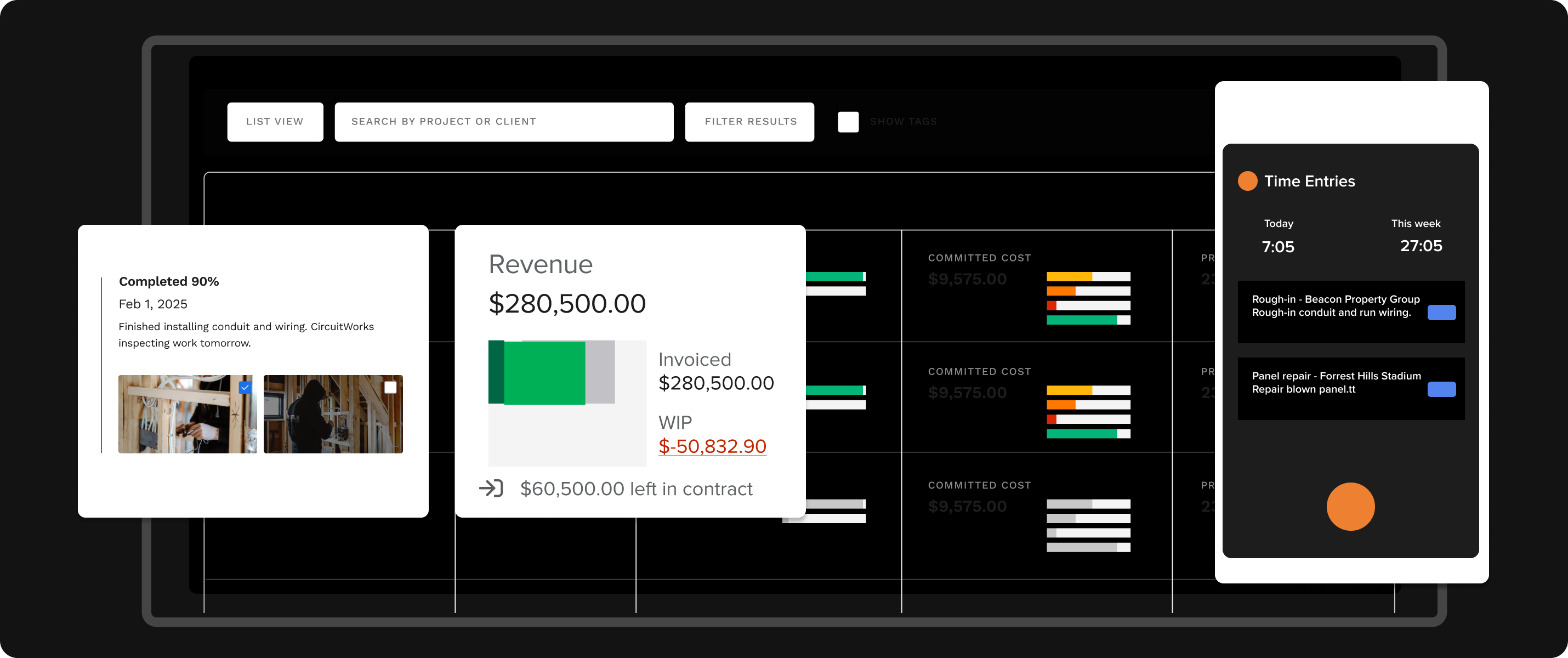
Most pay app software requires you to build the schedule of values separately from how you actually track the job. In Knowify, your project phases and budget are the schedule of values. When you bill, the G703 continuation sheet is already populated from your live project data — no re-entry, no version mismatch, no copying numbers from one spreadsheet to another.
- Project phases and budget categories map directly to the G703 line items
- Percentage complete updates from your actual tracked costs
- Stored materials tracked by line — included in the pay app automatically
- Approved change orders update the contract sum and appear in the next billing
- Every billing period shows previous and current billings in the correct columns
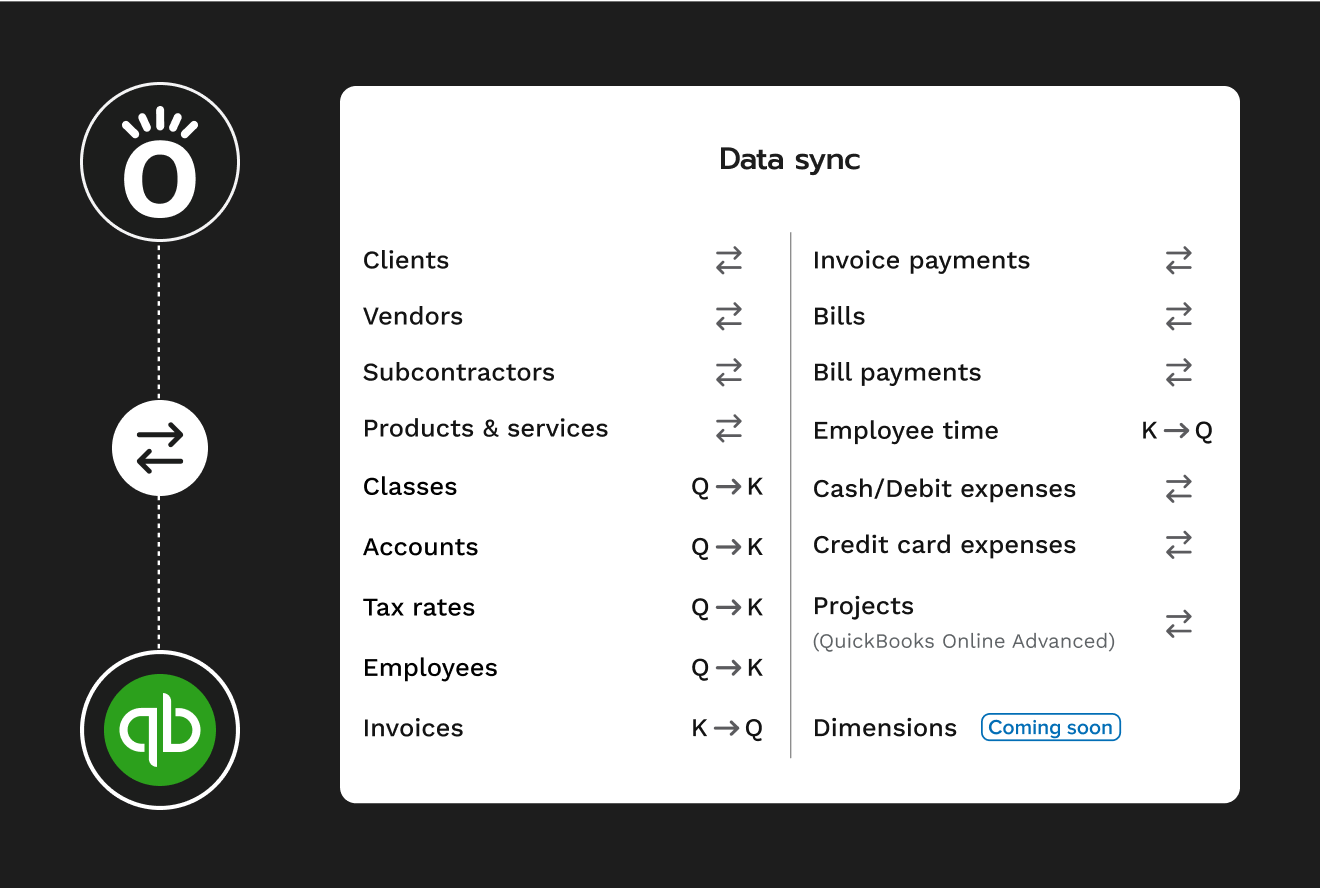
Approve the pay app. It's in QuickBooks before you close the tab.
Once you approve a pay application in Knowify, it syncs to QuickBooks automatically. The invoice, the retainage, the line items — all of it lands in your books exactly the way your accountant expects it, without any manual entry. One billing process. One source of truth.
- Approved pay apps sync to QuickBooks Online as invoices automatically
- Retainage tracked as a separate line item in QBO — no workarounds
- No double entry between your billing system and your books
- QuickBooks Desktop also supported — no forced migration
- Works with Intuit Enterprise Suite for multi-entity operations
G702/G703 billing for trade contractors doing commercial work
Straight from trade contractors using Knowify
"Amazing progressive invoices — SOV with holdback. What keeps us at Knowify — invoices with option to have detailed SOV. I didn't see anything like this at any other software."
Julia K. · Accounting & Payroll Admin
"It looks very presentable — all our customers like them. It was smart to make a column with current numbers in a different color background."
Verified reviewer · G2 · about AIA pay apps
"Knowify has saved me hours of time. We are able to control our project cost and stay close to our budget easier — seeing the budget vs actual cost to the profit."
Danielle M. · Operations
Before you book a demo
"How does Knowify generate the G702/G703 — is it automated or do I still have to fill it in?"
It's automated. Knowify builds the G702 and G703 from your live project data — your phases, tracked costs, retainage rate, stored materials, and approved change orders all populate the form automatically. You review it, make any adjustments, and send it. The numbers come from your project, not from a separate spreadsheet you maintain in parallel.
"We've been doing pay apps in Excel. Why switch?"
Excel works until it doesn't — and "when it doesn't" is usually when you're tracking stored materials across five line items, reconciling a change order that came in mid-billing, and making sure your retainage column is consistent with the previous billing period. Knowify handles all of that automatically from your project data. Billing goes from hours to minutes, and the numbers are always correct.
"Does it handle retainage correctly?"
Yes. Retainage is tracked by line item on the G703 continuation sheet — not as a lump sum at the bottom. You set the retainage rate when you create the contract, and Knowify applies it correctly to each billing period automatically. When retainage is released, that's tracked separately too.
"We do both service work and commercial jobs — will it handle both?"
Yes. Knowify manages commercial project work with AIA billing alongside service dispatch for maintenance and repair calls — on one platform, with one QuickBooks sync. Most trade contractors who start with AIA billing find the rest of the platform handles how they actually work day to day.
Watch a G702/G703 get generated in real time
Book a 30-minute walkthrough with a trade contractor specialist. We'll show you how AIA billing works in Knowify — start to finish, on your kind of work.
- See the G702 and G703 generated from live project billing data
- See how retainage, stored materials, and change orders populate automatically
- See how an approved pay app syncs to QuickBooks without manual entry
- Get a pricing comparison with your current billing process
© 2026 Knowify. All rights reserved. · Privacy Policy · knowify.com