Mastering budgets is the foundation of running a profitable contracting business—and Knowify makes it easier than ever. In this on-demand webinar, we take a deep dive into budgeting workflows inside Knowify, showing you how to set up, track, and adjust budgets for every project phase. Whether you’re new to Knowify or aiming to sharpen your skills, this session delivers practical, step-by-step guidance you can apply immediately.
You’ll see real-world demonstrations, learn how to avoid common budgeting mistakes, and discover tools that let you quickly spot overruns and adjust on the fly. If you want to quote jobs confidently, track costs with precision, and keep your projects profitable, this is the place to start.
Key learning outcomes:
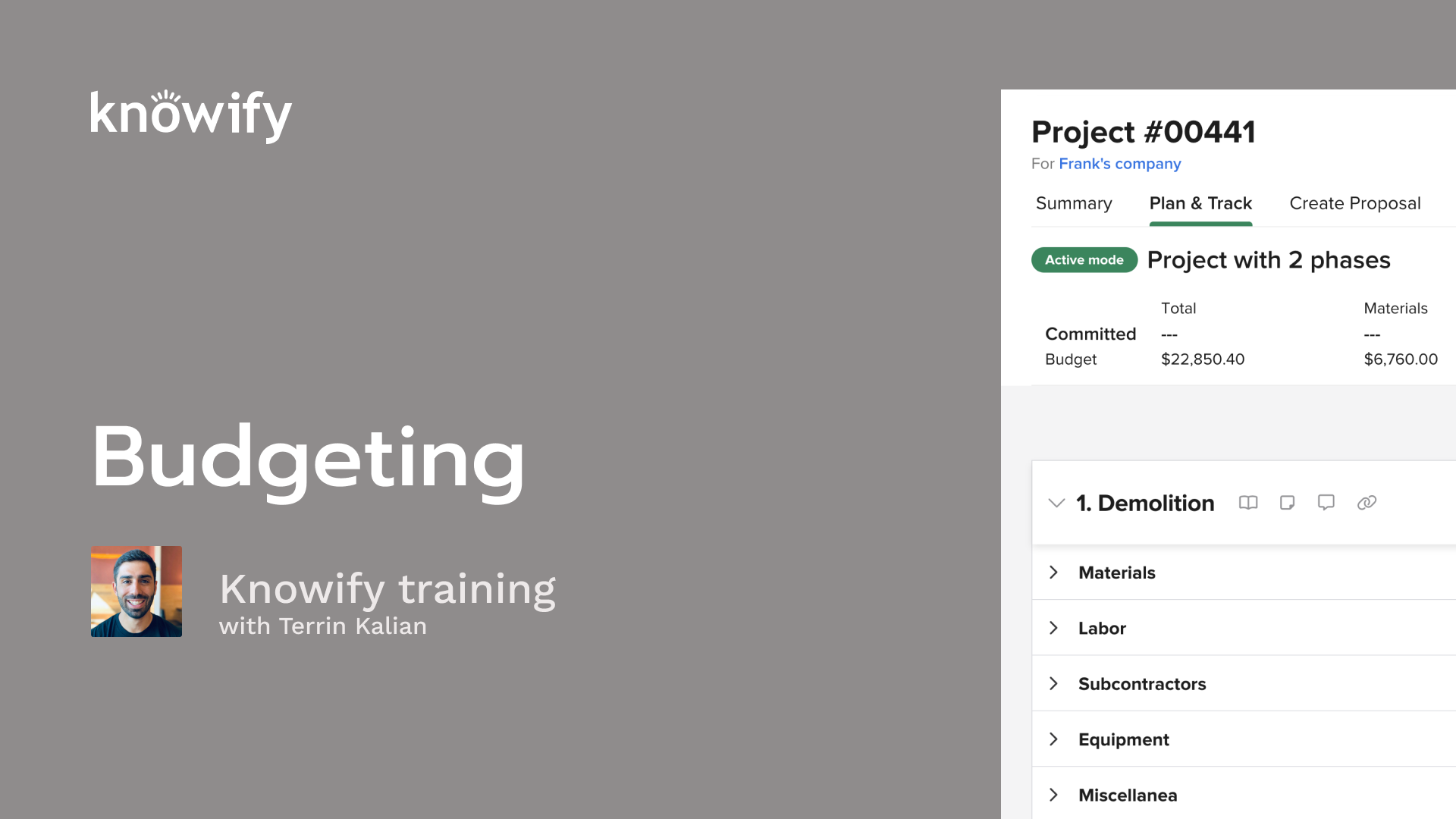
Okay. That makes the top of the hour, so I'm gonna go ahead and get us kicked off here. As always, just wanted to thank everyone for joining in, taking the time today to learn a little bit more about Knowify and just increase the use that they get out of their account. You know, it means the world to us that people are taking the time to learn more. So I hope that these webinar sessions have been good and, help teach you a little bit more about the system. And if you haven't noticed yet, we do have these sessions go in a bit of a circuit. So we start with budgeting, and then we kind of build on this as we go. So if you're new to Novi, new to this series, this is kind of a great place to start. This is where we start introing the concepts of building things out Novi. And, again, the con thecept that we're doing our deep dive on is budgeting. Now if you don't know me, my name is Taryn. I've been at Noify for a little over ten years now, and my role here is really just making sure that people are as happy as possible with us, with our software, with our, service, everything that's included in Noify. So I like to do a lot of calls. You may have chatted with me about product feedback, but then, also things like, workshopping solutions with existing software. And then, as it pertains to this specific series of webinars, just making sure that you are as knowledgeable as you can be about nullifying, getting that, opportunity to use as much of it as possible. And to quickly go through our agenda for the meeting, I always like to start with a slide deck. We'll cover the some concepts like what is budgeting, what are we talking about when we reference budgets, Noify, different types of costs that we can budget, and how to work with a plan and track section in Noify. Then I like to pull up my Noify account and just do some demonstrating of how this all works in real time so you can get a better idea of what that actually looks like. Now and then we like to do a q and a at the end as well. So we will at the end of the webinar, if you have any questions, you can throw them in the Zoom q and a. Through the webinar, my associate, Vin, will be answering some questions if they're off topic, if they're quicker, it could be answered, via text instead of needing a longer form response. But, again, when we're complete, with the demonstration, I'll pull up, the q and a that has been submitted and do my best to answer any questions that are submitted there as well. All that said, I'll go ahead and get us kicked off and just kinda get a little bit deeper to this idea of what is budgeting. What what are we talking about in Knowlify when we talk about budgeting? And the simple way to describe it is that in our Noify account, our budget is our estimated cost to complete a project. Not actual cost, not revenue, not contract values. But if I'm looking at a project and I am trying to say how much is this going to cost me, that's where my budget comes into play. I think it's easy to get mixed up between the idea of, let's just say, my budget versus what I quoted the client. Right? We don't want to have our budget be equal to the amount we are, doing the job for because, yes, we may not necessarily lose money on the job itself, but we wanna have more wiggle room in there for the sake of things like overhead costs, nonproject related costs, things like contingencies. We wanna make sure that we are planning on spending significantly less than we end up making because, essentially, a breakeven job considering your time goes into it is always a job that's happening at a loss. And so we really want our budget to say, this is how much that I truly believe I will have spent when I look at the all the costs affiliated with this project at the end of the project. Aside from just having it there for the sake of planning, it also helps with the, process of tracking a project, and we'll do later webinars that are more heavily focused on the tracking concept. But the idea is that if I have a budget in the system, then I'm not just seeing, oh, this job should cost me twenty five thousand. I'm also seeing how much it has cost me so far so I can see how far along the project I am, how much I can expect to spend as the job moves forward. We can just get a better idea of, where we stand on project at any point in time, beyond just going out and looking at this. But from a financial standpoint, how far along through our project, how through our budget are we? This also helps with things like tracking work in progress. So a pretty common financial reporting that we'll do on a project is to look at our cost versus budget percentage. So if I budgeted ten thousand, I've spent five thousand, then I'm fifty percent complete with the project. And then use that information to look at the contract value and say, well, if I'm fifty percent complete, have I, invoiced fifty percent of the contract yet? Yes or no? What, is the amount, under that I have invoiced? That should be recognized as revenue if I've over invoiced. It's just ways of kinda comparing the progress through our spending, to the progress through with our, revenue, how much we're making on a job. So, again, this is where budgets really do come in handy, throughout the life of a project to nullify. And in our Novi account, we could separate budgets into different categories. So we have material, labor, subcontractor equipment, and miscellaneous. And I think they're relatively self explanatory, but just to kinda quickly do a deep dive. The idea is, our materials are things that we bought for that specific job and used on that job. And I like to specify used on that job because it's gonna be things that, aren't coming back with us. So, for instance, if I buy a ladder and I end up using it on the job, but then I keep that ladder, I wouldn't really consider that to be a material cost because it it doesn't, track accurately as something that would need to be costed again in the future. Right? If I wanna look at this project again, and see how how much do we end up spending on materials. If I bought the ladder for one job, but then I can use it across several jobs, I'm not gonna need to keep repurchasing it. And, therefore, it's not something that we actually need to understand as part of the cost of the job. Whereas things like lumber used to build the house, that doesn't come with me afterwards. That's a good example of materials, things like paint, wire, anything that I'm actually, in a sense, burning on the job. Material costs can also come from our inventory, so it doesn't necessarily need to be purchased for that one express, project, but just materials that were used on the job, and will not be returning home with us. Then when we get to labor, we're talking about employee time more than anything. The idea of everyone cost me money. I have to pay their salary or their hourly cost. They go through payroll, and we use labor budgeted to say, based off of how long someone's gonna be on a project, how much is it gonna cost me in labor, to have them work on this job? Subcontractors would be similar to labor in that it's more service based than material based, but this wouldn't be for my salaried employees or hourly employees. No no one going through payroll. This would be the idea of I'm hiring an outside party to do some of the work on this job. This way, we can get an idea of, okay, how much did we spend beyond my staff, beyond the materials I, supply for the job, how much I spend on other people to help me complete this project. Now equipment is where we get into the idea of things that maybe we spent money on that could be construed as material, but it isn't something that stays on the project. If there's machinery or different types of devices that we own or we rent for the job, and it's used on the project but not necessarily left there, this is where equipment budgeting comes in handy. And we separate our equipment budgets into actually two categories, internal and external, where internal is the idea of I have something like an excavator that every hour I use it, it costs me money. That's my internal equipment, and I wanna track how long it's on the job site so I can recognize that cost, of doing business with that equipment. But then we can also have external, which is the idea of I rented an excavator. I need to see, how much I was charged by the equipment rental company, for the rental of this excavator for this specific job. And, again, this could be separated out on the budget. So when I'm budgeting, I could say, I need my excavator to be on-site for x number of hours, or I could say, I need to rent an excavator, dumpster, whatever it's gonna be for this specific project. Then the last category is miscellaneous, which pretty straightforward. It basically means it doesn't fit into any of the categories above. This is where things like permits can be, nestled because it's not necessarily a material. It's not burned on the job, but it is something that we have to spend money on, and we wanna recognize it as part of the cost of this project. And so anytime something kind of falls outside of our other four categories, miscellaneous being becomes a powerful tool that we can have inside nullify. Now when we're budgeting, there's the option of doing it as a lump sum or as an itemized list, where a lump sum is the idea of taking one of those categories and assigning a dollar figure to it. So for demolition, I expect to spend four thousand dollars in materials. And you should always, at the bare minimum, try your best to have some value in, like a lump sum when we're setting a budget. And I think in the earlier stages of using NoFi and getting familiar with things, it can be very useful to get a lump sum budget in, just so we're tracking against something. Right? We talked about that concept of looking at progress through a job, how much we've spent versus what we expected to spend. If we put it in a budget, it kinda gives us a number to compare our actual against even if we end up going way over that budget. Obviously, we don't want to, but if we do, we can see, okay. Now I have more information. I can get a better idea of what my budget should be next time. I thought it was four thousand. It ended up being six thousand. This just bolter bolsters my knowledge and helps me, understand a little bit where I can, improve on my, budgeting. And so at the bare minimum, having a, wild guess, in as a budget for any category on a job is, again, generally powerful thing to have, and I do always recommend that we try to set that up. But what we can also do when setting up a budget in nullify is set up an itemized budget where instead of us looking at just dollar figures, we're actually looking at quantities. So this is things like when I'm setting up a materials budget, instead of me saying four thousand dollars, I could say I need to buy nails. I need to buy lumber. I need to buy paint. I need to buy drywall, strand board, everything that's going into my project, the individual things that need to be purchased. Then we look at each of those things and how much you spend, how many you need to buy, etcetera, and build the materials budget accordingly. So we can a list like here. We have nails, lumber, strand board, how many of each we need to buy, and how much we spend per unit, and it creates that final lump sum budget for us. This helps also when it comes to the the process of actually tracking the cost later on. So, yes, I do get this twenty seven hundred dollar number that I can track against, but I also can see, did I actually buy ten of the expected boxes of nails? Did it actually take two hundred and fifty studs of lumber? So as prices fluctuate over time, I can actually see what happened on the job. Maybe the price of lumber goes up. We know that that could be very volatile. I could still see, well, when I'm budgeting for my next project, I don't wanna look at the dollar figure spent last time, but the actual number spent versus what I budgeted. Was I close to the actual number of studs that I needed, when I estimated my, total cost of the project? And so that's kind of the benefit of having an itemized budget instead of just looking at your, lump sum at any point in time. And it also helps when we do things like order. Instead of me having to reenter things as I track my actual cost, I can say, remember, I put together this list where I need to buy. Now let's buy it. It helps skip a step, later on. Same thing goes with labor. I could say, here's the different types of employees I need or the different actual employees themselves and how long I expect them to be on the job site. And then using the expected cost per hour, we can estimate how much we end up spending on the job for labor over time. For subcontractors, it's a little bit simpler where instead of having quantities and units, things like that, we usually are a little bit more high level where I say, I'll need to hire a subcontractor to do this type of work, and this is how much they usually charge. Again, just kinda get a little bit more straightforward of, putting together a itemized list of work instead of an itemized list of material. For equipment, I mentioned earlier that we do internal and external. For internal, it works very similar, like labor, where I could say, I need this piece of equipment, either the specific one or a type of equipment, for this many hours over the course of the project, and then we use the budget rate. Here's how much it usually costs us per hour of operating this equipment to say, here's your equipment budget. Or you can create it more itemized, like our materials list, where I could say, need to rent, this type of equipment for this many days at this cost per day and have that be part of our budget as well. And the last option, this miscellaneous, again, looks very similar to what we do with materials, where I just put together a list of what miscellaneous items I'll need to spend money on with quantity and unit cost to result in a final miscellaneous budget. Now when we wanna get more detailed in our, budgeting and tracking in Noify, a lot of people have categories that go beyond our standard material, labor, equipment, miscellaneous. And so every job in Noify could be separated into what we call phases. Phases can be similar to something like a milestone and some more traditional project management, terminology, But this is the way of making our own custom division. So inside each job, we do have material, labor, sub equipment, miscellaneous, but then I can divide up that job into individual phases, which each have their own categories of material, labor, sub equipment, and miscellaneous inside. And so we could start high level. What's the total budget of the job? We could drill down into individual categories, but then I can look at individual phases, and that that phase is total budget, and then that phase is itemized budget underneath. And so, again, the idea is we can get very high level to just get an idea of where do we stand on the job, but drill down all the way into the nitty gritty of how much am I spending on foreman hours on the demolition phase versus what we budgeted. Just have all of that, drilled down to see exactly what happened on a project over time. And so I'll pull up my account now and show how all of this works. I'm gonna start by adding a new project, and I'm going to use for job costing style professional. And since we're not getting too much into contracts, I'm gonna stick with our standard fixed price. The relevance of job costing style here, if you're familiar with it, is just that professional allows us to budget first. I'm gonna do my best in this webinar to focus more on the concept of budgeting as opposed to the actual costing or anything around contract management, stuff like that. Just because, again, that's the kind of the idea of our deep dives is we wanna make sure that we are sticking to one topic at a time and giving as much info on, them as we can. But I'll show you a little bit about the actual versus budget tracking once this is a little bit more finalized. So when I start a job, it gives me no project plan. The no project plan, is where we start adding phases, our, categories and kinda sub budgets inside each job. I add a phase, and I can give this a name. This is demolition. And I have the option of selecting items from a catalog for the sake of consistency and things like QuickBooks sync down the line. You don't have to do that at all. You can always write anything you want in here and still gonna track, whenever we're adding cost to jobs. So I have my phase, and this is how quickly and easily budgeting can happen. I could say demolition materials, two thousand. Labor will be on this, four thousand. Subcontractors, five thousand. And this is that concept of lump sum budgeting. Now as I add this up, I can see that the overall budget of the project is being updated, and I could see the budget, cost of the specific phase is being updated. But when I wanna get more detailed and I wanna itemize out a budget, this is where I could say, instead of materials budget five thousand dollars, I could say add materials, and we can search from our catalog. So if I wanna say, show me everything with lumber. Here are my standard two by fours. I need three hundred of them. This has a unit cost affiliated with it, so it just needs the quantity to give us a materials budget. But I also have the ability to put in more loose nonrecurring items. So if there's some kind of, specialty item that I usually don't need to buy, and for this project, I need to buy a hundred of them and it cost me ten dollars each, I can add that to the budget without having to have it be part of my catalog. And as we go and we create these budgets, you know, other than the lumber, I'm also gonna need some of those nails as I mentioned earlier. This is gonna generate my materials budget for me. When it comes to labor, similar type of idea, but instead of adding items, I add roles and resources, where roles are the idea of, like, I need a laborer on-site. That laborer will be there for eighty eight hours, or maybe it's two laborers that need forty hours each. This is just saying I'll need eighty total man hours of laborer time to complete this. And our hourly cost is gonna come from our admin section for different roles. So to take a quick little trip away here, under rates and resources, we have our roles, and I could say the budget rate for labor is this. If this is ever blank, then you have the ability to have it set to the average rate of everyone who fits that role. But, otherwise, this is our way of basically defining, how much we wanna estimate per hour of different types of employee time. We also have the ability of calling out specific people. So if I say, Frank's gonna be on this job for forty hours, we then get this specific person's hourly cost instead of the general hourly cost set for the foreman or whatever their specific role is. So we wanna get more detailed in budgeting. We know who's gonna be on the project. This is a great way to get that into the system. Now for subcontractors, we used to only allow lump sum budgeting, five thousand dollars. But what we can actually do now is add different lines of subcontractor work where I could say, let's just say there's gonna be drywall. I'll have to pay someone two thousand dollars for that. There's also gonna be some painting as part of this for three thousand dollars. And I can itemize out a subcontractor work. So later on, I can actually assign that work to people. Also have the ability to add a subcontractor at this point in time to say, I need a sub, that's gonna do whatever x y z, part of this work, and we can enter that subcontractor in the system to be, part of our budget before the, job is even live if we need. I know in a lot of cases, it's not uncommon to first get a quote from the sub and then use that to create the budget, and so this is where you have that power. Now for the equipment, you'll see again we get internal and external. For internal, it'll work a lot like labor where I could say I need an excavator. It comes in with an hourly cost. The excavator will be there for eighty hours. And if I need, I can call out specific excavators if they have different rates affiliated with them. So if I were to say this one, you see it's less. If I wanna say it's this one, it's more, etcetera. I'll just update my, generic excavator budget here. And then for external, this is where I would say something like, dumpster rental for fourteen days, and I could create the individual, equipment external budgets here as well. Then the last option we have here is our miscellaneous where I can come in here and say, permits for a hundred dollars and put in lines, again, just like we do with external equipment or with our materials. Just I'd advise a list out of different things that we need to track. Now this is live. I'll be able to get an idea of where we stand on this budget. So, to look at high level, the job should cost me forty two thousand dollars. That's what I budgeted. I have it separated out into my categories, material, labor, sub equipment, miscellaneous, but I also have it divided out into my individual phases. So each phase has its own, cost versus budget tracking as well, which could be expanded into its own categories, each category which can be expanded to our itemized list. And so this is what our project looks like, before we started working on it. I have a plan. I have an expected number. And now as I incur cost throughout the system, it's not just showing me here's how much you've spent on the job, but it's showing me how accurately I'm tracking compared to what we have originally entered as part of the cost of the their budget for the job. And I mentioned that we have the benefit of being able to use budget for things like materials to then generate actual cost. So when I have a list of budgeted materials here, all I have to do is say create purchase, start process, And if I'm entering a receipt so I know the cost don't match up, I can make those adjustments here. If I need to change quantities, I can make that adjustment here as well. And I'll submit this purchase, and this, of course, could be emailed directly to our vendor. Again, we're not getting too deep into the actual tracking today, just the budget concept. But now I could see with the addition of that purchase, here's my new total cost versus budget, material cost versus budget, and I could see it all against the framing phase, specifically materials, and get this understanding of how many did I order versus what was in the budget, what was the PO, and what was the final cost per individual materials here as well? So, yes, I am under budget for framing materials, but I spent more than expected on lumber and on nails. And it looks like I haven't finished ordering specialty widgets yet, so this is something I might wanna keep an eye on. I'm very likely to go over budget on this one. Now, again, the same thing happens with the concept of tracking labor. When I enter my time, I can just key in the total number of hours that different people spent. I'll stick as close as I can to my budget for right now, and I'll get some equipment hours in the system as well. And as this time is submitted, I can go back to the plan. And instead of just seeing total labor cost, I can also see sixteen labor hours out of eighty budgeted. Here's the, cost. It looks like I chose two people without any cost affiliated with them, so I'll adjust that in a second. But I can see the foreman. I have spent, nine hundred dollars. Here's how much I budgeted for freight, Frank's time. Here's how much it's been so far. And I can get this understanding of hours versus budgeted hours. So, again, as things change in the future, if there's a major change in labor cost, and how much I pay pay my staff. I can still understand the number of hours it takes to complete this, so, it can help us with budgeting information again in the future. And there'll be cases where that my cost versus budget doesn't perfectly line up. So I use this list of materials, and I could say create purchase. Let's say I buy something that's not on the original list. So here's one by sixes instead of two by fours, and I'm gonna buy fifty of these. Even if it's not part of our initial itemized list, I could still see this. Now here's the total cost versus budget. Still important information. And I can see there was fifty ordered one by sixes that were not part of the original budget, and this helps provide me with some additional information on where we stand on this project. The same thing goes for our labor where I can enter time for someone who wasn't budgeted. So I didn't actually budget business owner time or my foreman that I budget for was Frank, but I'm gonna enter hours for Charles as well. Key in some more hours just to get some better, cost versus budget reporting compared to what we had earlier. But this is where I can now see the idea of here's the total hours spent, total budgeted, foreman, total spent budgeted, but then I could see the specification. Charles technically wasn't part of the budget. It's all supposed to be frank, but I could see that rolled up to see the total. And so when your actual costing doesn't match your original budget perfectly, that is very okay. It's more about seeing what the original budget was, seeing what the final actual result was, and seeing how that all affects, your reporting as you go through the life of the job. If I ever need, I can always adjust the budget, in the future, switch to budget mode, and make changes here. And changing the budget mode won't change the actual cost, and I actually always recommend, try your best not to be retroactively adjusting a budget to match your actual. Because if you are constantly changing your budget to match your actual, then the, cost versus budget reporting no longer has as much relevance. It's just actual cost reporting. But I do know that the scope of work changes from time to time, so people wanna adjust the budget. You do always have the option of creating an additional phase, if you need to track the changes without actually, losing your initial budget. So I could say, like, update to budget per change in scope. My materials budget now needs to be an extra twenty five hundred dollars. My labor budget needs to be thirty five hundred dollars more. And this can adjust my overall cost versus budget reporting without losing what I had initially put in so I can get that, understanding of comparison of cost versus budget. For subcontractors, same idea where I could say, add subcontractor and call pick from the list. It'll say, well, what work are they doing? This person's doing the painting, and we can upload our subcontractors here. And, again, we'll do a webinar that's more focused on the process of tracking, actual cost, so I don't wanna get too much into, the weeds of that here. But I can now see subcontractors. We've signed three thousand dollars in contracts versus the five thousand that we initially expected, and I can see that contract information, the, amount agreed upon, the amount they've billed, and the amount that I've paid. For our equipment, since I entered hours, I can actually see, the hours submitted here for equipment so far. Sixteen out of the eighty budgeted, and I can, see my external here. I haven't actually created a purchase order for this yet, but the process would be very similar. It's just the idea of I wanna order the materials that we budgeted, and I wanna choose a vendor that is, in the correct category, which I think is, again, we'll get more into detail on it when we get into our tracking webinars. But this is the idea is that the category of the vendor itself is what's gonna give us the, ability to track that cost versus budget. So now I can look at this project and see I've spent thirteen thousand nine hundred dollars out of my forty eight, thousand four hundred and fifty dollar budget. Here it is in material, labor versus budget, sub equipment, and nothing in miscellaneous yet. But instead of just getting the overall numbers, I can also see it into each phase. Looks like we haven't even started demolition yet, and I could see it inside each category inside each phase. So I could see where we're over budget, our bars turn red, and I can get that reporting of, how much we actually spend, how this job is actually going compared to what we had initially planned when we set up the project. As we track all this, just one last thing that I like to show is that we do have a p and l report that we can run. I'm just gonna make a contract really quick so we can get the profit side of our p and l going. And the benefit of having this p and l report is gonna be that we actually have the ability not just to track the, cost versus budget, of each phase inside plan track, but we can export this and see our variance between the, actual and the budgeted cost, as we go, and see percentages as we change here as well. We also have a variety of other reports where we can see the percentage of, cost versus budget. So we use that information for things like progress invoicing. If I were to look at this thirteen, thousand versus thirty thousand and say, we wanna be invoicing about half of framing. We'll get a little bit more power to do that sort of thing, based off of the knowledge that we're collecting by tracking all of our cost versus budget, through the life of the job. I think that's just about everything that I wanted to cover for my demonstration. I did see some questions come in, so let me see what we have from our q and a. Someone mentioned, I wanna track products, materials on jobs daily. Like, Frank put eight, put in eight doors today, see what's, and then see what's left to complete. So when it comes to the idea of tracking the progress on a job, this is where defining progress comes into play, where the example given was doors. So I could say, like, demolition is done indoors for whatever reason, and there's twenty five to be completed. And then people have the ability from the smartphone app to enter in progress. I've done eight doors, bad typing so far today, and submit this as they go. But this happens separately from cost versus budget reporting. This is more about project management, which we do a separate webinar series specifically on. But I do think that there's a lot of power in that as well. So definitely, you could watch the old recordings of, those webinars or stay tuned for the next couple weeks as we load up the, next version of that webinar. Someone asked about, could we run a report for jobs, cost versus budget for a specific time period? Good question. So one thing that's really handy in our reports module is our work in progress report. From here, I could define a time range and see the total cost, incurred in that time frame. So, my account is never great for this just because I usually will open and close projects in a single day. So looking at it, over time never really gives the power we want. But if I look at total cost period and, total cost budget, this will show me the cost incurred in that specific time period versus the budget, so we can get a better idea of percentage completed over time as well. So I do recommend that. We look into that. How would you recommend tracking truck costs, mileage, fuels, tools, used to get to sites? So, a lot of that depends on if you consider those truck costs to be part of the cost of the job. If you do, then you could still enter it as, miscellaneous or as materials, however you see it, best fit in categorization. If you don't wanna see this part of a job, it's not uncommon for people to set up internal projects and have something called, like, truck maintenance or truck costs. And you can have one per each contract if you want, But the or for each piece of equipment if you want. And then that way, as you track the cost of these things, you have a place to see how much, you're spending on the equipment, on the cost, over time without having to hit specific jobs. But that's a matter of preference on your end. Again, you do have the ability of doing things like, enter a purchase, with cash and whatever the gas station's gonna be. Don't know if I still have, like, a yeah. Perfect. Sunoco, for this job, and it was gas and add gas cost to a job that way. And so that would be a truck cost, but it's gonna be job costed, based off of your preferences. It looks like that's the last, question that we had come in. If anything else comes up, never be shy about reaching out to us. You can always ping your success manager, reach out to the support team, or you can email me directly, and I'm always happy to redirect and help just to see what we could do. But, again, I really appreciate everyone taking the time to join in, and I hope you have a great rest of your week. Take care, and have a great rest of your day.