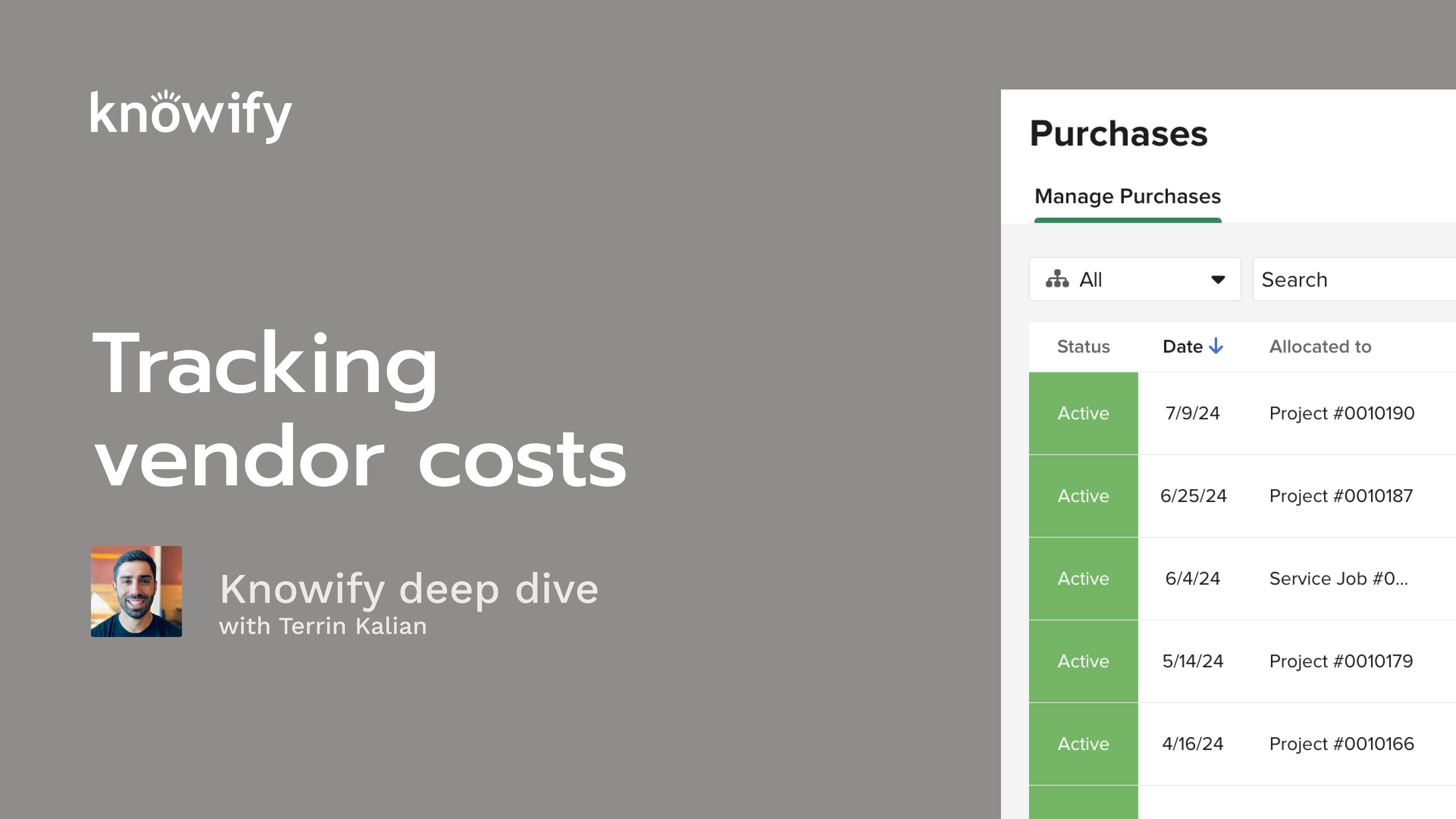
Ready to take control of your job costs and keep every project on track? In this on-demand webinar, Terrin Kalian, Knowify’s Head of Customer Experience walks you through the essentials of tracking vendor costs—materials, subs, equipment, and more—right inside Knowify. Whether you’re an experienced project manager or just getting started, you’ll find practical, easy-to-follow guidance and real examples that will help you boost accuracy and profitability.
Watch to see how Knowify’s tools help you make smarter decisions about project spending, avoid profit surprises, and streamline your day-to-day workflow. By the end of this session, you’ll understand not just the “how,” but the “why” behind effective cost tracking—with tips you can put to work right away.
Key learning outcomes:
Okay. That makes the top of the hour, so I'm gonna go ahead and get us kicked off. First, just, as always, I just wanna thank everyone for joining in today. Really does mean a lot to me to see how many people like to attend these webinars. It's something that we put a lot of time into, not just the webinar series themselves, but, obviously, Noify, as a whole. And so seeing that people are interested in taking time out of their day to learn more, does mean a lot to us. And, hopefully, you're finding these, webinars informative, and they're helping you get the most out of your account here. For anyone unfamiliar, we do this series just about twice a month and do deep dives on different topics and notify different pieces of the system, processes, things like that, and try to go a little bit deeper than the high level demo just to make sure that we're answering, as many questions as we can. And this week's topic is on tracking vendor costs. So to be a little bit more specific, tracking costs that aren't payroll, things that involve a third party, and we're working with the idea of, I am paying someone for their goods and services, and it is a job related cost, most of the time. So I'll cover all the different workflows in this. And if you are unfamiliar with me, maybe this is your first webinar or we haven't spoken in the past, my name is Terren. I've been with Nullify for, over ten years now. And my job is really just to make sure that you guys are as happy with us as possible, having a positive experience. That's the title there. And so, whether that's how you interact with the product or with our teams or as it pertains to these webinars, just making sure that you're getting the most out of your subscription, learning a lot about how you can get a lot out of your nullify account, stuff like that. Just make sure we're using everything correctly. And the way we usually do these webinars is I'll start with a series of slides just kinda introducing the topic, and we'll go into the concept of, what types of cost categories we work with, what we mean by costs, in Noify, different ways to track these categories, so how we actually categorize the individual transactions, and how we're actually going to be working with, different cost purchases, things like that. And then I'll actually pull up my nullify account and go through all this via demonstrations so you can see it in real time and get a better understanding about what this looks like when you're tracking it in your nullify account. All that said oh, and as a side note, my associate, Vin, will be answering questions that come in through the life cycle of this webinar. But if you have any longer form questions, we do q and a at the end. So just use that Zoom q and a function, and that's how I'll make sure that all of our questions get answered, through the session here today. So I wanna start by just kinda defining the concept of cost because I think, a lot of the times, even though it may seem like a simple concept, we can get mixed up with this. And at its core, cost is just money that is spent, through a job. So this is as simple as we can put it, money going out. And so if we look at a job, we're trying to compare our if we're trying to get a report on our profit, we're looking at how much money went out of the job, how much money came in, and we get a better idea of how much we ended up making or losing on that project. And so the cost tracking is really that concept of the money that goes out through the life cycle of the project. And in this webinar, we're talking specifically about vendor cost. So not labor cost, which is a whole separate topic that we'll discuss in our next series, but the idea of I have a vendor or another party, however you wanna refer to them, that I'm paying for a good or service that's specific to this individual job that I'm working on. This becomes important when we're looking at job performance, not just to see profitability, but for things like, if I look at a project that I completed in the past, I can see how much I've spent on that one so that when I have a similar project in the future, I can get a better idea of how much it probably will end up costing me. So our last series was a lot on budgeting, estimating how much a job's gonna cost. And tracking our actual cost can make us a a little bit more enabled to create more detailed, accurate budgets in the future, when we have those similar looking projects. And so there's a lot of reasons that, we should be tracking cost. But, to me, the the real benefits here, number one, understanding profitability, and number two, learning from, projects so that we can perform future projects, a little bit better down the line. And the different types of cost that we work with are materials, labor, subcontractor equipment, and miscellaneous. And these are the five categories that are available in nullify. For today, we'll cover everything except for the labor one. So, materials, things that I'm, buying for the job and using on that job, things like wire, lumber, appliances, anything that's purchased specifically for that job and essentially left at the job site. So burned on the job is the other way I'll put it. Labor, which, again, we won't get too deep into today, is the idea of employee time and how much that cost me on a job, since we have a lot of things like payroll, but then also employee benefits, other types of, costs that are affiliated with our employees. But then we get into subcontractors, which is obviously another type of vendor where instead of us spending money on individual parts, pieces, things like that, we're actually spending money on additional parties to come in and perform some of the work on a job. And so this is basically yes. It's still labor, but this isn't our labor. It's not running through payroll or anything like that. These are people that we're hiring, outside parties to perform chunks of work. Then we have equipment costs as well, and what we'll cover mostly today is the concept of rented equipment. So it's not my equipment that I'm tracking how much time that I used it for and how that cost me, but I have an outside party, a equipment rental company, that is charging me for all of the time that I use this. This is where we're gonna be tracking that type of cost. And the last option here, miscellaneous, is, really just anything that doesn't fit into the other four categories above. So, I always say one of the more common cases of this would be something like a permit. It's not necessarily a material even though it's purchased specifically for that job. It stays on that job, but we might not wanna recognize that as part of the material cost of the job because, as our material prices change, we wanna make sure that we're, budgeting and planning according to that as opposed to factoring in other costs like our permits and things that go outside of that normal realm of completion of the project. And we set these categories based off of vendor mapping, which I'll show you through the demonstration part of this webinar. But now I wanna discuss a little bit more about the types of transactions that are considered when we get into our vendor costing. Now the three main things that come into play here are, what we call material or inventory or catalog allocations. This is when we're saying, I have to add material cost to the job, but there's no transaction to back it. So, this is somewhat like a journal entry, in that we're just kind of making a manual adjustment to the cost of the job, because there's not a purchase or receipt or a bill or anything to back it. It's just I need to make sure nullify knows that I use these materials on a job, and this is how much they cost me. A lot of the times that can be from inventory, which we have the ability to track in nullify. So we can have the actual cost of the inventory happen when we buy the items for the inventory. But then when they're used on a job, I don't wanna have to go find that purchase and say move it from the inventory to the job, and we just wanna make it a little bit simpler. And so we have the ability to say, pull from this inventory, add it to this job, and I want this to be the way that the cost is reflected. And we also have purchases. Again, seems pretty straightforward, but just to clarify, this is anything that I bought for a job. So I go to the store. I pick up lumber, wire, whatever the different materials are, and they hand me a receipt. This is a purchase. We need to track this so we could see things that were purchased specifically for the job, see how much that cost us, what the final cost was, things like that. But we also have bills, which are basically transactions to represent past purchases that we haven't had any payment on yet. So, again, a lot of times people get confused to enter or a bill? General rule, when you're handed a receipt, it's a purchase. If you're handed a bill, it's a bill. It may seem self explanatory, but I think it's an important thing to note. And this starts this workflow of I create a purchase, they give me a receipt, then later on, they send me a bill, then later on, I pay the bill. And that's kind of this back and forth workflow that, exists when we talk about vendor costing, especially as it pertains to Noelpi. Now just a quick little overview of different types of costs built into these transactions. We look at the idea of committed, accrued, and actual costs. And we don't need to be too technically knowledgeable in this, but just to kinda get that high level concept and overview. When we talk about committed cost, this is where purchase orders come into play. This is the idea of I've, committed to spending this money, but no one has sent me a bill. I don't know exactly how much it ends up being. It's not my budget of here's how much I expected to spend. This is something like, I created a purchase order or I signed a contract that says that I will receive a bill for this amount in the future. Noify has the ability to track at this committed level because it's the earliest sign of cost on a job, that we can actually see. So this is our way of saying, yes. I may not have received a bill, but I don't want Noify to pretend that we're never going to receive the bill. I wanna see as soon as I create this purchase order, the adjustment in cost, that's going to end up happening in the future. Then later on, we'll receive bills, and this is where we get into the concept of accrued costs. So now it's no longer just I agreed to receive a bill. I've actually received a bill. The vendor has sent me a document that says, here's the amount that you owe me for the goods or services that you purchased previously. And this is where a lot of people like to start tracking costs, just to see things ahead of time. But, again, that committed us a little bit earlier. Accrued is really where we're gonna say, we now have documentation that shows exactly how much we will have ended up spending on this job. Then the last part would be our actual costing where we're talking about a cash basis. So, I may receive a bill for a hundred dollars, but if I haven't paid it, technically, I still have that hundred dollars. It's not cost on the job, as far as actual goes. We don't really do much actual costing in nullify, but I think it's important to understand this concept of I may have not paid this bill yet, but I do wanna recognize that cost because, assuming it's backed by other documentation, this accrued cost is part of how much I'm spending on the job, and I do wanna recognize that as part of my, job costing. And so when we look at committed and I have this little screenshot here because I think, subcontract is always a great way to kinda understand this concept. This is where I have the idea of, I signed a contract with subs contractors, for, four thousand dollars. So I've committed to spending four thousand dollars to subcontractors on this job. So far, out of that four thousand dollars, they've sent me thirty two hundred in bills. This is my accrued cost. Out of that thirty two hundred, I've paid two thousand. And so if we're only looking at actual cost, this job is gonna look like we're actually doing much better. We're actually coming way under budget. It's gonna say you've spent two thousand out of your four thousand dollar budget. But in reality, I can expect at least twelve hundred more to come in, as cost as I pay the outstanding bills, and they're gonna send me eight hundred dollars more in bills. So I wanna understand that, yes, we may have only spent two thousand dollars as far as money out of the bank goes, but we do know that there is four thousand dollars of spending that is planned and going to come out of the bank account through the life cycle of the project. And that's kind of the idea of understanding these different types of costs that, exist on jobs. Now we talk a lot about committed cost and purchase orders. It's a popular topic in nullify, so I like to get into this a a little bit deeper, when we talk about purchases and the different types that, come into play through a project. We have two types of purchase order in nullify, our itemized and our flexible. Flexible. The itemized purchase order basically is a list of materials that I am asking the vendor to send me, and it closes out when they've sent me a bill for each item that I have ordered. So if I order ten widgets, I may assume a cost per widget for the sake of committed costing, but then eventually, I'm gonna receive a bill for each of those ten widgets. Most of the time, it's gonna be one bill for all ten as opposed to individual ones. But the idea is that I can close out this purchase order once they have sent me a bill for each item that I ordered. A flexible spending purchase order works a little bit differently where instead of me closing out the purchase order based off of the items that I purchased, I closed out based off of the value that I purchased. So this is most commonly used for things like subcontracts where it's not individual items, but a set of goods and services, sorry, set of services where I could say this purchase order is for, the painting of this room for five thousand dollars. Then I can see how much they've sent me in bills against that five thousand as opposed to a number of units, a number of, paint cans delivered, anything like that. So I can, close out a flexible purchase, spending purchase order as I receive, bills that equal the final dollar figure. So, again, itemized based off of quantity, received in the bill, whereas flexible based off of the, final dollar figure of the amount billed. And both of these are committed costs, so we're recognizing it as here's an an amount that I will be billed, but I haven't received the bill yet, at this point in time. What we also have for purchases are things like credit card expenses. This is technically a committed cost, but it it lives a little bit differently, in nullify, where credit card expense is creating an outstanding amount, not that I owe the vendor, but the amount that I owe the credit card company. These, when you enter them in Noify, will close as soon as you enter them because we're no longer involved in a transaction with the vendor. There's a completely separate transaction that exists with a credit card company that isn't necessarily job related. And so the credit card expense, is closed out in Noify the second it's entered. It just adjusts cost on the job as we go through. We also have things like cash and debit expenses. So cases where maybe someone on the in the field has company petty cash or a spending card, a debit card, things like that. These are all actual costs because it's as simple as I hand you money, you hand me materials, end of discussion. We don't have to have an open or closed status to this. It's just cost that's accrued actualized. I wanna look at it as we are purchasing the materials. And then the last option we'll have in purchases is our reimbursement, which is the idea of one of my field staff purchased something with their own money. I don't owe the vendor that money now. I owe that person in the field, the money. It's an accrued cost, and what we do in nullify is open up a bill, where instead of the vendor being the person that have to pay, it's the employee who paid for the, materials. And so those are kind of our different types of purchases that we offer. We have our two different types of purchase order. We have credit expenses, cash expenses, and reimbursements. So I'll pull up my account now and show you some of the different workflows, that are, considered when we set up this, these costs. And let's see if I have my budget webinar project still open. No. Just the smartphone one. It's a good project with no cost on it, so this is gonna be a good starting point. So the first thing that I wanna show is gonna be that, concept of a catalog allocation. This is where I can come into demo and just say allocate materials, and I always use the example of something like a dumpster rental for fourteen days. And now this updates the cost of the job just in real time to represent how much I've spent based off of this allocation I entered. Now there may not be a receipt or a bill or anything like that to back this transaction. This is just my way of entering into notify, hey. You need to know that here is some cost that I incurred on the job. Don't worry about the transaction, but I do need this as part of my actual cost reporting. The same process works if there are inventory materials affiliated with the job. So allocate materials from my warehouse. I know if I will track what's in the warehouse. So I could say, we use some of this wire. There's eighty one units available. I used fifty of them. And then that knows to pull from the inventory, reduce the quantity on hand of this item, and increase the cost of the job. And so these are two quick easy ways that we can add material cost to a job. Maybe we're early to notify and don't really have the full purchase order flow down yet, and we just wanna make sure that our job costing is up to date. Using these allocate material options is a very quick and easy way to start getting some of that information in on the system. But then we can also get into things like our purchase orders. So we'll go through our different, types of purchase that we offer at nullify. And we'll start on a new phase here so we can kinda look at this with a fresh set of eyes. When I create per a new purchase, you'll see we have the option of selecting a purchase type, and this is where I have purchase order. Vendor will set an invoice. We have cash, credit, reimbursement, and I'll get flexible spending turned on in my account in just a minute. I had that turned off for some testing, previously. But now I'll put in the vendor that I am purchasing these materials from. And if you're unaware, you can actually choose a file here and, upload receipts and have Notify automatically read and do the entry for you. So big time saver if it's, if you're receiving bills and receipts via email or taking pictures of them and don't wanna key everything in manually. Just kind of a handy thing to, you know, keep in mind just to save yourself some data entry. And what I can enter here is what I purchased, so maybe some more wire, fifteen hundred units of wire. I also bought some, pipe, five hundred units of pipe. And we could just create this list of different things that we're purchasing, and it's going to job cost based off of the phases that I'm, entering here. If I ever need to, I can always adjust, hey. This is, yes, for four zero nine, but it's actually for the finishing part of four zero nine. And if that needs to be adjusted for the rest of the purchase, we have that option. And I can enter things like the purchase date in case I'm backlogging something I purchased yesterday. We can manually adjust PO numbers. I can also include additional information on the purchase order. So if I could say, this needs to be delivered to the to my HQ address, we have that option. I could also say, I'm gonna be picking it up and say, you know, leave, by garage and alley, things like that. We can call out specific, dates that we want to have these delivered. So, yes, I need this delivered on Friday. And then we have the ability to upload, the receipt just, for, the sake of keeping on file, in case we're audited or anything like that. And I can enter in generic notes just to accompany all of this. And so we have a lot of different options when we're actually creating the purchase order itself. Now once this is submitted, we've accrued or sorry. We've committed ten thousand nine hundred dollars to the cost of this job, and I could see that represented in my, material cost to date on the project. But at some point, I'm gonna receive a bill from, my vendor, I think it was Ace Hardware, for the things that I've purchased in the past. So I could say add new bill instead of a new, purchase, and I could say this was from Ace Hardware. And it's gonna pull a list of everything that I've purchased from Ace Hardware that they haven't sent me a bill for yet. We can see that the PO number is included here. And if we need, we can actually speed up the process. Let's just say they only sent one bill per PO. I could say this is a bill for PO two seventeen, and it'll automatically fill in the vendor name and the different items that are included. Now because this is an itemized PO, it's gonna stay open until every item has been billed. So let's just say they didn't send me a bill for the lumber yet. They've sent me a bill for two hundred and fifty. In fact, let's say two hundred of the lengths of pipe, and I can also make adjustments to the final price. Because everything in the purchase order is our committed cost. But now that I received the bill, I have a true accrued cost. This is where we're saying, they're actually telling me how much they're charging me for this. Maybe I knew ahead of time. It doesn't really matter. The bill is the final truth of how much we're spending on the job. So if I come in here and say the wire ended up being two dollars and fifty cents, that's gonna be what ends up costing to the job. If you see this little sparkle icon, this basically means, do you wanna update the cost of wire in your catalog to be this number instead? Because this is the more recent, more up to date pricing that I have on the item since it's now what's actually on the bill that I received. I could say yes. And then the next time that I receive a bill, or I'm entering a budget for wire, anything like that, it'll know that we expect to spend two dollars and fifty cents per unit instead. Now go ahead and submit this bill, and it's gonna increase the amount that I owe Ace Hardware in the amount of, five thousand nine hundred and fifty dollars. And when I've paid Ace Hardware, I can come in here, record payment, the full amount, could put a check number here, whatever we need. Again, we can backdate if, this is something that we entered in the past, and now this closed the bill. But I can see that the PO is actually still active, and that's because the, items haven't all been billed yet. So when I receive another bill from Ace Hardware, and I can right from this purchase order, say, create bill for PO to skip some steps here, I can see that there's still three hundred units of pipe that haven't been billed yet. There's still a hundred and fifty units of lumber. When I log this bill for the remaining number of units, not necessarily the cost, but the number of units, this is gonna be what now switches that purchase order to closed because we're no longer expecting any bills to come in for the items on purchase order two seventeen. The final amount in dollars that was billed may not be the exact amount that we thought when we entered our committed cost, but we do know that we've been billed for everything on the purchase order. And that final amount on the bill is what ends up, being represented in our, costing for this specific job for this specific case. The bill always takes precedence. And so I can look at this project and see for wire, we purchased it in two, seventeen. Here's how much we ended up spending. I can look at the purchase order from here. I can look at the bill from here. Have I paid the bill? And just kinda get all this understanding of where we stand based off of my interactions with the vendor here. Now when we get into flexible spending purchase orders, and if you don't see this enabled in your account, you should be able to go to customize, cost management, ability to create flexible POs. We have a similar type of workflow here where I can say finish, create purchase. I will use Ace Hardware again, and I'll just say widgets. And I forgot to change my purchase type. And then I choose this flexible spending or as we'll call it open PO. I could say I'm buying widgets, and I'm buying twenty five hundred dollars worth of widgets. The difference here is that the quantity that I receive in a bill won't really matter. The quantity is always gonna be one. And you can see we show a percentage of balance here instead of showing a number of units. So when I receive a bill from Ace Hardware for two eighteen, we'll display a quantity. But what's really relevant is I could say, I just received a bill for the first thousand dollars of this. Submit. PO is still active. We have an open bill. Same idea here. I can go back to this PO, log another bill. Maybe it's for the next thousand dollars. And even though the quantity of one is staying the same, and there's technically one item on my purchase order, the purchase order is remaining open because it's based off of the dollar figure instead. So if I look at this prod purchase order, it's a twenty five hundred dollar purchase order with five hundred dollars left on it once I log that last bill for the remaining five hundred dollars, and it might actually end up being more, maybe a six hundred dollars. That should close it too just because we've been completely billed. But I'll say the last bill, five hundred dollars. Now that purchase order is closed because we've received a bill for the total amount. Again, this comes in handy a lot when it comes to things like subcontracts where they have quoted a total value, for their work. But a lot of the times, it might be a situation where they, you send out a purchase order for ten widgets, and they come back and they say, for ten widgets, we'll charge you ten thousand dollars, but the bills might not call out individual widgets. They might send a bill for four thousand of the ten thousand dollars, not necessarily four of the widgets. And so this is a way to keep that purchase order open, recognize the cost, up until the point that, we have received a bill, then we can close the purchase order, and we no longer have to worry about, any more bills coming in. So these are our different types of purchase order, and you see that they all show up as material cost. The material cost is called out based off of the vendor that we used. So in both of these purchase orders we worked with, it was Ace Hardware. And if I go to my list of vendors and I look at Ace Hardware, I could see that they are listed as vendor type materials. Let's just say I received a bill from a vendor, but it wasn't a material cost. It was a subcontractor cost. We have a couple different options here, but one of them can be as simple as finish, create purchase from Sabino's contractors who is a sub, and I can say finishing work for four thousand dollars. Now, again, I have the ability to create purchase orders, flexible spending POs, things like that. But let's just say I paid Sabino with cash. Right? We have the understanding. I wrote him a check. There's no backing purchase order or bill or anything. He does the work. I hand him a check. End of discussion. I can log this cash purchase, and this is going to automatically close out. And, again, the logic here is, is there any more interaction between you and the third party, the vendor here, that's needed to be tracked. If not, since we've already paid them, then this is closed. And we've updated the total subcontractor cost of the job because Sabino's contractors is a sub, and we could see here's our adjusted cost versus budget on this project. For subcontractor tracking, there's a couple other ways that we can set this up. We also have the ability to say, enter a subcontractor or have a subcontractor as a line of the budget, add subcontractor work. Well, actually, rather than setting up a budget because that was last webinar, I could say assign the subcontractor. We're hiring Archie's architects for fifty three hundred dollars, whatever it's gonna be. And this is just gonna generate an open flexible purchase order with that, vendor, with that subcontractor. And this is where we can get into that chart that I showed you earlier where we can see, okay, fifty three hundred in contract, add a subcontractor bill. Out of the fifty three hundred, they billed me for two thousand dollars of it. Submit. And out of the two thousand dollars that they've billed me for, I have paid them one thousand of that. So now I have the ability of seeing the whole workflow of for Archie's architects. We agreed on fifty three hundred. They've billed me for two thousand. I've paid them a thousand so far, and I can see the paper trail of the purchase order, which is still active. It's outstanding in the amount of thirty three hundred. But there's a bill associated with it, which is still outstanding in the amount of a thousand. And I can just start at the high level. We've spent ninety three hundred dollars on subs, but then drill all the way down into the detail where I could see here's the amount we've paid, here's how much is outstanding in bills, and things like that. Now our other type of purchase that we'll work with is gonna be our credit card expenses. Now if we're working with QuickBooks, you'll pull in a list of credit cards here. If not, then, it just closes out very similar to, our cash, expenses, but it's gonna show up separately on reporting so you can get that type of information out of nullify. And let's just say I rented some equipment with my credit card, and I could say excavator rental for seven days. They charge me two hundred fifty dollars a day, and it's also for four zero nine for the demo. Just like before with our cash purchase, this automatically closes because I no longer have any interaction with the vendor. As far as they're concerned, this bill is paid. Right now, my outstanding balance is with the credit card company. I'll pay them separately, unrelated, but I can add this cost comfortably to the job. So I could see here is the equipment cost of, seventeen fifty because the vendor that I chose was, our equipment rental vendor who is classified like that in my vendor's database. And from here, in theory, you can actually update these. So if you have a mistake that was made, like, say, like, actually, they're a miscellaneous vendor, and we'll retroactively adjust the expenses. The only place where we're a little bit pickier about that is if you have open subcontracts, we can allow you to adjust back to materials, or equipment or miscellaneous because we do need to still track the outstanding balance of these subcontracts and things like that. So that's where we're getting a little bit, stickier and, require a little bit more, around sticking to that exact, vendor type. But this is where we now can see, our updated cost to date on demo. Here is my current equipment cost on the job. Now the last thing I wanna cover here is the miscellaneous cost. And, again, it's all gonna be based off of vendor classification. So if I go to my vendors list, like, I have just, a miscellaneous vendor that I put in here. Cool. This is where I have the ability to say, add a purchase. I don't have a miscellaneous budget, but, kind of a good side note here. But if if I create a purchase, even if I click it on materials here, this is just a button to get into the purchase editing screen. What ends up being the important thing is gonna be the vendor that we select. So even though I entered here from material purchases, I chose miscellaneous so it knows. Again, this is where I could say permit one hundred dollars and see that represented in the cost of the job as well against that miscellaneous cost versus budget instead. So these are our different categories, right, and how we can track material, sub equipment, miscellaneous, etcetera. And we've looked at most of our different types of purchase. One last one that we didn't cover is the idea of reimbursements. So this is obviously also available on mobile. Any type of purchase is available from the mobile app. But the idea here is when I enter a reimbursement, and I can enter on behalf of myself or on behalf of someone else, this is me basically saying, Charles purchased some gas that he needs to be reimbursed for. He spent sixty five thirty six for four zero nine. What happens here is we will log a reimbursement. We add that cost to the job, and it automatically generates a bill where the vendor is now set to the employee. So when I have paid Charles for this, I can record I've now paid it, and that will close both the bill and the PO. Oh, I clicked on payment by accident. And the PO because we're no longer outstanding in the amount that we owe Charles. This is now a opening close transaction. So, again, it's maybe not running through payroll like a lot of people are used to, but we have that ability to recognize job costing and who's owed the money based off of who's entering the reimbursements and what payments are logged against the bills. And if you ever need to reclassify, you can go into your vendor's database, and you'll actually see that for each employee, we'll generate a, vendor as you create reimbursements for them. So Charles automatically goes to miscellaneous, but let's just say he's buying materials. We have the ability to adjust that too for future expenses that this person enters in case we wanna reclassify the stuff that they've entered so far as well. And then I mentioned this idea of logging bills against purchase orders, but I think it's something that's worth noting that I might enter a bill with ABC Supply, and I have a lot of outstanding items. But if they send me a bill for something that's not on this list, maybe, I didn't log the purchase order, maybe there's some other kind of reason that the, purchase order doesn't show up. That's very okay. You can always just add manual items. This is for four zero nine for the rough in, miscellaneous materials, thousand dollars. And so you have the ability to skip that purchasing or purchase order process if you want and go right to logging a bill. Again, just based off of your practice, how you prefer to do things, all the same categorization rules will apply. So you'll be able to say, what type it is based off of who the vendor is. You can get in that quantity, price. And we'll now instead of tracking the purchase order status to the bill status, we're just having a bill status open and closed. Yes. I have paid ABC Supply for this, outstanding amount, and it's still recognized as part of our job cost. So the last last thing I'll cover before we get into our q and a here is that concept of committed versus accrued costing. So if I go to my admin section under customize and then cost management, you can see this, checkbox, use actual cost instead of committed cost when calculating job performance. If you check this box, then purchase order costs and subcontract costs and anything that's outstanding committed costs no longer are considered part of your job cost. So if I look at this job from earlier and I go to my subcontract, I have a fifty three hundred dollar contract with the sub, but you can see my cost to date is only tracking at the accrued level. And the setting says actual. It should say accrued. But the idea here is that, yes, I do have committed fifty three hundred dollars worth of cost, but I haven't received a bill for it yet. So in this case, bill to date, two thousand, that's what we recognize as cost, and this will only be recognized once I receive bills for it. So if I wanna recognize more of this cost, let's say Archie sends me another bill. I can click add bill here, for the next, let's just say, three thousand dollars. Logging this will update the cost to date of the job to now five thousand because we received our two bills, one for two thousand, one for three thousand. We can kinda just, see that add up as we go. You do have the option of toggling this back and forth as you need. I do think that usually it makes the most sense to kind of just establish which one is more interesting to you, which one you're more concerned about and stick with that number. But, again, I can always come back here. Archie's architects, we're back to fifty three hundred, the total contract amount instead of the build amount, and that would just update based off of our setting here. So if you're in a situation where you're only interested in your in your accrued costs sorry. I always get mixed up with these things. And the committed cost is considered a bit of a fugazi, something you're not interested in because there's no bill or paperwork to back it, then you do have that setting to toggle things back and forth. But, again, I do think that there's a lot of benefit to understanding where you stand from a committed standpoint so, we don't fall into situations where, let's just say, I received one bill at the end of the month for, everything that I have purchased so far, And then it takes all of my jobs that look like they've been performing really well, and all of a sudden, they tank to something much, lower in profitability. Using committed cost just gives us that power to see things ahead of time and get a better understanding of where we stand through the life of the job. That is all I have for the demonstration aspect. I saw some questions come in. I know, Vin got to a lot of them, but, I'll do my best to start kinda picking away the other things that have come in here. So the first question is, is there a report that allows me to see specific, in a specific time period, the expenses that were accrued by each job? Good question. So rather than seeing it in a report, I think the best place to do something like this is look at the transactions page of a job. Now here's a job that I put everything in in on one time period. So let me see if I have an older job that might be a little bit stronger for this type of thing. So transactions, cool, over a time period. So I can see that this job's been open since March. We've been adding things as recently as this month. If I wanna say, show me all accrued cost in a time frame, I could say, show me just bills and maybe expenses for the month of June. I guess they weren't on I just because I'm in twenty twenty five. And now I have, my list here. And if I need it for, export, I have the ability to get it in a, spreadsheet here as well. So this is, the best option for something on a individual job by job basis. Separately, if you wanna see everything across all jobs, a lot of great reports available, in your reporting section where, again, if we're looking at accrued cost, I could say, show me all bill items that were accrued in June of this year. And here's a list of everything that I received a bill for and what job it's for, what type of vendor it was really quickly across the time frame. So I think there's a lot of benefit to that as well. Is there any downside to creating a bill directly instead of going off the process of purchases and then creating a bill? Good question. It's something I touched on a little bit towards the end of the webinar there. But the only real downside is the time at which you see the cost affiliated with the job. And so if you log a bill without a purchase order, it still updates your cost perfectly accurately. But if you have the purchase order ahead of time, you can kinda see that profitability vary as you purchase the materials. So you avoid falling into this situation where you look at a job that seems to be extremely profitable because you haven't received the bill yet, and maybe you start being a little bit looser, spending more money on that job, and then you receive a bill at the end of the month, and it just completely jumps your cost to date on the project and eating into your profit. If you have the committed cost setting, if you're using purchase orders, you can get a more realistic sense of where you stand on the job in real time. So I do think that there's a big benefit to that. But other than that, there's not really a downside. If you're good about being knowledgeable about these things and you kinda understand how your cost flows work, now there's no problem with just logging the bill directly. It's really just a matter of preference. Someone was asking about contract value and bill to date shown in plan and track, and I think in reference specifically to the subcontractors. So in order to have that come in and we've been considering doing a series or a session on this, in this series specifically just for subcontractor management. But in order to do that, I'll have to enable subcontractors as a cost category. Budget is optional, but I do like to have it in there. And then enter in the subcontract. So the difference here is that I'm saying this is done by Archie's architects and then entering the contract value. This is what now gives us the power to track the balance of the contract and everything like that. In case it was, unclear, this is all just the contract value that I have with the sub. This isn't the, contract that I have with the customer or anything like that. And so once this is in the system, again, it is technically just a purchase order in the back end, but this is where I can enter bills, enter change orders, track my payments, and get, that contract value built to date, everything like that along the, project. Follow-up question was, if I set up all vendors as subcontractors, would there be a downside to that? The downside would be that you no longer get access to material costing, equipment costing, miscellaneous costing, equipment. Like, you wouldn't have the, ability to, track outside of any other category. Wordsworth, you technically don't need to label them as a subcontractor to enter the subcontract. But when you enter a subcontract using that method I just showed, it automatically converts that vendor to a subcontractor, and you can't really switch them back. So I wouldn't recommend converting every vendor to a subcontractor unless every vendor that you work with truly is a subcontractor, and you never buy materials, and you never spend money on anything except for outside services, and work completed. So that, you know, I don't know if downside is the way to put it, but I wouldn't recommend doing it unless that's truly what the case is, that every vendor is a subcontractor. Someone said, I get emailed an invoice with multiple different invoices attached to the email. How do I add these as a bill? So you would log each one as a bill in order to get the most accurate costing and reporting. Because the idea is whenever I receive a bill, this add new bill is one bill that I receive. So I receive one bill from Ace Hardware, and that's the amount I owe them. And this will give us better record keeping of how much we owe, when things are due, things like that. If it is a single bill for multiple purchase orders, we have the ability to say ABC Supply sent me a bill for, purchase order one eighty seven as well as one ninety eight, one ninety nine, two hundred, two zero one. So we can actually reference multiple purchase orders in one bill if that's the case. But if it is multiple bills, it should be logged as multiple bills. And if they're emailing them to you, you do get that OCR feature where you can upload it directly into Noify, and it'll read it and enter it for you. So that could be a huge time saver for those situations. Next question was, is there a way to track subs and their time and crew members spent on the job? You do have the ability to set up if this is the case, you have the ability to set up vendors as resources so you could track them in their time, but it would be the entirety of the vendors. So this is more built for ten ninety nines. If you have someone who's technically not on payroll, we do pay them hourly. You could set that up. Beyond that, there's not too much for tracking subcontractor time. But with a recent update, you do have the ability in your daily logs to actually call out which subcontractors were at site. Which can be handy as well, to keep track of things like that. And then you can have additional notes, things like that, but, that would be probably your best bet if you need to track the number of people on-site, as subcontractors, things like that. What would your suggestion as a workaround be for entering labor costs without adding time sheets? Good question. So you do have the option if you want to do things like, I don't wanna enter in labor cost, but I don't technically have any employee time to go along with it. If you want to show up as labor cost on job, you do have the option of just saying, like, one hour. And if you know that cost off the top of your head, you can then edit this and say, like, this one hour cost me thirty five ninety two fifteen and update your labor cost that way. So even though, it's not a time sheet, I can still get that updated labor cost to date represented in my job costing for this project. And then there was a question, what if there's multiple different jobs on one bill? That's no problem at all. If I'm logging a bill, as I add items, I can just call out this line of the bill is for this job. This line is for this job. This line is for, this job, and just vary as we go. So whatever you select here is what controls the job costing as opposed to, something that is set at the overall bill level except the individual bill line level. And so you have the ability to log this. If you log it against a purchase order, the job that you submitted the purchase order against has to be retained because I can't say, like, I ordered it for this job, but I logged the bill against another job. It creates weird discrepancies that don't make sense. But when you're logging the bill manually, you have the ability to set the job on each individual line of the bill instead. And then the last question was following up on the time sheet thing. Does labor have to be associated with an employee? It does at this point in time. It's just the way our labor costing and time tracking works. But we'll likely yeah. With time, always wanna review these things and hopefully make stronger solutions for you in the future. That's all I have for today. I hope that it was informative. I know we came, right up to the end of our scheduled meeting time. So, hopefully, that means that there was a lot of information and people, got a lot out of it. You know, when doubt, you can always reach out to your success managers, to our support team. You can reach out to me. I'm always happy to help people, get on board with Notify as well. And I hope that this, again, was helpful, that you have a great rest of your week. Take care, everyone.